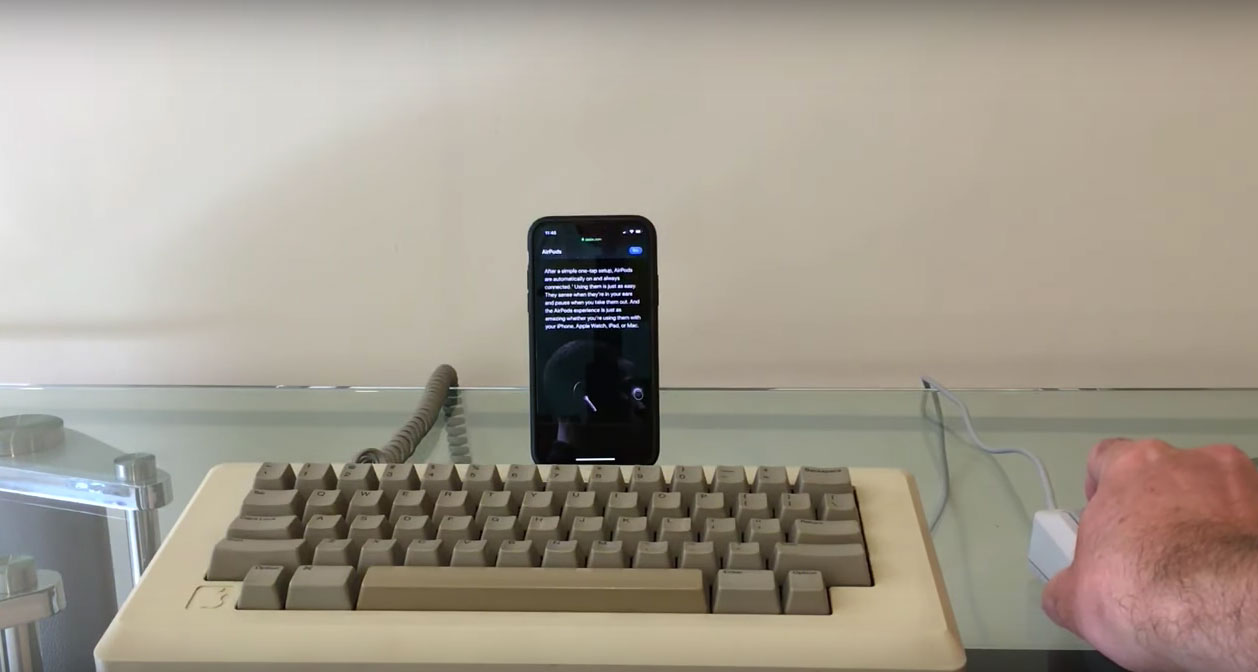
Tap through your iPhone, 1980s-style, with a vintage Mac keyboard. Photo: Niles Mitchell/YouTube
The living can communicate with the dead — and Niles Mitchell regularly holds seances on YouTube to prove it.
Mitchell is a true medium, putting contemporary technology like the iPhone or Apple Watch in touch with obsolete hardware. He connects the two worlds and gets devices, old and new, to work together in ways likely never imagined by their creators.
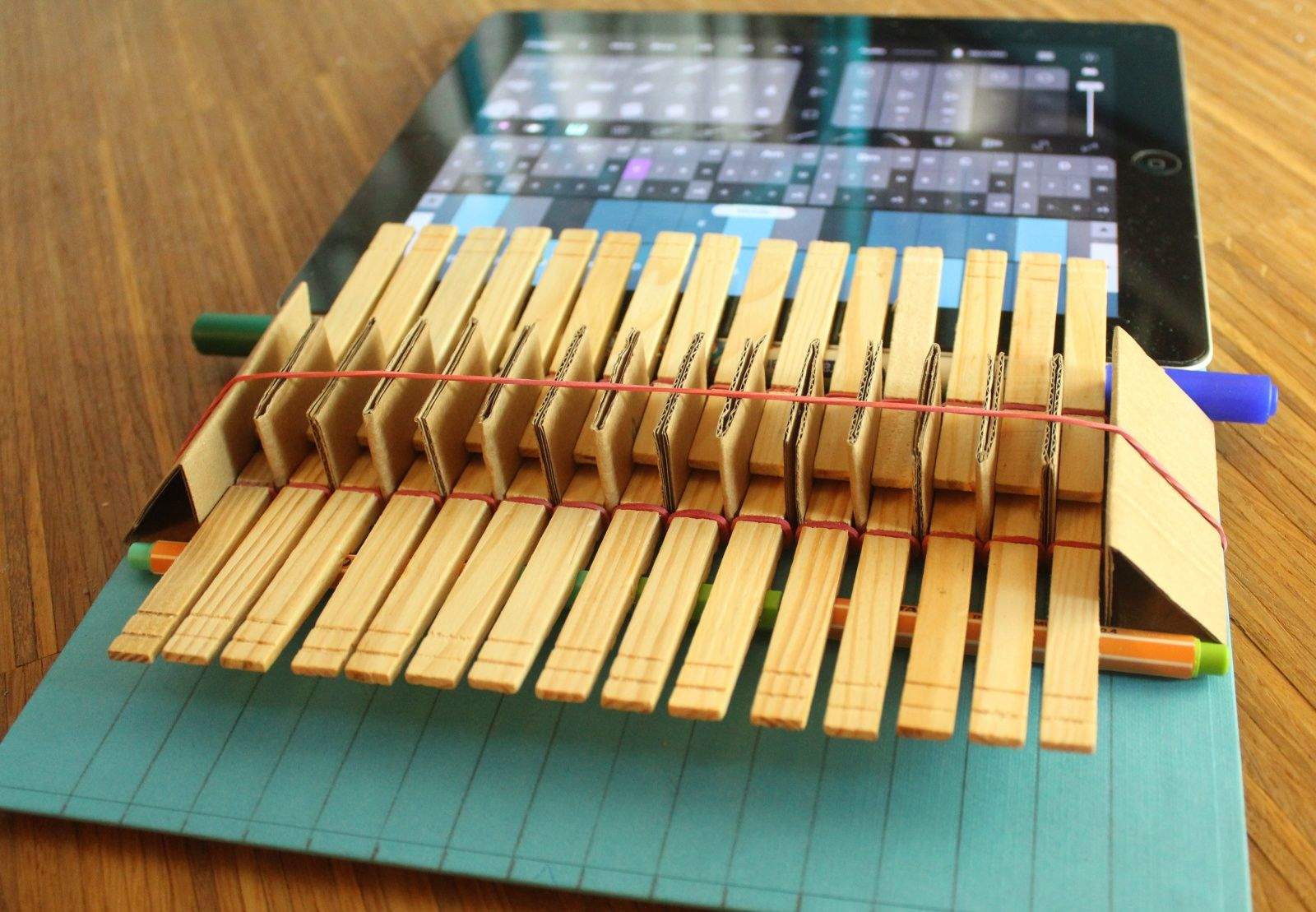
This simple hardware hack adds a piano-style keyboard made of clothespins to your iPad. Photo: Adam Kumpf
The iPad is great for making music, but the lack of physical keys can be a drag for keyboardists. That shortcoming prompted Adam Kumpf to hack together a miniature piano attachment for the tablet using nothing more than wooden clothespins, aluminum foil, a few pieces of stiff cardboard and some rubber bands
Total cost? Less than $5.
Despite his creation’s humble DIY origins, Kumpf thinks the idea of iPad add-ons has the potential to take touchscreens to the next level.
“There’s an innate desire that users have to go beyond what the screen can usually do,” the 31-year-old MIT graduate tells Cult of Mac. “I strongly believe that there’s a world of accessories relating to capacitive touchscreens that’s just waiting to be explored.”
Sometimes it’s difficult to fall asleep, even after a long day. While listening to music can help some, they wake only to find their device’s battery dead from playing all night. In this episode of Cult of Mac’s how-to, find out how to use your iPhone’s hidden sleep timer, thanks to our quick and easy steps.
With Apple recently making OSX Beta Seed downloads available to the general public, Cult of Mac’s Ste Smith shows you how to prep your Mac to install the latest software. Get the latest OSX updates before general release by following the simple steps shown.
Take a look at the video to see what you need to do.
Apple Pay's ease of use may lead to increased impulse buying -- and that's exactly what Apple's hoping for.
It’s been rumored that Apple will eventually introduce Near Fields Communications technology in an upcoming iPhone model, but speculation that such a technology will be implemented this year has been all but debunked.
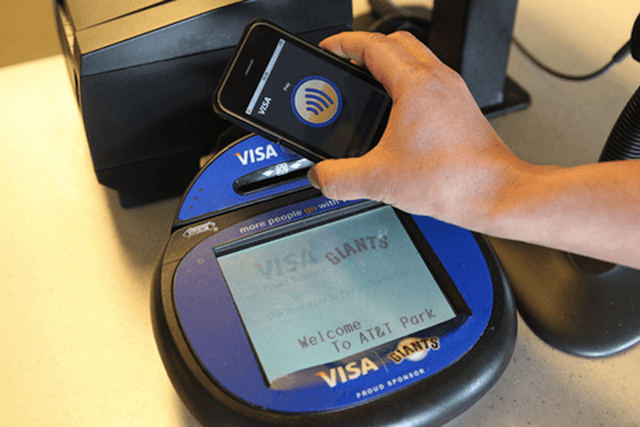
If you’re itching for the ability to have NFC-like “wave and pay” capabilities on your iPhone 4, then it’s your lucky day. A simple hack has been discovered that turns your iPhone 4 into a NFC-capable device.
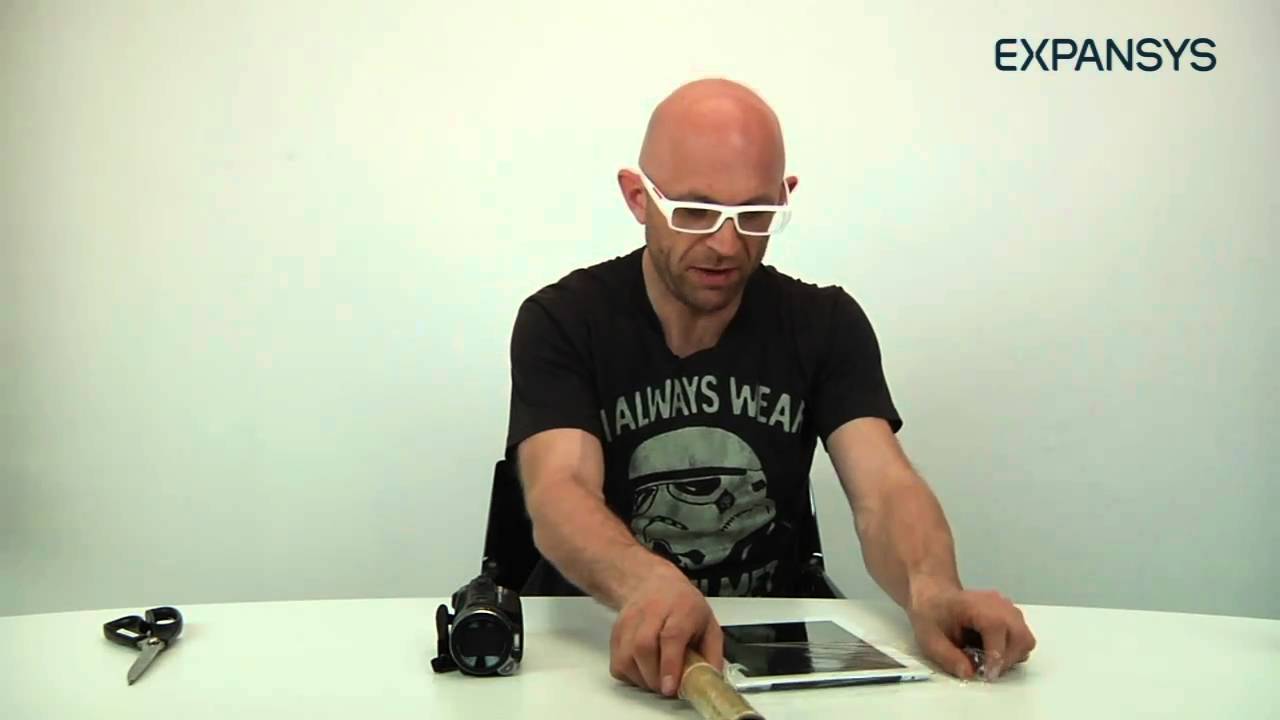
Jason Bradbury, the self-proclaimed Apple Expert, has discovered a simple hack that allows owners of the iPad 2 to take X-Ray style photographs through clothes. By applying a filter after blasting a subject with infrared light, the iPad 2’s camera can see through clothing. The best part of the hack is that you don’t need any type of training in radiology as it is incredibly simple and utilizes everyday household objects (infrared light and cellophane) to make it work.
The steps are quite simple:
1: Flood a subject with infrared light. Bradbury recommends using a digital camera with a night vision mode, or a children’s toy that uses infrared light. The infrared light penetrates the clothing and will be able to be picked up with the right filter.
2: Cover the camera on your iPad 2 with two layers of cellophane. The cellophane acts filters out the natural light enough to wear the infrared light comes in stronger and is picked up by the iPad 2’s camera lens.
3. Start snapping pictures. With your infrared source in place and your filter setup you are now ready to start taking some amazingly cool photos.
Macworld staffers Christopher Breen and Ben Long wowed attendees at iPad Supersessions during Macworld 2011 last week, illustrating their talks with pristine images projected directly from their iPad’s screen interface.
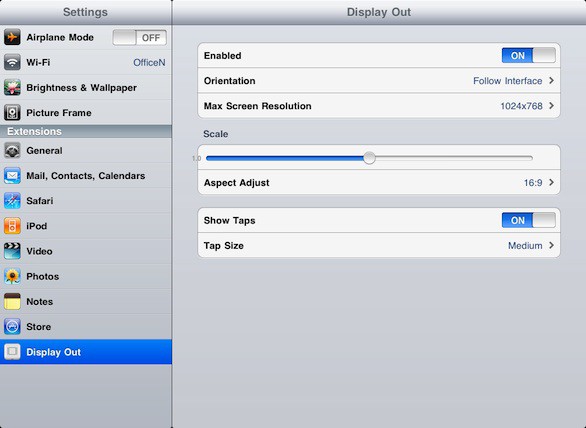
Breen revealed their dirty how-to secret, which had been the subject of some oblique chatter in the Expo’s Media Center after their talk, in a post Monday on the Macworld website: they used a jailbroken iPad and “illicit” software to accomplish the feat.
In his web posting Breen wrote “only Apple [has] the secret for projecting an [iPad’s] entire interface,” suggesting there may be a method for projecting images from an iOS device using “display out” data transmitted to a standard projector without jailbreaking. But so far as anyone interested knows, Apple treats that as proprietary information.
Where there’s a will, there’s a way, however, and into the breach, as usual, goes Cydia and redsn0w.
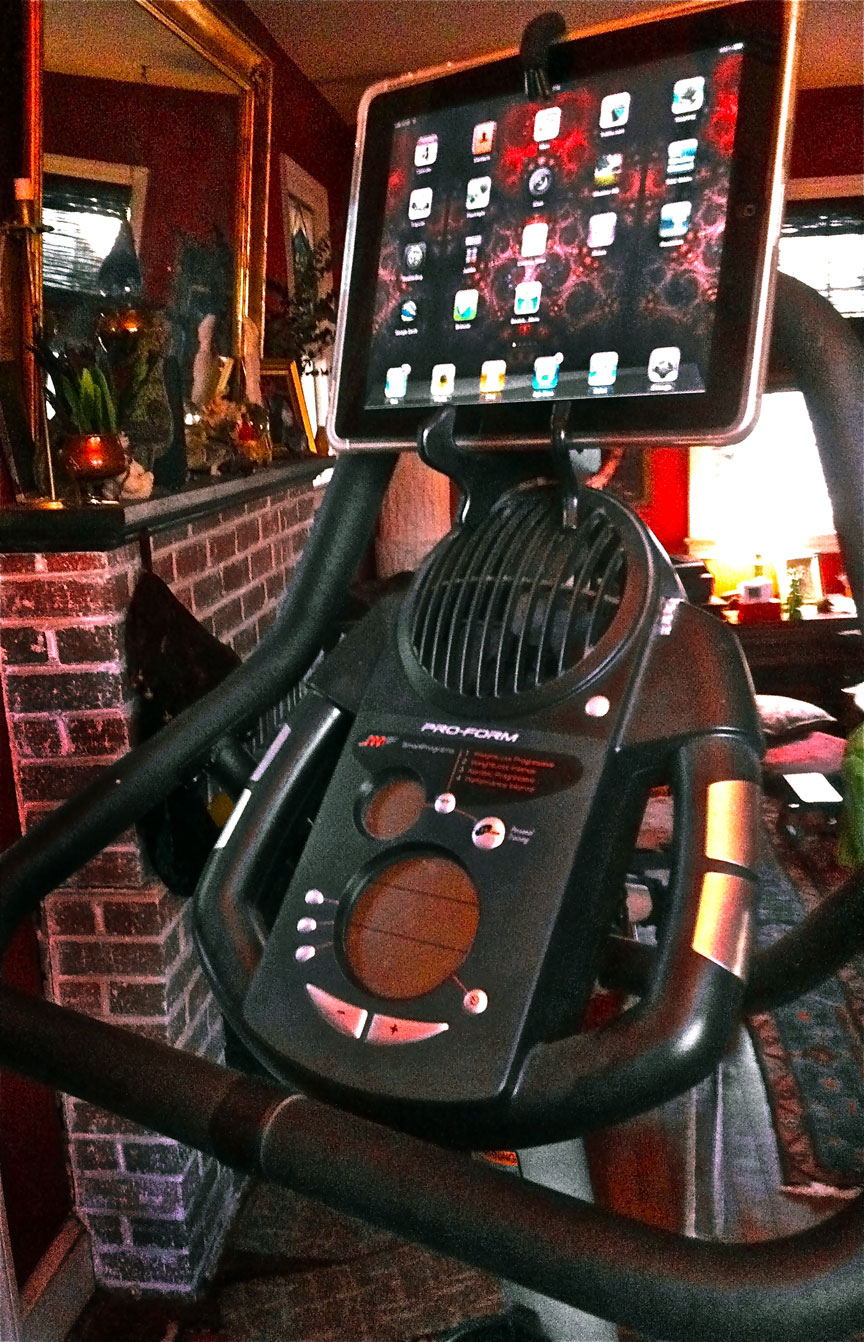
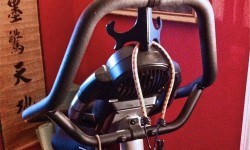
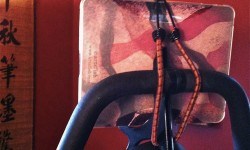
You don’t have to be an artist to create one of the coolest DIY Apple accessories around, but if you want to use your iPad while working out on your exercycle, stairmaster or treadmill at home it couldn’t hurt.
Of course, you could drop a lot of dough on a commercial device that may or may not perform up to expectations in the real world, or even import top gear that looks like something out of a sci-fi fantasy.
But why not look around the house for a few simple materials that, with a bit of creative ingenuity, you can employ to do the job just as well?
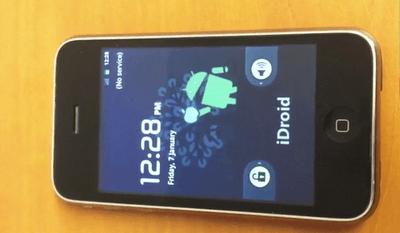
There can only be so many good reasons as to why someone would feel compelled to do this, but apparently, some ingenuitive hackers have managed to get Android 2.3 Gingerbread ported to an iPhone 3G.
After several weeks of work, Nick Pack and others have found a way to install the Android OS on an iPhone 3G, using the OpeniBoot software that has been used on previous ports. OpeniBoot is an open source implementation of iBoot for iOS devices, which allows booting of unsigned code, such as Linux kernels, on the device.
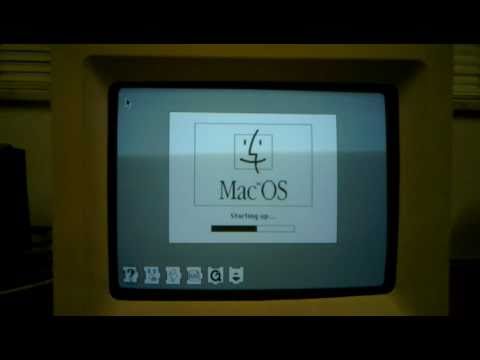
This is a huge hack: a plucky modder has resurrected a Macintosh SE/30 using a Seagate Dockstar, a small Linux server running a 1.2GHz ARM processor, a few USB 2.0 ports and 128MB of RAM. Not only does it work as a server, but in runs a Mac emulator, and even the floppy drive works… but it reads SD cards mounted on a floppy-shaped protoboard instead of ancient 5.25 discs! He even restored the Mac to pristine condition by bathing it in chemicals to return it to its vintage, unyellowed color. Amazing!
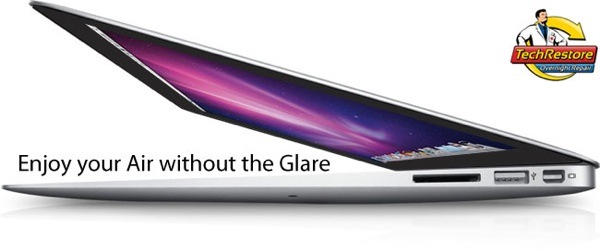
Laptop users usually have a strong preference for either glossy or matte displays, but unfortunately, if you buy an Apple notebook, you’d better get used to seeing reflections: all of Cupertino’s current notebooks save the 15- and 17-inch MacBook Pros come with displays of the glossy variety.
So what if you’re twitching for the new MacBook Air, but can’t stand seeing the translucent enantiomorph of your ugly mug overlaid on your desktop all the time? No problem: just call up TechRestore, send in your MacBook Air along with $250 bucks and they’ll rub some fine-grained sandpaper all over your glossy display until it nice and matted.
Sorry, we kid: in actuality, TechRestore will simply retrofit a matte display into your MacBook Air that is identical, spec-for-spec, with the stock one. Not worth a quarter grand to me personally, but then again, I’m a narcissist.
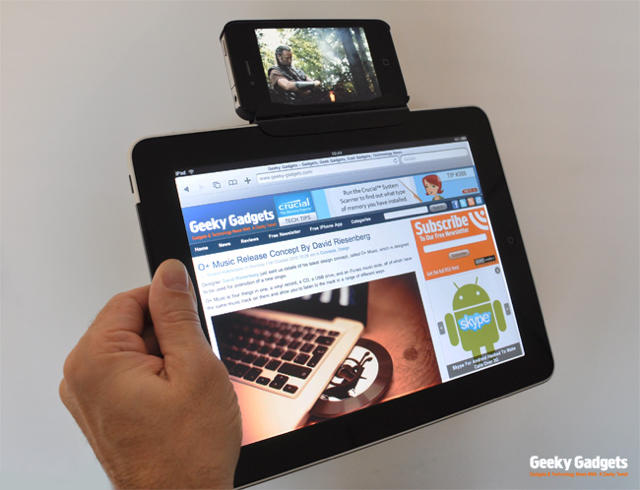
While we all wait for the final version of iOS 4.2 to arrive, the iPad’s inability to multitask is growing increasingly obnoxious — especially when our iPhones are humming along in 4.1. Worse still, an iPad running 4.2 is obviously using a multitasking scheme well-suited to an iPhone, not a tablet. In spite of increased screen real estate, there’s no way to keep a video window popped open in an unused portion of the screen in Safari, or to keep a Skype dialer overlaid on other tasks. No one wants a full desktop experience, but an iPhone-sized widget that can be moved around the screen would make the iPad truly special.
Julian Horsey of Geeky Gadgets has created a hack that shows what the future could hold, if Apple loses all sense of design and taste in the near future, with a clever clip to attach an iPhone to an iPad. With this two-headed monstrosity, you can multitask exactly as you would want to. This isn’t for the faint of heart — not because the hack is particularly difficult, but because you would actually have to be seen with it in public.
I sometimes wonder what monsters haunt the nightmares of Apple’s resident designer, Mr. Jonathan Ive. He’s so prim, so meticulous, so clean and proper, but on those nights when he has a slice of pepperoni pizza a little too close to bed time, what horrors does he dream up? Some horrible Cenobite iMac dragging itself bloodily across the floor whispering “Make way for the new flesh:” a biomechanical monstrosity of Foxconn components crammed into the pulsating sack of some skinless, cancerous stomach?
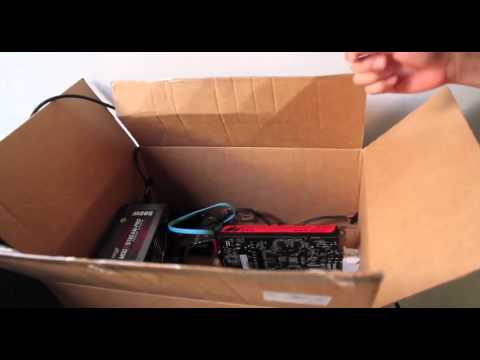
Or is it something more like this cardboard box Hackintosh, put together by the guys over at One Block Off the Grid — a cooperative for buying photovoltaic solar panels at a group discount — after one of their Macs proved too slow to run Adobe After Effects?
Back in the days before the iPad, there was the ModBook, a MacBook-to-tablet conversion that could be expensively undertaken by those willing to send off their laptops to the plucky boys over at Axiotron along with a check for $900 bucks. I imagine the iPad has killed off a good chunk of their business, but there are always going to be some people disappointed that Apple’s tablet took the approach of a “big iPhone” when what they really wanted was a convertible OS X tablet / notebook.
If you’re one of those individuals, great news: instead of giving Axiotron your $900 bucks to convert your MacBook into a tablet, a hacker over at Enigma Penguin has come up with a DIY approach that costs just $50.
Meet Paolo Tosolini. He’s a blogger and podcaster in Italy.
And this? Well, this is Paolo’s idea for a “video jacket”.
Stuck for inspiration for something different to do with his iPad, Paolo thought of a way of wearing it at special events, for what he calls “guerilla marketing promotion activities”.
Which sounds to me like the modern equivalent of the sandwich man, wearing someone else’s advertisement while prowling the streets.
I predict that the iPad sandwich man will soon be a common sight in our cities, walking the streets with animated ads playing at front and rear.
Anyway, that gives me another idea.
My idea depends on the next iPad having a user-facing camera. You could set up two iPads just like Paolo has done: one on your back, and one your front. Send the image captured by the front camera to the rear iPad; and send the image captured by the rear camera to the front iPad: behold! You’ll have an iPad-shaped hole right through your body!
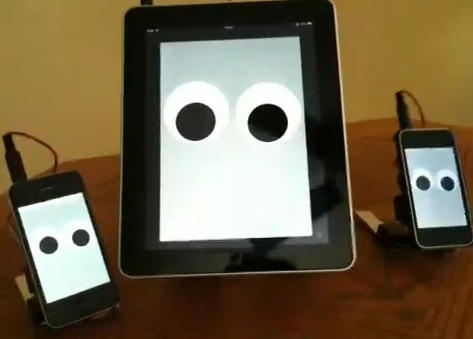
OK, you’ve used your iPhone to control robots. Now you can turn it into one, if you have the same techno wizard chops as Kazu Terasaki, the guy who’s done just that.
Here’s the video:
Perhaps “walking” isn’t quite the right word here. They’re sort of “sliding” their way across the table. But hey, all robots have to start somewhere, right?
(Via Gizmodo, and about half of Twitter this morning)
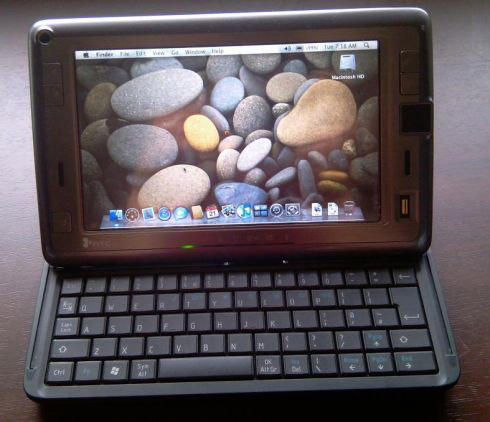
Way back before the iPad, there was the HTC Shift, a 7-inch UMPC with a 1024 x 600 touchscreen, a full QWERTY keyboard, EVDO data functionality and an 800MHz Intel A110 CPU. For mobility buffs, it was then what today’s tablets are to them now, but it cost an arm and a leg at $1,500. Even worse? It ran Windows. Vista. That alone was enough to drop the ‘f’ from the product’s name.
These days, you can probably pick up an HTC Shift pretty cheap on eBay, and while there’s still little to recommend it over an iPad (or, heck, even the Galaxy Tab) it turns out that the diminutive little UMPC is Hackintoshable, with OS X Leopard running pretty much flawlessly on it, with the exceptions of WiFi and the fingerprint reader.
If for whatever reason you’ve got a Shift around, or find yourself morbidly curious enough to pick one up cheap on eBay to make yourself one of the tiniest Hackintoshes around, you can find the instructions over on the XNA Developers forum.
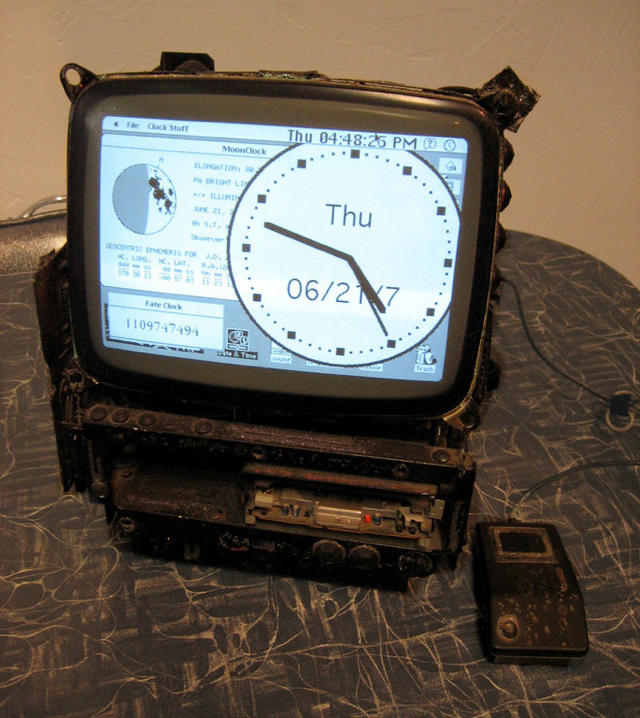
After scratching his head for awhile and wondering what to do with a Macintosh Classic II , Maker Matteo from Ithaca, New York repurposed his old faithful Mac into a shelf-top clock.
From appearances, it looks like the clock — which Matteo rather laughably calls “steampunk” in style — only came into being after its creator accidentally doused his Mac Classic in acid then shot with a bazooka, but the innards of the admittedly ugly timepiece work well enough: a 16MHz CPU, 4MB of RAM and a 20MB hard drive running MacOS 7 and a dozen different shareware and freeware clock programs, including one that counts down the seconds to Matteo’s death.
Yeah, it’s hideous, but we love it: this is just the kind of bizarro clock I can imagine discovering thirty years from now in the basement of an elderly and now quite eccentric Steve Wozniak. Great work, Matteo!
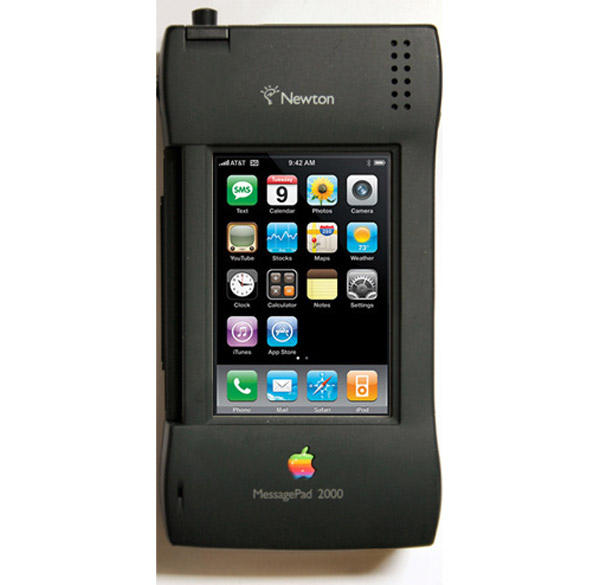
Apple hardware hacker Charles Mangin has a respectable history smashing modern functionality into nostaglically held but utterly obsolete hardware. For example, Maguin’s amazing success inserting a Mac Mni into an old Disk ][ drive, or his even more breathtaking success cramming an old G4 cube into an even older Macintosh Plus.
Mangin’s latest project might be his greatest triumph yet though: an iPhone ensconced in the hollowed out shell of its evolutionary predecessor, the venerable Apple Newton. Charles has yet to complete the project, but given his past successes, we’re confident he’ll succeed… but will he update the Newton’s stylus with a touch-capacitive tip for extra points?
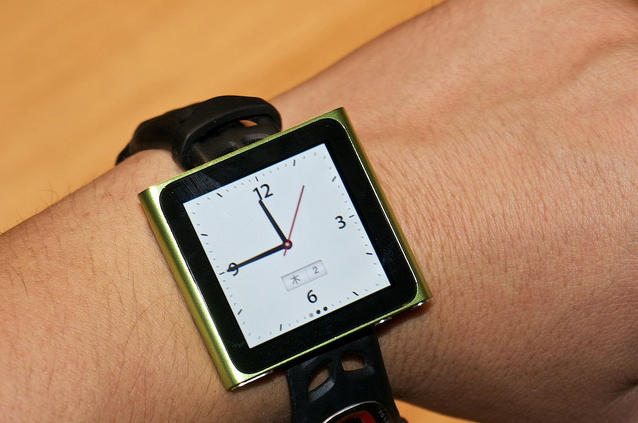
Well, our insightful new columnist Mike Elgan certainly nailed it: mere hours after he received his new touchscreen iPod nano, Flickr user Kei Ogikubo has already added a watchstrap and turned the nano into an iWatch. Crap. I was skeptical before, but now I want one.
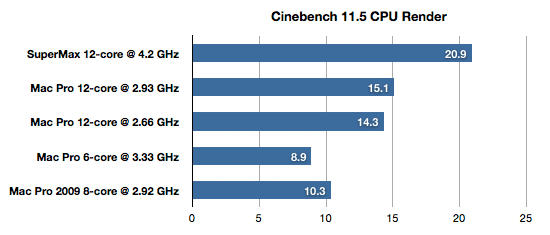
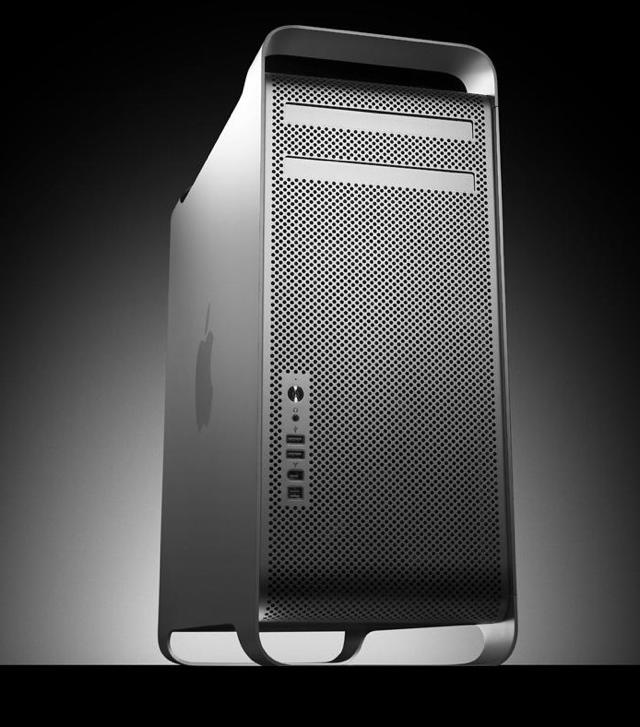
Apple’s fastest Mac is the 12-Core Mac Pro, featuring two 2.93 GHz Xeon processors. Configure it with 25GB of DDR3 ECC SDRAM, and Apple’s fastest Mac will cost you $8,749.00.
Yowza. That’s an extraordinary amount of money. If you don’t mind dropping an extra $300, though, you might be interested in Macintouch’s guide to building not Apple’s fastest Mac, but the world’s fastest Mac yourself.
Yup, according to Macintouch’s tests, their Hackintoshed monstrosity — a total beast of a machine running two 3.33GHz hexacore Westmere processors overclocked to 4.2GHz each and supplemented with 24GB of DDR3 RAM — melted the Mac Pro’s face off.
Of course, there’s a lot of drawbacks to this approach, including compatibility issues and a much louder system than the Mac Pro, as well as a desktop footprint that makes the Pro look compact. But as of right now, it seems that a Hackintosh is the fastest Mac in the world. God help us.
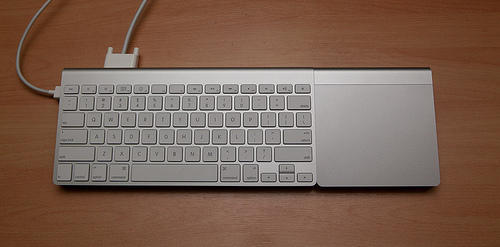
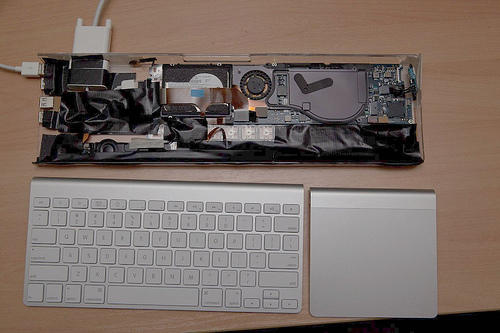
Genius. In the style of Atom-embedded computer-in-a-keyboard solutions like the Asus EEE Keyboard, a plucky modder gutted a partially dead MacBook Air and crammed its workings into an old, heavily modified Apple Keyboard casing, precisely topped by an Apple Wireless keyboard and Magic Trackpad snuggled together.
The result? The MacBook Air Project, an all-in-one Mac-in-a-keyboard: just plug in a monitor to the MacBook Air keyboard’s DVI port and you’re ready to rip. Hey Apple: this is what the next Mac mini should look like!
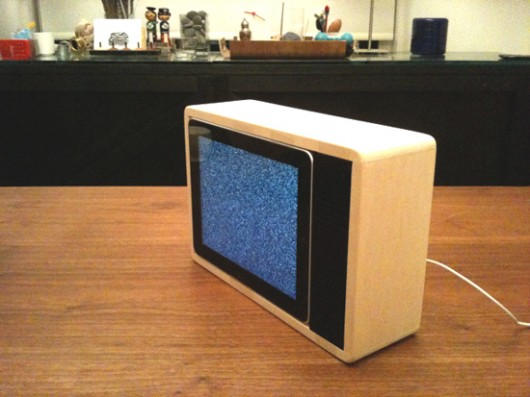
Miss being immersed in a blue cathode glow as you slumber in front of your staticky black-and-white television. Designer Jonas Damon did, so he built a dock in the style of an old cathode-ray television… complete with an Apple Dock Connector snaking like an electrical cord out of the back. Load up an MP4 of an old episode of Elvira’s Movie Macabre and you’ve got yourself a pixel-perfect recreation of a 1980s bachelor life.
The new hexacore Mac Pro’s are coming, the screaming performance and egg frying potential of those new machines are making my previously five thousand dollar 2006 model look positively dated.
To be sure, I’m in the midst of a computational mid-life crisis. Follow me after the jump for the cure…
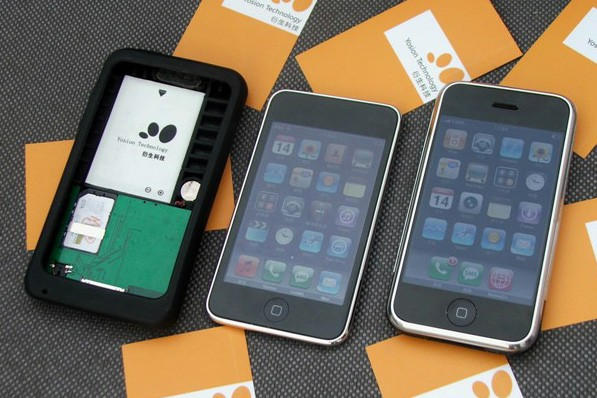
Remember this case from China that allows you to use a regular SIM to make phone calls and SMS messages from your jailbroken iPod Touch? It’s been reviewed.
Not so surprisingly, it works, but it’s buggy. You can’t adjust the call volume, the SMS delivery shorts out occasionally, etc. The Peel 520 was a neat idea, but if you want to use your iPod Touch as a smartphone, Sprint’s forthcoming 3G hotspot case combined with a good set of headphones and a SkypeOut account seems like your best bet… no jailbreak required.