A Dozen iPhone Apps to Watch
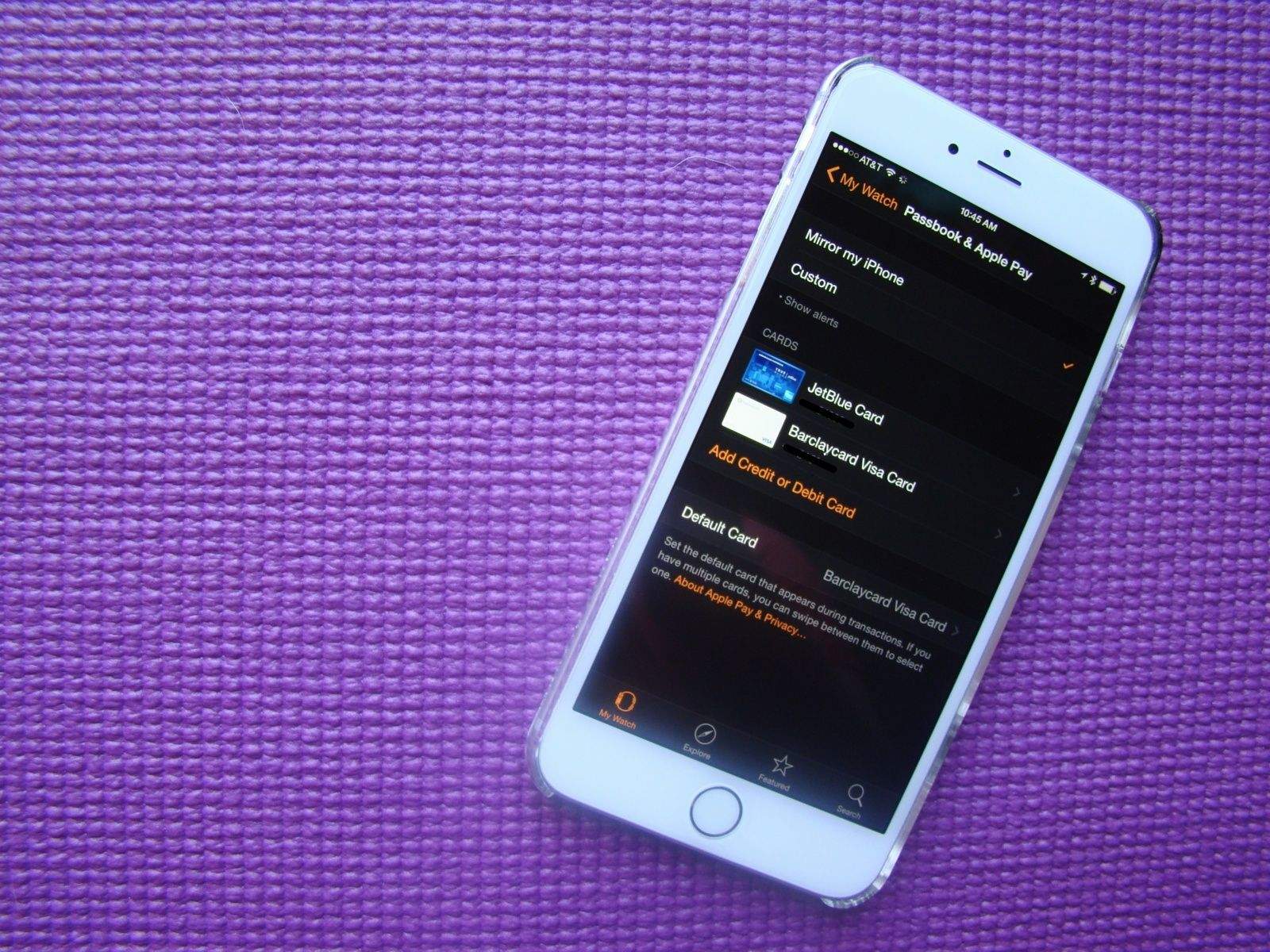
Of the more than 25,000 developers who applied to Apple’s iPhone developers program, 4,000 were admitted, according to a story in Fortune. Apple set a July 7 deadline for those accepted developers to submit their applications for inclusion in the inaugural launch of the iPhone AppStore, expected to coincide with the worldwide debut of the iPhone 3G in two days.
We bring you now 12 interesting Apps to look for. Descriptions and screenshots after the jump. Read the rest of this entry »
Boingo Debuts for Mobile Macs
Boingo, the popular wireless hotspot provider, has released a lightweight application for Macbooks running OS X 10.4 and later. According to internal usage reports from airport Wi-Fi networks operated by Boingo, Wi-Fi connections from MacBooks and PowerBooks have been increasing steadily. As of January 2008, nearly 20 percent of airport usage comes from Mac laptops, an increase of 30 percent since January 2007.
“With our GoBoingo! software for MacBooks, you are now just one click away from enjoying Wi-Fi service at hotspots around the world,” said Dawn Callahan, vice president, consumer marketing, Boingo Wireless.
The lightweight authentication tool automatically determines whether a hotspot belongs to a Boingo roaming partner and helps users log on to the Internet with their Boingo accounts in a single click. Less than 1 MB, the tool installs quickly and stays in the background until the Boingo member needs to log into a Wi-Fi network.
Six of the best: Mac OS X menu extras
In the first of a new series covering overviews of collections of Mac ‘stuff’, we present our favorites from the slew of apps vying for a place in your menu bar.
iStat menus 1.3
($free) islayer.com
There are loads of system monitors available for the Mac, but few hold a candle to the flexibility, good looks and usability of this beauty. With almost no effort, you can bung usage statistics for CPU, memory, disks and networks into the menu bar, along with fan, temperature and Bluetooth information. Drop-downs then provide access to extended data.
But perhaps the best trick iStat menus has up its sleeve is the Date & Time module, which offers many more settings than Mac OS X for displaying the date and time in the menu bar. It also offers a handy option for bunging a set of user-configurable world clocks in the drop-down, an implementation that manages to better the competition. The fact that iStat menus is free means you’re a bit strange if you don’t at least check it out.


All the times in the world, at your fingertips, with iStat Menus.
iTunesMenu 0.1
($free) programmerslife.co.cc
With the alumin(i)um Mac keyboards, Apple finally provided built-in system-wide iTunes controls, thereby placing dozens of iTunes controllers on to the ‘soon to be redundant’ list. However, when you’ve hundreds of CDs that have been ripped to iTunes, chances are you won’t know every track that pops up. iTunesMenu cunningly commendeers some menu-bar space for displaying the current track, and you can mess about with the preferences to include the artist and album name, too. Growl notification and scrolling support also exist, along with the option to define system-wide hot-keys for common iTunes controls. We’d love to also see iTunesMenu display the current track’s rating, but aside from that minor shortcoming it’s fab.

Check Off 3.8
($free) checkoffapp.com
With everyone and his dog rattling on about Get Things Done (GTD) processes and applications, it’s a wonder anyone actually does get anything done. By the time you’ve learned how to use applications and rigorously apply procedures, entire days have been sucked up by trying to be more efficient, which has resulted in many a Mac user being harshly beaten by the giant no-no stick of ironic doom. Check Off keeps things simple—it sits in the menu bar, and enables you to create a list of labelled things to do. Once you’ve done a ‘thing’ you can check it off (bonus points, Mr. Developer, for actually using a sensible name for your app!).
It’s simple, it does the job, and we like it. And Version 4’s due soon, so pop over to the developer’s website and offer your two cents regarding the feature set for the next major release.

ASM 2.2.7
($15) vercruesse.de
Time to show our age (or experience, depending on your point of view). Back in the days where OS X was just a glint in the mailman’s eye, there was no Dock. App-switching was instead done via a menu at the top-right of the screen. Old-hands often tearfully think back to those halcyon days, wishing nostalgia could replace the present day—at least when it comes to switching apps. ASM makes such dreams come true.
If you’re thinking “that’s great, granddad, but really what is the point, you old fart?”, we’ve some wise words for you, young whippersnapper. First, it’s irritating how the Dock’s apps can’t be ordered outside of launch order, unless they’re permanently housed. ASM enables you to list open apps in alphabetical order. Furthermore, ASM can dim hidden apps, and force single-application mode (auto-hiding everything else when you switch apps) or ‘Classic Window Mode’, which brings all of an application’s windows forward when one is clicked.

Simple WindowSets 2.0
($12.95) hamsoftengineering.com
If you regularly work on projects requiring a bunch of Finder windows, you’ll know how much of a pain it can be to set them up every time. Also, Finder isn’t the most stable of apps, and one quick crash is all it needs to take with it your careful planning. This latest release of Simple WindowSets does away with such problems, enabling you to define window sets based on currently open Finder windows and restore said sets from its menu-bar extra’s drop-down. Usefully, existing sets can be updated, and preferences settings enable you to append or replace on-screen Finder windows with a selected set. Simple WindowSets doesn’t currently play nice with smart folders, but that’s our only niggle and it’s therefore an essential download.

Isolator 3.3
($free) willmore.eu
A bit of a leftfield choice, this one, but it’s useful for the easily distracted, like your correspondent. Having grown increasingly used to WriteRoom’s ‘block out all distractions’ display option, it’s interesting to see another app provide similar focus for any application, and once installed, Isolator does just that. Click on the menu-bar icon and all background apps are hidden behind a user-definable level of blur and darkness. Another click and normality resumes. Options for system-wide hot-keys, Dock-hiding and the ‘clickability’ of dimmed windows and icons ensure this application is on the right side of the ‘configurable but simple’ line.


Isolator helps you focus on your work by displaying background apps in fuzz-o-vision.
So, that’s our half-dozen menu-bar wonders. What do you think of our selection? Do you have any favorites of your own that you think we should have covered? (We already hear Butler uses grinding some axes!) Let us know in the comments!
July 7 Deadline for Apps in AppStore Launch
![]()
Apple has issued a July 7 deadline for third-party developers hoping to have their applications considered for inclusion in the AppStore launch expected this month, according to iPhone Atlas.
Applications will continue to be accepted after the deadline but are not guaranteed to be included in the AppStore debut. The AppStore is expected to open with the release of 2.0 firmware to coincide with the launch of the iPhone 3G on July 11.
7 Weeks Later: Life Without MS Office
Back on May 11th I promised to try and live without MS Office in a “Corporate Setting” for 30 days. It’s been some seven weeks and I’m none too happy to report that a copy of MS Office has to go with me to the desert island.
However, in an interesting twist it turns out I can’t live without iWork either. Follow me after the jump to discuss what worked and what –surprisingly—didn’t.
iRAPP: CherryOS Designer Singing a Different Tune?
In 2004 and 2005, Arben Kryeziu caused a stir as the “developer” behind Mac emulation software called CherryOS. Marketed at the time by Hawaii-based video-streaming company Maui X-Stream, the software supposedly allowed users to install and run versions of Mac OS X on Pentium processor-based Windows PCs. It was advertised as being able to reach emulation speeds up to 80% of the system’s total processor speed.
The problem with CherryOS was that it was largely a re-packaged iteration of the Power PC emulator PearPC, software that had been previously released under GPL and used primarily to run Mac OS X on x86 machines. As a commercial product, CherryOS violated GPL licensing terms by reusing PearPC code and also raised questions regarding the legality of commercial software developed and marketed specifically for the purpose of running Mac OS on the x86 architecture, since Apple’s license agreement specifically states that the operating system may only be installed on Apple-labeled computers. CherryOS eventually disappeared in the spring of 2005 under a storm of vaporware criticism.
Thanks to a Cult of Mac tipster, we’ve learned that Kryeziu is back in business as the the chief architect and senior strategist for another Hawaii-based company, Bump Networks, whose main product is iRAPP (interactive remote application), which claims to allow users to view and fully interact with a remote or local Mac from a Windows PC. The software is being marketed on a website called CodeRebel and is also available as a Networking & Security download from the Apple website. No word yet on the code under the iRAPP hood.
~ Thanks Sharon.
PocketMac Leads Parade of MacBerry Themes
Software developer Information Appliance Associates (IAA) leaps to the head of a line of design entrepreneurs helping Blackberry smartphone users “Macintoshify” their handhelds with the release of PocketMac Mac Themes for Blackberry. Counting on the likelihood that there are many, many Mac users who have and intend to keep using Blackberry mobile phones, the San Diego-based software maker is selling what the company claims is the first tool to transform the look and feel of a BlackBerry into a miniature Macintosh.
Available for a number of models of the Research in Motion (RIM) smartphone (with support for the Blackberry Bold on the way), PocketMac replaces the standard icons and images of the BlackBerry with those of original, yet very familiar Mac-like icons, complete with familiar colors and backgrounds, to create what some are calling a MacBerry.
“I’m a passionate Mac user. I love my Mac and I love my BlackBerry,” says IAA CTO Terrence Goggin. “We created the PocketMac MacTheme [because] all of our customers love the BlackBerry but they preferred something that reminded them of home… their Mac.” Read the rest of this entry »
Questions Abound as AppStore Opening Looms
Apple’s App Store, the online distribution channel for applications being developed for the iPhone by third-party software makers, will presumably open its virtual doors with the release of iPhone’s 2.0 firmware and the debut of the 3G model hardware on July 11. Phone users and developers alike are understandably excited about possibilities on the horizon, but as developer Paul Kafasis writes for Inside iPhone, many aspects of the way forward remain uncharted.
With Apple having no previous experience in the role of software publisher for outside developers, Kafasis is concerned about uncertain protocols on issues including support, free trials, review copies, refunds, discounts, bulk sales, and upgrade pricing. On behalf of consumers he wonders if software will be tied to a single device, if it will be able to be backed-up and recovered later and what will happen when a user gets a new iPhone.
Most importantly, perhaps are unanswered questions about who will have and control the all-important customer information. “When we sell software to a customer, we can track visitors, hits, downloads, and more. We also get a name and email address we can use to contact the customer later, if needed,” he writes, and then wonders, “will [developers] get any of this from the App Store? If so, what pieces of it?”
Many people felt the initial release of the iPhone last year was badly hobbled by the restriction against native third-party applications. The emergence of such applications soon, and their distribution through the App Store, are thus as likely to be roundly welcomed as it is certain the roll-out will encounter bumps in the road. With a future all three parties - Apple, developers and consumers - would like to see as fulfilling, whether and when that might be the case will depend on the answers to some of Kafasis’ questions.
Deal of the Day

Photo by John Pettit
Software retailer MacHeist, well-known among software buyers for its bundle deals, says it is offering Parallels for the “lowest price ever,” at $49 or $39 for previous MacHeist customers.
Parallels Desktop software for Mac is a Mac System Utility that allows users to run Windows and Linux side by side on Mac OS X without rebooting.
iPhone v2.0 Software Includes Secure Data Wipe
Apple is ensuring the secondary market success of iPhones by building secure data wipe into the 2.0 version of its software, according to AppleInsider. Several sources report the Gold Master versions of the software could be released internally at Apple and possibly to developers as early as Friday.
Citing “People familiar with the beta versions of iPhone Software v2.0,” the AppleInsider report says the upcoming release will employ a more foolproof method of erasing all personal data and settings from an iPhone. As is the case with the existing version of iPhone software, the function will be accessible by selecting Settings > General > Reset > Erase All Contents and Settings.
Unlike today’s iPhone software the revised function will wipe data in similar fashion to the “Secure Empty Trash” function of Mac OS X, by which all data is deleted, unlinked, and then overwritten several times to make it irretrievable by even the savviest of recovery tools.
This feature should be welcome to anyone looking to sell their first-gen iPhone and upgrade to the 3G model, as well as to those who will follow the same path with subsequent iterations of the phone.
The caveat is that the new method will take considerably longer than the method available by the current software version, but time seems a small price to pay for piece of mind.
Time Machine Bug Raises Backup Reliability Questions
A bug in the OS X 10.5.3 update creates trust issues with the reliability of some Time Machine backups, writes Baltimore Sun reporter David Zeiler. Hourly system backups to some Mac Pro machines are inconsistently met with the vague error message
which leaves the option of staring at the screen or clicking the OK button and pretending the failed backup doesn’t matter.
MacRumors has had a discussion thread going on this topic since the end of May, and the support forums on the Apple website show a question on this topic that remains unanswered after 69 replies.
A simple fix may help in some cases, according to blogger David Alison. Run the Console application in your Utilities folder, and select All Messages on the left. Then start searching using the box in the upper right. All Time Machine activity is logged under the process name of “backupd”, so searching for that will pull up all the relevant logs. If you’ve got an open backup that’s listed as “In Progress,” even though Time Machine is not running, try deleting that to see if it allows your backups to continue.
Nokia’s Symbian Play Ups the Platform Developer Stakes

Photo by Daniel Cheong
Om Malik has a great post up digesting today’s news that Nokia is going all in on Symbian Limited, saying there’s three players now in mobile phones — and Google ain’t one of them.
Noting that today anyone can make mobile phones using off-the-shelf components and factories in Asia, Malik argues the future of mobile computing and communications will focus almost entirely on design, user experience and software. He likens the mobile phone business to the PC business - which Microsoft dominates with its Windows platform - and says the winners in the handset market will depend a lot on the software developers creating apps for mobile platforms.
According to Malik, “In this platform game, the winner is going to be the one that can attract the most developers,” and the problem, for Nokia and some of the Symbian Fondation’s other members (among them, Motorola, NTT DoCoMo, AT&T, LG Electronics, Samsung Electronics, STMicroelectronics, Texas Instruments and Vodafone) is they are backing a confusing array of platforms, including Linux.
The Kool Kidz in Redmond are Macs
Kevin McLaughlin writes for Channel Web, an IT Channel News source, Microsoft’s biggest hiring spree in eleven years has been looking to fill spots in its Mac Business Unit.
In a recent post to the Office for Mac Team blog, Craig Eisler, general manager of the Mac Business Unit, announced the hiring campaign and highlighted the unique place the group occupies within the Microsoft galaxy. “We are the brightest, coolest, and most interesting business unit at Microsoft— if we do say so ourselves,” Eisler said in the blog post.
Office 2008 for Mac has been selling “really well” since its launch in January, according to Sonny Tohan, CEO of Mac Business Solutions, an Apple specialist based in Gaithersburg, Md.
“Microsoft finally started taking advantage of some of the core technologies and user interface features in OS X,” Tohan said, and Apple partners worldwide see the changing landscape in Redmond as evidence of the robust health and continued emergence of their preferred platform.
The addition of support for Exchange in the iPhone and the coming proliferation of 3rd party iPhone apps should keep Microsoft’s Mac Business unit busy for the foreseeable future. “Microsoft needs to compete in a space of growth since the PC market is in a state of decline, and I’m sure they’re looking at writing applications for the iPhone,” according to George Swords, marketing manager at PowerMacPac, an Apple solution provider in Portland, Ore.
New Build for Leopard Due Before 7/11
Cory Bohon at The Unofficial Apple Weblog reports on skuttlebutt concerning the next update to OS X. 10.5.4 is said to have no known issues. Beta testers were asked to focus on AirPort, networking with Windows, Spaces and other frequently used (and often problematic) aspects of OS X.
The update is likely to also include support for Apple’s new Mobile Me service, which will replace .Mac and incorporate web services designed for the iPhone 3G. Perhaps as a consequence of these preparations, the company’s .Mac service experienced some downtime yesterday.
Apple Being Coy About Snow Leopard?

Photo via Focus
Thus far, Apple has been using very low-key terms to describe the improvements to OS X 10.5 set to hit with the release of “Snow Leopard” next spring. Despite the company’s insistence the software update promises no more than an overall improvement in how Mac OS X works under the hood, Roughly Drafted has uncovered at least ten improvements it deems worthy of a pat on the back for Apple’s code optimizers.
Some of those improvements, while significant, may in fact be transparent or unnoticed by many users. Additions such as SproutCore, the LLVM Compiler, the CUPS printing engine, native exchange support, and self-contained Web apps can rightly be said to reside “under the hood.”
But as Apple Insider details, others, such as a new multi-touch framework, file size reductions, text-processing features, auto activation of fonts, and full ZFS support may prove quite noticeable, indeed.
Photoshop CS4 on Mac

Image credit: John Nack
If you were hoping Adobe’s new interfaces were going to quietly disappear into the ether, like a bad smell after eating too many beans, think again. MacRumors reports that that, yes, Photoshop—the leading light in Adobe’s application suite (and a rather good application in CS3, despite the Windows-oriented palette widgets)—is also being clad in the digital equivalent of a $1 suit. With a hole in the knee. That’s been sprayed with manure. That reduces grown men to tears in mere seconds.
Suggestions are that we can ‘look forward’ to a fall release. (That’s autumn, Brit-chums.) If so, we have four months to brace ourselves for Photoshop’s head-on crash with a brick wall. Buckle up, everyone!
Barbarians at the Gate
For years, one of the more compelling arguments in the debate between PC and Mac users held that Macs are more secure. With hackers worldwide dreaming up viruses and Trojan horse programs designed to crash hard drives and compromise personal data, Microsoft and security software manufacturers struggled to keep PC users safe by constantly releasing software updates and security patches for Windows operating systems.
Mac users surfed happily along the Internet’s boundless realms, content in the knowledge that Apple’s tiny OS market share was little incentive for hackers and malicious social engineers. As the universe of Mac users continues to grow, however, that sense of security may begin to prove false. Read the rest of this entry »
Review: Amnesty Singles 1.3.3
Mac users seem split on whether Mac OS X’s Dashboard is the Best Thing Ever or a mildly irritating component that’s accidentally accessed when fingers stray on to a function key. Opinion appears to be drifting towards the latter option, but there are a few Dashboard widgets that are staggeringly useful.
For some, the Dashboard mechanism itself is the main barrier to working with widgets. Although Vista didn’t win fans by grabbing a chunk of desktop space for its Dashboard wannabe, having the option for widgets to remain on-screen would doubtless be handy for many Mac users, and it’s this functionality that shareware application Amnesty Singles provides.
The interface is pretty much idiot-proof. You drag a widget from Finder to the whopping great arrow in its sole window, decide whether you want to create a standalone bundle or an application with a dependency on the original widget (as in, nuke the original and your Amnesty application won’t work), and click ‘Build’. Once Amnesty Singles does its thing, your app will be sitting wherever you saved it, ready for use.
When the application is launched, it should work like the original widget, but free from Dashboard. (Quick caveat: not every widget we tried worked and a few simply aren’t suited to being outside Dashboard; most, however, work fine.) Using your new application’s menus, you can force it to desktop or ‘on top’ level, along with defining a refresh rate. With some widgets being more akin to mini-applications, chances are you’ll get more use from them in this form than if they were hidden behind F12 (or F4 if you’ve a shiny new Apple keyboard).
Mac OS X ninjas will no doubt start bellyaching that Amnesty Singles doesn’t really offer anything you can’t do yourself. And, yes, if you’re keen to muck about with Terminal, you can toggle Dashboard’s dev mode and detach widgets from Dashboard. However, you don’t get the flexibility that Amnesty offers, nor the ability to hide and quit widgets like regular apps, nor the ease of use.


If you can’t figure out how Amnesty Singles works, there’s really no hope for you.

Amnesty applications can be created as standalones or by loading the widget from disk.
Further information
Manufacturer: Mesa Dynamics, LLC
Price: $9.95
URL: amnestywidgets.com
Mobile Me Shows Apple Still Dislikes Being a Team Player
For a Steve Jobs Keynote, the kick-off to last week’s Worldwide Developer Conference was surprisingly, well, surprise-free. Apple rumor-mongers nailed the specs on the iPhone 3G, the pricing, the slipping ship date, and even the launch of Mobile Me, a major redesign of Apple’s .Mac service that focuses on Push technology for the rest of us. For subscribers of Mobile Me, all you have to do is make a change to your calendar on one platform, whether Mac, PC or iPhone, and the change instantly occurs on your other machines. Apple was going to become the Push company.
Phil Schiller demoed the applications involved, from photos to e-mail to address book for almost a half-hour, repeating the phrase “desktop-quality applications” roughly 900 times. As promised, the apps instantly updated across platforms. The Push technology really works, as well as, or, Apple hopes, even better than Microsoft Exchange for corporations. In every respect, it looked like a winning platform. For $99, anyone can have world-leading syncing of their entire digital lives. There’s just one problem: you have to use Apple’s Web applications to do that. No GMail, no Flickr, no GCal, no Facebook. Rather than delivering on the promise of automating the process of keeping every aspect of your life up to date, Apple requires you to leave behind your existing digital life to build a new one. Unless you’re an existing .Mac user, you need a new e-mail address, a new online photo gallery, a new calendar, a new form of online storage. And I, like a lot of people, am not going to make that change. I love Google Apps, Flickr, and Facebook. They’re where I keep my stuff. And that isn’t going to change any time soon. Rather than Mobile Me, Apple seems to have created Mobile Steve. To see the implications of this decision, click through.
Read the rest of this entry »
John Nack on future Photoshop UI changes

Recently, I posted here about Adobe Fireworks CS4 Mac OS X beta’s UI, which I rather unsubtly subtitled ‘UI hell’. Clearly, lots of other people felt the same, and now John Nack has responded to the sometimes scathing criticisms on his insightful blog.
I admire Nack’s openness and the way in which he’s clearly not in agreement with every Adobe decision.
However, it’s strange to see some of his explanations for the CS4 changes, with comparisons to a disparate selection of software that’s not in the same space as the likes of Photoshop.
That said, I don’t recall any other software worth a bean that stuffs the title bar full of buttons.
Still, for any regular Photoshop user, Future Photoshop UI changes is essential reading, and Nack often responds inline to comments, trying to address concerns.
Who knows? Maybe Adobe might have a slight change of heart before Photoshop CS4 yomps on in.
If not, I already know a dozen designers who aren’t upgrading from CS3 and who are already looking for alternatives, often for specific tasks, rather than weighty behemoths that suck RAM and processor cycles like a greedy digital vampire bat.