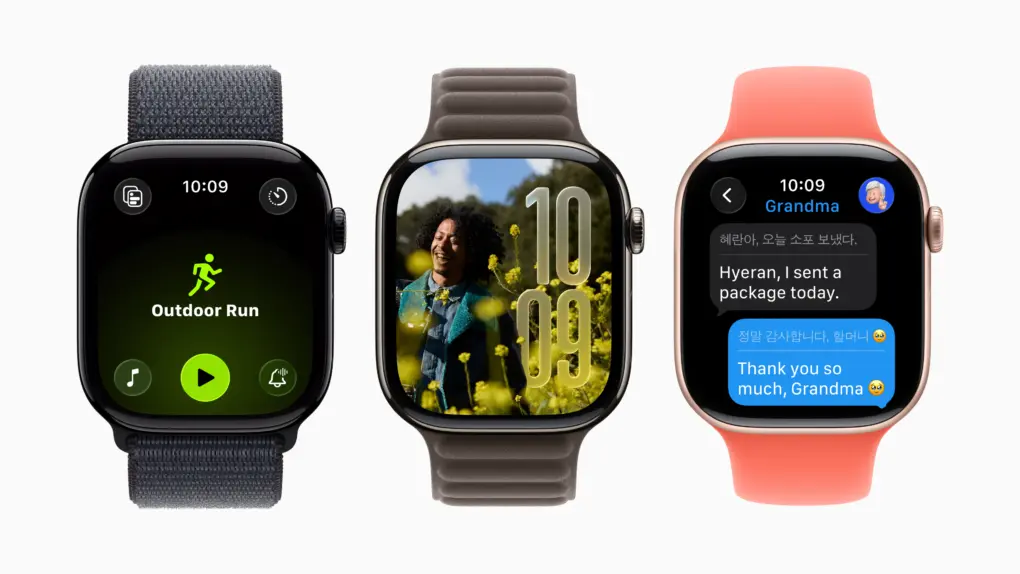
Apple Watch OLED displays are great now, but more advanced tech could boost power efficiency and, therefore, battery life. Photo: Apple
The display in your Apple Watch may already seem pretty great, but a new type of screen technology in development could make models in the next year or two even better by running for longer on a single charge, according to a new report.
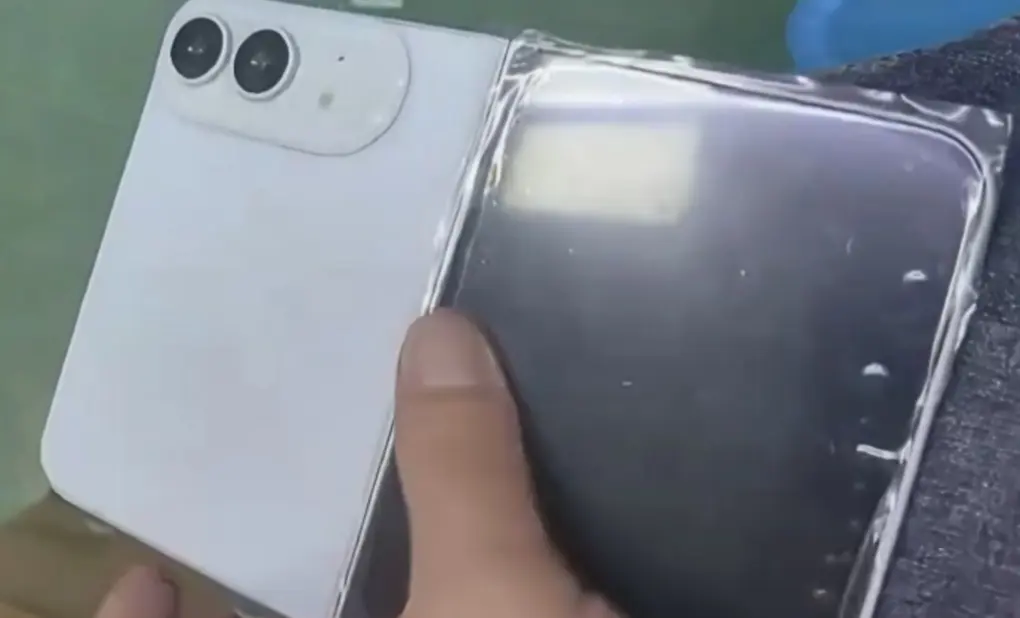
Regarding the leaked image, some suggest if he had the device, he'd put out more and better images of it. Photo: Ice Universe, Weibo
Apple’s long-awaited foldable phone took another step out of the shadows on Monday, as a flurry of new leaks put a face — and a few specs — to a device the company has yet to officially acknowledge.
The Disk II floppy drive was anything but a flop for Apple. Photo: Wikipedia CC
June 1, 1978: Apple launches the Disk II floppy drive, one of the company’s most important peripherals ever.
The best floppy drive available at the time, Disk II solves the Apple II computer’s most glaring weakness — a lack of storage. It also helps establish Apple’s flair for handsome profit margins.
★★★★☆
Tozo's PE1 just might be the tiny addition your audio arsenal needs. At its low price, why not? Photo: David Snow/Cult of Mac
Apple users live in one of the most polished hardware ecosystems on Earth. Every accessory entering that orbit gets held to a higher standard — not just for specs, but for how effortlessly it fits in. My Tozo PE1 Portable Wireless Speaker review concludes that the tiny gadget finds a place quite easily, with great sound, fantastic portability and solid durability. Plus it’s incredibly inexpensive.
A big Chicago daily pulls the plug on staff photographers. Photo: HypeBeast
May 31, 2013: The Chicago Sun-Times fires all 28 of its photographers, with the goal of training its staff to shoot photos using iPhones instead. Pulitzer Prize winner John H. White is among those who lose their jobs.
The move is significant not just because of what it says about the declining newspaper industry. It also spotlights the iPhone’s growing acceptance as a professional camera.
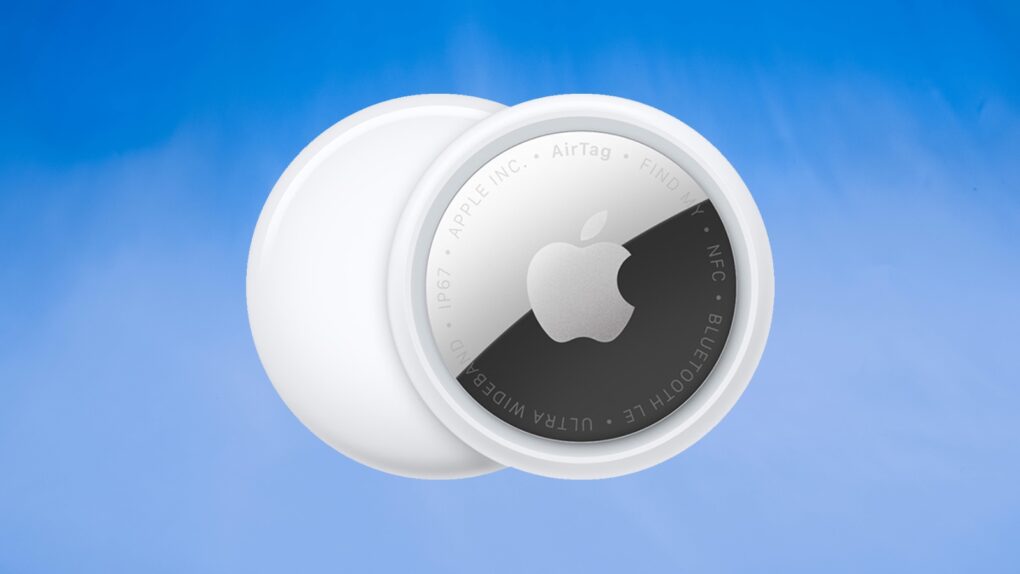
AirTag 2 makes a great low-cost pet tracker for cats (or dogs). Photo: Ed Hardy/Cult of Mac
Don’t let your beloved cat or dog wander around without some kind of tracking device. If your fuzzy buddy goes missing, you’ll regret not having some way to locate them.
And the good news is it’s cheap and easy. I put Apple’s AirTag 2 on my cat’s collar as a pet tracker, and it’s going very well. Here’s why you should consider it for your own pet … including replacing a first-gen model.
Master your photos. No computer nor equipment required. Image: D. Griffin Jones/Cult of Mac
Who needs a computer or expensive photo editing software like Adobe Lightroom? You can edit pictures right on your iPhone with Apple’s free, built-in tools.
The Photos app comes with a ton of professional editing tools baked into it. If you didn’t line your shot up quite right, you can fix the crop and perspective. If you took it a split second too late, you can use Live Photo functionality to replace the shot. You can add a Portrait mode blur after the fact, and even change which part of the image is in focus.
Here are the eight great editing tools built right into your iPhone.
Updating AirTag firmware is easy. But it requires patience. Image: Apple/Cult of Mac
Apple is rolling out a firmware update for the AirTag 2. The new version 3.0.49 is a simple bug fix update, though, without new features.
Still, you’ll probably want it, but it turns out that updating the AirTag’s software is both easy and hard. You don’t need to jump through hoops, but neither do you have much control.
Apple’s nano-texture glass cuts glare, but comes with some downsides. Photo: Apple
Apple charges $100 to add nano-texture glass to the iPad Pro, and even more if you want to add the anti-glare tech to a MacBook Pro. The technology is undoubtedly impressive, but the real question is whether your work requires it.
Here’s what you need to know before spending your money on Apple’s matte display tech.
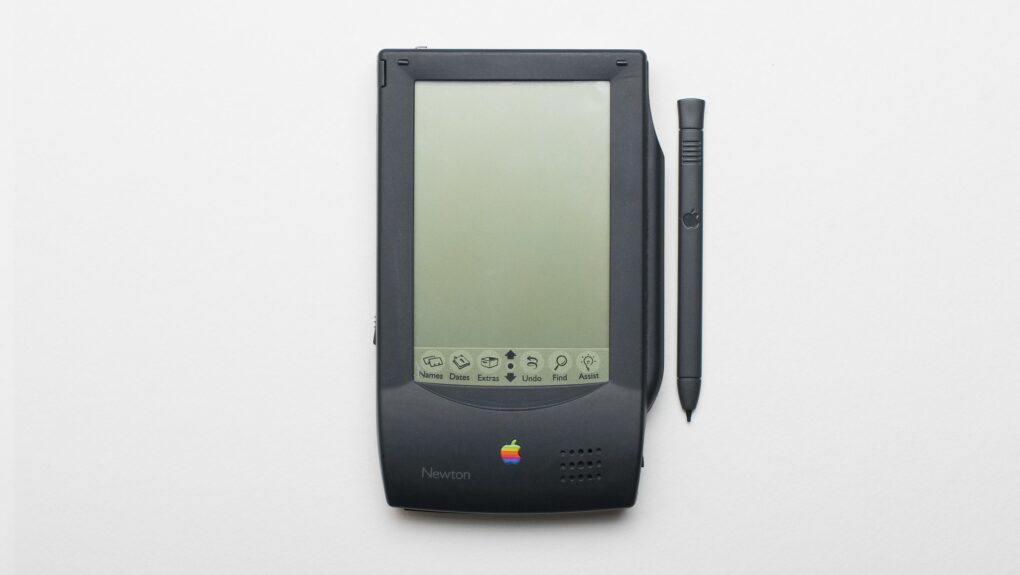
The Newton MessagePad was truly a device ahead of its time. Photo: Grant Hutchinson/Flickr CC
May 29, 1992: Apple demonstrates its Newton MessagePad for the first time, showing how the upcoming PDA can be used to order a pizza and pull off other time-saving tricks.
Hailed by Apple CEO John Sculley as “nothing less than a revolution,” the Newton is Apple’s first major new product since the original Macintosh shipped eight years earlier. During the first Newton demo at the Consumer Electronics Show in Chicago, Apple shows how people can customize a pizza by moving topping icons on a symbolic pie. Then they can fax the order straight from the device.
This Mac Studio and Studio Display setup is a gamer's paradise, with six gaming systems.
Photo: [email protected]
Mac gaming has a complicated history — years of sparse game libraries and hardware that PC gamers dismissed out of hand. But something shifted with Apple silicon, and the Cult of Mac Setups archive has tracked it in real time. Here are the best Mac gaming setups from the past several years.
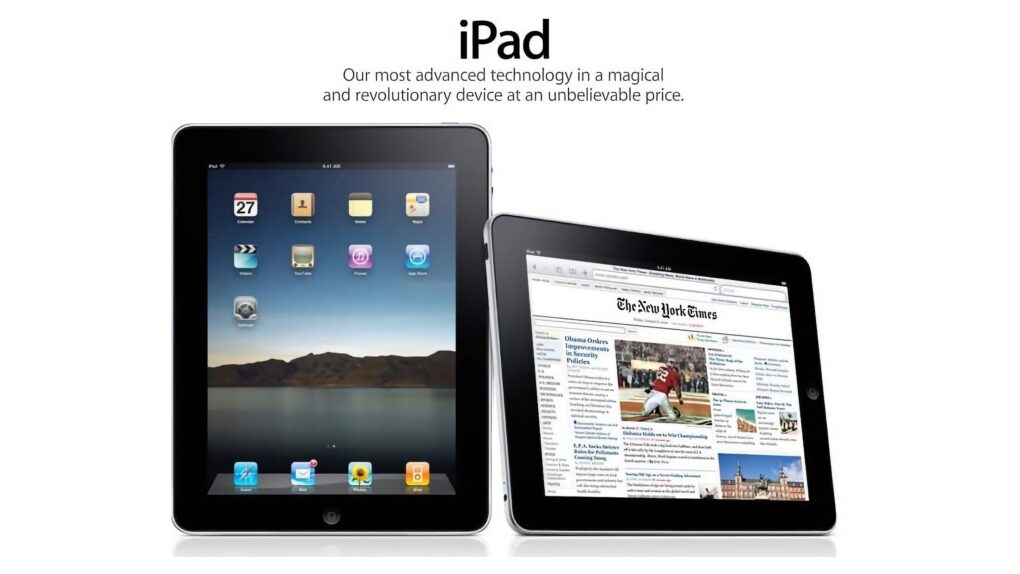
The iPad finally went international on this day in 2010. Image: Apple
May 28, 2010: Customers across Europe and Asia queue up to buy the iPad when the international launch date for Apple’s original tablet finally arrives.
The reason for the gap between the iPad’s U.S. launch in early April and its international debut more than a month later? Unexpectedly strong demand for the groundbreaking device.
Turn your MacBook into the ultimate one-cable desktop setup with a Thunderbolt 5 dock. AI image: ChatGPT/Cult of Mac
Thunderbolt 5 docks turn your humble MacBook into a full-fledged desktop workstation. They allow for a clean, one-cable setup, with support for multiple monitors, external drives and other USB-C accessories.
There are plenty of Thunderbolt docks on the market, but not all of them are created equal. If you want the fastest speeds, the right mix of ports and seamless compatibility with your Mac, these are the best Thunderbolt 5 docking stations you can buy right now.
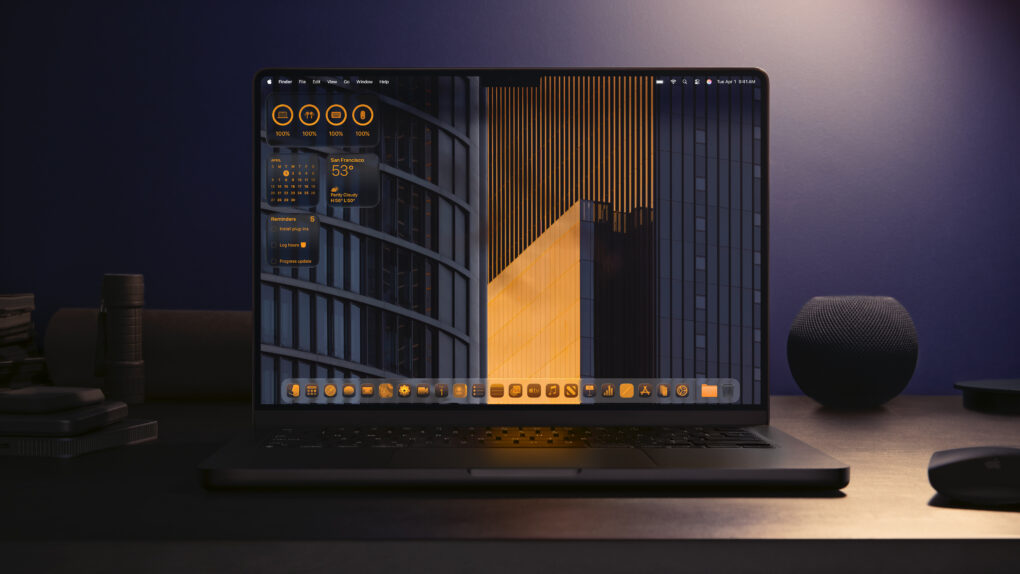
Go all-in on a beautiful theme for your Mac. Photo: Apple
If you learn how to personalize your Mac, you can make your computer feel like home. Every MacBook might look like a boring aluminum rectangle out of the box, but you can match any aesthetic with a few tips and tricks.
For starters, you could cover the backside with stickers or a colorful plastic case. But your work doesn’t end there. You can easily give your Mac’s desktop, app icons, desktop folders and theme colors a coordinated look.
Here’s how to customize your Mac to give it that personal touch.
Steve Jobs thought ditching ad agency Chiat/Day proved Apple had lost its creative mojo. Photo: Apple and Chiat/Day
May 27, 1986: An exiled Steve Jobs takes a shot at Apple after the company ditches Chiat/Day, the ad agency that created the iconic “1984” Macintosh ad.
In a full-page ad published in The Wall Street Journal, Jobs says the move to competing ad agency BBDO shows that “caretakers,” rather than “builders,” now run Apple.
From his perspective, it confirms that the company he co-founded has lost its revolutionary spirit.
★★★★★
You can tweak lots of settings on the big AMOLED screen, and also access AI Note Taker. Photo: David Snow/Cult of Mac
There’s a well-worn law of consumer electronics: the further you push into “Pro Max” territory, the more you’re paying for marginal improvements that most people don’t need. This Soundcore Liberty 5 Pro Max earbuds review finds the new buds challenge that rule in an interesting way.
The earbuds inside the case are identical to those in the $169.99 Liberty 5 Pro I reviewed yesterday — same drivers, same ANC, same battery life, same call quality. What you’re paying an extra $60 for, almost entirely, is the case. But it’s a truly remarkable case.
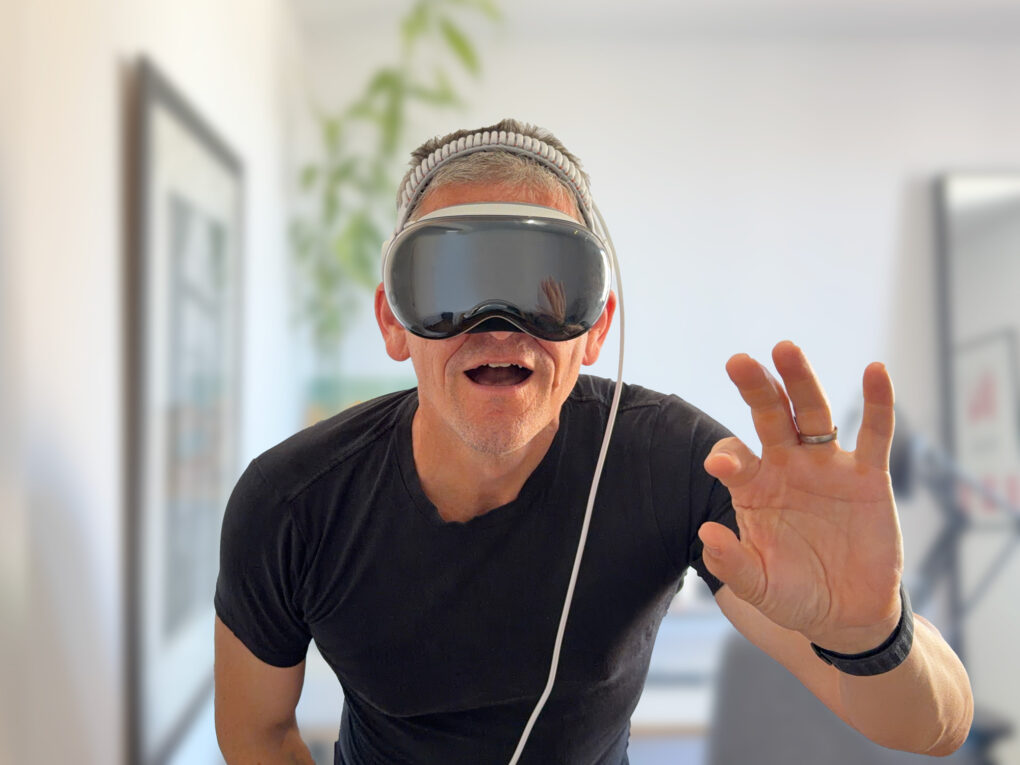
If Vision Pro is wrong, I don't want to be right. Photo: Graham Bower/Cult of Mac
Is it weird that I just bought an Apple Vision Pro when everyone says the platform is dead? Maybe. But I have zero regrets.
I’ve always supported the underdog. I guess that’s why I became an Apple fan in the first place. Back in the ’90s, using a Mac really did feel like being part of a “cult.” We believed in the platform when no one else did. And so it is with Vision Pro. It’s actually nice to see Apple as the underdog again, because that’s how Cupertino does its best work.
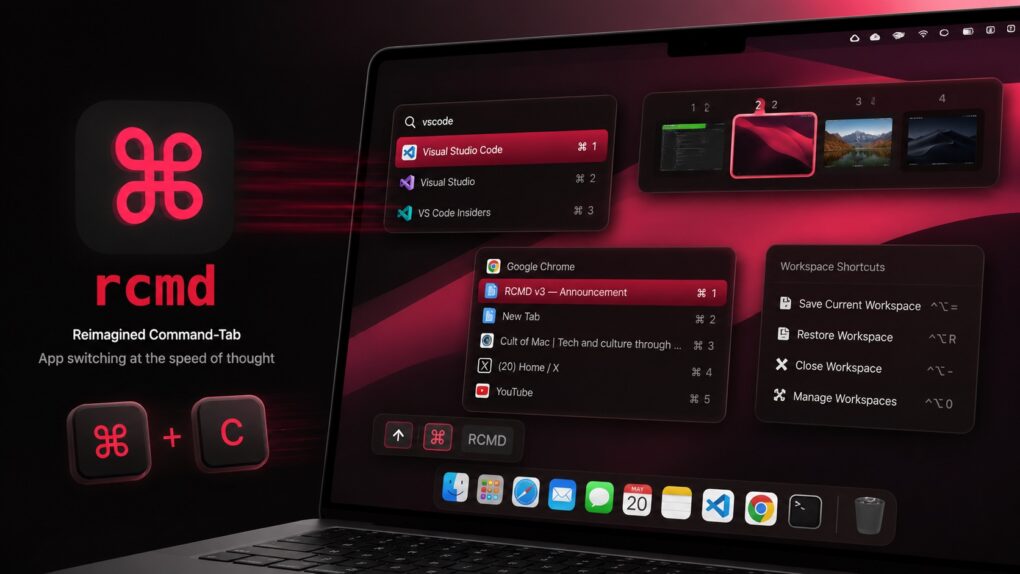
rcmd v3 supercharges window management on Mac. AI image: ChatGPT/Cult of Mac
Plenty of third-party Mac app switchers try to improve the experience, but rcmd is my favorite because of its keyboard-driven approach. Now, with the recently released rcmd v3, the app evolves from a simple app switcher into a more powerful productivity tool, adding features like fuzzy search, workspace switching and more.
May 26, 2010: In a massive milestone, Apple passes Microsoft to become the world’s most valuable technology company for the first time.
The changing of the guard proves particularly amazing given that, just 15 years earlier, Apple looked close to dead, while Microsoft dominated the tech world thanks to Windows 95.
★★★★☆
Soundcore Liberty 5 Pro use AI for clear calls and come with a touchscreen charging case. Photo: David Snow/Cult of Mac
Anker’s Soundcore sub-brand spent years punching above its weight in the budget and midrange earbuds market, and Liberty 5 Pro is an ambitious new swing. Released alongside the pricier Liberty 5 Pro Max (reviewed separately tomorrow), these $169.99 earbuds aim squarely at anyone who wants AirPods Pro-level features without paying AirPods Pro prices.
This Soundcore Liberty 5 Pro earbuds review finds them excellent overall. They particularly excel at call clarity.
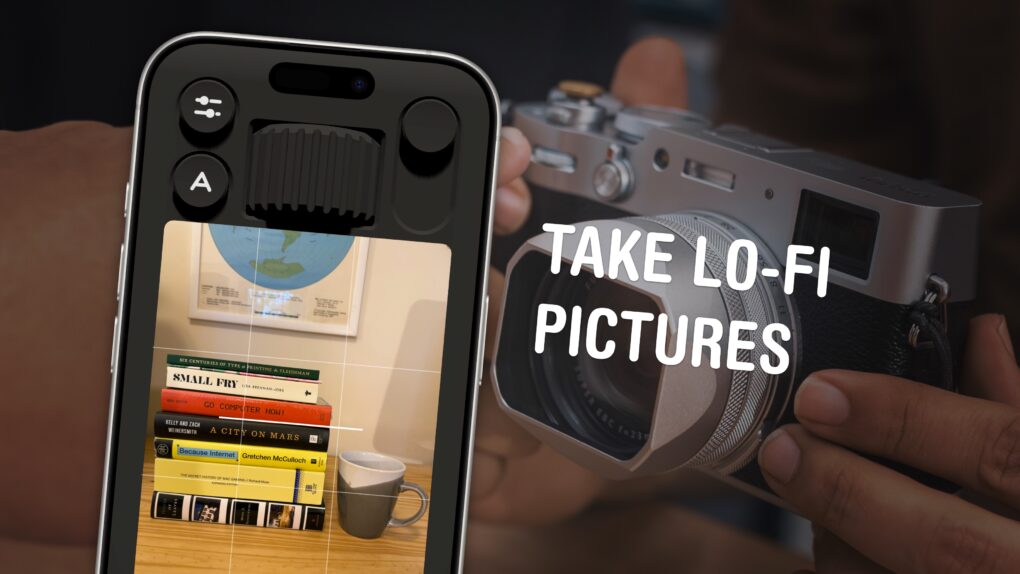
You can use your phone to take lo-fi pictures. You don’t need a separate point-and-shoot camera. Image: D. Griffin Jones/Cult of Mac
If you feel like every photo you take looks boring and overprocessed, you can change your iPhone camera settings to take natural, lo-fi pictures.
Turning down the exposure can prevent the photo from looking unnaturally bright (and more like something shot on an older digital camera). If you have a newer iPhone, you can even change its Photographic Style to “Natural,” for better-looking colors. A few quick trips into the Settings app can turn off the lens distortion on the Ultra Wide and selfie cameras, for that pure fisheye look.
You can even take things a step further and download a different camera app — one that captures totally unprocessed photos straight from your iPhone’s sensor.
Here are my top tips for taking lo-fi iPhone photos.
Apple faces criticism for conditions on the iPhone production line. Photo: SACOM Hong Kong/Flickr CC
May 25, 2010: Apple opens an investigation into a string of suicides at Foxconn, its Chinese manufacturing partner for assembling iPhones.
After reports of a ninth death at a Foxconn factory, Apple says it is “independently evaluating” Foxconn’s response. Cupertino vows to take a long, hard look at the facilities that manufacture its products. It’s a tough challenge for Apple to deal with — and CEO Steve Jobs’ controversial comments don’t exactly help.
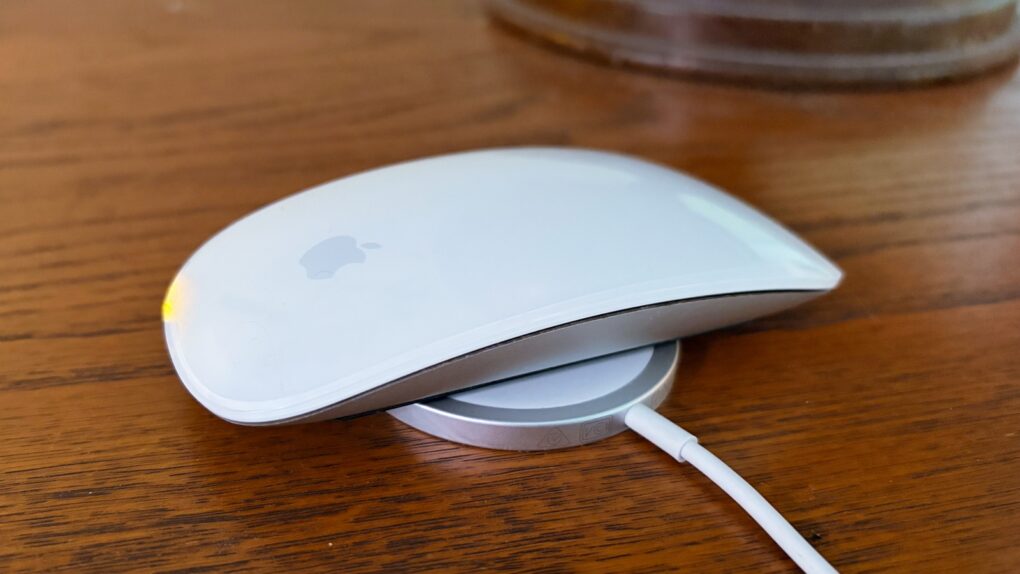
Adding the iPhone's version of MagSafe to the Magic Mouse would make it even easier to charge. Photo: Ed Hardy/Cult of Mac
The charging port on the bottom of the Magic Mouse draws criticism — mostly from people who’ve never actually used one. But there’s a way Apple could quiet the complaints and improve the product at the same time: add MagSafe wireless charging.
The mouse could keep its iconic design, become easier to charge and the critics would have to find something else to complain about.


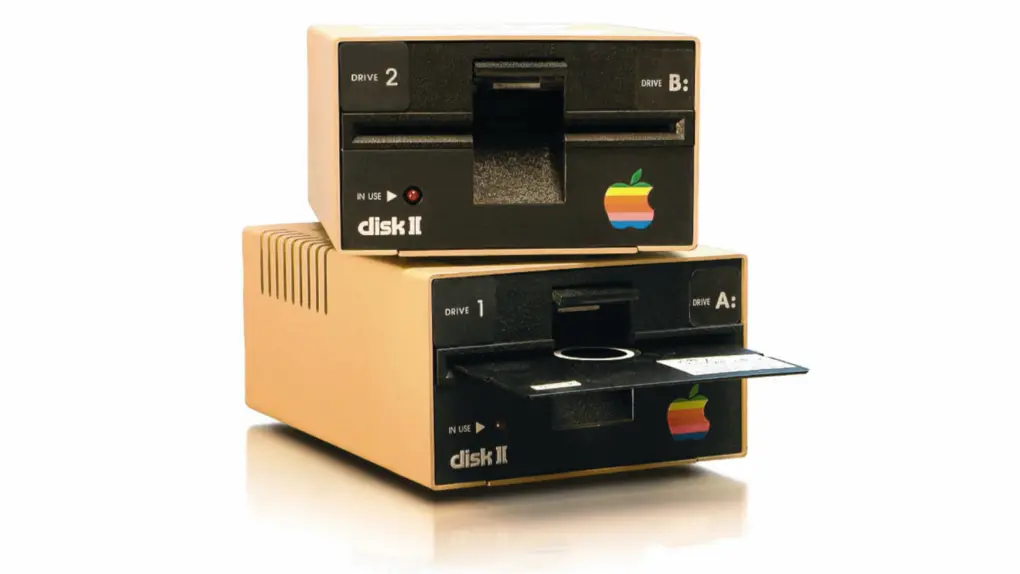
 June 1, 1978: Apple launches the Disk II floppy drive, one of the company’s most important peripherals ever.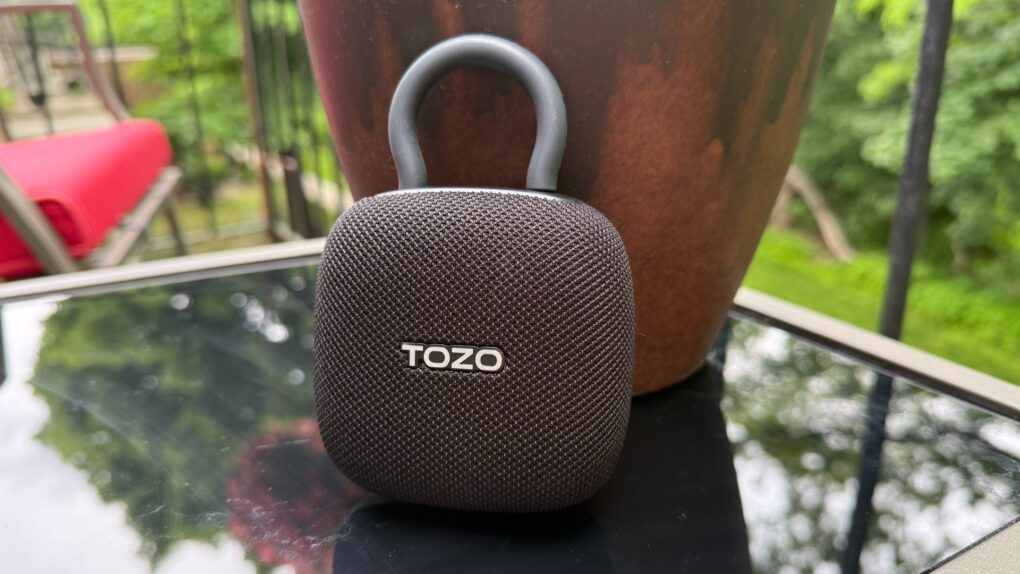
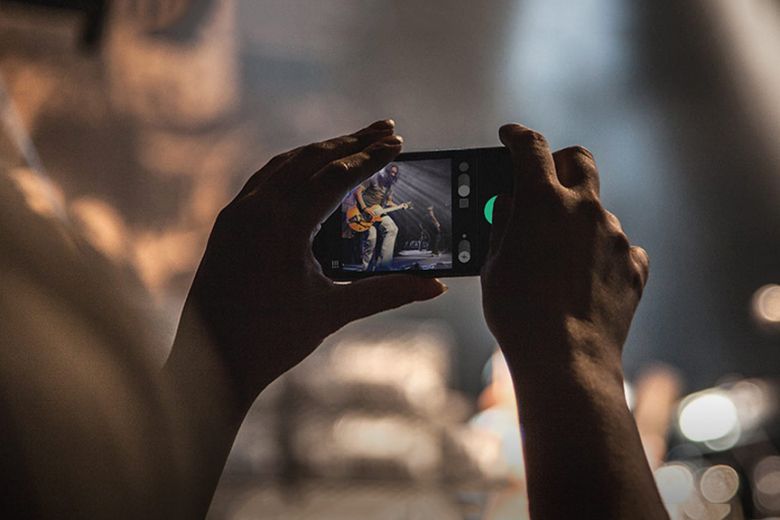
 May 31, 2013: The Chicago Sun-Times fires all 28 of its photographers, with the goal of training its staff to shoot photos using iPhones instead. Pulitzer Prize winner
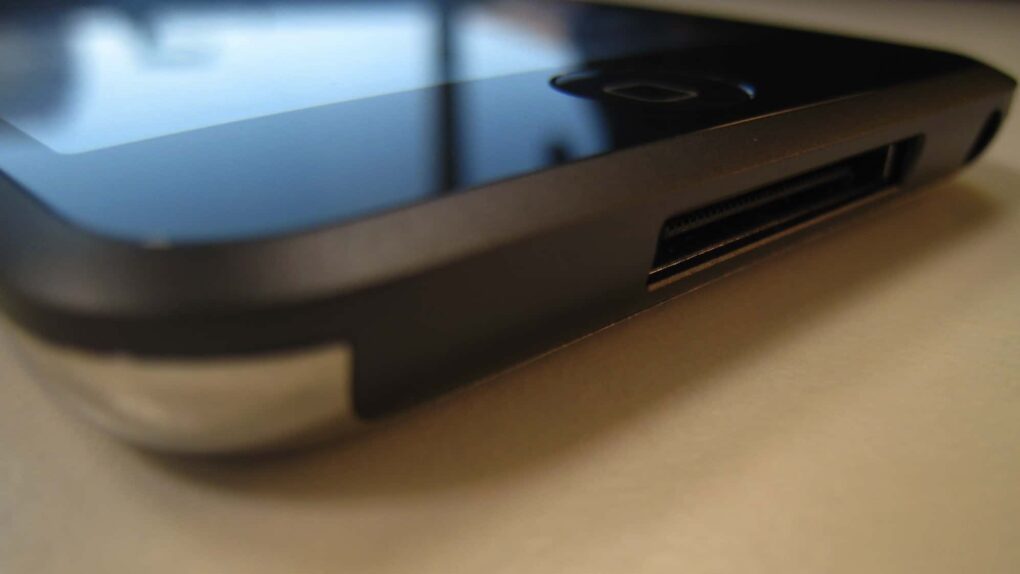
 May 30, 2013: Apple marks the sale of the 100 millionth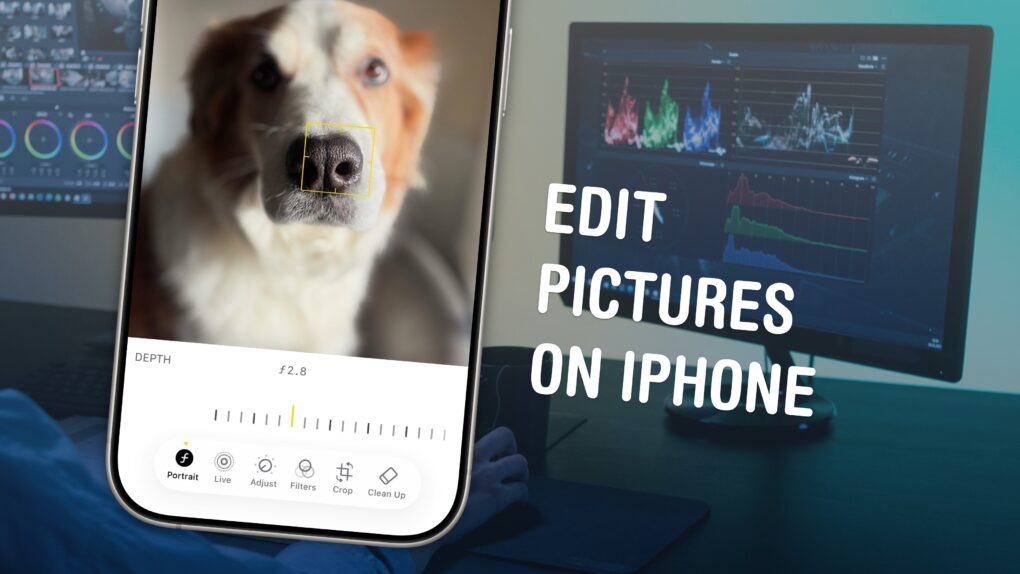
 May 29, 1992: Apple demonstrates its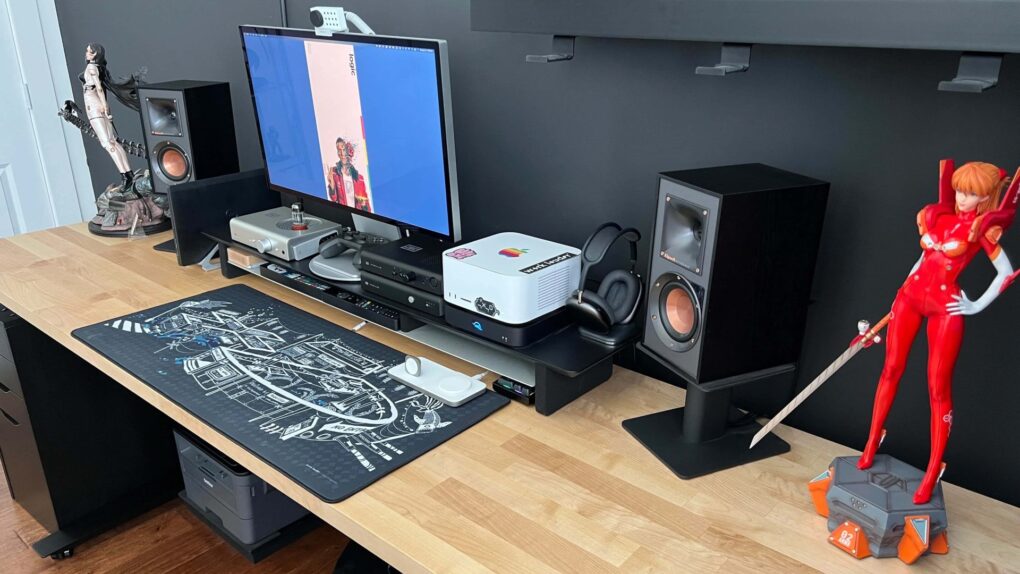
 May 28, 2010: Customers across Europe and Asia queue up to buy the iPad when the international launch date for Apple’s original tablet finally arrives.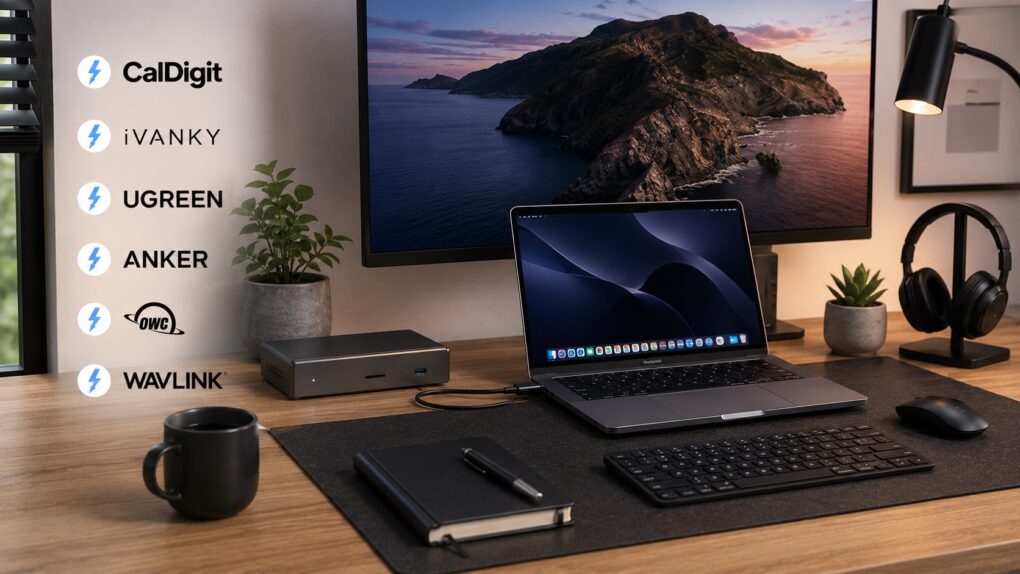

 May 27, 1986: An exiled Steve Jobs takes a shot at Apple after the company ditches Chiat/Day, the ad agency that created the iconic “1984” Macintosh ad.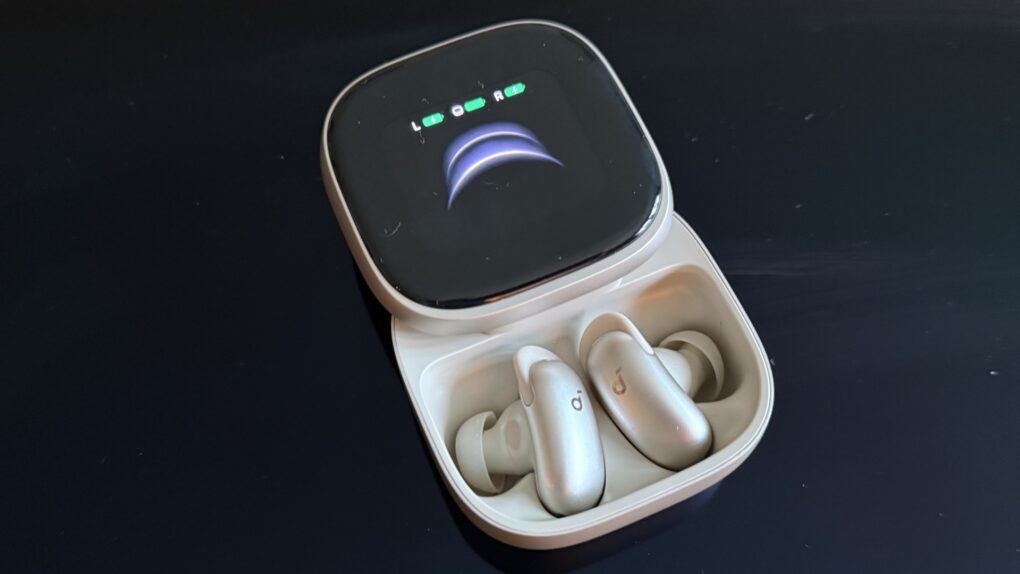

 May 26, 2010: In a massive milestone, Apple passes Microsoft to become the world’s most valuable technology company for the first time.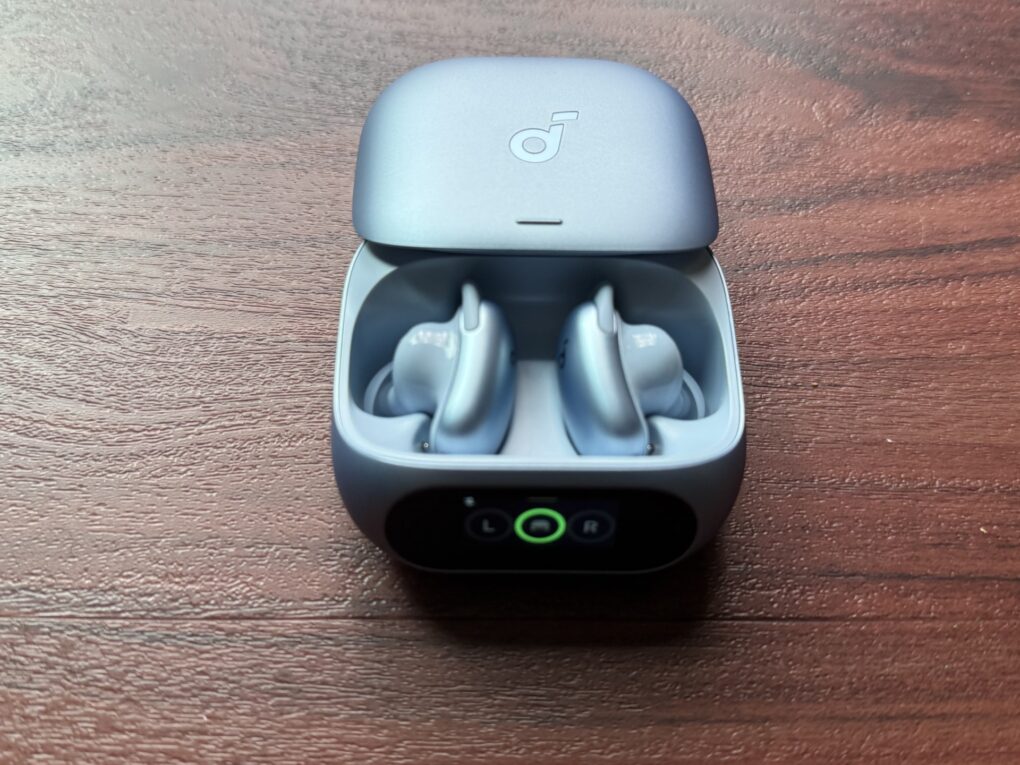

 May 25, 2010: Apple opens an investigation into a string of suicides at Foxconn, its Chinese manufacturing partner for assembling iPhones.