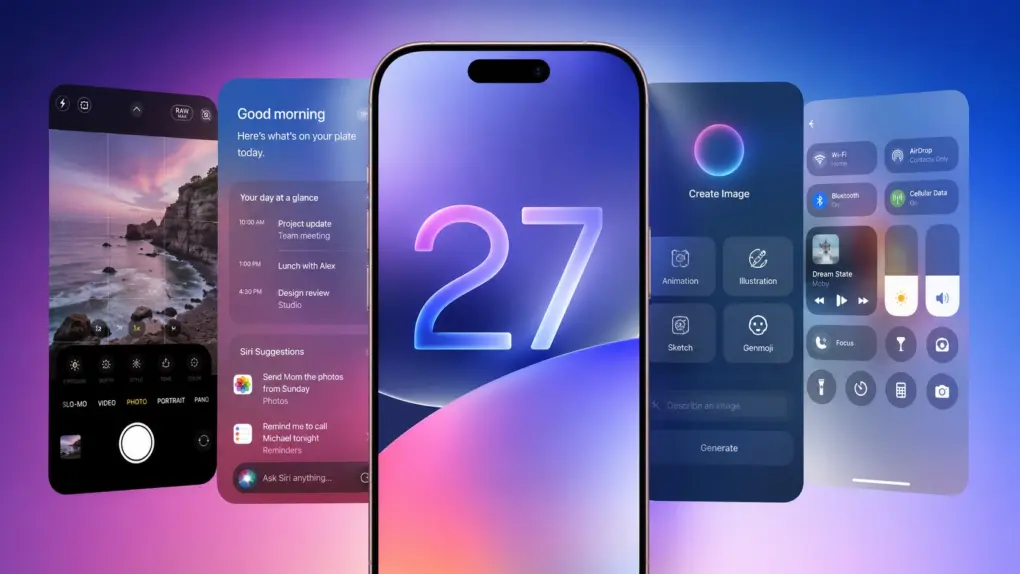
Leaks reveal a lot about iOS 27. AI image: ChatGPT/Cult of Mac
As it struggles to catch up on AI, Apple almost undoubtedly plans to focus on Apple Intelligence in iOS 27. But the company will also reportedly focus on refining the iPhone experience and tidying up existing features.
Thanks to leaks, we already have an early look at some of iOS 27’s biggest new features. While Apple certainly has some surprises planned, these are the leaked iOS 27 features I’m most excited to try.
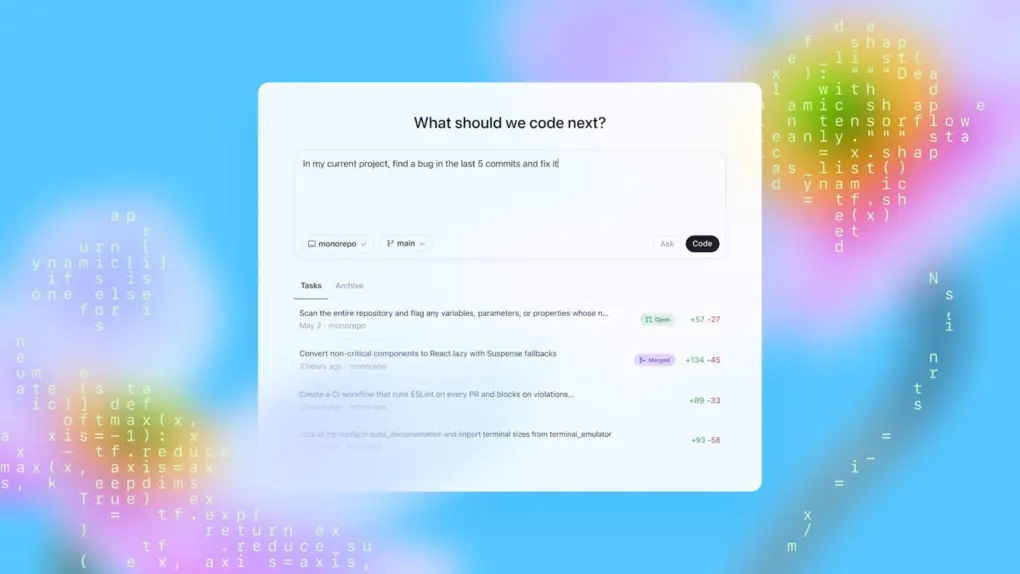
Codex for Mac can now remotely handle tasks even while your MacBook stays closed. Photo: OpenAI
OpenAI just gave its Codex for Mac programming app a feature called Appshots that makes copy-pasting code or describing what’s on the screen unnecessary. Just press Command twice, and the AI assistant automatically takes a screenshot and captures text from your window, including scrollable content that isn’t visible.
Appshots is the headline addition in this week’s Codex update, and it’s only available on Macs for now. Think of it as giving your AI assistant a pair of eyes, instead of always explaining what you are looking at.
Save 41% when you get the Mini Wireless CarPlay/Android Auto Adapter now! Photo: Cult of Mac Deals
Plug in the Mini Wireless CarPlay/Android Auto Adapter once, then pair it with your phone, and every time you start the car, you’ll enjoy a wireless infotainment experience.
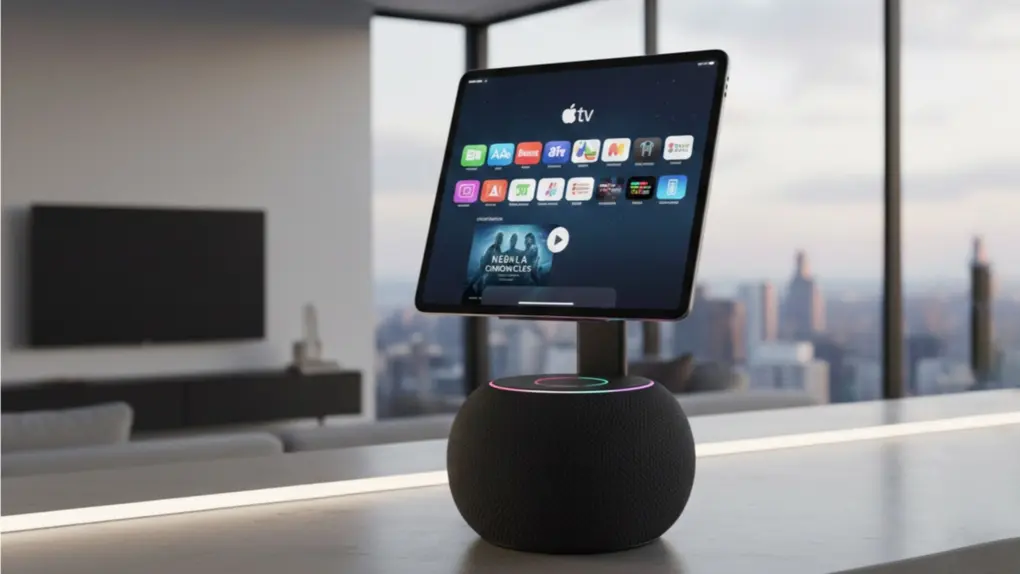
The HomePod 3 needs smarter software and not just faster hardware. AI image: Google Gemini
Apple’s next HomePod is reportedly stuck in limbo while the company works on its delayed AI Siri upgrade. And honestly? That might be what the HomePod 3 needs. But before Apple unveils the HomePod 3, it needs to address some serious gaps that make it feel far less intelligent than the competition.
The HomePod’s problem has never been its hardware. The speakers sound fantastic, and the device tightly integrates into Apple’s ecosystem. But the user experience still feels a generation behind competing smart speakers. If Apple wants the HomePod 3 to be the center of its smart home ambitions, a faster chip and a shinier enclosure won’t be enough. Here’s what actually needs to change.
★★★★★
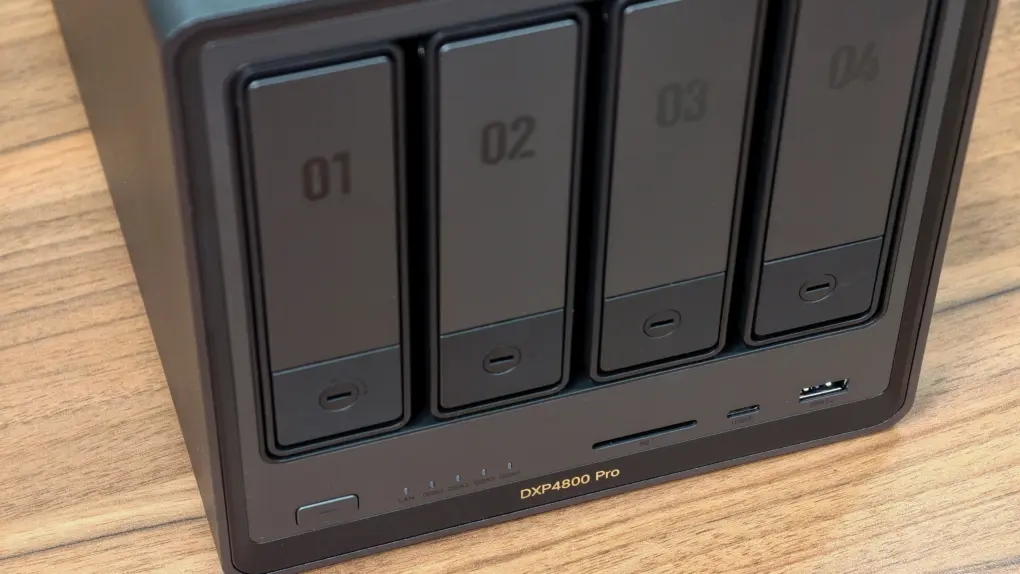
The perfect NAS for most users. Photo: Rajesh Pandey/Cult of Mac
The Ugreen DXP4800 Pro is the kind of network-attached storage device, aka NAS, that blurs the line between simple network storage and a compact home server. It packs enough power to handle Plex streaming, Docker containers, virtual machines and multidevice backups.
With a faster processor and improved bandwidth over its predecessor, the DXP4800 Pro delivers a noticeable performance boost for users who want more than just basic file storage.
This added flexibility makes the DXP4800 Pro stand out.
Many users make the switch from two or even three monitors to an ultrawide. Photo: [email protected]
There’s a moment, familiar to anyone who has experienced it, when you move from a dual-monitor setup to a single ultrawide and realize the bezels were never doing you any favors. One seamless, curving (or not) expanse of glass — from 34 inches to 49 inches and beyond — that wraps gently around the periphery of your vision, eliminating the dead stripe down the middle of your workspace where two screens met. We found the best ultrawide Mac setups from years of Cult of Mac coverage.
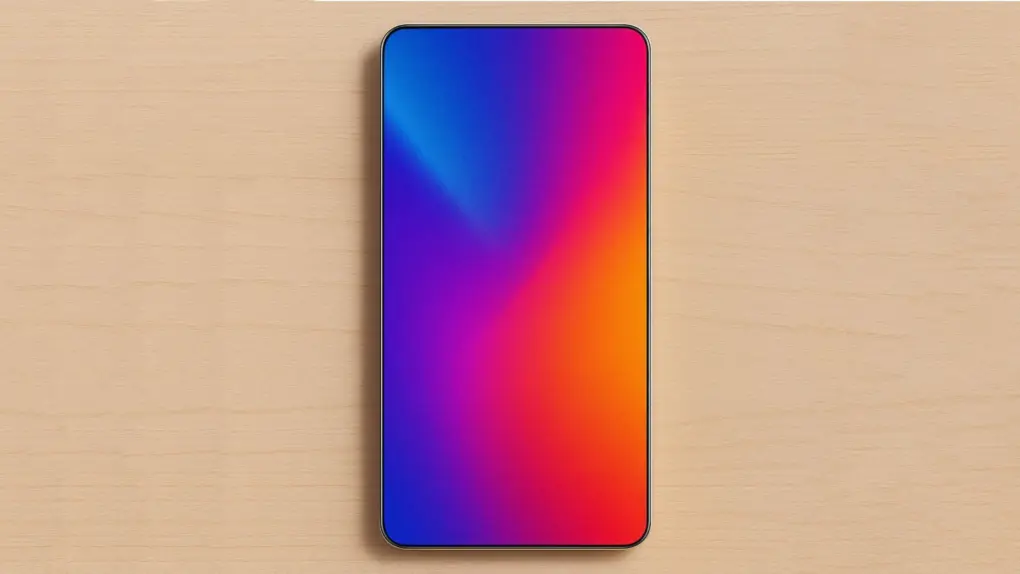
Apple may finally be preparing to move beyond the Dynamic Island era. Photo: ChatGPT/Cult of Mac
Apple is reportedly testing a prototype quad-curved OLED screen for the iPhone 19 Pro as part of its push toward an all-screen iPhone. If the leaks prove accurate, it could mark Apple’s biggest redesign since the iPhone X.
The rumored 2027 flagship phone is said to come with under-display Face ID and be curved on all four sides. It could give buyers a compelling reason to skip the iPhone 18 Pro.
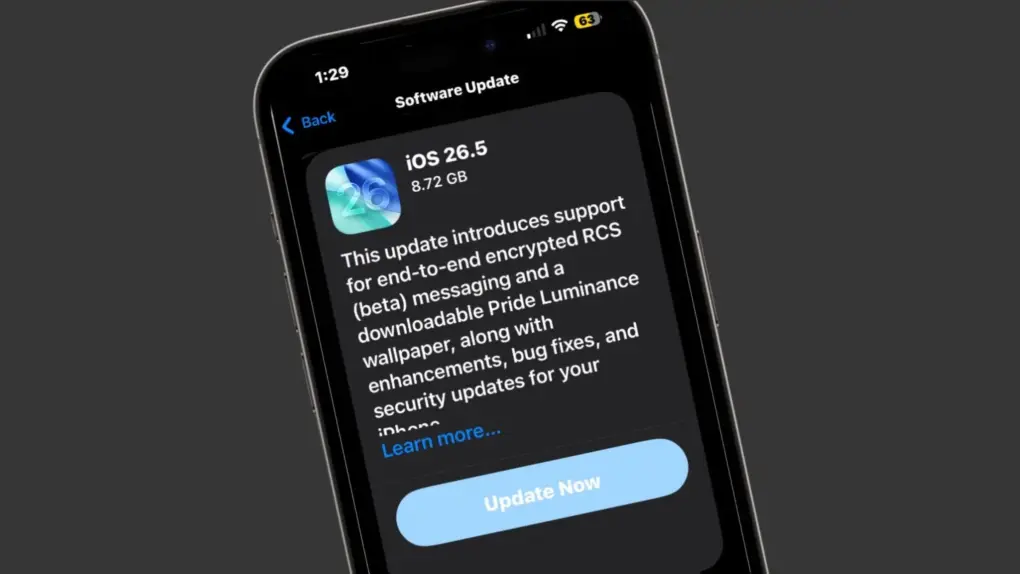
Apple officially closed the downgrade window for iOS 26.4.2. Image: Cult of Mac
Apple stopped signing iOS 26.4.2, meaning iPhone users who updated to iOS 26.5 can no longer roll back to the previous version.
Whenever Apple rolls out an iOS update, it allows users to go back to the previous version if they run into bugs or other issues. But once the company considers the new release stable, it stops signing the older build.
Change some of those keys to something more Mac-friendly. Photo: D. Griffin Jones/Cult of Mac
One of the most dramatic ways you can customize your computer is to remap your Mac keyboard keys. You can make it your own with custom functionality, powerful keyboard shortcuts and advanced features.
Using the free app Karabiner Elements, switching out one key for another is super-easy. It’s a must-have if you use a PC keyboard with your Mac. You can also go one step further, making custom keyboard shortcuts.
But if that sounds too fiddly to do yourself, you can simply install some customizations made by the Karabiner Elements community. Someone might have set up a rule for your specific keyboard!
This lifetime subscription gives you access to top AI tools for any task. Photo: Cult of Mac Deals
Finding good AI tools isn’t the problem. Even the free version of ChatGPT can do a lot. The real frustration is that if you want good results for generating copy, creating images, transcribing text and doing a myriad of other AI tasks, you often need a whole pile of subscriptions, and those costs add up. The alternative is to get an all-in-one tool that brings top AI models together in one interface. Enter 1minAI.
The major benefits of 1minAI are organizational and financial. It gives you access to ChatGPT, Gemini Pro, Llama, Mistral AI and more. So you get all your AI tools in one place, and you don’t need to pay for a subscription to each one separately. For a limited time, you can get a lifetime sub to 1minAI for just $24.97.
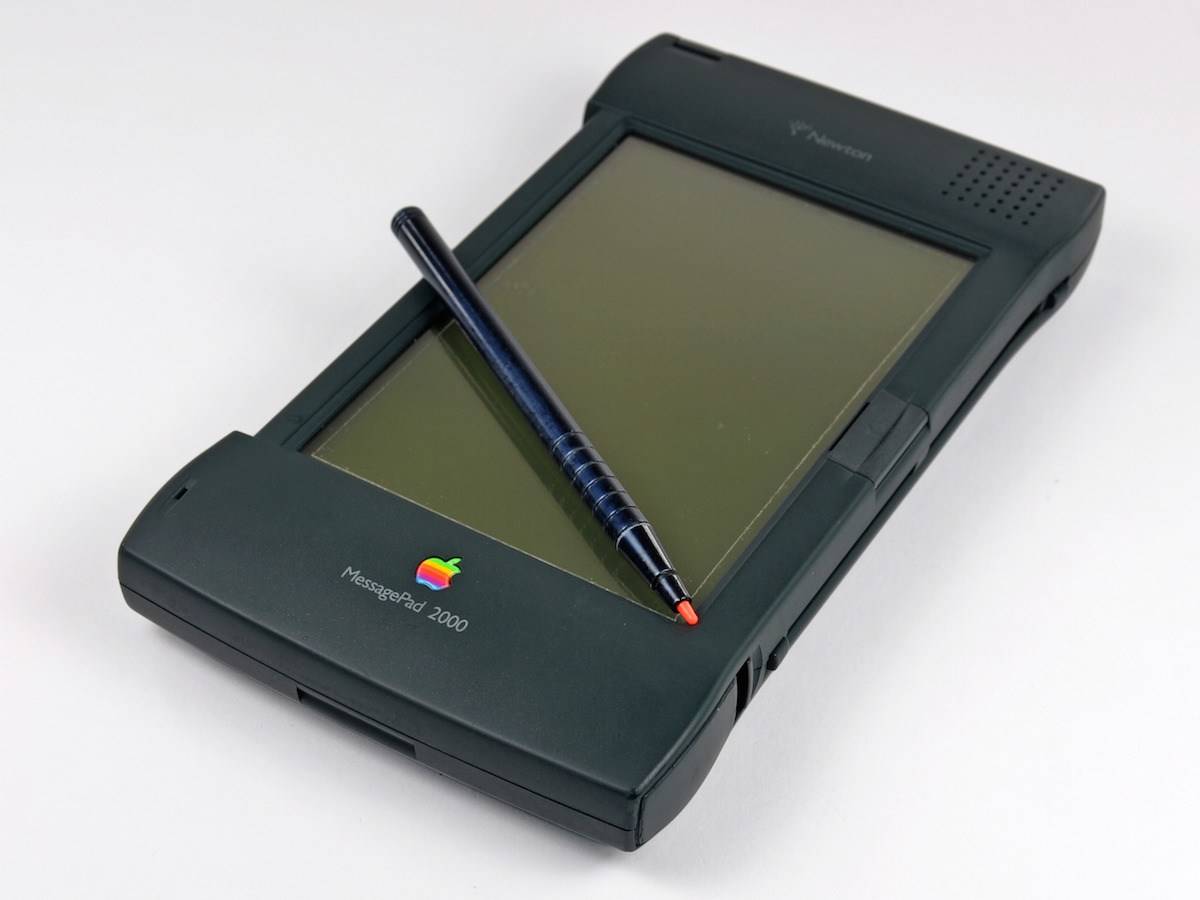
Things were looking up for the Newton MessagePad. Until they weren't. Photo: iFixit
May 22, 1997: Apple spins off its Newton division, creating an independent company to manage the line of personal digital assistants. Newton Inc.’s first job? Selling the MessagePad 2000 PDA, the best Newton device yet.
But Apple also gave Newton Inc. a mandate to develop new technologies and market existing ones.
“We have a solid business plan and a strong management team in place to optimize the value of Newton technology for corporate users and take Newton technology into a new era,” says Sandy Benett, former vice president of Apple’s Newton Systems Group and chief operating officer of the new venture.
Instead, it turns out to be the beginning of the end for the ahead-of-its-time Apple PDA.
This tool makes creating Shortcuts for your iPhone or Mac incredibly easy. Screenshot: Federico Viticci/MacStories
Apple’s Shortcuts app can be incredibly powerful, but building automations often requires patience and trial and error. A new AI-powered tool — Shortcuts Playground — aims to simplify the process by letting you create shortcuts on your iPhone or Mac with natural-language prompts.
The free and open source app requires Codex or Claude Code to work.
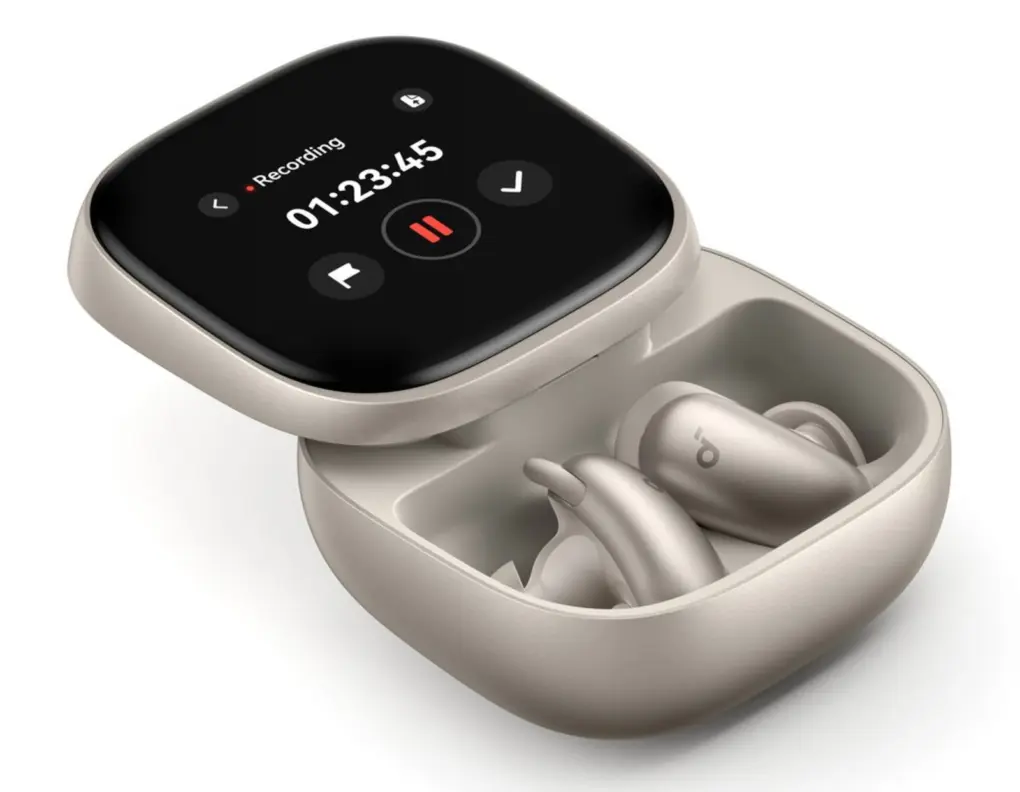
This image shows Liberty 5 Pro Max in case in the gold color. Photo: Soundcore
Two new sets of Soundcore flagship earbuds — Liberty 5 Pro and Liberty 5 Pro Max — introduce the company’s first product line built around a co-developed Thus AI chip, the Anker subsidiary said Thursday. Both models are available now, starting at $169.99 and $229.99 respectively. They’re compatible with Apple’s Find My network.
When you watch the match, remember that everything you see came through iPhone 17 Pro (actually many of them). Photo: Apple
This Saturday, Apple TV will make broadcast history when it streams a live Major League Soccer match captured entirely on iPhone 17 Pro. It marks the first use of just a smartphone to shoot a whole major professional live sporting event, the iPhone giant said Thursday.
Get Apple's latest lightweight laptop at major savings. Photo: Apple
The M5 MacBook Air is the best mobile computer for most people, and a sweet deal drops the 15-inch model to a record-low price. The sale slashes up to $199 off the base model with 16GB of RAM and 512GB SSDs … if you pick the right color.
★★★★☆
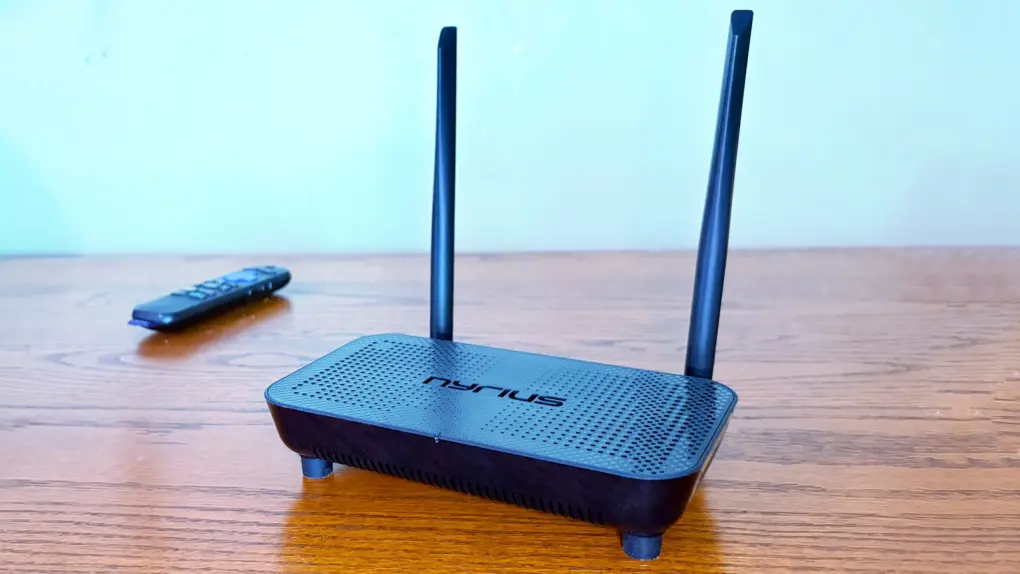
Support for 4K60 makes this wireless HDMI adapter perfect for your home entertainment center. Photo: Ed Hardy/Cult of Mac
The Nyrius Phoenix Home True 4K60 Wireless HDMI Video Transmitter & Receiver (TBB85) lets you connect your MacBook to your TV without the hassle of stretching a cable between them.
I recently reviewed the Nyrius Orion Prime, which is the light-duty version. The company’s new model is the top-of-the-line option, packed with premium features, especially support for 4K60 video, but also a 500-foot range.
Automate your document signing process with SignIt, now at a huge discount! Photo: Cult of Mac Deals
Digital signature service SignIt gives you unlimited legally binding e-signatures for life, plus AI-powered document setup, templates, automation and team tools. You can use it on your iPhone, Mac, iPad and other devices.
And rather than paying a monthly subscription fee, you can secure lifetime access to SignIt for a one-time payment of just $79. That’s a 90% discount off the regular price of $819, and a substantial savings when compared to competing services like Docusign, which starts at $11 per month.
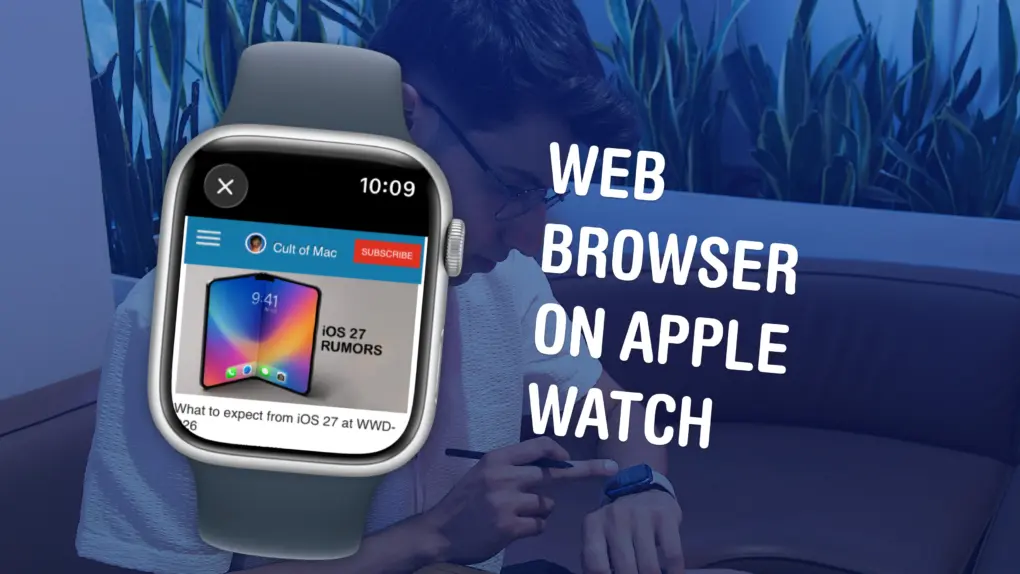
Believe it or not, there’s a mini Safari hiding in your Apple Watch. Image: D. Griffin Jones/Cult of Mac
Your Apple Watch has a web browser built-in, although it’s somewhat hidden. While Apple doesn’t have a full Safari app for the watch, you can still open links from Messages — so you can text yourself as a hack to browse the web. Or, you can install the μBrowser app for a dedicated user experience with bookmarks and even complications.
Admittedly, it’s not a fantastic experience. The screen is less than two inches tall, so many pages don’t render properly. It’s not especially speedy, either. If your watch is within range of your iPhone, it’ll use the slow Bluetooth connection with your iPhone as a relay instead of connecting to the Wi-Fi network directly, in order to save power.
But having a web browser on your Apple Watch occasionally comes in handy, especially if you have a cellular model and left your phone at home.
This was one of the best ad campaigns in Apple history. Photo: Apple
May 21, 2010: Apple quietly ends its award-winning “Get a Mac” ad campaign. Debuting in 2006, the ads starred actor Justin Long as the cool, youthful Mac. Comedian John Hodgman portrayed the stuffy, awkward PC.
Alongside the “Think Different” and iPod “Silhouette” campaigns, “Get a Mac” will become one of the most fondly remembered extended advertising blitzes in Apple history.
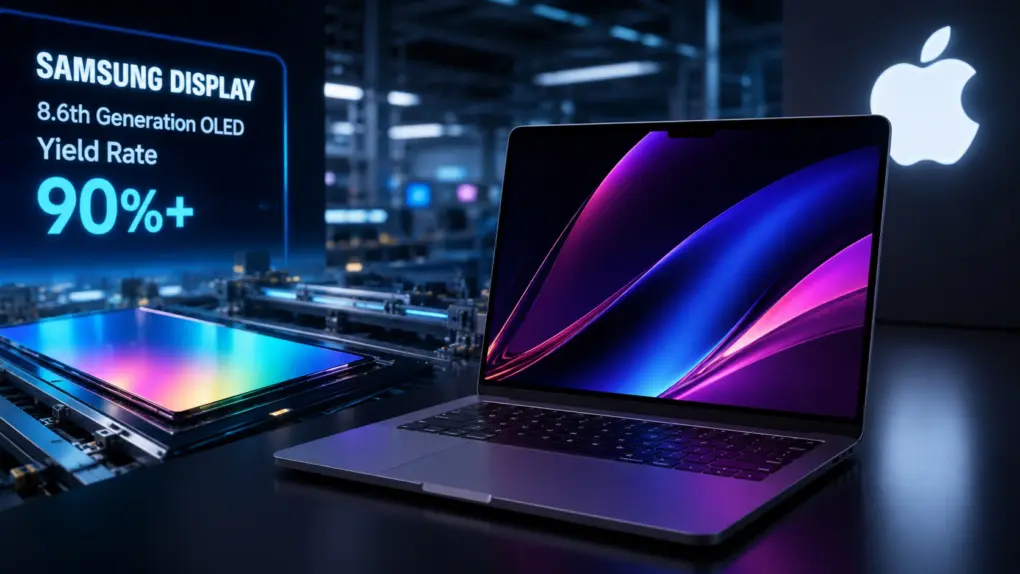
The road to OLED MacBooks just got a lot clearer. AI image: ChatGPT
Samsung Display reportedly pushed the yield of its 8.6-generation OLED panels above 90%. This clears a major hurdle and paves the way for the rumored mass production of Apple’s OLED MacBook lineup later this year.
The improved yield rate should allow Samsung to ramp up panel production at scale.
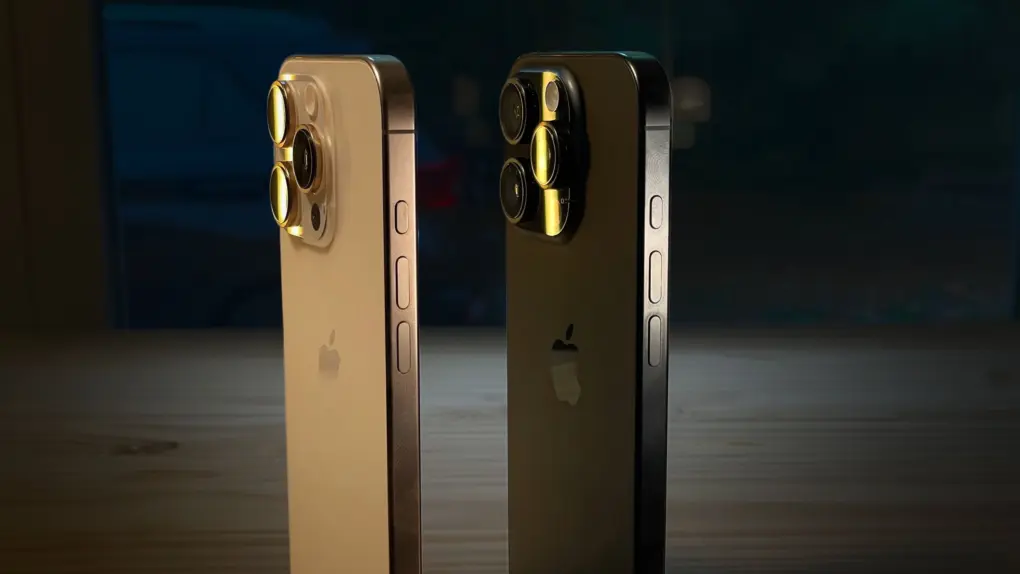
Apple’s next-generation titanium alloy could improve both durability and cooling. Photo: D. Griffin Jones/Cult of Mac
Apple might be having second thoughts about aluminum on the iPhone. A few months after switching the iPhone 17 Pro away from titanium, the company is now reportedly experimenting with an improved titanium alloy that could fix a huge problem with the metal.
If Apple finds a way to make it practical, we could see titanium return to a future iPhone Pro. But the problem is that titanium isn’t as good as aluminum at transferring heat. Aluminum’s better thermal properties are likely why Apple moved away from titanium in the first place. Also, aluminum is cheaper and easier to recycle.
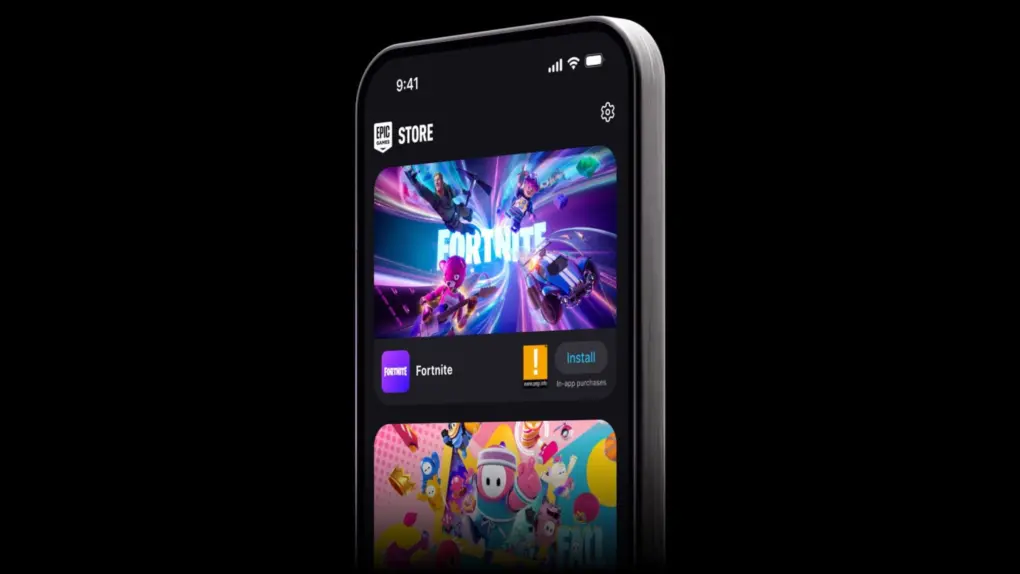
Fortnite is back on iPhone after years away following Epic Games’ legal clash with Apple. Photo: Epic Games
Fortnite returned to the App Store in almost all regions, ending its years-long absence that began when Epic Games sued Apple over in-app purchases.
The battle royale’s comeback is real, but Epic Games’ claim that it has already won isn’t completely true. Epic Games brought back Fortnite to the App Store on Tuesday, following the game’s U.S. return last year. But there’s an exception — Australia — and the legal fight that made this possible is nowhere near finished.
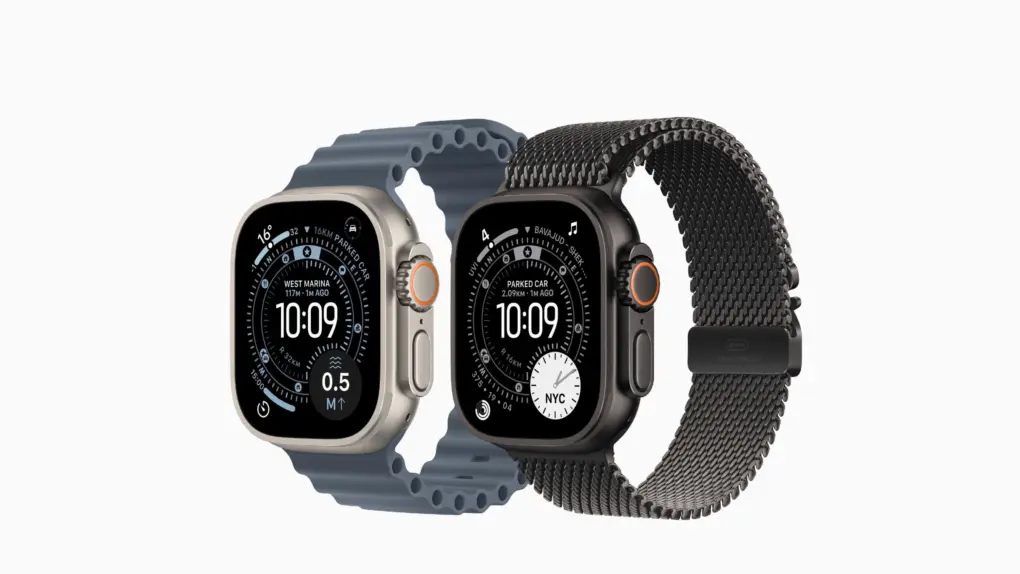
The Apple Watch Ultra 4 may take cardiovascular tracking a step further. Photo: Apple
Apple is reportedly developing an advanced high blood pressure notification feature for the Apple Watch. And the Apple Watch Ultra 4 might be the first to get the improved hypertension monitoring feature.
If true, it could turn the upcoming smartwatch into a serious cardiovascular health tool. Combined with a much-rumored hardware refresh, the Apple Watch Ultra 4 may be hard to resist for both new and existing users.
Apple showcased its 2025 efforts to keep the App Store safe for users and developers alike. Image: Apple
Apple stopped more than $2.2 billion in potentially fraudulent App Store transactions last year and rejected over 2 million problematic app submissions, the company reported Wednesday. It’s all part of what it said is a sustained, multilayered effort to keep the App Store safe for both users and developers.
Get Microsoft Office 2024 Home & Business for Mac or PC, plus all the training you need, for one low price. Photo: Cult of Mac Deals
This deal lands you Microsoft Office 2024 Home & Business for Mac or PC, plus a full training bundle that will teach you how to use all the software in the popular productivity suite. And right now, you can get it all for just $143.99 — a 64% discount off the regular price of $409.99.
That means no monthly payments for a Microsoft software subscription. And no fumbling around trying to get the latest software to do what you want it to do.





 May 22, 1997: Apple spins off its Newton division, creating an independent company to manage the line of personal digital assistants. Newton Inc.’s first job? Selling the MessagePad 2000 PDA, the best Newton device yet.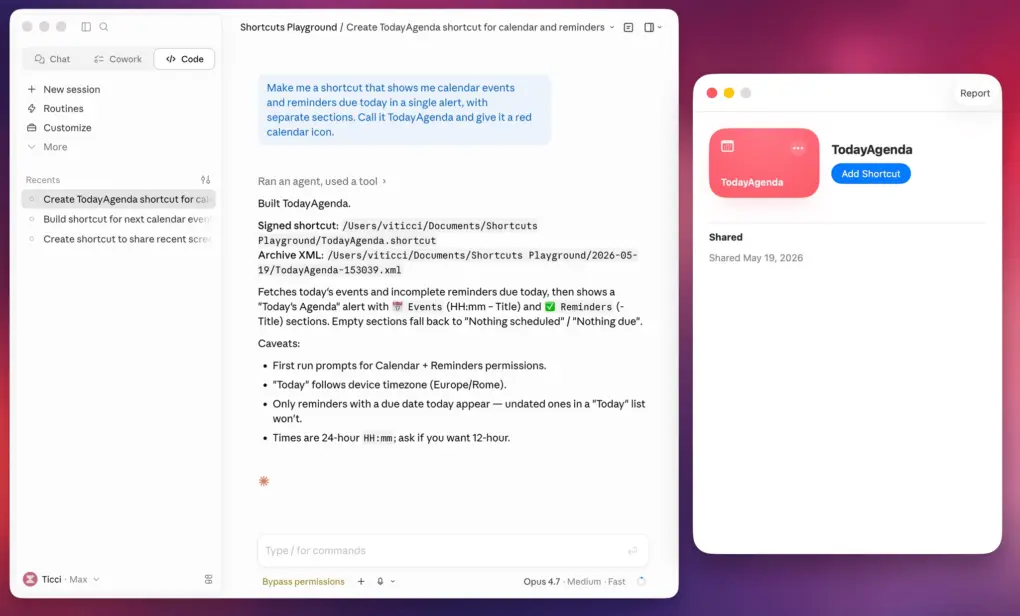




 May 21, 2010: Apple quietly ends its award-winning “Get a Mac” ad campaign. Debuting in 2006, the ads starred actor