Mobile menu toggle

Top Stories

Read Cult of Mac’s latest posts on Top Stories:

Today in Apple history: Psystar’s clone Macs go rogue

By

After a battle with Apple over Mac clones, this T-shirt is all Psystar will be selling.
After losing a battle with Apple over Mac clones, this T-shirt became one of Psystar's last products.
Image: Psystar

April 27: Today in Apple history: Psystar clone Macs go rogue April 27, 2008: Psystar’s first Mac clones ship to customers. The company’s new Open Computer means that, for the first time since the mid-1990s, there’s no need to assemble a “hackintosh” to run OS X on a non-Apple computer.

Unlike previous clone Macs, however, Psystar’s low-priced computers don’t come with Cupertino’s blessing. Naturally, a fight ensues.

Value-packed EarFun Clip 2 open-ear earbuds put awareness first [Review] ★★★★☆

By

EarFun Clip 2 earbuds review★★★★☆
EarFun Clip 2 open-ear earbuds clip gently on your ears for secure comfort.
Photo: David Snow/Cult of Mac

First announced at CES 2026 in January and released Monday, EarFun Clip 2 open-ear earbuds arrive with an unusually ambitious spec sheet for $79.99 (or less with launch discount). EarFun says Clip 2 is the world’s first Hi-Res comfort ear-clip earbuds with built-in AI translation priced under $80 — a claim that would sound like marketing bluster if the hardware didn’t largely back it up. After spending time with them, here’s my EarFun Clip 2 earbuds review with an honest verdict.

Get 3 years of piano lessons on your iPhone, iPad or Mac for just $70

By

Person learning piano through the Flowkey piano lessons app opened on an iPad and sitting on a console piano.
Whether you're a total beginner or an accomplished piano player, this app can teach you a thing or two.
Photo: Cult of Mac Deals

You can turn your iPhone, iPad or Mac into a piano teacher with Flowkey’s interactive lessons, real-time feedback and song-first approach to learning.

Flowkey is designed to meet you where you are, whether you’ve never touched a keyboard or you already know your way around one. And it costs just $69.99 for three years. A flesh-and-blood piano teacher might charge that much for a single lesson!

4 daily games I love to play in Apple News+ (and one I despise)

By

Graphic showing Apple News+ Puzzles with a photo of a man playing a newspaper crossword, captioned “Daily Word Games”
Get your puzzle fix right from the News app.
Image: D. Griffin Jones/Cult of Mac

The daily games hiding inside the News app are my favorite puzzles to play. Some are digital versions of classic games like crossword puzzles and sudoku. Others are entirely new.

All five games are available to all Apple News+ and Apple One Premier subscribers. Here’s how to play each of the daily word games in Apple News+ on iPhone. Check them out in this quick video.

4 ways to make your texts less boring with iMessage effects

By

Image of an iMessage being sent with fireworks and a photo of a woman smiling at an iPhone, captioned “iMessage Effects”
Spruce up your texting with iMessage effects.
Image: D. Griffin Jones/Cult of Mac

iMessage effects can add extra meaning, emotion and fun to your texting. In Apple’s Messages app, you can add bolditalicsunderline and strikethrough text, just like in a formatted document. You can even choose from a bunch of cool, animated effects, including full-screen blasts of lasers, confetti and fireworks.

Apple’s text message effects can make quite an impression. You can make congratulations more bombastic (to rejoice in someone’s finest moments). Or, you can use formatting and effects to convey sarcasm, stress and sorrow more clearly.

These text effects are fun and incredibly useful. Keep reading below or watch our video.

Best minimalist Mac setups: More power, less stuff

By

best minimalist mac setups
This user ponders whether the replacement for the Xiaomi curved display in this moody MacBook Pro setup will be a Samsung ViewFinity S9 or a Studio Display.
Photo: [email protected]

There’s a certain magic in watching someone squeeze maximum capability out of a beautifully spare workstation. While plenty of computer setups aspire to the look of a NASA mission control center — bristling with displays, peripherals and enough RGB to signal alien life — a different school of thought holds that the best setup is the leanest one. Fewer devices mean fewer cables, fewer distractions and more space to think. You can do a lot with a little.

Get started with Apple Music Classical: A simple how-to guide

By

Apple Music Classical graphic, showing the browse features and a photo of The Cleveland Orchestra.
Apple Music Classical is an elegant streaming service for a more civilized age.
Image: D. Griffin Jones/Cult of Mac

Apple Music Classical is an iPhone app specifically designed to deliver a great experience browsing and listening to instrumental music. Apple carefully curated its catalog of millions of tracks, tagging them by composer, work, movement, instrument, orchestra, artist and more.

Why does there need to be a separate app for classical music? Apple says it succinctly on its support page: Classical music “has longer and more detailed titles, multiple artists for each work, and hundreds of recordings of well-known pieces.” This app “is designed to support the complex data structure of classical music.”

This is how to discover, find, add and listen to music in Apple Music Classical.

This Anker 3-in-1 charging stand quickly powers up your iPhone [Review] ★★★★

By

Anker Prime Wireless Charging Station review: for iPhone, Apple Watch and more★★★★
Juice up your iPhone, Apple Watch and more with the Anker Prime Wireless Charging Station.
Photo: Ed Hardy/Cult of Mac

No patience for slow wireless chargers? Then you need to check out the Anker Prime Wireless Charging Station. It delivers up to 25W, and so can give an iPhone 17 a nearly 50% charge in half an hour. There’s even a fan to keep things cool.

At the same time, the accessory boasts charging mats for an Apple Watch and an AirPods wireless charging case. And it folds up for easy travel.

I put the 3-in-one charger through its paces. Here’s what I learned.

Today in Apple history: App Store hits 1 billion downloads

By

App Store
What was the first app you ever downloaded?
Photo: Apple

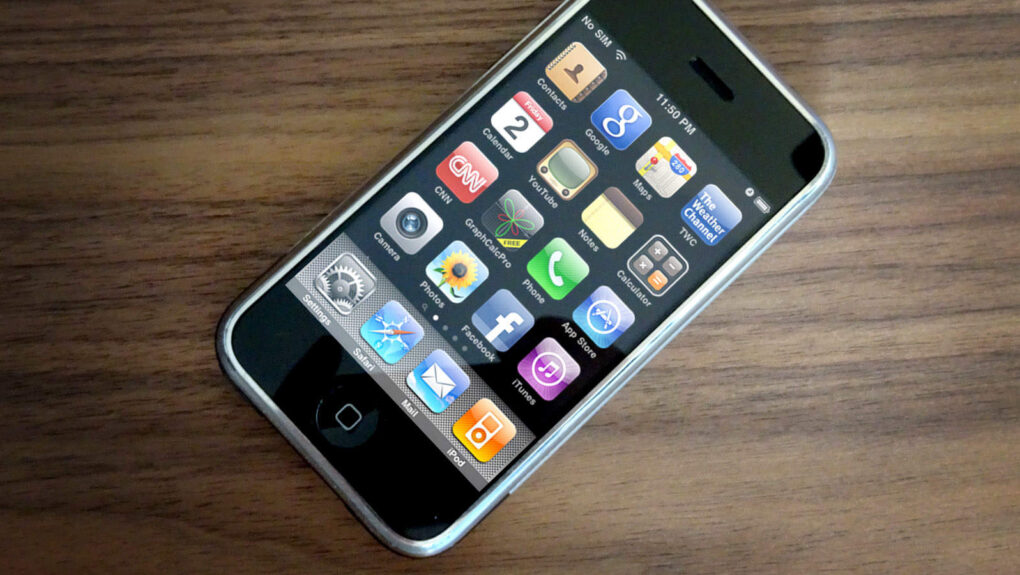
April 23: Today in Apple history: App Store hits 1 billion downloads April 23, 2009: Less than a year after opening its virtual doors, the App Store reaches 1 billion downloads.

Peer-to-peer file sharing app Bump becomes the 1 billionth app to be downloaded. As a result of his purchase, 13-year-old Connor Mulcahey of Weston, Connecticut, wins Apple’s “1 Billion App Countdown” promotion.

He takes home an assortment of Apple products valued at more than $13,000, including a $10,000 iTunes gift card, a 32GB iPod touch, an Apple Time Capsule wireless router and a 17-inch MacBook Pro.

Here’s one thing John Ternus must not screw up as Apple CEO

By

John Ternus must follow a rule that Tim Cook and Steve Jobs both knew.
John Ternus must follow a rule that previous Apple CEOs Tim Cook and Steve Jobs both knew.
AI image: Apple/ChatGPT/Cult of Mac

As the upcoming CEO of Apple, John Ternus is surely getting deluged with advice, and I do not have the hubris to tell him what he should do. But my decades of reporting on the tech business have shown me that there’s something he absolutely must not do … because it could ruin the company.

Do not ship anything before it’s finished. You’d think that would be obvious, but it’s a mistake companies make over and over. Even Apple has done it a time or two — and that includes with a product still in its lineup today.

How to schedule texts and send messages later on iPhone

By

Image showing how to schedule a text message on iPhone with a photo of a birthday party
Never miss the customary “Happy birthday” text again.
Image: D. Griffin Jones/Cult of Mac

If you know how to schedule texts on iPhone, you can make sure you never forget to send a reminder, birthday greeting or early morning message for someone in a different time zone. You can schedule a whole slew of texts up to a week in advance, with links, photos, attachments and more, using the iPhone’s Send Later feature.

This can save your bacon if you’re the type of person who forgets to text someone later. And it’s really easy to do, once you figure out how to use the somewhat hidden feature. Watch our quick video.

Today in Apple history: Apple teams with Volkswagen for iBeetle car

By

The first Apple car, a collaboration with VW known as the iBeetle, rolls onto the scene.
Photo: Volkswagen

April 22: Today in Apple history: Apple teams with VW for the iBeetle. It's the first Apple car! April 22, 2013: The world gets its first Apple car. Well, kind of. In reality, the iBeetle is a collaboration with German automaker Volkswagen that offers a car “stylistically linked” to Apple.

This means Apple-inspired colors, a built-in docking station for your iPhone, and a special app that lets you control the car’s features.

Today in Apple history: Rumors fly that Canon might buy Apple

By

Image of the old Apple Inc. rainbow logo atop American cash money.
Apple was up for sale in the 1990s.
Photo: Ste Smith/Cult of Mac

April 21: Today in Apple history: Rumors fly that Canon might buy Apple April 21, 1995: Rumors swirl that Japanese camera company Canon might take over Apple in either a partial or complete acquisition.

Speculation grows about a possible deal after Apple reveals its latest earnings, which show big improvement but still fall far short of Wall Street’s expectations.

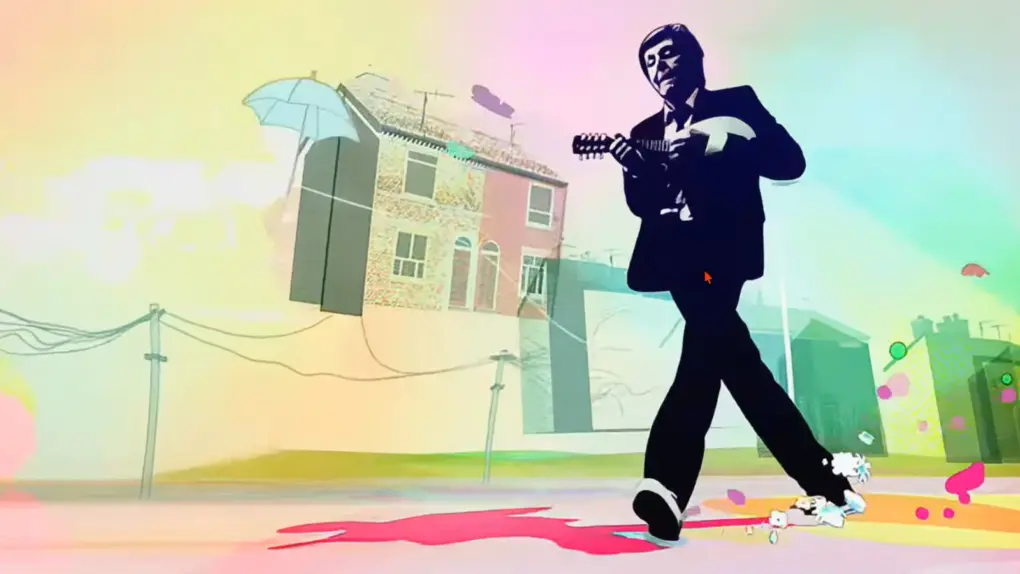
Watch Paul McCartney’s delightful behind-the-scenes video of Apple Park concert

By

Paul McCartney video at Apple Park
Tim Cook shakes hands with Paul McCartney before the show at Apple Park.
Photo: Paul McCartney

If you’ve been green with envy watching those grainy fan clips of Paul McCartney lighting up Apple Park last month for the iPhone giant’s 50th anniversary, Sir Paul just gave the rest of us a proper consolation prize. McCartney posted a polished, three-minute, behind-the-scenes film to his YouTube channel Tuesday, offering an intimate look at his celebrated March 31 performance.

Soundcore Space 2 headphones: Supreme sound, comfort and features [Review] ★★★★★

By

Soundcore Space 2 headphones review★★★★★
I loved Soundcore's Space One Pro headphones from 2024, and the new set improves on them.
Photo: David Snow/Cult of Mac

Soundcore, Anker Innovations’ audio brand, quietly built a reputation as the go-to name for people who want serious headphone performance without the flagship price tag. Its Space One headphones earned a following as one of the best budget ANC options on the market, and that set the bar for their successor quite high. The new Soundcore Space 2, which launched at Mobile World Congress in Barcelona before going on sale Tuesday, clears that bar with room to spare.

Is Tim Cook Apple’s best CEO ever?

By

Apple silicon will power future Mac desktops and laptops
Tim Cook's had a remarkable run as Apple CEO, with perhaps only one single misstep in 15 years at the top.
Photo: Apple

Is Tim Cook Apple’s best CEO? No, that title belongs to Steve Jobs — but Cook definitely comes in a very close second.

In a remarkable 15 years at the helm of Apple, Cook oversaw extraordinary growth, released a string of innovative products, and instituted important internal changes.

He performed almost flawlessly, and, to my mind, has only done one thing wrong.

Tim Cook steps down as Apple CEO, John Ternus steps in

By

Apple names John Ternus CEO as Tim Cook becomes executive chairman
Apple just named John Ternus as its next CEO, with Tim Cook becoming executive chairman.
Photo: Apple

Apple announced a sweeping leadership transition on Monday, naming longtime executive John Ternus as its next chief executive officer in September. Current CEO Tim Cook will move into a new role as executive chairman of Apple’s board of directors at that time.

“It has been the greatest privilege of my life to be the CEO of Apple and to have been trusted to lead such an extraordinary company,” said Cook in a statement. “I love Apple with all of my being, and I am so grateful to have had the opportunity to work with a team of such ingenious, innovative, creative, and deeply caring people who have been unwavering in their dedication to enriching the lives of our customers and creating the best products and services in the world.”

Save your iPhone by unlocking with an old passcode

By

Forgot iPhone Passcode graphic, showing the Forgot Passcode screen and an image of a man looking at his phone confused
Apple offers an easy path forward if you forget your iPhone's new passcode.
Image: D. Griffin Jones/Cult of Mac

If you forgot your new iPhone passcode, you can reset it with your old one up to three days later. This can save you hours of trying to remember the new passcode, or worse, resetting your phone from a backup.

You just have to tap Forgot Passcode? on the Lock Screen after you enter it several incorrect times.

Keep reading for a detailed walkthrough. And don’t worry — if you change your passcode intentionally to keep someone out, you can instantly expire your old one.

Today in Apple history: Gizmodo tears down a lost iPhone 4 prototype

By

Gizmodo buys iPhone 4 prototype
The iPhone 4 prototype bought by Gizmodo came disguised as an iPhone 3GS. But a teardown showed big differences inside.
Photo: Gizmodo

April 20: Today in Apple history: Gizmodo tears down lost iPhone 4 prototype April 20, 2010: A day after the most high-profile iPhone leak in history, tech news site Gizmodo dissects a prototype iPhone 4, then publishes the teardown — showing the world exactly what’s inside the soon-to-be-released device.

The iPhone 4 prototype, accidentally left in a bar by 27-year-old Apple software engineer Gray Powell, quickly becomes the biggest story in the tech world. And that’s where the trouble begins.

Top new Tozo earbuds bring near-AirPods quality for much less [Review] ★★★★

By

Tozo NC20 Pro earbuds review★★★★
Tozo's new NC20 Pro earbuds come with a wireless touchscreen case and fantastically long battery life.
Photo: David Snow/Cult of Mac

Apple users are trained to reach for AirPods. It’s Pavlovian at this point. But at a regular price of $79 or less — roughly the price of a single AirPods replacement bud — the new Tozo NC20 Pro does things AirPods 4 won’t. And Tozo launch deals get you these excellent buds for much less than the list price — currently $59.49 on Amazon, for example.

Today in Apple history: Newton boss departs as device struggles

By

The Newton MessagePad, an product line run by Gaston Bastiaens, looks gigantic next to an iPhone.
The Newton MessagePad did not become the immediate hit Apple desired.
Photo: Blake Patterson/Wikipedia CC

April 19 April 19, 1994: Gaston Bastiaens, the executive in charge of Apple’s revolutionary new Newton MessagePad product line, parts ways with the company.

“We can’t say whether he fell or was pushed,” says an Apple spokesman. Reports suggest that the departing Bastiaens, general manager of Apple’s personal interactive electronics division, is leaving due to his failure to make the Newton a financial success.

How to use the iPhone’s Camera Control

By

Camera Control Button graphic
The Camera Control packs in a lot of features, and they’re a little fiddly.
Image: D. Griffin Jones/Cult of Mac

The Camera Control button on the iPhone opens the Camera app, takes pictures and can even adjust camera settings on the fly. It offers a quick shortcut to using one of the most popular and important iPhone features.

By default, it’s a simple button to quickly take pictures, but there’s so much more you can do with it — if you choose. The physically clicking button also accepts touch input when you swipe your finger along it. And it utilizes pressure sensitivity and haptic feedback for you to adjust different camera settings. 

Learn how to master the iPhone’s Camera Control button in our guide below, or watch our quick video.

My Mac felt slow, but hardware wasn’t the problem. Here’s how I fixed it.

By

M4 Pro Mac mini
A powerful Mac can still feel slow when your workflow gets messy.
Photo: D. Griffin Jones/Cult of Mac

A year into owning an M4 Pro Mac mini, it began feeling slow. With dozens of Chrome tabs and numerous other apps running in the background, everything felt more sluggish than it should. 

I was already convinced I needed an upgrade. Turns out, I just needed to do a little spring cleaning.  Here’s what I did to speed up my slow Mac mini.

iPhone Game Mode explained: What it is (and how to turn it off)

By

iPhone Game Mode graphic, showing a screenshot of
Game Mode comes on automatically anytime you play a game. Sometimes you don't want that to happen!
Image: D. Griffin Jones/Cult of Mac

iPhone Game Mode enhances graphics and reduces controller latency automatically when you launch a game. This optimizes performance to make your iPhone gaming as fantastic as possible.

Game Mode also reduces the background activities and services running on your phone. Luckily, if you don’t want that to happen, you can turn off Game Mode from your iPhone’s Control Center.

Here’s everything you need to know about how Game Mode works.