0:00
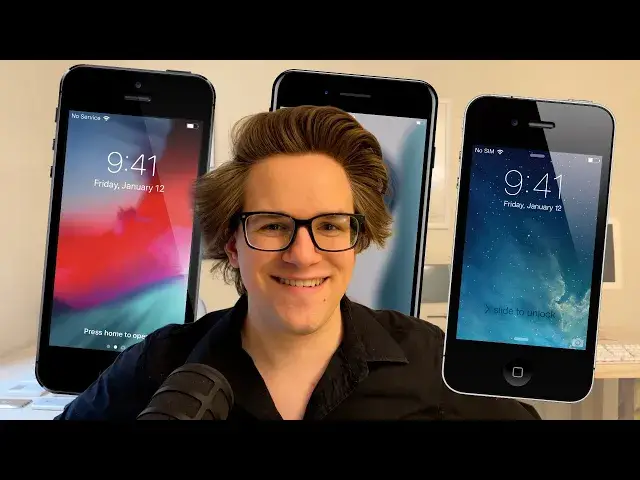
When you get a new iPhone, the sensible thing to do is probably to trade, resell, or hand
0:04
down your old one to someone else who needs it. But if you're like me and you collect old useless crap, here are nine things you can
0:12
do with an old iPhone. Number one, a dedicated iPod and sound system
0:19
Even a HomePod mini is a little pricey at $99, but if you have an old iPhone, you can
0:23
convert it into a room-filling speaker system for a fraction of the price
0:30
You see, there's a category of cheap speakers that work just like wireless chargers
0:35
There's nothing to plug in, nothing to pair to over Bluetooth. You just carefully position your phone on top of it, and suddenly it uses induction
0:43
to amplify the sound to two or three times as loud with much broader sound and bass
0:49
I have one of these sitting in my bathroom. I just sit my phone on top of it, and suddenly it's loud enough to hear with a running shower
0:56
from across the room. This one is only $15 on Amazon, or if you want something slightly nicer looking, this
1:01
one with a wood finish is only $25. They're really cheap. So you sit one of these on a kitchen counter or a living room side table with an iPhone
1:09
on top of it plugged in. And if it's an iPhone 6s or newer, you can even use so you have voice commands just like
1:17
a HomePod. Number two, an indoor security camera. Using At Home Video Streamer, you can convert old iPhones into a DIY baby monitor, dog monitor
1:27
or security camera that you can look at from anywhere across the world
1:31
And it runs on devices as old as the iPhone 5s or the original iPad Air
1:35
You install the streaming app on your old phone and the viewer app on your new phone
1:40
You sign in with a username and password. You can give each camera its own username and password as well, and you can monitor
1:46
all of them from inside the app. To keep it mounted, you can pick up this adjustable tripod that fits any model of iPhone for only
1:53
$45 on the Kult of Mac store. You can pick up this super wide-angle lens with a universal screw-on attachment clip
2:00
that fits any model of iPhone so you can see the entire room at once with this fish-eye view
2:05
Number three, you can convert your old iPhone into a dedicated dumb phone
2:09
If you're constantly being pulled away from your work by the barrage of text messages
2:12
notifications, alerts, you can use your old iPhone as a secondary phone that you switch
2:16
to with fewer distractions. You know, George R.R. Martin writes all of his novels on a 30-year-old PC running MS-DOS
2:25
That might also be why he doesn't put out very many novels
2:29
You sign out of iCloud, you turn off iMessage so you don't get any more texts or calls
2:34
and you keep only the apps that you want to use. Only the apps you need to work, or maybe you use this phone to have more focused unwinding
2:40
time with a few games, music, podcasts, or a crossword. Stuff like that
2:46
If you use it to play games, you can even buy a physical controller that you mount your iPhone in, like the Backbone, so you know this device is only for one purpose
2:54
Number four, a webcam using continuity camera. Even an old iPhone has a better camera than even an expensive webcam
3:02
So using continuity camera, you can keep your phone mounted above your desktop display
3:06
or you can use this Belkin device with MagSafe on your laptop
3:10
You just keep your phone steady and horizontal, and the next time you start a FaceTime, Zoom
3:14
Skype, Webex call, it'll use your far superior iPhone camera instead of whatever crummy built-in
3:20
webcam you have. If you have an older device that doesn't support it, or if you want more advanced features
3:25
you can also use Camo. This app gives you built-in video recording, which is what I use to make these videos
3:30
and you have fine-tuned controls for exposure, lighting, you have all these built-in effects
3:35
you can add graphics, overlays, and more. Number five, you know what's better than one camera
3:40
Two cameras. iPhones have been able to record standard 1080p30 video all the way back since the iPhone
3:47
4S in 2011. Now older phones have much worse low-light performance with much smaller sensors, but
3:54
if you have a pretty well-lit studio like this one, you can get pretty good-looking footage out of an older device
4:00
And with multiple cameras rolling at once, you can seamlessly transition between different
4:04
takes rather than using a jarring jump cut. Now anything older than the iPhone 7 Plus only has a single 1X lens rather than a 2X
4:12
lens, but again, Moment makes attachable telephoto lenses that screw into their universal attachment
4:17
mount or using one of their dedicated cases. It's a great way to get extra capability out of an older phone
4:23
And you can find all of their older hardware and cases steeply discounted on eBay
4:28
Number six, iOS 17 introduced Standby, an excellent feature that converts your phone
4:33
into a smart display when you're not using it. But the problem is that when you are using it, you don't have your smart display anymore
4:41
If your old phone is still new enough to run iOS 17, that's perfect because you can have
4:45
the best of both worlds. Otherwise, there are still a good number of DIY alternatives
4:50
You can keep an iPhone mounted on the wall by your door with the weather app open so
4:54
you can see if you need to bring a jacket. You can make it a digital clock using an app like Today Clock or Alarm Clock for Me
5:01
You can mount it on the wall with your calendar open so wherever you get ready for the day
5:04
you can see what's coming up ahead. If you search online, you can find 3D printed stands for basically every iPhone ever made
5:12
Or you can make your own out of wood or even Lego. You can keep it permanently plugged in and turned on in Settings, Display and Brightness
5:19
On older phones, this is under Settings, General, Auto Lock, and then you set it to Never
5:25
Number seven, any device running iOS 10 or later can run an app called Digital Photo
5:29
Frame Slideshow. And with iCloud Photos enabled, you can convert your old phone into a digital picture frame
5:36
that'll automatically update with all your new shots as you take them on your other devices
5:41
There are loads of options for customizing your slideshow, which album it pulls pictures
5:45
from, how long it shows each one, the transition between pictures, whether it does pictures
5:50
and videos with sound, loads of customization options. You can get it on the App Store for $9.99 yearly or $29.99 to unlock forever
5:59
Number eight, if you have old games from your App Store purchase history from 10 or 15 years
6:03
ago, they won't run on your new phone anymore, you can reinstall them on an old phone
6:08
From the App Store, you tap on your profile icon in the top right, or on an older device
6:12
you go to the Updates tab, you hit Purchase, and you can select Not on this iPhone
6:18
And from here you can scroll way, way, way down to the bottom, and anything with a blue
6:22
icon can be downloaded again. Anything with a gray icon is either too old or too new for the device you're using
6:29
The App Store even keeps a record of old versions of apps, so you can reinstall the last compatible
6:34
version if an app continued to get updates into the future. You can revisit some App Store classics like the Infinity Blade games, or even the original
6:43
Flappy Bird. Number nine, if you want to take it to the extreme, you can party like it's 2012 and
6:49
jailbreak your old phone. Older versions of iOS are incredibly easy to jailbreak, and surprisingly, the Pengoo
6:57
app that jailbreaks iOS 7, 8, and 9 still runs on the current version of macOS Sonoma
7:03
with a modern Mac. On a jailbroken device, you can install all kinds of fun tweaks and wild customizations
7:09
like Cylinder. You know, this isn't your main phone, so you don't have to worry about losing your pictures
7:14
with data loss or ruining your iCloud account. An older device might not even support iCloud
7:20
Unfortunately, as the years go on, it's getting increasingly hard to install new customizations
7:25
and tweaks. The biggest city of repo is shutting down their purchase and payment processing system
7:31
and a lot of the popular alternative repos that re-hosted a lot of these tweaks for free
7:36
are no longer online. But there's still a lot you can do. Back in the day, I figured out how to download pirated apps like iPhoto, GarageBand, and
7:44
iMovie, back when they were actually paid apps, entirely on my phone for free
7:50
I will leave that as an exercise to the readers to figure out due to various legal reasons
7:56
But if you want to rediscover what some of these apps were like that you never got a chance to use, a jailbroken iPhone might at least be a fun afternoon
8:03
So those are all the best things you can do with an old iPhone. Remember to like and subscribe
8:07
Links to everything I talked about, all the apps, all the accessories you can buy, are
8:11
in the video description. I'm D. Griffin Jones with Cult of Mac