0:00
hey what's up guys Steve from Cult of
0:02
Mac here and have you ever wondered
0:06
best there are hundreds out there that
0:08
all offer to do the same thing clean up
0:10
your Mac and free up some much needed
0:12
space but before you go deleting your
0:14
downloads folder and all of your
0:15
precious photos here are my top picks
0:17
for the best Mac cleaning apps let's get
0:20
started before we get into it I just
0:23
want to point out that these are just
0:24
some of the best apps I've tried if
0:26
you've got any recommendations make sure
0:27
to let me know in the comments down
0:28
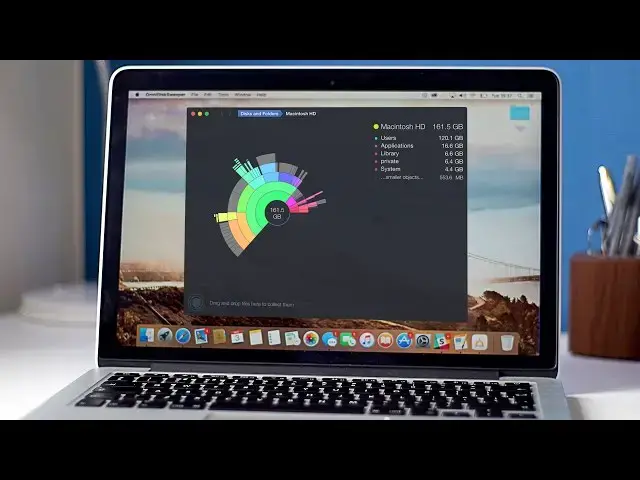
below first off on my list is omnis
0:31
sweeper this is one of the more
0:33
simplistic looking apps but it doesn't
0:35
mean it's any less effective plus it's
0:37
completely free similar to The Standard
0:39
finder app Omni dis sweeper shows you
0:41
everything that's on your hard drive in
0:42
order of size you can then navigate
0:44
through each directory to delete
0:46
individual un needed files that are
0:48
taking up the most room thanks to the
0:49
easy layout of this app finding the
0:51
larger files you don't need is quick and
0:53
painless next on my list is Daisy disc
0:56
with more attention to design and layout
0:58
than omnis this app is definitely visual
1:00
Learners out there the app's main
1:02
feature is the beautiful color wheel it
1:03
generates from analyzing your hard drive
1:05
to clearly display what's taking the
1:06
most room this makes it super easy to
1:08
see what's hogging the most space and
1:10
removing it from your Mac just takes a
1:12
click Daisy disc comes in at just under
1:14
$10 but give the free trialer run to see
1:17
if it's right for you before committing
1:19
lastly is Gemini which is a slightly
1:21
different M cleaner rather than just
1:23
searching for the largest of your files
1:25
Gemini hunts and tracks down duplicates
1:26
of files you already have I mean why
1:28
have multiple copies of the same image
1:30
or video taking up valuable space for
1:32
$10 plus a free trial Gemini is super
1:35
easy to use fire up the app and choose
1:37
the directory you want the app to scan
1:39
click show results then you will see
1:40
duplicate files how many versions you
1:42
have and where they're located select
1:44
the copy you don't need in your chosen
1:46
directory or if you're not too precious
1:48
about all of your files you can choose
1:49
Auto select all files and Trust the app
1:52
to do its thing well that's it for this
1:55
video and hopefully these apps will help
1:56
you clear up your Max's hard drive but
1:59
let me know in the comments down below
2:00
if there's an app you prefer also if you
2:02
found this video useful go ahead and
2:04
smash that like button as it really does
2:06
help me out and don't forget to hit
2:08
subscribe so you don't miss a single
2:09
video from Cult of Mac I'll catch you in