Up next in 10



More about the Journal app: https://www.cultofmac.com/839934/how-to-start-journaling-with-apple-iphone-journal-app/
More Apple news: http://www.cultofmac.com
Follow us!
Twitter: https://twitter.com/cultofmac
Facebook: https://www.facebook.com/cultofmac
Instagram: https://instagram.com/cultofmac/
Show More Show Less View Video Transcript
0:00
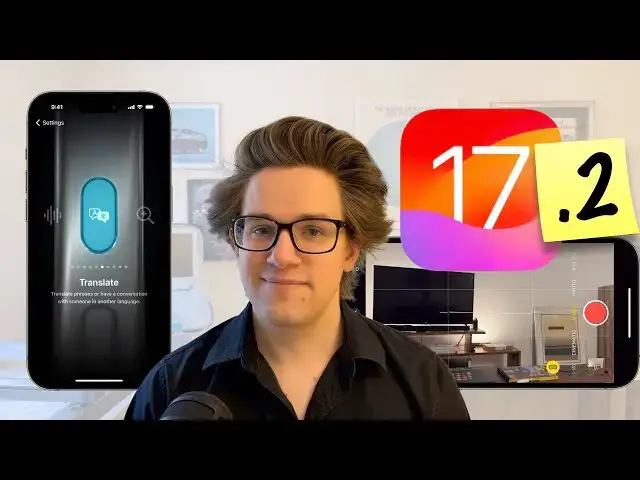
A couple months after Apple released Iowa 17, they just dropped Iowa 17.2 with loads of new features
0:05
And I'm going to show you the top 10. Number one is Apple's new journal app
0:11
This is a great way to keep a personal diary or a scrapbook of fun events in your life
0:16
When you open it up, you'll see recommendations for groups of photos to write about
0:20
prompts that'll get you thinking, recent places you visited, and more. For example, you may have some pictures of a scenic view you took on a day out
0:28
All of your pictures are on your photo library. but in the journal you can add to it by writing about what the hike was like to get there
0:35
fun conversations you add to with her friends along the way, what the weather was like. You can add a voice recording to an entry, you can tag it with a location
0:42
you can even mark it as having occurred in the past so that you have an accurate chronological timeline
0:46
when you open the app. Some of the recommendations I find a little esoteric, like I don't really want to write about
0:53
my trip to the grocery store or the hundredth time that I've listened to the same Diffless Pony Club album
0:59
But anyways, you can find a full article on the journal app, linked in the video description, or if you click here on Cult of Mac
1:06
Number two, an iMessage, you can now react to a text by attaching a sticker to it
1:11
Just tap and hold, tap add sticker, and pick one from the sticker sheet
1:15
And as a reminder, you can create your own stickers out of your own photos
1:20
Just tap and hold on an object in a photo, and tap add sticker. You can also find your stickers by scrolling to the left of the emoji keyboard or by hitting the attachments button
1:28
And from here, you can just drag and drop them into the middle of a chat as well
1:32
Number three so if you going to an event with a group of friends like a concert a sports game maybe you taking a flight one person bought all the tickets and they have them all in the wallet app on their iPhone How do you share them with everybody else Well it now really easy You don have to share a
1:48
screenshot and hope that works. Now you can just hold both of your iPhones next to each other
1:53
notch to notch or Dynamic Island to Dynamic Island, and then you'll instantly be able to pass them
1:59
onto somebody else's iPhone. It's that easy. If I ever left the house or had friends
2:05
I would be able to demonstrate this to you, but this is another great. benefit to a feature called NameDrop, which has been the target of some very unfortunate and deeply
2:14
ironic misinformation lately, you should really just keep it enabled so that awesome features
2:18
like this can continue to work for everybody. Number four, sometimes it's just easier for a friend's
2:23
to play music using your phone. But if you have wildly different music tastes and if you care
2:28
about such things, you might worry about your Apple Music recommendations and listening history getting
2:33
all screwed up. And everybody with children already knows this pain. Well, there's a new feature in Iowa 17.2 that can completely mitigate this problem
2:43
It just requires a little bit of setup because you need to create a new focus mode. So you're going to go to settings, focus, tap the plus on the top of the screen, and tap custom
2:53
Then you're going to give it a name like Music Share and, you know, pick a custom icon, a custom color
2:58
I recommend the guitars or the group of people and the color red, just like the music app
3:04
Then you're going to tap Customize Focus. You can leave all that stuff on the top blank
3:08
scroll down and hitلف music. You're going to leave, use listening history blank
3:14
and then you're going to hit ad. Now the next time your kids ask for some
3:18
irritating garbage, you can just bring up control center, turn on your music focus and you basically have a private browsing mode for your music Number five after you drop the kids off you might want to detox your ears with some of your favorite tunes And now there a convenient smart playlist automatically generated for you
3:35
In the music app, go to the listen tab, tap playlists, and then right at the top, there's a new
3:40
playlist called Favorite Songs. It's right there for you to play. If you don't have a lot in there, it's now really easy to mark a song as a favorite
3:47
From the now playing tab, there's a star right next to the title of a song. You can also star an artist or an album as a favorite too
3:55
We've come a very long way since the days of iOS 16 where you had the ability to mark an artist as a favorite
4:01
but it did literally nothing. Number six, if you have an iPhone 15 Pro or Pro Max
4:06
you can now record 3D spatial videos that in the future you'll be able to play back on an Apple Vision Pro
4:12
when the headset launches early next year. But first, you need to turn on the button that lets you do it
4:17
In settings, you scroll way down to camera, tap formats, and you check Spatial Video for Apple Vision Pro
4:25
Then from the camera app, you go to video mode, you hold your phone horizontally, and then you can tap the Apple Vision Pro button
4:32
It'll turn yellow, and then you're recording Spatial Video. And you can play back these videos totally normally on an iPhone, iPad, Mac
4:40
just like any other video. It's just that in the feature, when you play it back on a VR headset
4:44
you will see it in a more immersive three dimensions. Now understandably, spatial video takes up twice the space
4:50
as ordinary video since it has to record two different camera angles. But go for it if you have the iCloud space
4:56
It'll future-proof all of your most important memories. Here's a new feature for all iPhone 15 users
5:01
If you go to Settings, Action button, there's a new Translate feature
5:05
Just click in the action button and it instantly start listening with this beautiful particle animation This can be really handy if we traveling to another country where you don speak the primary language
5:18
Net as in the action knob begins it immediately to listen what a prachtier's animation is
5:23
Number eight, iOS 17 added new sound effects for things like timers, alarms, phone calls, voicemails and more
5:29
And it's really easy to change these if you don't like them. But iOS 17 also changed the default alert sound for apps like Snapchat, Instagram
5:38
apps that don't have their own custom sound. But now you can change it back
5:43
In settings, sound and haptics change default alerts from rebound back to tritone
5:50
Number nine, if you use standby, you're already familiar with the dual widget view
5:54
which turns your iPhone into a sort of smart display with two stacks of widgets that you can swipe through
5:59
And now there are new widgets that you can choose from, This digital clock makes it easier to read the time, and you have loads of detailed weather widgets
6:07
This one shows details about the upcoming day. This one shows the extended forecast for the next four days
6:13
And this one shows the sunrise and sunset expected today. Number 10, if somebody sends you a PDF form, either in an email or in an iMessage
6:20
it's now incredibly easy to fill it out with your information directly from your iPhone
6:26
You open it up, you look for this auto-fill button. It'll scan all the fields and make them
6:31
editable directly from the keyboard. And it'll even auto fill your personal details
6:36
like your name, your address, you phone number, your contact information, all pulled from
6:40
the contacts app. So those are the top 10 features in Iowa 17.2. Remember to like and
6:44
subscribe if you learned something from this video. I'm DeGraffin Jones with Cult of Mac
#Online Media
#Consumer Electronics