0:00
in iOS 18.1 finally you can record a
0:03
phone call on your iPhone for future
0:05
reference and if your device supports
0:07
Apple intelligence you'll get
0:08
transcriptions of the phone calls too
0:11
from a live phone call or FaceTime audio
0:12
call tap the record button in the upper
0:15
left you'll get an explanatory screen
0:17
explaining how this works the first time
0:19
this happens both people will hear this
0:22
call will be recorded you can start
0:23
recording at any time during a call
0:26
afterwards you can open notes and check
0:28
the call recordings folder to hear your
0:30
recordings and see the notes you've
0:32
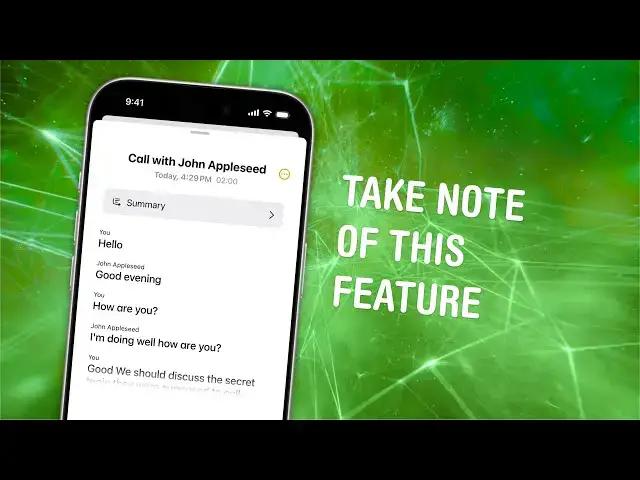
taken if you tap in a recording you can
0:34
play it back and browse a transcript
0:36
where it labels the different sides of
0:38
the phone call and just like apple music
0:41
you can tap on a specific line to jump
0:43
to that section you can also tap summary
0:45
to get an AI generated summary of the
0:48
conversation you can also use this note
0:50
during the phone call if you need a
0:52
scratch pad to take down numbers write
0:54
about appointments take meeting notes or
0:56
remember something important that was
0:57
said that is how phone call
0:59
transcription work in iOS 18.1 I'm
1:02
deerin Jones with Cult of Mac