0:00
Hi I'm Joshua Smith and you're watching
0:02
ault howto video though our iPhones are
0:05
able to do so much at its Core texting
0:07
and calling The People you need to is
0:09
most important and sure while you can
0:11
just Type a message and then go on with
0:13
your life the iPhone messaging App is
0:15
able to do so many more useful things so
0:17
today i thought I'd show you five Easy
0:19
tips on how to Become a messaging pro
0:21
and get more use out of your messages so
0:23
Stay tuned to Check It
0:38
tip Number One you can Create shortcuts
0:40
for phrases or just things you Tend To
0:42
Type a lot by going to the General
0:44
section under settings scrolling your
0:46
way to keyboard and then scrolling to
0:47
the Bottom You'll find the shortcuts Tab
0:49
just Tap to Create your own New shortcut
0:51
with your phrase on Top and then your
0:53
shortcut below To Type it Faster this
0:56
can be actually pretty useful for when
0:57
you have names or terms that you use for
0:59
work or School or anything else It's an
1:02
Easy Way To not have to Type It Out time
1:04
and time again and sure Enough when you
1:06
go back to the messaging app and in
1:07
your shortcut autocorrect has your
1:09
phrase right there just Hit Space to
1:12
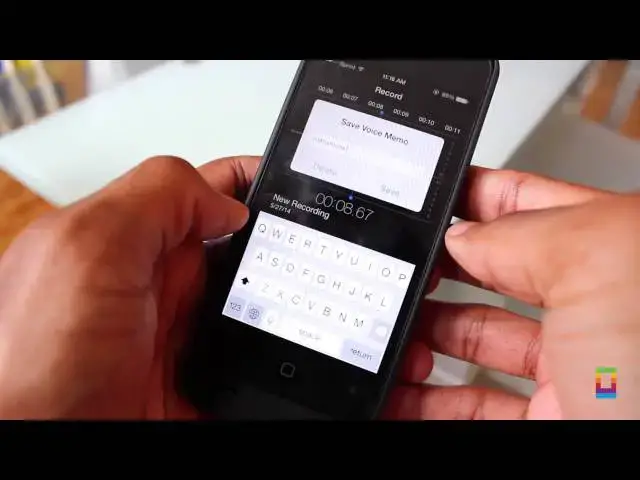
keep Going tip two Voice messages are
1:16
Easy Way To share what you have to say
1:18
quick Sending Voice memos and messages
1:20
is a Breeze by recording your message in
1:21
the Native memo app you can title it and
1:23
then share it directly in your messaging
1:25
app say instructions or just long Notes
1:28
You Don't Want To Type out or Call about
1:29
pi your recipient then send it get a lot
1:32
said in a little time number three when
1:35
a friend Ask for somebody's Number don't
1:36
sit there and Type it all out It's Easy
1:39
by just going to the contacts app you
1:41
can share and send it in Seconds no
1:43
hassle and no problem and tip Number
1:46
four got a message you want to share
1:47
with Somebody but Don't Want To Type it
1:49
all out again well just Tap and Hold On
1:51
the message Hit more then Hit The Blue
1:53
Arrow in the Bottom right corner Boom
1:55
your message is in a new one and
1:57
you're ready to send a quicker way to
1:58
share with no exra difficulty lastly tip
2:01
Number don't want people to see your
2:03
messages whenever your screen turns on
2:05
get some privacy by accessing messages
2:07
under the notification Center and
2:09
toggling off show preview then when you
2:11
get a text you just know from Who and
2:13
you can keep wandering Eyes from Being
2:14
in your Business so there you go follow
2:16
these five Simple tips and You'll Be A
2:18
messaging pro in no time Hey Thanks for
2:22
watching this Episode ofx how to Free to
2:24
comment or tweet US other things you
2:26
like us to show you how to do we want to
2:28
know and Don't Forget sub to see more
2:30
awesome howto and other great videos
2:32
posted every single Day of the Week this
2:34
has been Joshua Smith and I'll catch you