Up next in 10



More Apple news: http://www.cultofmac.com
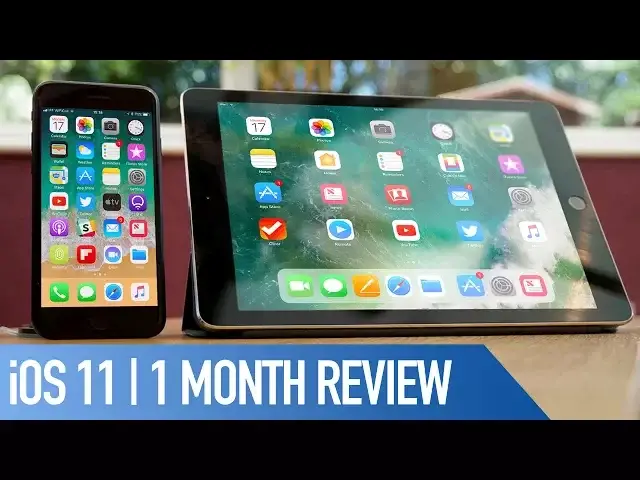
I’ve now been using iOS 11 for a little over a month now. In this video, I wanted to talk about what I like, what I don’t like and just my general thoughts after a month’s use.
Follow us!
Twitter: https://twitter.com/cultofmac
Facebook: https://www.facebook.com/cultofmac
Instagram: https://instagram.com/cultofmac/
Show More Show Less View Video Transcript
0:00
Hey, what is up guys, Stephen Quills of Mac here and I've now been using iOS 11 for a
0:08
little over a month, so in this video I wanted to talk about what I like, what I don't like
0:12
and just my general thoughts after a month's use. So let's get started
0:18
iOS 11 isn't a major overhaul of design or functions such as say, iOS 7, but more of
0:26
an evolution from what we had in iOS 10. That's most evident with the new control centre which has got to be one of my favourite features
0:32
within the new OS. The ability to customise the feature widgets that we actually use and remove those that
0:37
we don't is really useful. I also find them easier to use
0:41
For example, the volume slider is now much improved as I was always turning down my ringtone
0:45
volume as opposed to the speaker volume when just using the volume buttons on the side of the phone, whereas now I have a slider that works just the same as the screen brightness
0:53
Some of the widgets are also a whole lot more useful, such as the Apple TV widget which
0:57
works brilliantly. Being able to tap in and get an instant remote is a huge time saver
1:03
The new cover sheet that Apple has introduced which replaces notification centre isn't as
1:07
well thought out though. When you scroll down you've now got a list of all previous notifications, even if you've
1:12
previously seen them and the ability to swipe to clear is completely gone
1:16
Instead I have to force touch to bring up the notification and hit the X or clear by day
1:20
It just seems a little clunkier than the good old swipe that we've had for years
1:24
It also just looks like the lock screen, so it's easy to think that you're on the lock
1:28
screen when in fact it's just the cover sheet. As well as swiping to clear, Apple has additionally removed a 3D touch app switcher
1:34
In iOS 10 you could 3D touch on the left hand side of the screen and swipe to bring up all
1:38
of the different apps that you have open, but that's now gone. Ok so you can bring it up with a double tap of the home button, but if we believe in all
1:45
of the iPhone 8 rumours that the home button has been removed, the 3D touch gesture would
1:49
have been welcome come September. Siri has been improved a lot in iOS 11 and sounds a whole lot more natural when responding
1:55
to questions. What's the weather like tomorrow? The weather's looking good tomorrow, up to 24 degrees
2:05
Which is always good, along with a slew of new features such as translating languages
2:09
and syncing between your multiple Apple devices. I love the fact that Apple's using the new HEIF and HEVC formats which can press photos
2:17
and videos more to optimise storage, but all of the photos and videos still look great
2:22
and I've had no problem sending these to other users as they convert to JPEGs and MOVs when
2:26
sharing with people who aren't on iOS 11 or iOS at all
2:30
The way that iOS 11 now takes a screenshot in the bottom left hand corner so you can
2:34
edit, send and choose to save or delete has really surprised me by how useful it is and
2:38
how often I'm actually taking advantage of it. So now when you take a screenshot, it shows up in the bottom left of the screen where
2:44
you can draw, edit, add text and so on and then share directly from that screen
2:48
Then you can choose whether to save or delete the image which is super useful to me
2:52
I mainly take screenshots to show my fiancé or friend something so once I've sent it to
2:56
them it's not needed. Being able to delete it straight from here keeps my camera roll nice and tidy
3:01
Where iOS rarely comes into its own though is on the iPad
3:05
The new dock on the bottom is brilliant for making the tablet finally begin to feel like a MacBook replacement
3:10
You can add a ton of apps down there which is great to swipe up from the bottom of the screen and switch to a new app super quick
3:16
Then there's the way that it now multitasks. So you can drag a second app from the dock and have a second window on top of the app
3:21
that you were using. Or you can drag it to the side for a traditional split view
3:25
And then if that's not enough for you, you can add a third app on top which all in all
3:29
makes the iPad a true multitasking beast. Then the app switcher will also remember the apps that I've grouped together so I can have
3:36
a website up and pages for when I'm writing scripts or have Twitter, my email, clients
3:40
and a video playing all at the same time for when I actually get around to replying to emails
3:45
Then there's the new drag and drop options. So you can drag images from safaris to pages really easily
3:50
Or if you want to drag multiple images within the new files app to a folder, you can drag
3:54
the first image and then tap on others that you want to move with it. It's just really well thought out and only took me a few minutes to get used to having it
4:01
It feels really intuitive. Speaking of the files app though, I don't feel it's everything that Apple bigged it
4:06
up to be at the WWDC keynote. It's not a full file management app
4:11
To me personally, it's more of just a progression of iCloud Drive. For example, you can't drag files from iCloud directly onto the device
4:18
It feels more like a hub for all of the cloud services combined with the settings app, which
4:22
is not a bad thing by all accounts. I really have no need for a full file manager on iOS as I have my Mac switches where it's
4:27
really useful. I'm not saying this is something I necessarily like or dislike, but it's just something I
4:33
wanted to touch on. Let me know in the comments down below though what you think of the files app and if there's
4:37
anything you feel that's missing or could be added with further betas in the future
4:42
Overall, iOS 11 is a great progression of the features that I already love on iOS 10
4:47
and especially on the iPad. I'm really enjoying using the betas and can't wait to have all of the bugs smoothed
4:52
out come September. Well that is it for this video but if you've been using any of the iOS 11 betas, let me
4:59
know your thoughts in the comments section down below. What do you like? Is there anything that you hate
5:03
Also, if you enjoyed this video, go ahead and hit that like button and don't forget
5:08
to hit subscribe so you don't miss a single video from Cult of Mac. I'll catch you in the next one
#Computers & Electronics
#Consumer Electronics
#Mobile & Wireless
#Mobile Apps & Add-Ons
#Intelligent Personal Assistants