Up next in 10



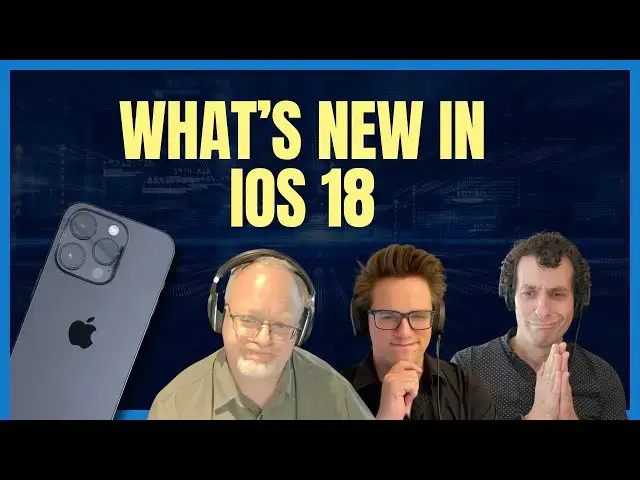
iOS 18 is here, bringing revolutionary AI features and unprecedented customization options to your iPhone! 📱✨ Learn how AI will enhance your experience, from advanced photo editing to personalized messaging. Plus, explore new home screen customization, control center updates, and more!
Timestamps:
0:00 – Introduction to iOS 18 features
0:13 – Craig Federighi’s overview: Customization, Connectivity, and Reliving Moments
0:31 – Photos app: AI photo editing and organization
1:14 – Messages app: Text effects, tap back features, and scheduling
1:50 – Satellite messaging for areas with no cell service
2:45 – Home screen customization: Freeform icon placement and recoloring
3:57 – Control center: Full customization and third-party integration
5:00 – Safari updates: AI highlights and improved video viewing
6:00 – AirPods Pro: Answer calls with nods and shakes
7:21 – Passwords app: Dedicated and cross-platform functionality
Experience the best of iOS 18 and see how these new features will make your iPhone more powerful and personalized than ever before. Subscribe to our channel for more tech news and in-depth analyses! 🚀🔔
More Apple news: http://www.cultofmac.com
Follow us!
Twitter: https://twitter.com/cultofmac
Show More Show Less View Video Transcript
0:00
all right let's talk about all the
0:02
features coming to iOS 18 and how AI is
0:04
going to make our lives so much better
0:06
than they currently are I I just let uh
0:09
the silver tonged and silver-haired
0:10
Craig Figi explain it in one short
0:12
sentence iOS 18 is a big release that
0:16
delivers more ways to customize your
0:17
iPhone stay connected and relive special
0:21
moments that's what these eight three
0:23
things it does three things it's apple
0:25
way here are three things that this does
0:27
all right well let's move on we're done
0:30
let's see for some specifics let's see
0:31
photos app he he said the biggest photos
0:34
redesign ever uh AI photo editing tools
0:37
allow for customization and organization
0:39
uh you know
0:40
like putting together folders or
0:43
whatever or bringing together images
0:45
from thing I there's always some of this
0:47
stuff in this already right but uh
0:50
somehow left out of our write up here in
0:52
the notes is the fact that it's going to
0:53
allow you to clean up images like zap I
0:58
love the picture they had example
1:00
picture they had of people on the beach
1:01
with like some you know Joker in the
1:04
background with a metal detector just
1:06
like boom tap it gone disappeared that's
1:08
all great stuff all kinds of things all
1:10
kinds of apps already do that but it'll
1:12
be nice to have that built into the
1:13
photos app let's see messages app text
1:17
effects which uh let you um I don't know
1:20
it's it's kind of like the tapback
1:21
effects that already exist for certain
1:23
things but you know the words can jiggle
1:25
there's going to be certain preset kind
1:27
of things uh that so you can make your
1:28
your text messages
1:30
extra eye-catching uh the tapback
1:33
feature I just mentioned that that thing
1:35
you know that's the thing that lets you
1:36
put like a gray heart or a thumbs up or
1:39
whatever on
1:40
a reply right to a dud they need to they
1:44
needed to overhaul the system for adding
1:46
emojis to messages forever like that I
1:48
don't know how they arrived at the
1:49
decision to give you like five options
1:52
for your message replies and gray and
1:56
one of the worst implementations of of
2:00
Emoji reactions I've seen anywhere in
2:01
the tech world and so they finally fixed
2:03
it I remember the first time I saw that
2:05
I was like what why is it gray it's just
2:08
weird right I mean anyway so now they're
2:11
going full color in iOS 18 and you can
2:13
reply with any Emoji it's just going to
2:15
be way different way better uh let's see
2:18
you're going to be able to schedule
2:19
messages to be sent later that's going
2:21
to be awesome pretty useful you know if
2:22
you don't want to some 12 a.m. it's
2:25
great it's actually super now that this
2:28
is like the way that everybody
2:29
communicates every single thing in the
2:30
world now it's taking over email this is
2:33
the way this it's very useful you can
2:35
say Hey cuz I found myself doing that
2:37
all the time like I I got to send this
2:38
text to this person but oh my God it's
2:40
it's
2:42
midnight anyway so that'll be nice uh
2:44
let's see the last thing and this was
2:46
for some reason Leander wrote the post
2:47
about this he put this in the headline
2:49
like it was the most exciting thing it
2:50
is interesting satellite messaging is
2:52
going to be available in iOS 18 which
2:54
works the same way as like the emergency
2:56
SOS via satellite thing does so if
2:58
you're somewhere where you got no sell
2:59
service you still send and receive texts
3:02
which is kind of wild yeah cool uh let's
3:05
see oh my God we have only just started
3:07
you're doing great okay keep going home
3:09
screen home screen customization as
3:12
somewhat as described you know you're
3:14
going to be able to change up your home
3:15
screen a lot you're going to be able to
3:17
move the icons around you know not the
3:20
grid is gone you can put them wherever
3:21
you want they did nice way of showing
3:23
like oh you can use this with a photo so
3:25
that the stupid app icons Don't You Know
3:28
cover up the fun parts the photo
3:32
uh there's also a way to recolor icons
3:35
you could go with light icons or dark
3:37
icons color tinted icons uh this was
3:40
kind of different from the rumors you
3:42
know the rumors I heard was like oh it's
3:43
going to be like you can tint all your
3:46
bank apps green or you can take take uh
3:48
all your social media apps that make you
3:50
angry and make them red right but no
3:52
it's just like one color right
3:54
systemwide as far as I can tell from the
3:56
demo I think it I mean it's cool but it
3:58
does kind of create some fun looks to
4:00
the icons I think I don't think they
4:01
look better when you color them I saw I
4:04
saw quite a few um negative remarks
4:07
about that on
4:09
X the it's worth pointing out that third
4:11
party apps uh only have limited support
4:14
for that like it app developers will
4:16
need to upload a new version of their
4:17
app icon to make it work with iOS 18 and
4:20
make it look really good so right now
4:21
it's only Apple apps that do it really
4:24
well at this
4:25
point okay let's see uh control center
4:29
everybody's favorite fav uh
4:30
underutilized way of getting into all
4:32
the things that are most important you
4:34
speak for yourself I it's it's
4:36
appropriately utilized in my world I use
4:39
I love it I I know I know tons of people
4:41
are like what's that yeah they never
4:43
they never use it I mean it's shocking
4:45
but anyway uh it's it's going to be
4:47
fully customizable which is also very
4:48
exciting right you can add and remove
4:50
toggle switches from a new controls
4:52
Gallery organize buttons across multiple
4:54
different pages of a control center you
4:56
know with the easy like swipe that
4:57
looked very slick uh let's see control P
5:02
control API is going to let third party
5:03
developers add their own button totally
5:06
awesome because I I use it all the time
5:08
too man I use I use control center all
5:10
the time uh I don't quite understand
5:14
this last part you use same controls to
5:15
replace flashlight and Camera shortcuts
5:17
on the lock screen it wasn't clear to me
5:19
what you could what you could put there
5:21
but I any of the same controls that you
5:23
can add to control center also use to
5:25
yeah any of them you can swap out the
5:27
flashlight or the camera
5:30
I just tested this today different lock
5:32
screens can have different buttons on
5:35
the
5:35
bottom and even if you replace the
5:38
camera button for a different one like I
5:40
know stopwatch you can still swipe on
5:43
the lock screen to get to the camera
5:45
even if the camera button isn't there
5:47
that's cool I mean it's it's always been
5:49
weird to me that they've got these two
5:50
buttons that have like you know like
5:53
Prime Time placement on the iPhone and
5:55
they're just there right what is it h so
5:58
anyway uh let's see uh moving on
6:01
Safari Safari is going to in when they I
6:05
don't know what version this is I can
6:06
never keep track of that is it do they
6:07
even give it a version number I don't
6:09
care about such things yeah all right uh
6:12
so it's going to be able to use machine
6:13
learning to automatically detect
6:15
relevant information on a web page and
6:18
highlight it for you like directions
6:20
summaries quick links to learn more
6:22
about people music movies and TV shows
6:25
sounds a lot like uh the way Google
6:28
already surfaces stuff like that right
6:29
in their quick search results uh reader
6:32
mode is going to provide table of
6:34
contents and helpful summary right next
6:36
to the article you might never have to
6:38
read a full article again that's great
6:39
news for web Publishers uh let's see uh
6:43
when Safari detects a video on the page
6:45
viewer mode puts it front and center
6:47
while allowing full access to system
6:49
playback controls like AirPlay and
6:51
picture picture I you know I somehow I
6:53
must have crossed my eyes during this
6:54
part of the presentation I don't even
6:55
remember seeing this but uh man I I mean
6:59
sometimes I go to web page I want to
7:00
watch a video on it I can't even find
7:02
the video on our website too somewhere
7:04
so many ads and so much garbage anyway
7:08
okay I don't understand why airpods pro
7:11
is listed here under uh iOS but uh I'll
7:13
go ahead and talk it anyway uh because I
7:17
thought this was a totally a cool part
7:18
of this this presentation took like a
7:20
minute or whatever but so airpods Pro
7:22
are gonna gain the ability to answer
7:23
calls or reject them by silently nodding
7:26
or shaking your head that's awesome dude
7:30
yeah I also love the fact that in the uh
7:32
thing when in the little stupid uh demo
7:34
or whatever it says
7:37
STFU like like stf that was my edit of
7:40
it that wasn't in the keynote oh it
7:41
wasn't in it no oh think
7:45
TC you tampered with the video oh my God
7:49
I I take it all back Griffin Griffin
7:52
dropped an sdfu in there let's see uh
7:55
that's going to come in handy you know
7:56
if you're on a uh and I have I've
7:57
totally understood you know you're on a
7:59
the picture they had was perfect you're
8:01
standing on an elevator and somebody
8:03
calls you and like you don't want to say
8:05
oh sorry Jim I can't I mean what I would
8:08
do is just silence the call with my app
8:10
watch yeah but uh anyway it's kind of
8:13
cool uh let's see final thing here in
8:15
this iOS section is uh the passwords app
8:19
which we you know this this news broke
8:21
before the event but uh looks very
8:23
awesome dedicated password app it's
8:25
going to work on iOS iPad OS and Mac OS
8:27
basically repackages the iCloud keychain
8:29
features into a userfriendly
8:31
interface um sorry dash lane sorry last
8:36
pass uh I I mean I use uh I use dashine
8:41
every day I use password manager for
8:43
everything I it's lifechanging I still
8:45
run into people who don't use password
8:47
managers and I can't believe it I hope
8:48
this encourages everybody to uh because
8:51
it'll be right there on your thing and
8:52
it sounds like it's going to be free I
8:53
didn't hear anything about any pricing
8:55
any of the stuff costing extra it just
8:57
sound like it's all going to be free and
8:59
your i ph going to be better than ever
9:01
and that's that's a honestly them making
9:04
a password manager is that that's
9:07
probably a good thing for
9:09
Humanity it's also coming to Windows
9:11
leis the app is coming to Windows man
9:15
I'm excited about that this is you know
9:18
because you need to manage your Apple
9:19
passwords on Windows too now they have
9:21
built the some extensions that help you
9:23
do this on Windows which are good and
9:25
they're slowly making updates to it but
9:28
I think this app is long overdue people
9:31
have been using keychain for a long time
9:32
to like figure out what their passwords
9:34
are and there is a passwords app with or
9:36
section within the settings app that you
9:38
can go to which I use all the time but I
9:39
don't know how people I don't know if
9:41
people actually know that it's there and
9:42
actually use it like wellden yeah it's
9:44
definitely of less known so like having
9:47
an app that you can use to manage all
9:48
your passwords is definitely going to be
9:51
useful
#Mobile Apps & Add-Ons
#Other
#Intelligent Personal Assistants
#Technology News