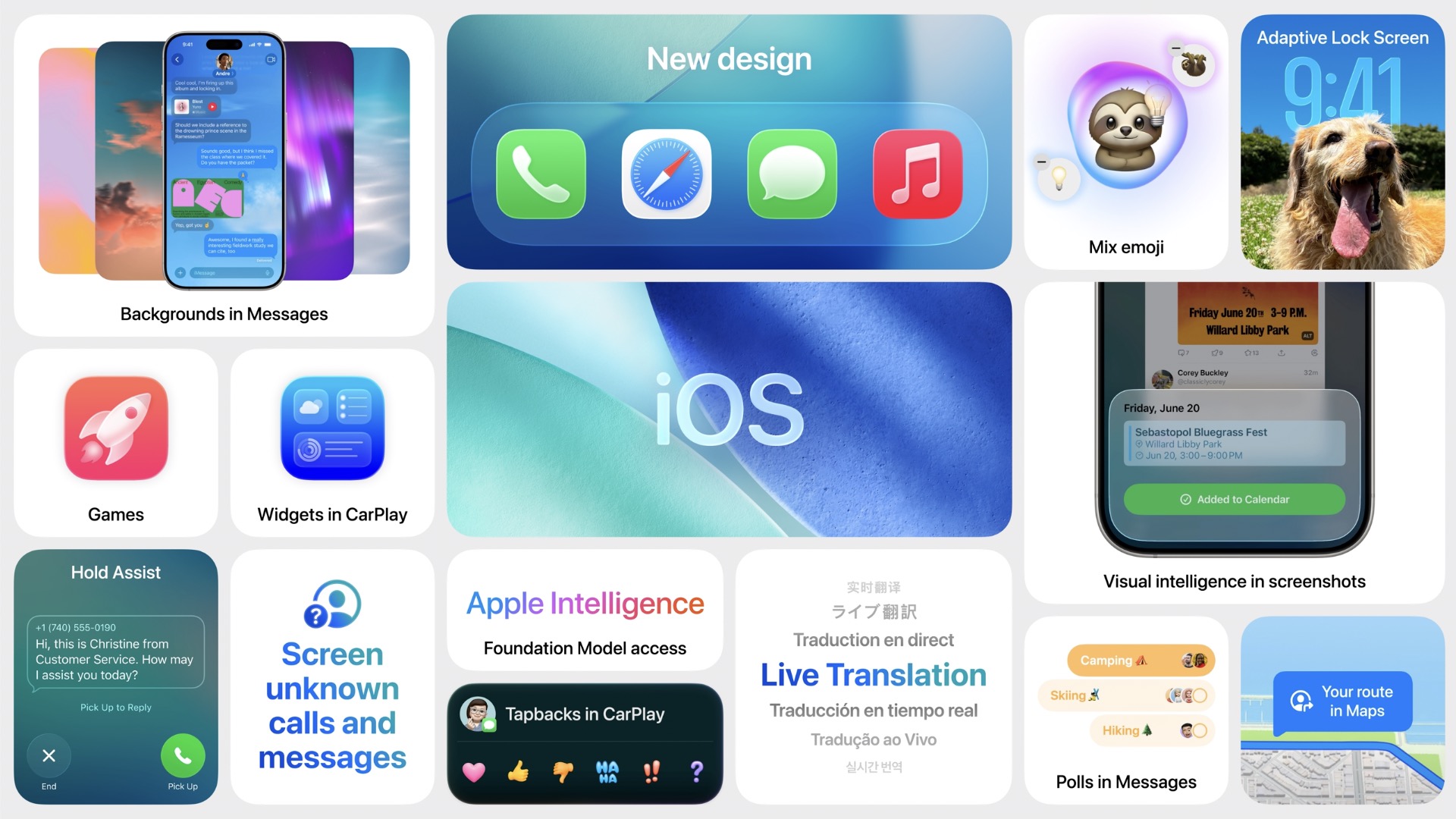
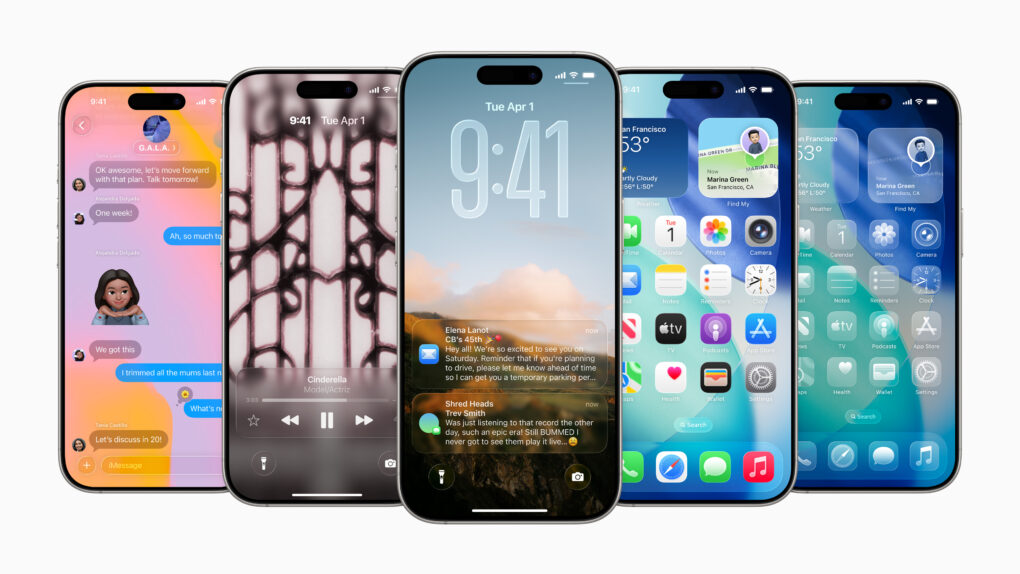
Here’s a snapshot of the new iOS 26 features for iPhone users.
iOS 26 marks a major evolution of Apple’s mobile operating system, distinguished by its striking Liquid Glass design — a translucent, fluid aesthetic that brings expressive, glass-like refractions and dynamic controls to the Lock and Home screens, app icons, widgets, and more.
It features improved Apple Intelligence features such as live translation across Messages, FaceTime, and Phone, AI-powered visual search, Contextual Shortcuts, Genmoji enhancements, and screenshot-based ChatGPT interactions.
iOS 26 also refines communication apps with customizable chat backgrounds, polls, draft filtering, advanced call screening and Hold Assist, introduces a unified Games app, optimizes apps like Music, Maps, Wallet, and Clock, adds broader system-level enhancements like Qi 2.2 support for faster wireless charging, accessibility innovations such as Braille input and head tracking, smarter battery management, and seamless eSIM transfers.
All this combines into a more intuitive, personalized, and visually immersive iPhone experience.
Apple updates iOS with bug fixes and support for new displays AI image: Gemini/Cult of Mac
iOS 26.3.1 is ready to be installed on your iPhone starting Wednesday. Mac users got macOS Tahoe 26.3.1 at the same time. The new versions include bug fixes — which are always welcome. And iPad users can install iPadOS 26.3.1, too.
In addition, all three system software updates bring support for the Apple Studio Display monitors that just launched.
What will Apple reveal next week? Illustration: Midjourney/Cult of Mac
This week on the Cult of Mac podcast: Apple’s prepping to launch something Monday, but who knows what? We put our professional reputations on the line once again with predictions about what’s coming next week, including the “special Apple Experience” set for March 4.
Writer, developer and Accidental Tech Podcast host Casey Liss joins us for our fun Apple predictions game — and you can play along, too!
Also on the Cult of Mac podcast:
The cosmic orange iPhone 17 Pro became a big hit, so Apple might deliver more bold colors in this year’s model. Still, the reporting on this so far is a little weird.
Griffin goes over the new features in the latest iOS 26.4 beta.
Casey gives us an overview of Callsheet, his app for movie and TV fans that “aims to be a not-crappy version of the IMDb app.”
We discuss another ortholinear keyboard in yetanother interesting setup.
Listen to this week’s episode of the Cult of Mac podcast in the Podcasts app or your favorite podcast app. (Be sure to subscribe and leave us a review if you like it!) Or watch the video live stream, embedded below.
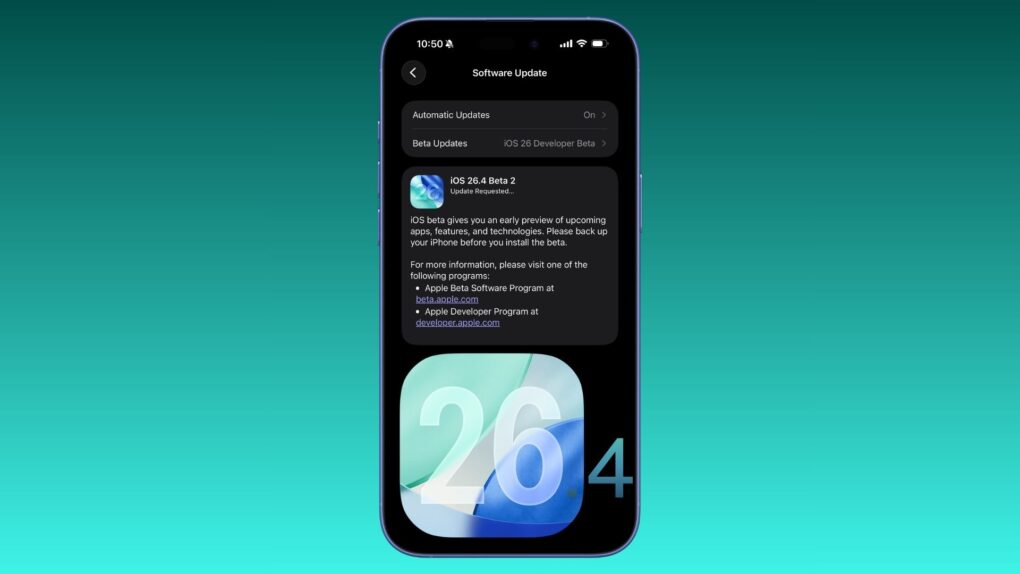
iOS 26.4 beta 2 adds more polish. Photo: Rajesh Pandey/Cult of Mac
Apple continues testing iOS 26.4, releasing its second beta two weeks after the first developer beta. It builds on the changes introduced in the first beta, making minor improvements.
Here’s everything new in iOS 26.4 beta 2 (along with all the new features from the previous beta).
Apple's March 4 event sounds unusual (and clever). Image: Cult of Mac
This week on the Cult of Mac podcast: The “special Apple Experience” planned for March 4 doesn’t sound like a typical Apple event. What could it be? And what new hardware will we see?
It definitely doesn’t look like Apple CEO Tim Cook will be hitting us with his standard “good mooooorning” … we go over the possibilities.
Also on the Cult of Mac podcast:
Apple is ramping up its AI efforts with three interesting new products: smart glasses, a pendant/pin and AirPods with earcams. The devices all have one thing in common — and we should see at least one of them later this year!
We try to wrap our minds around the strangest MacBook Air setup we’ve ever seen.
And finally, Griffin gives us the scoop on an excellent, affordable iPhone game controller he reviewed.
Listen to this week’s episode of the Cult of Mac podcast in the Podcasts app or your favorite podcast app. (Be sure to subscribe and leave us a review if you like it!) Or watch the video live stream, embedded below.
Give it a go before you give it up. Image: D. Griffin Jones/Cult of Mac
For the first time in 18 years, Apple redesigned the oft-overlooked Phone app. The overhaul in iOS 26 simplifies the Phone app’s layout, putting your favorites, call history and voicemails in one tab, and providing easier access to search.
Its fancy Liquid Glass-inspired layout goes hand-in-hand with the Phone app’s excellent call filtering features.
Here’s how you can learn to love the new design — and how to nope out of it if you don’t like it.
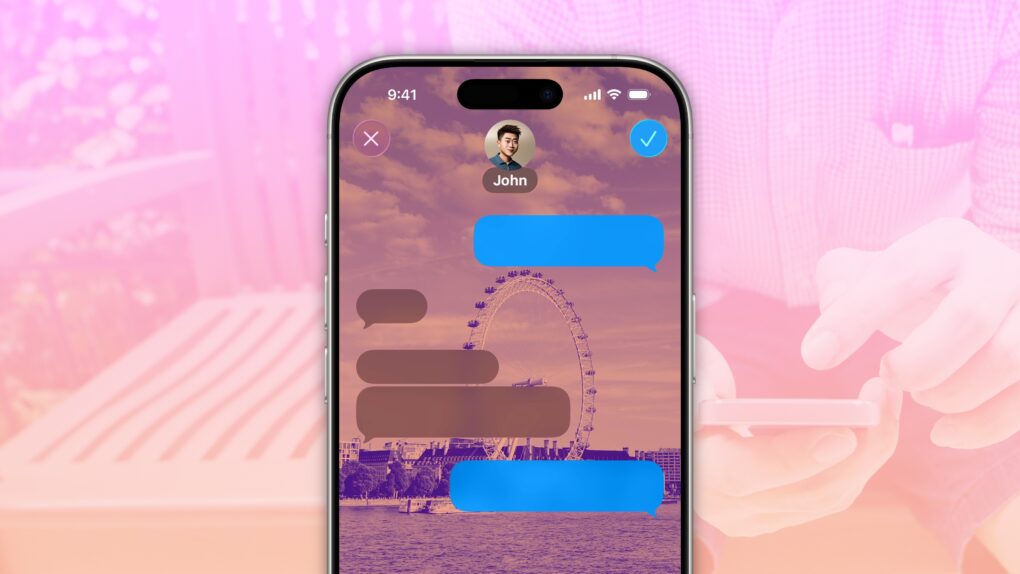
A background image can set a tone for the conversation. Image: D. Griffin Jones/Cult of Mac
Accidentally texting the wrong person can bring disastrous consequences, and yet it’s incredibly simple to mix up threads. Luckily, iOS 26 offers a great way to keep things straight: You can add specific backgrounds to various Messages conversations on your iPhone so you can easily tell them apart.
For instance, if you set a shimmery blue background for your group chat with co-workers, you’ll never confuse that conversation for a sensitive one-on-one text with your closest colleague. You’ll never accidentally send a message to your boss meant for your partner if the chats look obviously different.
Setting up an iPhone Messages background is super-easy — here’s how it works.
iOS 27 could focus on deeper AI integration while improving performance and battery life. AI image: ChatGPT
For iOS 27, Apple reportedly has its priorities clear: deep AI integration and an under-the-hood cleanup for better performance and battery life.
While iOS 26 was all about Liquid Glass design, it also came with a noticeable performance hit, especially on older iPhones. With iOS 27, Apple appears ready to make amends.
iPhone users are installing iOS 26 as the usual pace. Image: Apple
Apple released its own figures showing that iOS 26 adoption tracks closely with previous releases, countering claims that this latest update is seeing an unusual slowdown.
iOS 26 has seen an unusual amount of criticism on social media, but it’s not stopping people from installing the new version.
Apple says the new Siri will arrive in 2026. AI image: ChatGPT/Cult of Mac
Amid reports that Apple might further delay the release of its AI-powered Siri, the company says it remains on track to launch the smarter voice assistant this year. That’s the same stance Apple maintained previously.
Multiple rumors suggested Apple would debut the smarter Siri with iOS 26.4 this spring. But a recent report suggests that won’t happen.
The wait for AI-enabled Siri could stretch past iOS 26.4. Image: ChatGPT/Cult of Mac
iOS 26.4 could turn out to be a dud. The long-delayed artificial intelligence enhancements for Apple’s Siri digital assistant that had been eagerly expected to launch in the next iPhone software update are reportedly not anywhere close to being ready.
The new capabilities, originally slated for a spring release, are now being spread across multiple future updates as engineers work to resolve persistent technical issues, according to sources familiar with the company’s internal plans.
Time to update your iPhone! Image: Apple/Cult of Mac
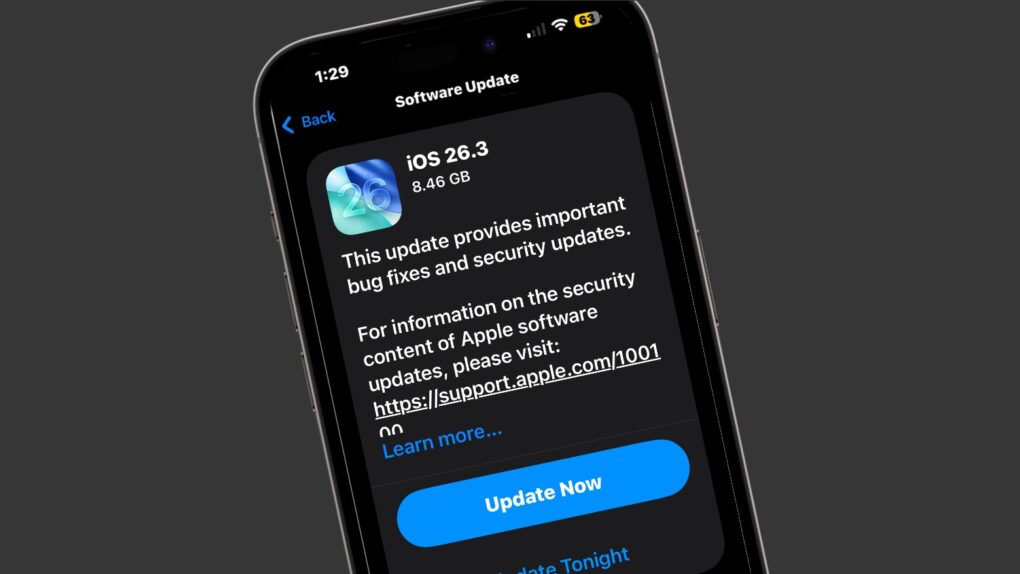
After beta testing iOS 26.3 since mid-December, Apple finally pushed its stable build to the public Wednesday. Unlike the last two major iOS 26 point builds, iOS 26.3 is light on major new features.
Instead, it brings some notable underlying improvements to the platform, including better compatibility with third-party wearables. Here are two notable changes iOS 26.3 brings to your iPhone.
There's a bunch of great new features to check out. Image: D. Griffin Jones/Cult of Mac
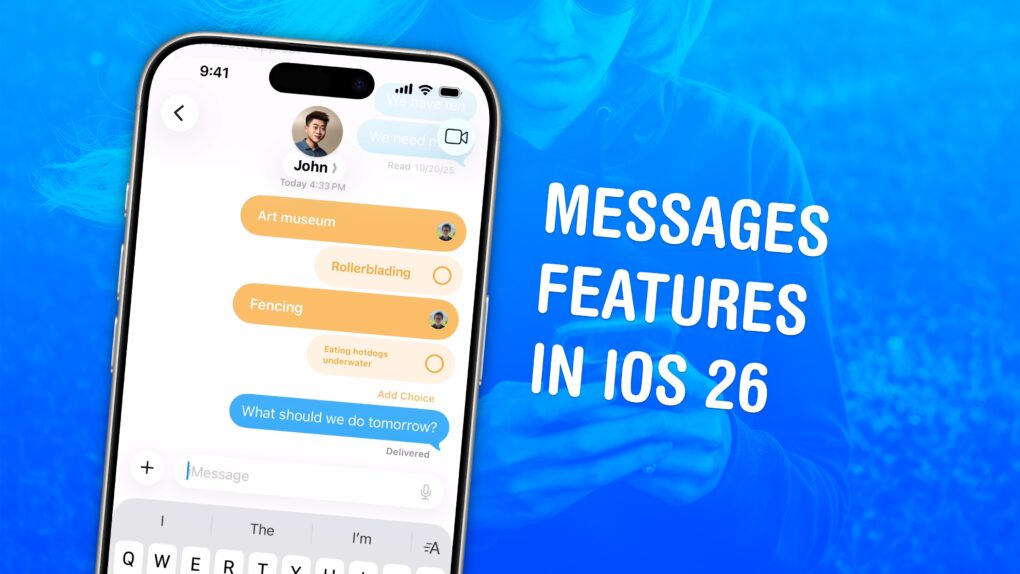
The Messages app gains flashy new features in iOS 26 that make group chats far more fun and efficient. It also filters out spam texts, translates conversations and more.
As the iPhone’s default messaging app, Messages is one of Apple’s darlings. The app gains new features with every major update, but iOS 26 stands out as one of the best in years. Here’s how all the new Messages features work — keep reading or watch our quick video.
Apple seeded the iOS 26.3 Release Candidate to beta testers on Wednesday, which means anyone eager to get their hands on it should mark February 11 on their calendar.
The macOS Tahoe 26.3 Release Candidate also just went out, which should please Mac users. It means a MacBook Pro with faster processor options can soon hit the market.
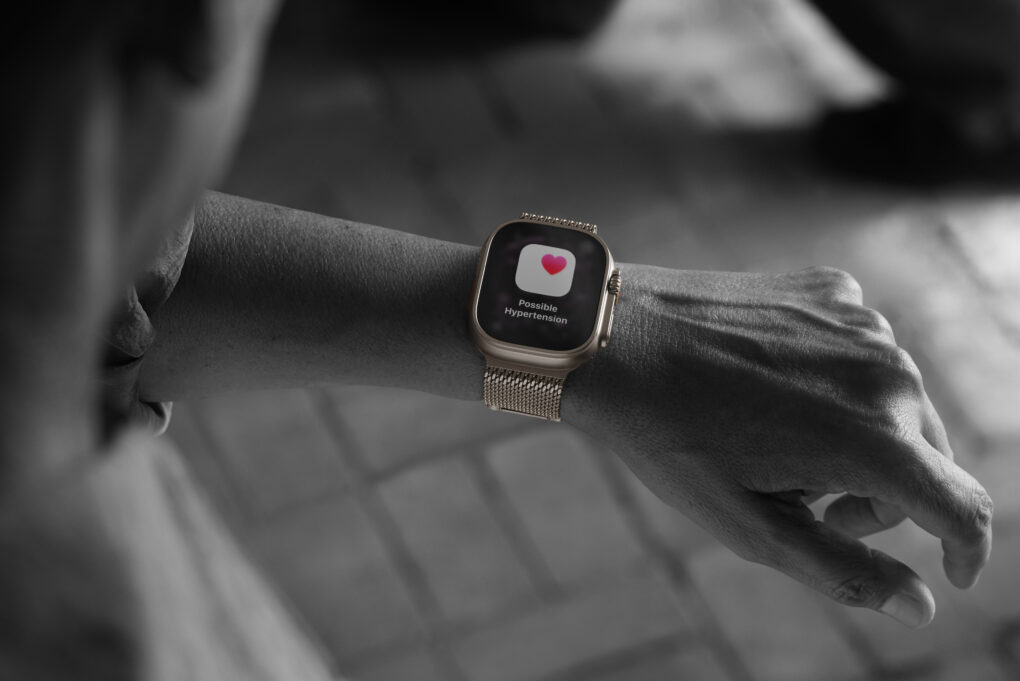
Apple Watch Ultra 3 is one of the models featuring Hypertension Notifications. Photo: Apple
For millions of Apple Watch owners, the Hypertension Notifications Feature available on recent models is a big leap in wearable health monitoring. It promises to alert users to potential high blood pressure before it leads to serious health problems. But how reliable are the alerts, and what should Apple users realistically expect?
I’ve had measurably high blood pressure for years. I wear Apple Watch 10, one of the models with hypertension alerts. And yet I’ve never seen one up close and personal. Apparently my meds are working!
But the feature will only come to select iPhones and iPads. AI Image: ChatGPT
Apple will introduce a new privacy feature in iOS 26.3 exclusive to iPhones with its C1x or C1 modems. The feature will prevent cellular carriers from seeing iPhone owners’ precise location data.
“With the limit precise location setting, you can limit some information that cellular networks may use to determine your location,” says Apple in its support document.
Apple forges ahead (slowly) with beta testing iOS 26.3, macOS 26.3 and more. Image: Cult of Mac
Apple made the third betas of iOS 26.3 and macOS 26.3 available to developers on Monday. This comes two weeks after the second round, double the usual time between new versions.
The same goes for iPadOS 26.3 beta 3, watchOS 26.3 beta 3, tvOS 26.3 beta 3 and visionOS 26.3 beta 3.
iOS 26.2.1 is only one of the operating system upgrades Apple just released. Image: Apple/Cult of Mac
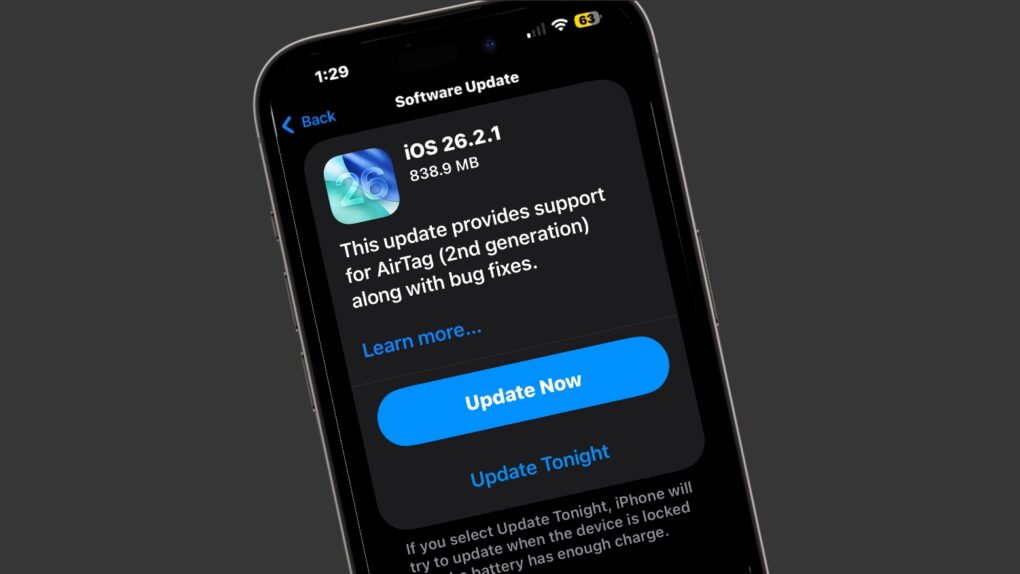
There’s a fresh round of system software updates for iPhone, iPad and Apple Watch on Monday. Apple released iOS 26.2.1, iPadOS 26.2.1 and watchOS 26.2.1 to support AirTag 2, a tracker tag also introduced on Monday.
Note that Mac users didn’t get an equivalent macOS 26.2.1 update — likely because Macs and AirTags aren’t truly intended to be used together.
iOS 26 adoption isn't as bad as reported earlier. Not that it's great. AI image: ChatGPT/Cult of Mac
Apple’s attempt to keep online advertisers from tracking Safari users had the unintended effect of completely throwing off reporting on iOS 26 adoption.
Rather than only a small percentage of iPhone users installing some version of Apple’s latest operating system, iOS 26 adoption is only a bit below average.
Next-gen Siri is almost here. AI image: ChatGPT/Cult of Mac
Apple could take the wraps off the Google Gemini-powered Siri update as early as the second half of February. It’s unclear if Apple will hold a major event or a small media briefing to unveil the next-gen assistant.
The public release likely will happen in late March or early April with iOS 26.4.
You can easily deactivate Liquid Glass in iOS 26 and macOS Tahoe if you really can’t tolerate it. Photo: Gemini/Cult of Mac
iOS 26’s Liquid Glass user interface brings dramatic change to the iPhone, so it’s no surprise that some people hate it. If the new translucent look is just not for you, you can tweak or turn off Liquid Glass in iOS 26.2. And it’s easy.
Plus, you will find the same settings in macOS Tahoe 26.2 and iPadOS 26.2, so you can turn off Liquid Glass on all your Apple devices if you like. Here’s how.
It seems the typical iPhone user response to iOS 26 is, "Nope." AI image: ChatGPT/Cult of Mac
UPDATE: This article was based on incorrect data from StatCounter resulting from a change on policy by Apple. The web analytics firm fixed the problem and now reports that iOS 26 adoption is just below average: about 53%. This article is kept only for archival purposes. Only a tiny percentage of iPhone users have installed iOS 26, according to data from a web analytics service. The adoption rate is far less than previous iOS versions at this same point months after their releases. The data only reveals how few iPhone users run Apple’s latest operating system upgrade, not why they’ve chosen to avoid it. But the most likely candidate is the new Liquid Glass look of the update.
Background Security Improvements deliver behind-the-scenes software patches to shield iPhone users from hackers. AI image: ChatGPT/Cult of Mac
Apple ran the first test of its new Background Security Improvements feature on Tuesday. Registered developers can access the initial security patch, though it does nothing aside from test the new system.
The eventual goal is enable Apple to distribute security patches separated from software updates.
Thank the EU's DMA for this change. AI Image: Google Gemini
Apple is opening up its walled garden further with iOS 26.3. As part of the update, it will allow third-party Bluetooth earbuds to pair with an iPhone just as seamlessly as AirPods.
It will also enable third-party smartwatches and wearables to receive and mirror notifications from the iPhone.
Apple's high-end all-in-one computer might reappear soon. Image: Cult of Mac
This week on Cult of Mac’s podcast: Leaked code indicates Apple is working on a new iMac Pro, years after the powerful all-in-one faded from the scene.
Does a new iMac Pro make sense in the Apple silicon era? And what price point would make it appealing? We discuss the possibilities.
Also on The CultCast:
The 20th-anniversary iPhone sounds like a real cracker — if Apple can pull off the impossible.
Another leak gives us a look at new features coming in iOS 26.4.
Hate iOS 26’s Liquid Glass user interface? Griffin walks us through a weird hack that will keep your iPhone on iOS 18 forever.
We wrap up the show with our new trivia segment, Apple Genius. Should we make it a regular addition to the podcast?
Listen to this week’s episode of The CultCast in the Podcasts app or your favorite podcast app. (Be sure to subscribe and leave us a review if you like it!) Or watch the video live stream, embedded below.
Restoring the full Safari toolbar to your iPhone makes browsing easier. AI image: Google Gemini/Cult of Mac
The Safari web browser on your iPhone got a minimalist toolbar with iOS 26. You don’t have to use it, though. You can restore the full-featured Safari t00lbar — with all the traditional browser controls like sharing, bookmarks and tabs — by simply changing one setting.
Here’s what to do if you want to restore Safari’s toolbar to the way it used to be.