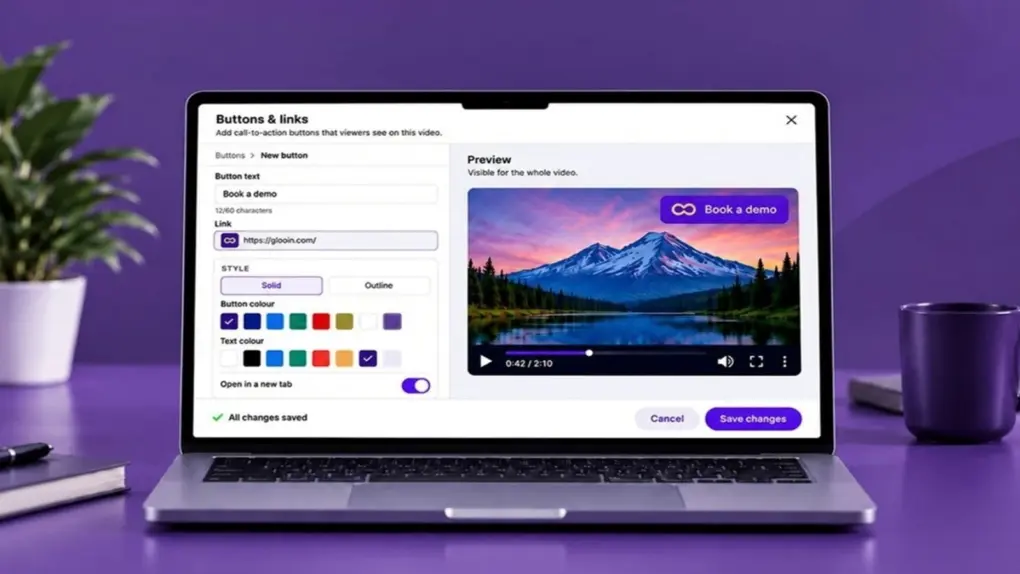
Your Mac already provides a screen recorder to capture what’s happening on your display. The annoying part often comes later: getting that screen recording edited, uploaded, organized and in front of the person who actually needs to see it.
Advanced screen recorder Glooin streamlines that entire process. It lets you record, edit and instantly share your screen, webcam and audio. If you’re tired of hassling with screen recordings on your Mac or PC, grab lifetime access to Glooin’s Starter plan, with 25GB of lifetime storage, for just $24.99 (regularly $99).
Glooin screen recorder makes everything easy
Making screen recordings should save time, not create more work. Glooin’s advanced tools make it easy like it should be, handling all the drudgery and allowing you to share your screen recording videos through a simple link — with no downloads or accounts required for viewers.
For anyone who spends too much time explaining things on screen, it’s a smarter workflow that will save you tons of time. And this Glooin deal will save you tons of money.
How does it work?
The screen recorder works through a Chrome extension on macOS, Windows, Linux and ChromeOS. With one click, Glooin lets you capture your screen, webcam and audio simultaneously. You can also pause, resume or restart a recording without creating a bunch of extra files.
The biggest convenience comes when you finish your screen recording. Glooin immediately generates a shareable link, eliminating a separate export-and-upload routine. Send the link, and the recipient can watch from a desktop or mobile browser without creating an account, installing an extension or downloading a new app.
That proves particularly useful when explaining a problem, walking a client through a project, providing feedback or sending instructions that would take much longer to type.
Tools for editing, annotating, transcripts and more
The screen recorder’s built-in editing tools lets you trim videos and annotate screenshots with text, arrows, boxes, highlights and blur tools for sensitive information. Automatic transcripts make your recordings searchable, while unlimited workspaces help separate different clients, projects or teams.
Glooin also lets you turn a screen recording into something actionable. You can add clickable call-to-action buttons that lead to a booking page, checkout or help document. Then you can see how many people clicked your CTAs.
The lifetime Glooin Starter plan includes 25GB of storage and recordings up to 10 minutes long. That’s the main limitation to consider; longer recordings require a higher tier.
Save on Glooin screen recorder
For Apple users who regularly explain things better by showing rather than typing, a low one-time payment gets you an advanced screen recorder and a practical workflow, without another monthly payment.
Get lifetime access to the Glooin Starter plan for just $24.99 (regularly $99).
Buy from: Cult of Mac Deals
Prices subject to change. All sales handled by StackSocial, our partner who runs Cult of Mac Deals. For customer support, please email StackSocial directly.

Cult of Mac Deals are brought to you by StackSocial, an e-commerce platform offering flash sales on digital tools, web apps and tech gear. StackSocial breathes, sleeps and would probably eat Mac apps if it were at all possible. Follow StackSocial on Twitter @stacksocial.

