iOS 26.4 brings a bunch of great new features to your iPhone, and it should arrive very soon.
It adds eight all-new emoji — a couple that I’ll definitely start using often (in addition to a few weird ones, as always). Apple Music also receives several excellent new features, like concert listings coming up in your area, in addition to a refined user interface. And the Apple Podcasts app gets a big video upgrade.
Those come in addition to tons of other interface tweaks. Here are all the new features you can look forward to in iOS 26.4.
Everything new in iOS 26.4
iOS 26 got off to a rocky start, with lots of bugs and complaints about its radical new Liquid Glass interface. Now that Apple has had more than six months to make things stable, performance and crashes are much improved. And there are plenty of settings that allow you to tone down the appearance, if you so choose.
While the new and improved Siri is nowhere to be found, there are plenty of other new features added in iOS 26.4 to check out. Here’s the complete list.
Table of contents: New features in iOS 26.4
- New emoji
- Five features in Apple Music
- Video podcasts
- New features in other apps
- Accessibility tweaks
- Other recent software updates
New emoji
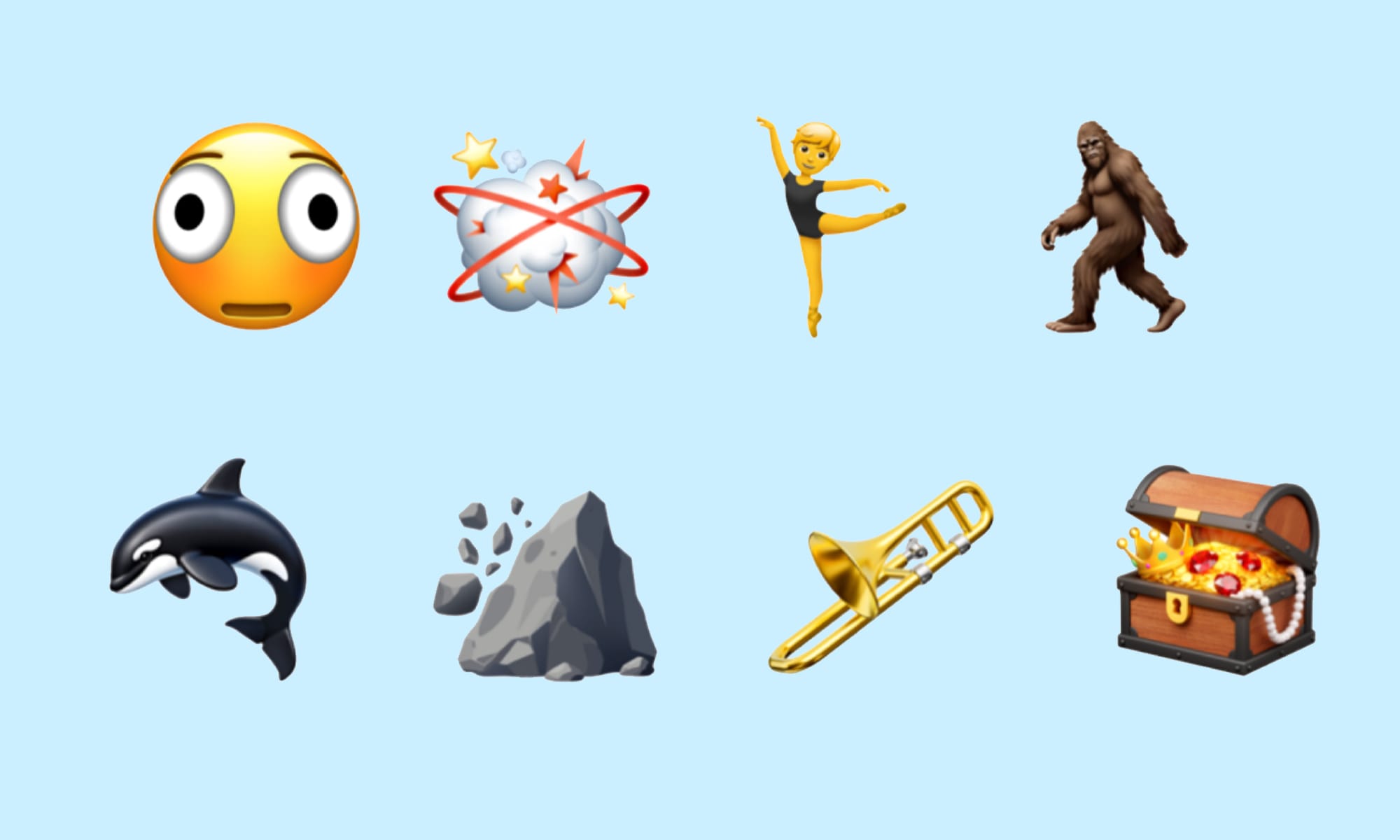
Image: Emojipedia
There are new emoji coming in iOS 26.4:
- Distorted Face
- Fight Cloud
- Ballet Dancer
- Hairy Creature (a.k.a. Sasquatch or Bigfoot)
- Orca
- Landslide
- Trombone
- Treasure Chest
Other new additions include skin tone variations for the People Wrestling (🤼) and People With Bunny Ears (👯) emoji.
Although these emoji were officially unveiled last September, Apple typically waits until the .4 update to add new emoji to iOS. Emoji act as a big incentive to get people to update their phones, so Apple waits until the version seems stable after plenty of months for bug fixes.
Five new features in Apple Music in iOS 26.4
Screenshot: D. Griffin Jones/Cult of Mac
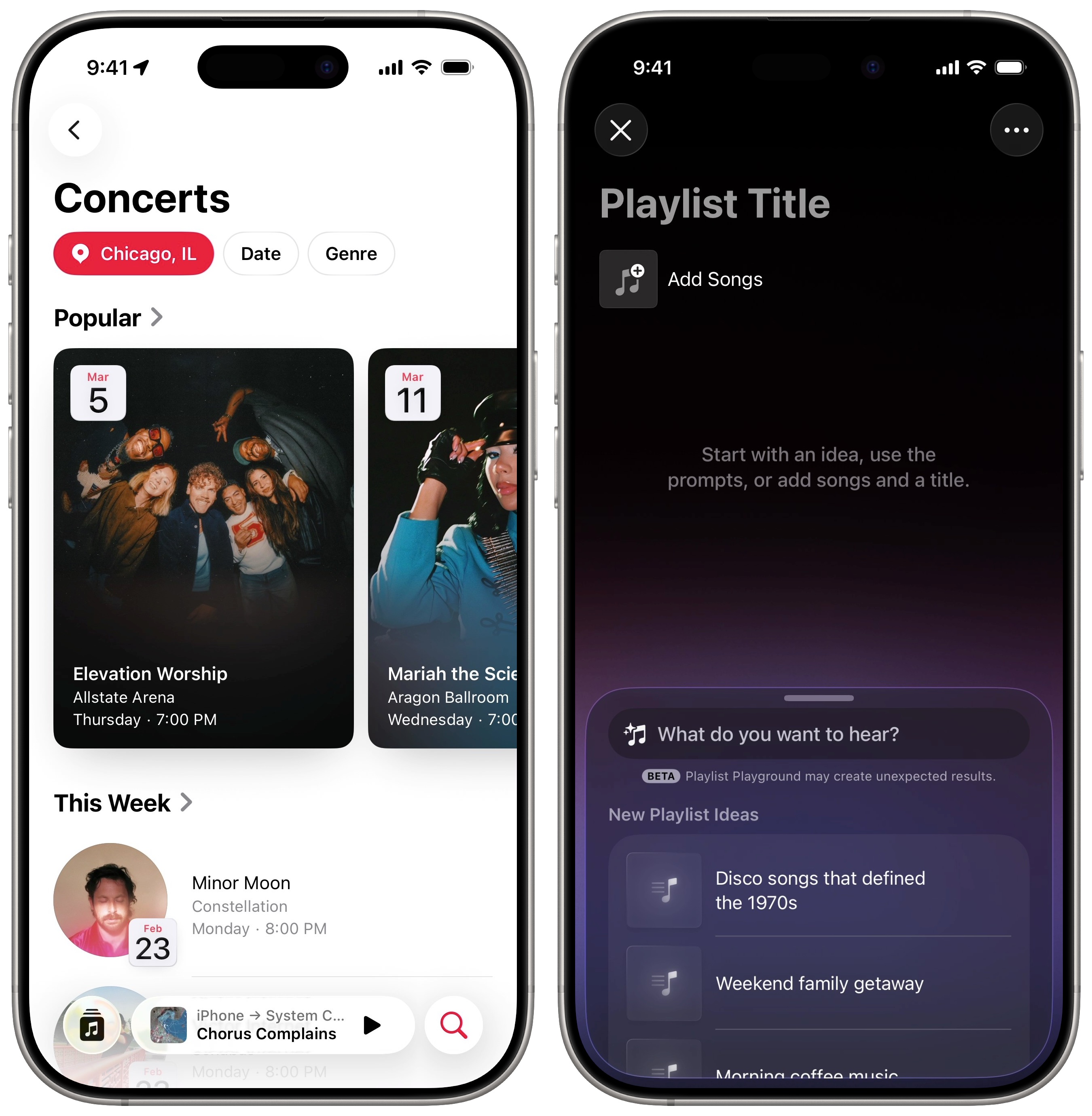
There are five new features and tweaks in the Apple Music app in iOS 26.4:
- Apple Music Concerts lets you see what shows are coming to your area. You’ll get notified when a favorite artist of yours is on tour, too, so you’ll never miss that once-in-a-lifetime opportunity. (See also: Never miss a live show in your hometown with Apple Music Concerts.)
- Playlist Playground provides a new way to create playlists on devices that support Apple Intelligence. With a simple prompt, you can get started creating a soundtrack for your themed party or road trip. Playlists and albums also receive a more immersive design, featuring full-screen themed colors based on the original artwork.
- The Recognize Music button in your iPhone’s Control Center now works offline. When you get back online, it will send a notification telling you what the song you heard was.
- You can add an Ambient Music widget for instant access to the feature from your Home Screen. The Ambient Music feature plays tracks designed to help you fall asleep, focus on work, relax and fit various moods. (See also: Get your groove on with iPhone’s free ambient music feature.)
- You can add a song to more than one playlist at a time. When you tap on the More (⋯) button next to a track and tap Add to Playlist, tap the button in the lower-right corner. This lets you select multiple playlists at once.
Video in Apple Podcasts
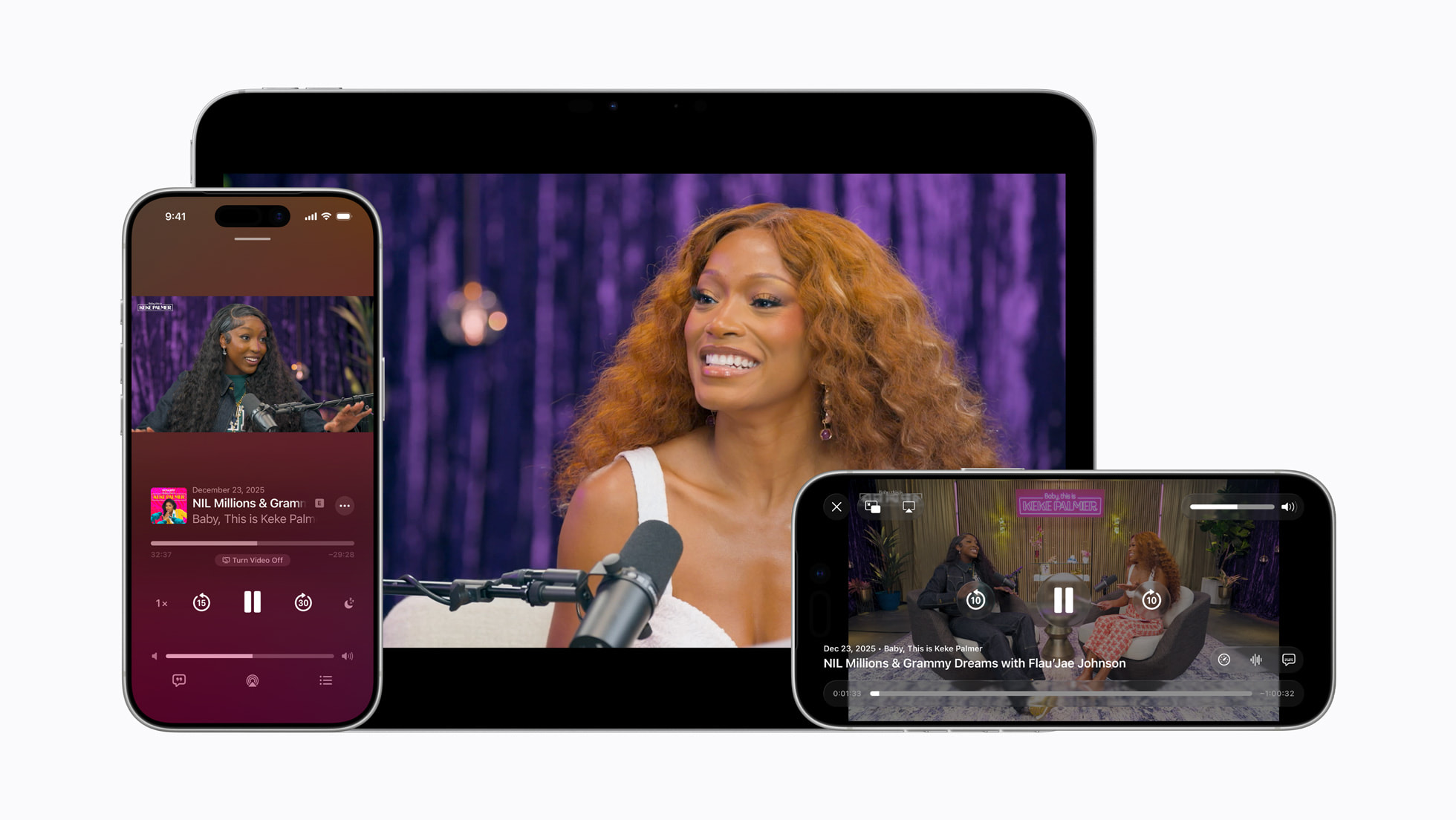
Photo: Apple
Apple reinvents how video podcasts work in iOS 26.4. Rather than hosting them as a separate feed that downloads gigabyte-size videos in their entirety (like the Apple Events feed), these will stream like YouTube.
You can also seamlessly switch between the audio and video versions of the podcast by tapping a button on the video player. This lets you start watching with a single tap during a more visual segment of the show, and switch back to audio when you’re ready to do some chores or work out.
Only a select number of podcast hosts support the new feature, so all your favorite shows may not roll out a video version right away. Read more about how it works here.
New features in other apps
Screenshot: D. Griffin Jones/Cult of Mac
iOS 26.4 comes with a few minor tweaks and features in other built-in apps:
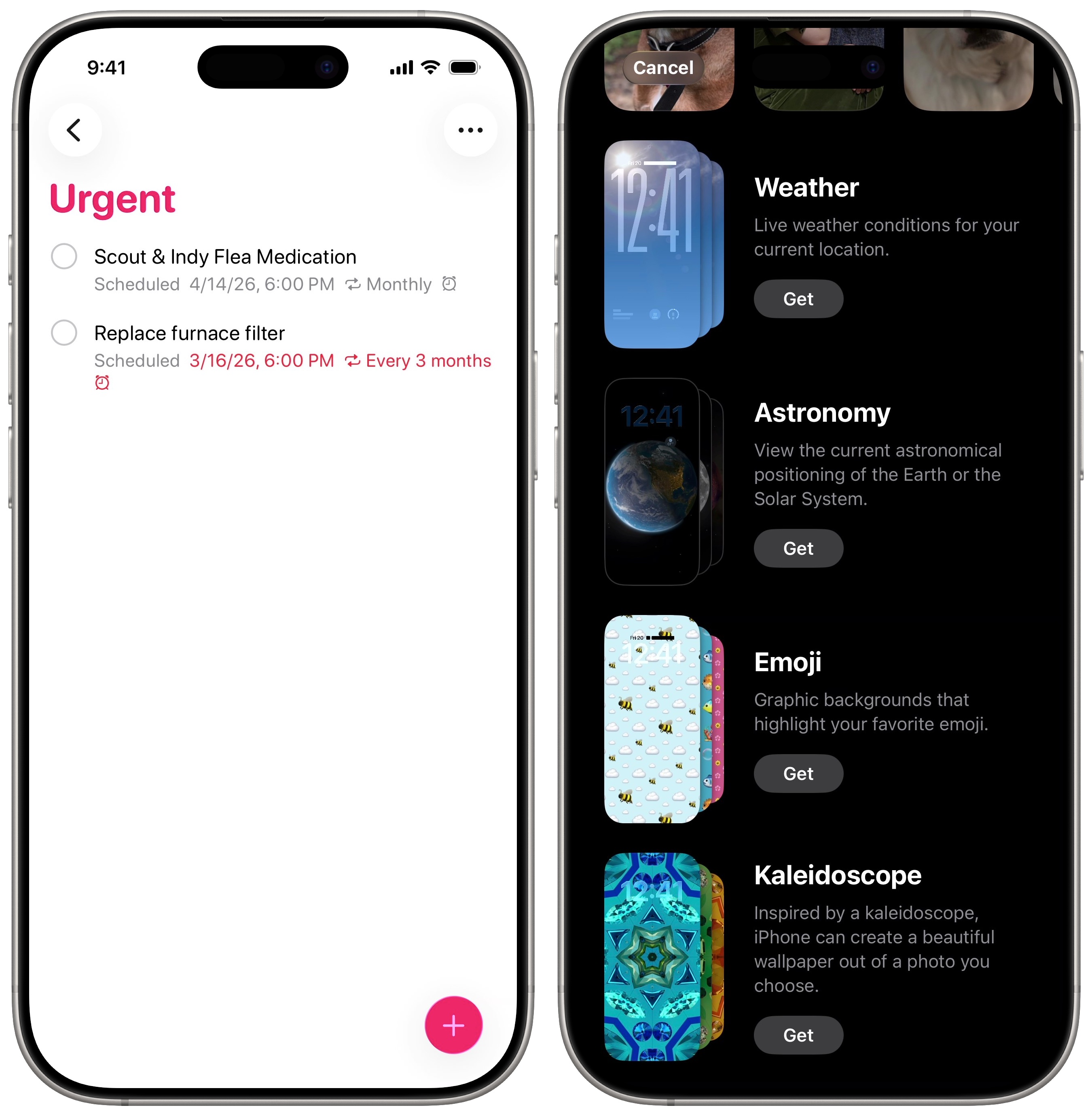
- Reminders adds a new smart list that collects all your most urgent tasks in one place. If you need to triage a lengthy to-do list, it’s great to see the most important things at a glance. Urgent reminders, added in iOS 26.2, also go off like an alarm.
- Apple redesigned the Lock Screen gallery in iOS 26.4, organizing the dozens of different styles and options into folders for easier navigation.
- Apple’s whiteboard and collaboration app Freeform adds new features for Apple Creator Studio subscribers in iOS 26.4. You can freely use images, graphics and media from the Content Hub — or generate your own using OpenAI, integrated in the app. The Creator Studio version of Freeform also comes with an icon that’s entirely teal. (See also: New Apple Creator Studio subscription gives you 6 incredible apps for one low price.)
- In the Health app, the Vitals graph now includes blood oxygen, after the feature was added back to all Apple Watch models.
- CarPlay now supports AI chatbot apps and playing videos while parked.
- In a Family Sharing group with Purchase Sharing enabled, you’re no longer limited to one adult’s payment method being used for everyone. Multiple adults can pay their own way. (See also: 6 reasons to set up Apple’s Family Sharing ASAP.)
Accessibility tweaks
Screenshot: D. Griffin Jones/Cult of Mac
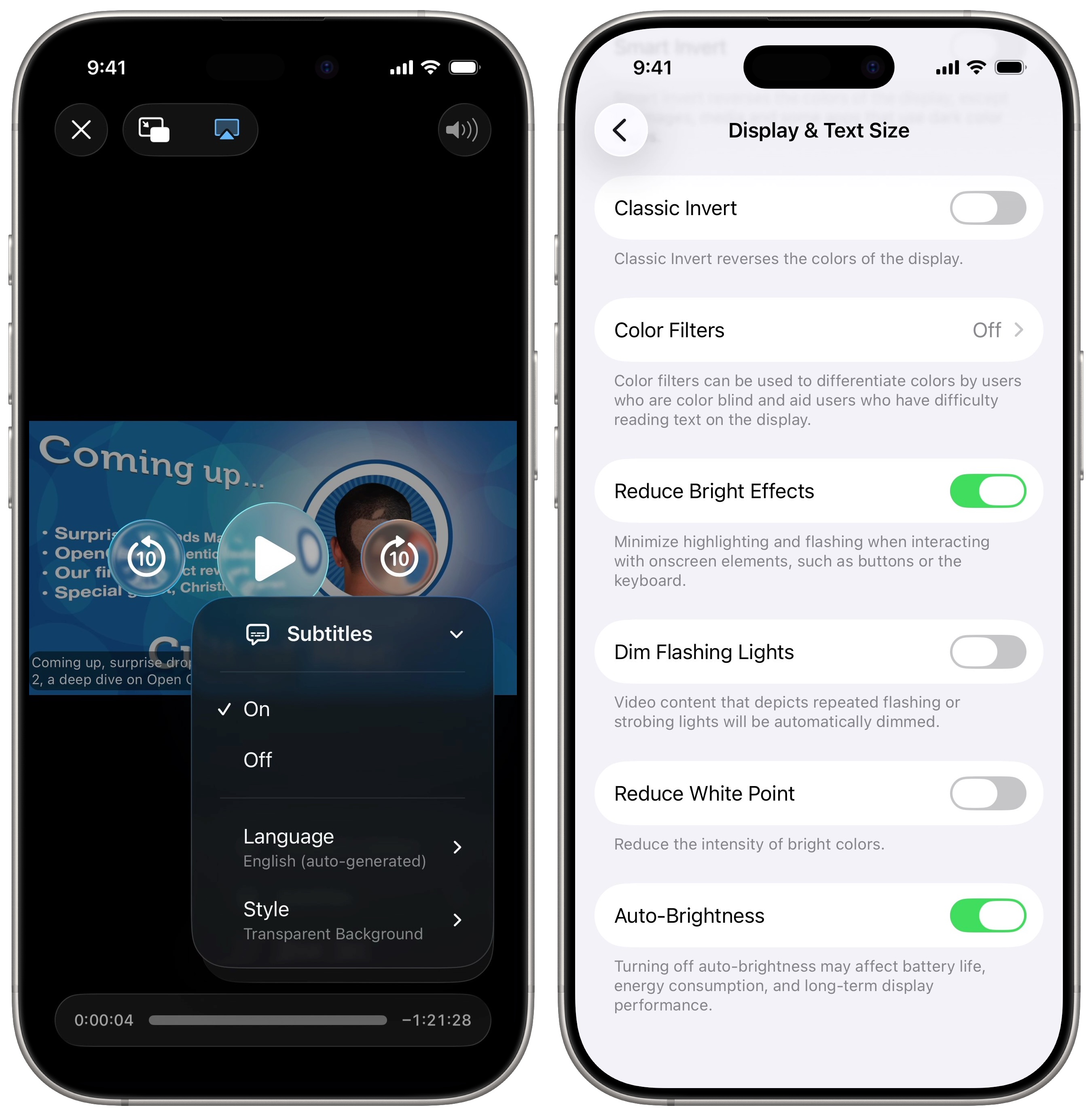
Three accessibility features come in iOS 26.4, two of which improve legibility of the Liquid Glass interface:
- The Captions menu in the system video player adds a new option for quickly customizing how captions look. This proves super-handy. Previously, you needed to dig into Settings; now you can change the appearance without interrupting the video you’re watching. However, many apps like YouTube and Netflix don’t use iOS’ built-in video player.
- A new Reduce Bright Effects setting minimizes “highlighting and flashing when interacting with onscreen elements, such as buttons or the keyboard.” Enabling this setting can make things easier on the eyes.
- Apple tweaked the existing Reduce Motion setting to reduce Liquid Glass effects as well.
Other recent software updates
If you’re a bit late updating from iOS 18, you should brush up on the many new changes in iOS 26 and later:
- Everything new in iOS 26: Liquid Glass and 70+ new features
- Everything new in iOS 26.1: Tone down Liquid Glass, if you dare
- Everything new in iOS 26.2: Great new features (and plenty of bug fixes)
- iOS 26.3 brings these 2 changes to your iPhone

D. Griffin Jones is a writer, podcaster and video producer for Cult of Mac. Griffin has been a passionate computer enthusiast since 2002, when he got his first PC — but since getting a Mac in 2008, he hasn’t turned back. His skills in graphic and web design, along with video and podcast editing, are self-taught over 20+ years. Griffin has a bachelor’s degree in computer science and has written several (unpublished) apps for Mac and iOS. His collection of old computers is made up of 40+ desktops, laptops, PDAs and devices, dating back to the early ’80s. He brings all of these creative and technical skills, along with a deep knowledge of Apple history, into his work for Cult of Mac.

