Apple is rolling out a firmware update for the AirTag 2 that makes it easier to locate one of the tracking tags if it’s being used to stalk someone.
You’ll probably want it, but it turns out that updating the AirTag’s software is both easy and hard. You don’t need to jump through hoops, but neither do you have much control.
Here’s what you need to do.
AirTag firmware update: Stopping stalkers
Many people like to keep their gear up to date, and that applies to Apple’s tiny trackers as well as iPhones. If Apple adds new features, you don’t want to miss out on them. And that means keeping up with AirTag firmware updates, which Apple releases sporadically.
Apple’s release notes for AirTag Firmware Update 3.0.45 say it “updates the unwanted tracking sound to more easily locate an unknown AirTag during Precision Finding.”
One of Apple’s major goals for the tracker tag is to prevent it from being used by creeps and criminals — even if that makes it less useful to those who want to track stolen items. That’s why an iPhone will warn its owner if it suspects they are being secretly tracked, issuing the alert, “AirTag Found Moving With You.”
Then you can use the iPhone to point directly to the tag. And AirTag firmware 3.0.45 should make finding a nefarious tracker even easier.
Interestingly, this update looks similar to one Apple introduced way back in 2021 to make it more difficult for stalkers to use the original AirTag.
Apple also promises that the new version includes “bug fixes and other improvements.”
This firmware update is for AirTag 2 only
This latest firmware update reportedly only applies to AirTag 2, which launched in January. The accessory debuted running firmware version 3.0.41.
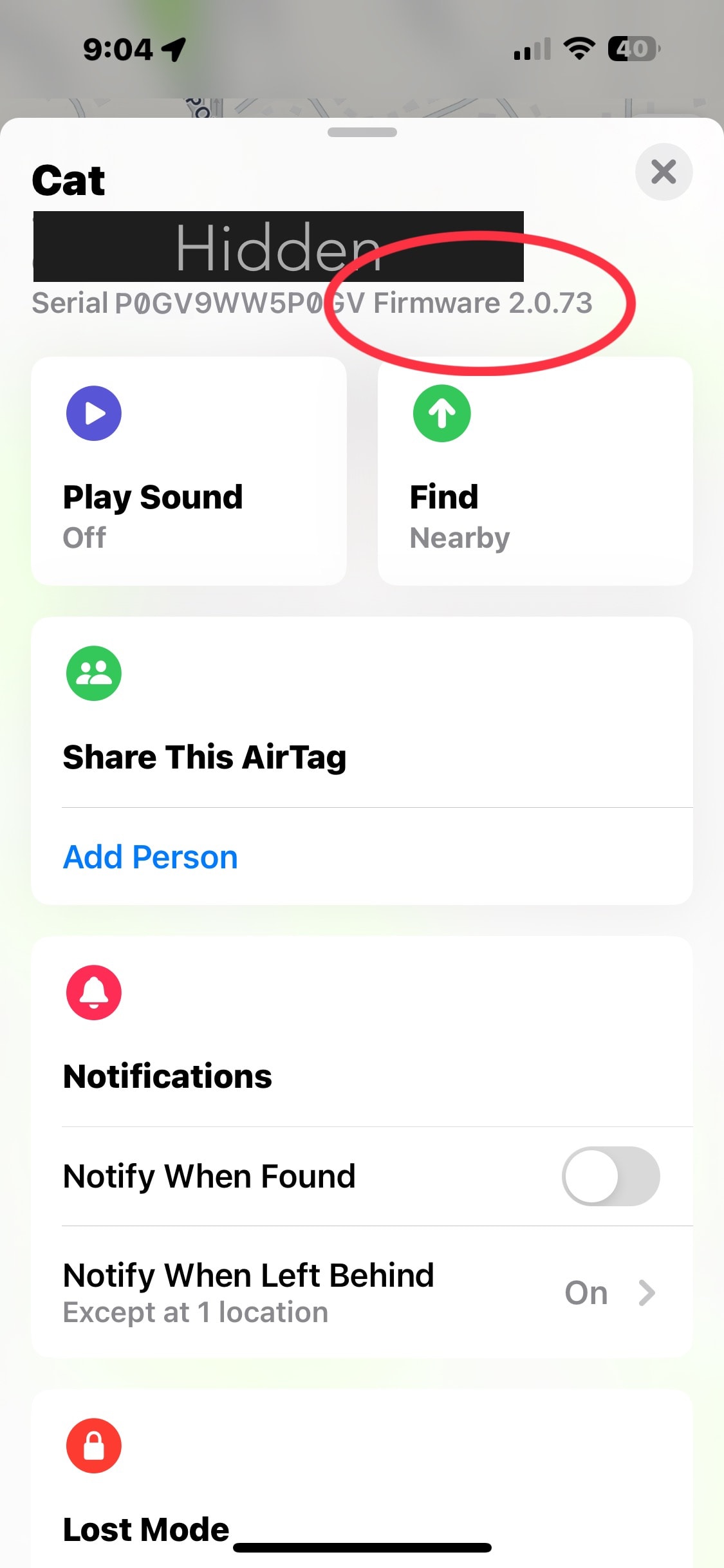
That means the original AirTag is staying on firmware version 2.0.73 from 2024.
Apple is almost certainly sticking with its policy of gradually rolling out new AirTag firmware. Only 1% of the trackers can install the new version now. But it’ll eventually be available for all. It’ll take weeks, though.
Step 1: Be patient
You can’t manually start a firmware update on an AirTag. All you can do is put the tracker near the iPhone it’s paired with and wait.
Keep this in mind with AirTags on items in storage, like luggage. Or if you keep one at the gym or anyplace remote. You need to put them near your iPhone long enough to install the new firmware. Just being in the same house/apartment/etc. isn’t close enough to guarantee that.
Although Apple released the first AirTag several years ago, no one has figured out if there’s some trick to getting the latest firmware more quickly. It’s unlikely such a method exists.
AirPods headphones also make users be patient. Apple earbuds receive software updates the same way — put them near an iPhone and wait. And no one has ever found a trick for speeding up the process.
How to check on AirTag firmware updates
AirTag users can at least easily find out if they have the latest firmware.
- Open the Find My application on an iPhone or iPad and go to the Items tab.
- Tap on an AirTag in the list of Items.
- Here’s the tricky part: Tap on the battery icon for the AirTag. If that’s not showing, tap on With You Now. That will display the AirTag’s serial number and firmware version.
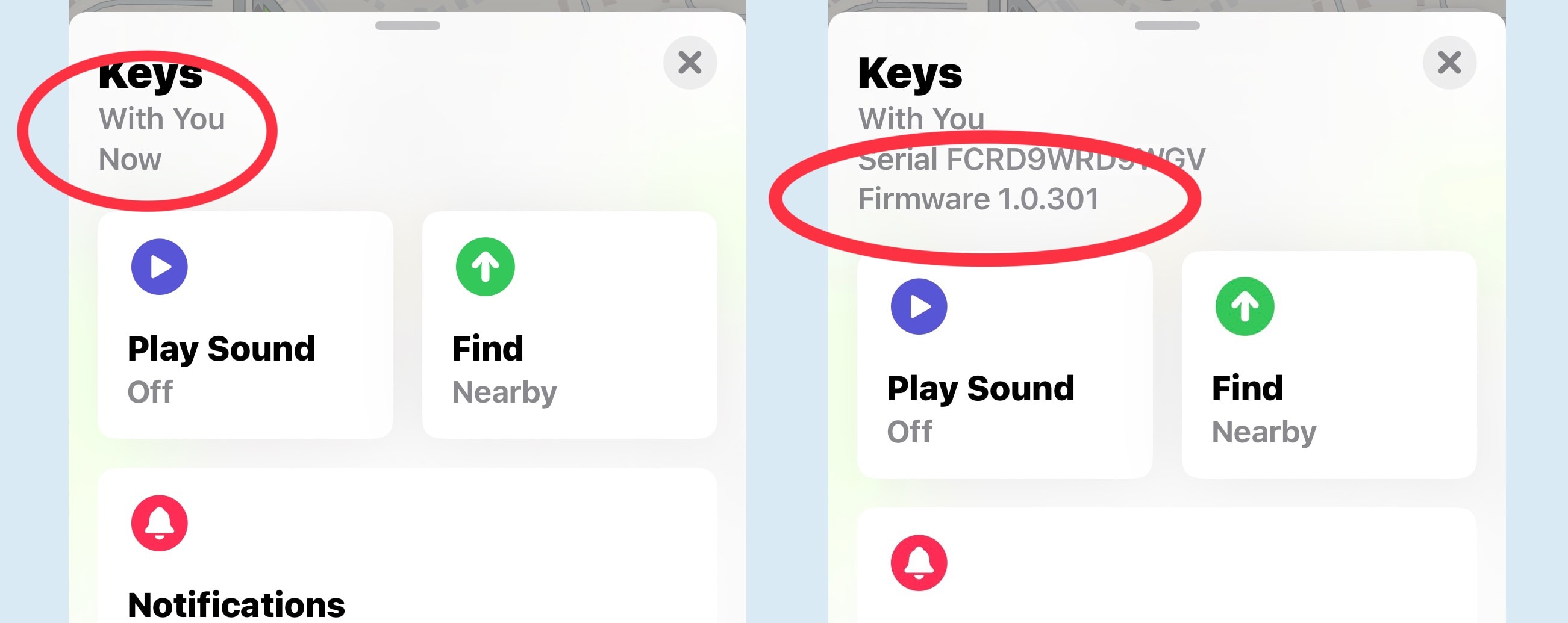
Photo: Ed Hardy/Cult of Mac
For more, read Apple’s guide to setting up AirTags.
More firmware update guides:
- How to update AirPods
- How to update HomePod and HomePod mini
- How to update AirTags
- How to update Apple Pencil
We first published this article on updating AirTag firmware in June 2021. We periodically update it whenever Apple releases new AirTag firmware.

Ed Hardy has been writing full-time about tech for 25 years, and using it for much longer than that. His intro to Apple was a Macintosh SE/30 (which he still has), but now he uses a 13-inch iPad Pro as his primary computer.
That’s because he’s a “tablet first” type of guy. Rather than use a Macbook, he connects a keyboard case to the iPad. And instead of a desktop Mac, he connects his tablet to a 27-inch display and full-size keyboard. (So don’t try to tell him that everyone has to use a Mac to be productive.)
Before coming to Cult of Mac, Ed wrote for NotebookReview, TabletPCReview and Brighthand, as well as other sites.