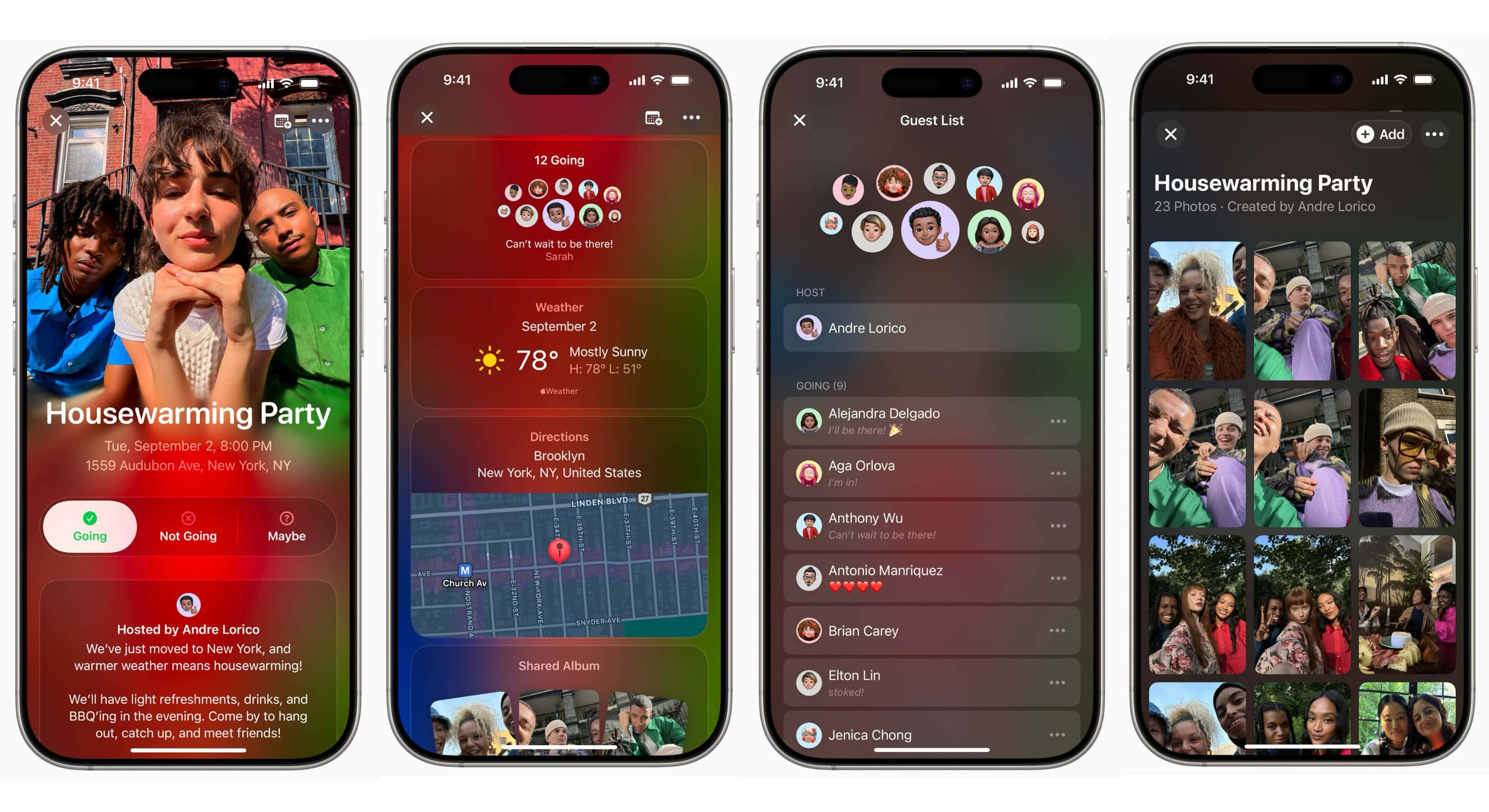
Apple rolled out version 1.8 of its Apple Invites app Thursday, bringing seven new features that make planning and sharing events easier than ever. The update, available on the App Store, is the second recent upgrade for the iCloud+-exclusive digital invitation service.
Apple Invites app updates: A new home in Messages app
Apple Invites arrived as an iCloud+ feature in February 2025. More than a year later, the electronic invitation app is still iPhone-only — though it has received a steady stream of improvements, including this week’s big new update.
Perhaps the headline-worthy addition this time is a new Messages integration. A new Invites iMessage app lets you share existing invitations without ever leaving a conversation. That’s a small but welcome quality-of-life change for anyone who has toggled back and forth between apps just to send an event link.
Here’s how it looks:

Image: Apple
Smarter event management for hosts
Hosts gain meaningful new control over their guest lists with this update. Hosts can now manually edit the guest list to update guest responses and adjust the number of additional guests. If someone’s RSVP status changes or a plus-one situation needs adjusting, you no longer have to work around the app’s limitations.
For those who like to keep tabs on past events alongside future ones, a new All Events view in the dashboard helps you easily navigate both your upcoming and past events in one place.
(See also: How to use the new Invites app for your party planning).
Easier social sharing
In addition, hosts can now share or download an image of their invite card for easier sharing on social media.
This is a practical addition for anyone who prefers to spread the word across Instagram or other platforms without sending individual iMessage invites.
Better music and more Image Playground options
Screenshot: D. Griffin Jones/Cult of Mac
And with the update, music gets a personal touch. The Apple Music Shared Playlist tile now offers personalized playlist suggestions based on your listening history, along with even more searchable playlists to help you set the perfect soundtrack for your event.
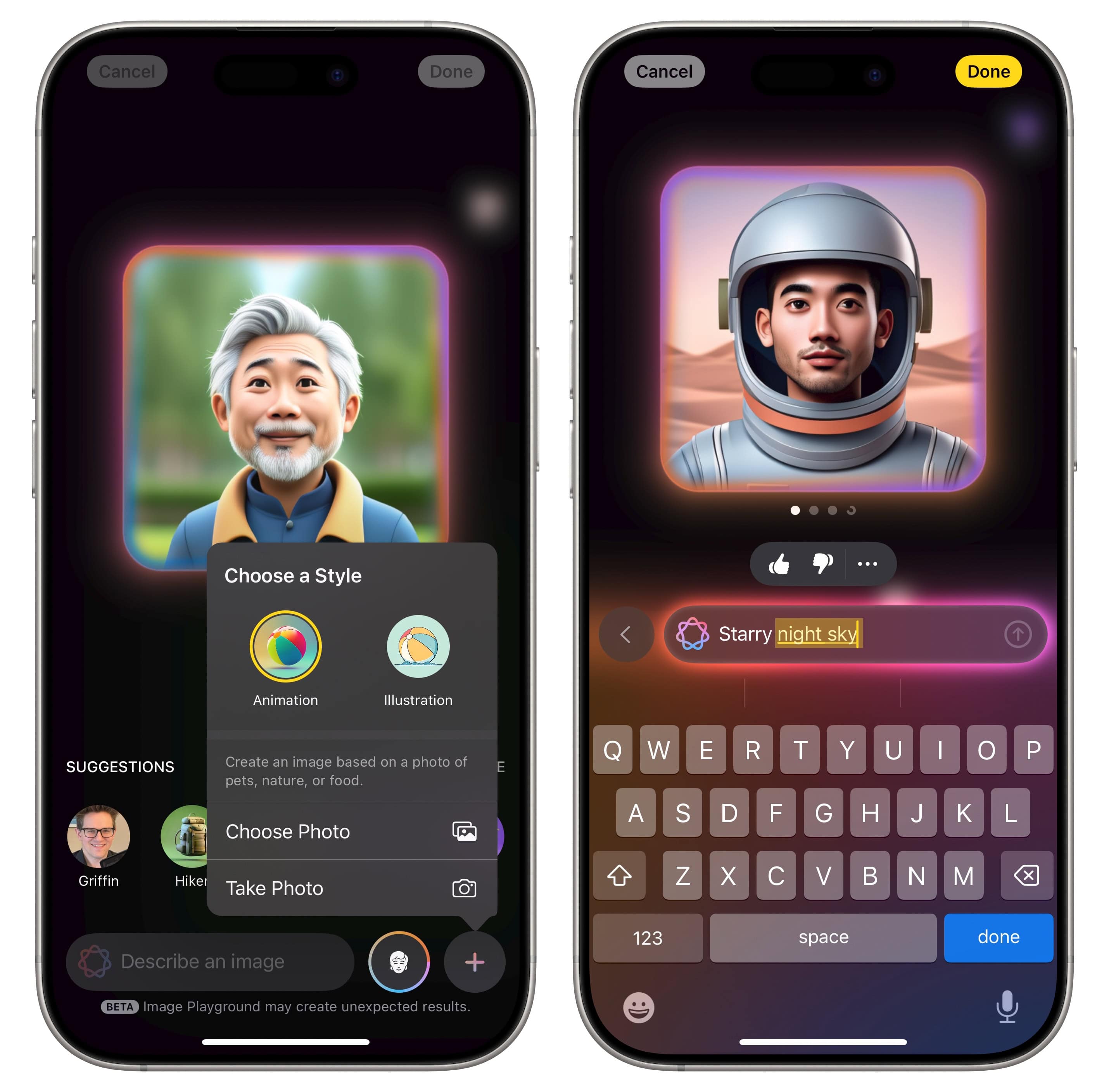
On the creative side, Image Playground themes are now available in the backgrounds gallery. That helps you easily generate an original image to match the vibe of your event.
No more timezone confusion
For hosts planning events with guests across multiple time zones, Apple has finally addressed a common pain point. Hosts can now specify the timezone for their event to ensure all guests know when to arrive.
It’s a simple addition, but one that eliminates any awkward “wait, is that Pacific or Eastern?” confusion.
The bigger picture
The app’s pace of updates suggests Apple is serious about making it a genuine alternative to third-party event platforms. Whether a Mac or iPad version is on the horizon remains to be seen, but for iPhone users, version 1.8 is a solid step forward.
Creating invitations requires an active iCloud+ subscription. Anyone can RSVP for free.
Where to download for free: App Store

David Snow, an expert on Apple hardware and software, writes on a variety of technological and cultural topics for Cult of Mac. They include Apple news, technology buying guides, and features about computer setups and Apple TV shows and movies.
With 30 years of experience covering technology and other subjects, he has written and edited for numerous print and online publications, including CMP Media, TechTV.com, CNET, Wired News, Red Herring magazine, Law.com, The National Law Journal and Law Technology News magazine. Among other roles, he served as executive editor of the Law.com network of websites and editorial director, technology, for ALM Media.
Snow graduated with a B.A. from Syracuse University with majors in magazine journalism and psychology. While there, he worked as a reporter for The Daily Orange newspaper and associate editor of Equal Time magazine.
Founder of the blog At the Waterline, he can be reached on X (formerly Twitter) via @atthewaterline and on Mastodon via @dsnow.

