macOS Tahoe 26.4, which Apple released Tuesday, brings several noticeable improvements and changes to the Mac’s operating system. While not a massive overhaul, this is exactly the kind of point update Tahoe needs right now.
Let’s take a look at what’s new in macOS Tahoe 26.4.
Everything new in macOS Tahoe 26.4
Ever since macOS Tahoe arrived last fall, users have complained about everything from the controversial Liquid Glass user interface to the updated icons for beloved apps. Many refused to update their Macs at all due to the massive changes that macOS Tahoe inflicted.
With Liquid Glass here to stay, Apple continues to refine the Mac operating system. The macOS Tahoe 26.4 update brings new emoji, adds a handful of new features, and restores at least one favorite Safari setting.
There should also be some under-the-hood performance improvements and optimizations.
Battery charge limit
macOS Tahoe 26.4 adds an iPhone-style battery charging limit to MacBooks. With this feature, you can set your MacBook to stop charging anywhere between 80% and 100% in increments of 5%. This helps reduce battery wear and extend its lifespan.
The option proves especially useful if you keep your MacBook plugged in for long periods.
Apple has long offered this feature on iPhones, but it has taken its time to bring it to the Mac.
New emoji

Image: Emojipedia
Like on iOS 26.4 and iPadOS 26.4, macOS Tahoe 26.4 introduces eight new emoji. The new emojis are as follows:
- Distorted Face
- Orca
- Trombone
- Landslide
- Hairy Creature
- Treasure Chest
- Fight Cloud
- Ballet Dancer
Compact tab bar in Safari
Safari on the iPad and macOS Tahoe regains the compact tab layout option, previously available in macOS Sequoia and iPadOS 18. For some inexplicable reason, Apple removed it with macOS 26 and iPadOS 26.
If Safari’s the default browser on your Mac, you can enable the compact tab bar option from the app’s settings. The option proves useful if you want to maximize the screen viewing area when browsing.
Freeform gains new features (for Apple Creator Studio subscribers)
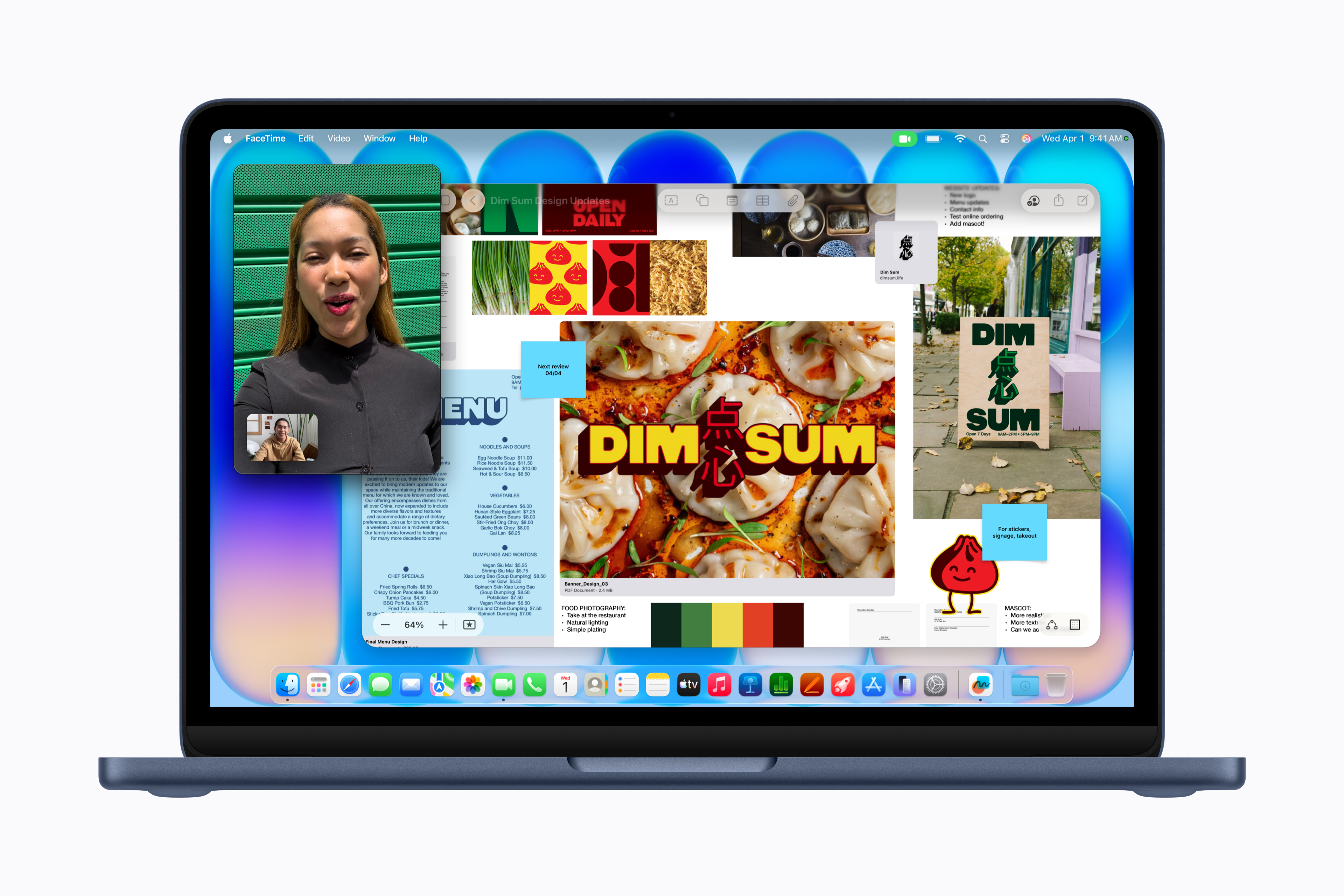
Image: Apple
Apple’s whiteboarding and collaboration app Freeform joins the subscription Apple Creator Studio bundle with macOS Tahoe 26.4. Subscribers will gain advanced image creation and editing tools, plus access to a premium content library. (The free version of Freeform will continue without the new AI features.)
Improved Purchase Sharing experience
macOS Tahoe 26.4 makes a useful improvement to Purchase Sharing. It allows other adult members in a family group to use their own payment methods. They no longer need to rely on the family organizer’s payment option.
More keyboard shortcuts for Reminders
macOS Tahoe 26.4 adds the ability to mark a reminder as urgent with a keyboard shortcut. You can also quickly filter urgent reminders in Smart Lists with a single keypress.
Easily find subtitle and caption settings
Apple’s official release notes for macOS Tahoe 26.4 reveal that “subtitle and caption settings are easier to find when viewing media.” You can also now get a real-time preview by clicking the captions icon.
Rosetta warning
Every time you launch an app that uses Apple’s emulation software Rosetta 2, macOS Tahoe 26.4 will show a notification that support for Intel-based apps will end in the future. Apple will urge you to update to an Apple silicon version.
Apple plans to support Rosetta 2 through macOS 27, with support ending in macOS 28. That’s a long time away, giving you (and developers) plenty of time to update their apps for Apple silicon.
Noticed any other changes in macOS Tahoe 26.4? Drop a comment and let us know about it.

Rajesh has been writing about consumer technology for over a decade, with a strong focus on iPhones, Macs and Apple’s ecosystem. He enjoys digging into Apple software updates, hardware changes, and discovering new Mac apps that make work faster and more enjoyable.

