iOS 27.2 is here as the first major update for iOS 27. Released Monday, iOS 27.2 addresses a few annoying bugs while also adding several new features and improvements to the iPhone experience.
Here’s everything you can try after updating to iOS 27.2.
iOS 27.2 new features
The changes in iOS 27.2 touch everything from Siri AI and messaging and video calls to music, podcasts and smart home controls. iPhone Duo owners also get a notable addition: Apple Pencil support.
“This update provides enhancements to Siri Al with the ability to retain useful context from previous Siri interactions as well as draw from a wider range of personal context,” according to Apple. “It also introduces Suggestions in Messages that help you take quick actions in apps like Calendar and Reminders based on context from your conversation.”
Note: Apple skipped iOS 27.1, directly jumping to the second point release of the OS. That’s because the company reserved iOS 27.1 specifically for the iPhone Duo.
Siri AI gains new skills and support for more languages
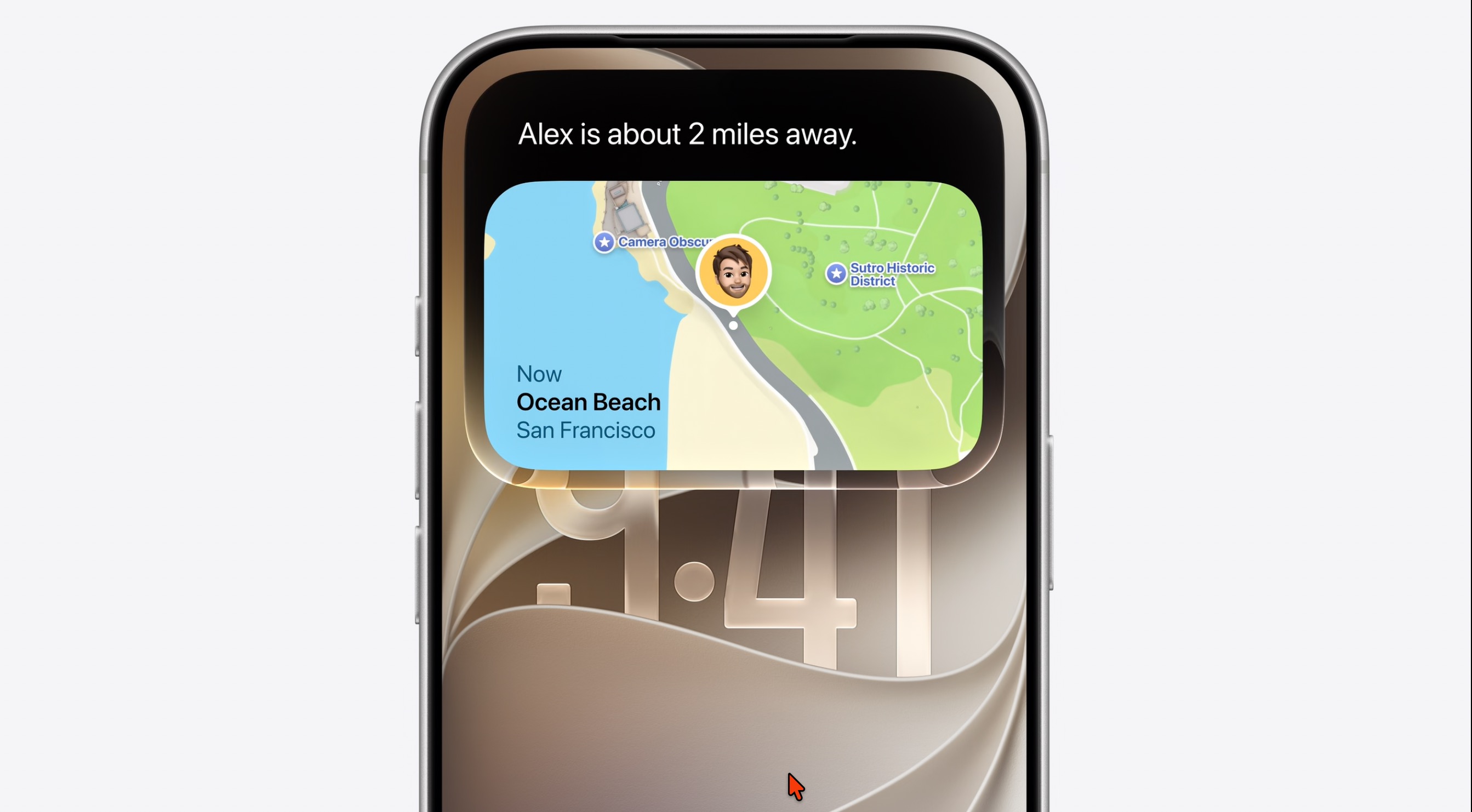
Photo: Apple
iOS 27.2 brings important updates to how Siri AI functions. Conversational recall means Apple’s AI assistant can remember things you previously chatted about, such as a restaurant it recommended days earlier.
Siri AI also makes gains on the personal context front. In iOS 27,2, “Siri Al can draw from more sources to give you a great answer, including photos attached in Messages, Calendar event attendees, your voicemails, and better results from Safari history and Reading List,” Apple says.
Apple also gives you the opportunity to make sure Siri AI doesn’t gain all your personal context. “Excluded Apps lets you choose which apps Siri, Search, and suggestions can access, all from one setting,” Apple says.
iOS 27.2 also expands Siri AI to five additional languages: French, Japanese, Korean, Portuguese, and Spanish. This opens the door for more people to use Apple’s revamped and smarter assistant on their iPhone in another language.
The device requirements still stay the same, though. You will need an eligible device with the device language set to the relevant language.
Suggested Actions in Messages
The first major iOS 27 update adds a useful feature to the Messages app: Suggested Actions. As the name suggests, based on your conversation, the Messages app will automatically recommend a relevant action, like creating a calendar event or reminder, searching for photos in your library, etc.
The recommendation will appear as a chip in the toolbar on the iPhone’s keyboard.
You can enable or disable the different types of suggestions from Settings > Apps > Messages > Suggested Actions on your iPhone after installing iOS 27.2.
Profiles come to Apple TV
After first introducing profile support in tvOS, Apple is finally bringing it to the Apple TV app on iPhone and iPad with iOS 27.2 and iPadOS 27.2. The feature works as you’d expect it to. A profile picker will appear when you open the TV app on your iPhone or iPad after installing the latest iOS build.
If your kids or spouse use your iPhone or iPad to watch content on Apple TV, this is a great option to ensure they don’t spoil your recommendations. For child profiles, you also get access to content rating controls.
New Apple Music icon

Image: Apple
iOS 27.2 introduces a redesigned Apple Music icon, replacing the bright red background with a white one and a black music note.
Apple Music widgets also get a similar makeover, swapping their red backgrounds for black ones. The red accents are gone from the app’s main interface as well. Selected tabs use a blue accent, while Library categories use monochrome icons.
iPhone Duo gains Apple Pencil support
This is a big one for iPhone Duo owners. iOS 27.2 adds Apple Pencil (USB-C) support. So, if you got the iPhone Duo for its large folding screen and want to doodle away on it, iOS 27.2 will enable that.
Unfortunately, Apple’s foldable does not support any other Apple Pencil model, including the Pro variant.
Dual Capture comes to FaceTime
With iOS 27, Apple introduced dual capture support for FaceTime calls. This allows you to share a feed from both the front and rear cameras simultaneously while on a FaceTime call.
iOS 27.2 upgrades this feature, expanding it to group FaceTime calls as well. On iOS 27, the feature is limited to one-on-one FaceTime calls.
Do note that dual capture in FaceTime calls only works with iPhone 17 and newer devices.
New Episodes and Continue Playing in Apple Podcasts
Apple Podcasts replaces its mixed Up Next section with New Episodes and Continue Playing.
New Episodes will show new releases from the shows that you follow, while Continue Playing will show all the episodes that you started but are yet to finish. This will make it easier to go through new content as well as unfinished episodes.
Home app gains smarter door-lock settings
The Home app is getting smarter in iOS 27.2 and gaining support for two compatible smart lock features. First, Lock After Closing, which lets you choose how quickly the door gets locked after it is closed.
Second, Door Left Open will show an alert on your iPhone or iPad if a door remains open for too long. You can set a manual alert time as well, starting from 5 minutes, going all the way up to 30 minutes.
Sound Glow comes to HomePod
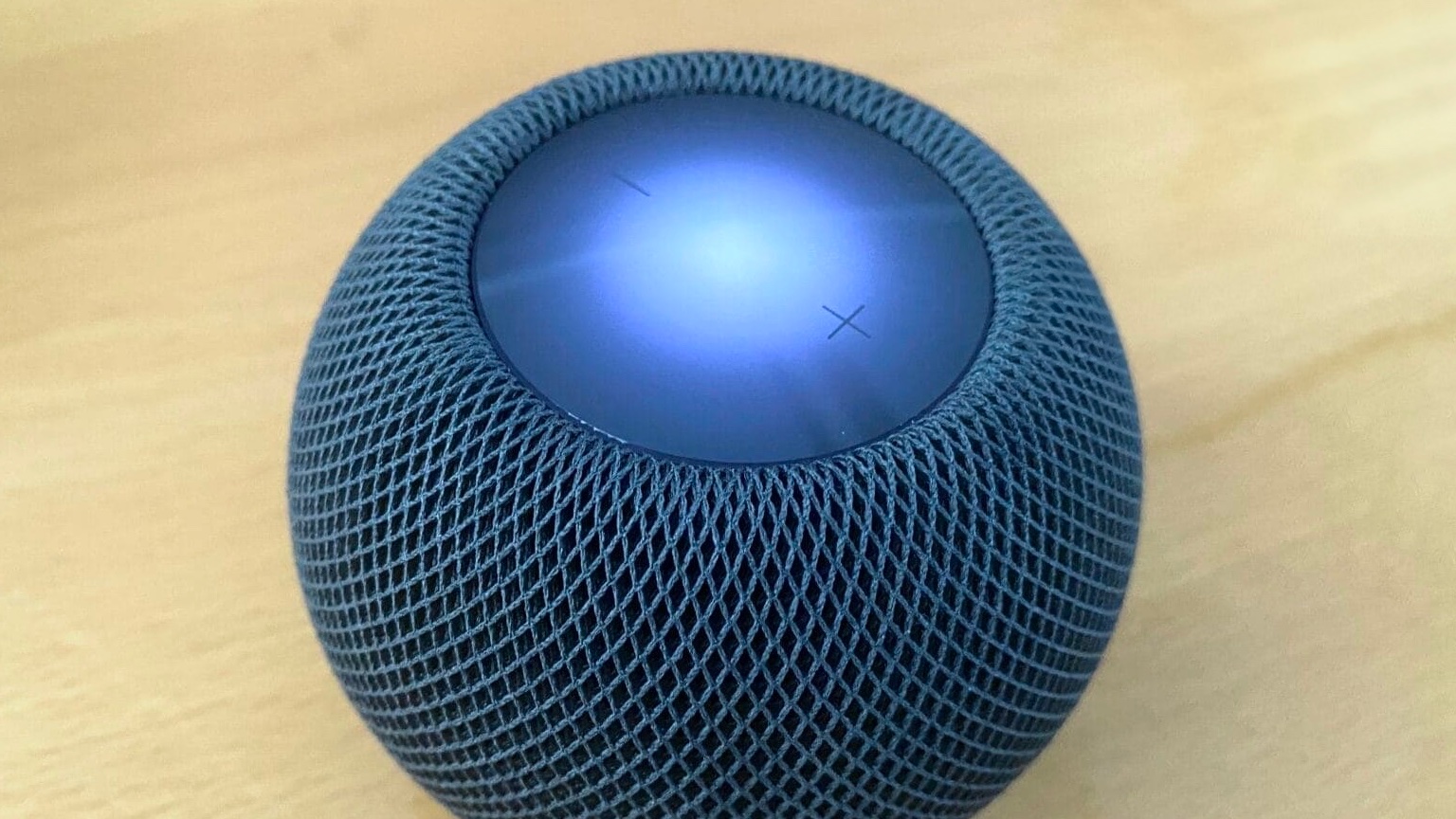
Photo: Leander Kahney/Cult of Mac
The HomePod Software 27.2 update brings Sound Glow, first seen on the HomePod mini 2, to the original HomePod mini and second-generation HomePod. The feature pulls colors from album artwork and makes the speaker’s top light pulse to the music, podcast and ambient sounds.
No redesigned Health app
Initial iOS 27.2 beta builds shipped with a revamped Health app that provided more insight into your health using the captured data. However, Apple eventually pulled the app from later beta releases. That’s the case with the stable build as well, with the old Health app shipping with the public release of iOS 27.2.
Other changes in iOS 27.2
Besides the above, iOS 27.2 also brings several smaller features and improvements:
- Apple Books: The reading interface gains progress bars and a new Liquid Glass menu. The bookmark button moves to the top-right corner, while Apple also repositions the close and back buttons.
- Games: The Home tab now shows recently downloaded games that you haven’t played yet. Apple also makes achievement progress and leaderboard scores easier to track.
- Call Context: The Phone app can remind you of someone’s anniversary before you call them, provided you have saved the date in their contact card.
- Siri settings: Apple renames App Access to Excluded Apps. You can now select multiple apps at once to exclude from Siri, Search and suggestions.
- Clock: The alarm list uses smaller a.m. and p.m. labels, making the alarm time stand out more.
- CarPlay Ultra: Compatible vehicles gain theme options for the wallpaper, gauge style and colors.
- Apple TV: Multiview lets you watch up to four supported sports streams simultaneously. The app also gains a setting to enable sign-language interpretation when available.
How to install iOS 27.2
You can install iOS 27.2 on your iPhone by going to Settings > General > Software Update and following the instructions.

Rajesh has been writing about consumer technology for over a decade, with a strong focus on iPhones, Macs and Apple’s ecosystem. He enjoys digging into Apple software updates, hardware changes, and discovering new Mac apps that make work faster and more enjoyable.
You can reach out to him at mail[at]rajeshpandey.me.

