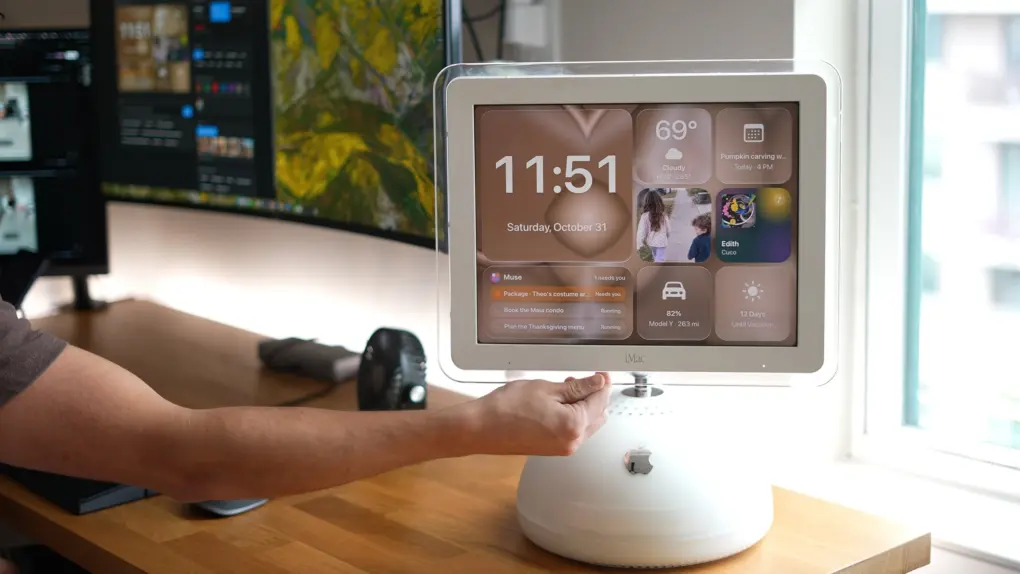
A YouTuber turned an iconic ‘sunflower’ iMac G4 into a DIY HomeView, and has posted the necessary files on Github for anyone to use for free.
The iMac G4, which the creator, Jesse Richards, bought for just $20, wouldn’t even boot up. But after vibecoding a fix, Richards is now able to query his homemade HomeView about the weather, his calendar, recipes and more. It even controls some of his smart home, just like Apple’s official HomeView, which goes on sale in a couple of weeks.
“It’s the most-used screen in my house,” said Richards.
Sunflower iMac G4 HomeView: How a YouTuber turned an old iMac into a DIY HomeView
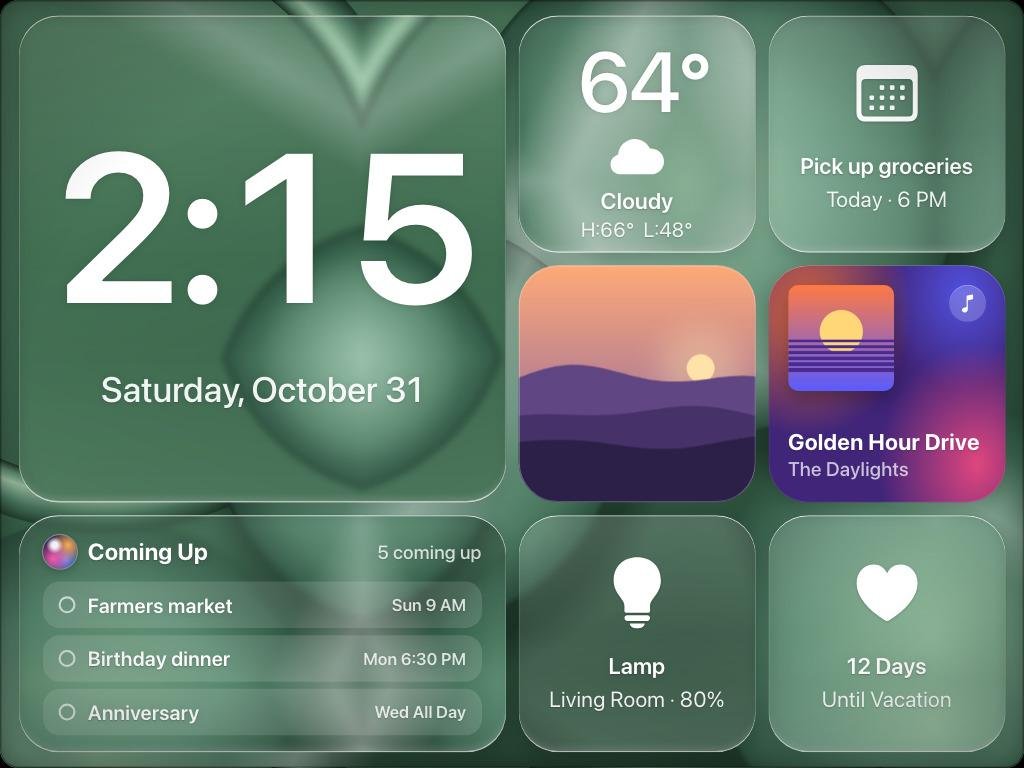
Apple hasn’t yet released the HomeView smart speaker/screen, but already tinkerers are creating their own versions. Some have used popular dashboard apps to turn iPads into a DIY HomeViews, but Richards’ iMac G4 conversion is perhaps the most ambitious and aesthetically pleasing yet.
The iMac G4, first released in 2004, is one of Apple’s most distinctive computers ever. It’s still a much-loved machine, and lots of Apple watchers have noted HomeView’s similarity to its iconic design.
Apple HomeView is a $299 smart home display/speaker powered by Siri AI. It’s designed to help with common tasks like playing music and podcasts, answering queries and controlling a smart home. HomeView starts shipping and will hit retail stores on November 13.
iMac hoarding pays off
YouTuber Jesse Richards, a Los Angeles-based VFX artist best known for viral special-effects trick-shot videos, bought his iMac G4 used for $20.
But the old machine wouldn’t boot up, so he stashed it in a cupboard until Apple announced HomeView in October.
Richards hooked up the old iMac to his MacBook via an ethernet cable and had Anthropic’s Claude diagnose the machine.
After some back-and-forth, Claude figured a bad stick of RAM was “corrupting everything.”
Instead of trying to fix the ancient iMac, which is too old to even run a modern browser, Richards instead has his MacBook process all queries and send replies over the ethernet cable.
The iMag G4 runs a lightweight Java app that streams the microphone and displays screen renderings sent from the MacBook.
“Instead of making the iMac do the work, I let my MacBook do it,” he said. “The MacBook builds every screen at full quality, then sends it to the iMac over a single Ethernet cable. It shows each screen and draws the moving parts itself. The clock hands, the glow, the cards sliding in. That’s why it feels smooth, not like a slideshow. And that one cable carries everything.”
Richards said simple commands like setting timers, turning lights and off and playing music are almost instant.
More complex queries get routed to OpenAI, which can live search the web and then display results on the iMac’s screen.
Richard’s DIY HomeView responds to “Hey Apple,” and is even able to control some smart home devices like a video doorbell, which shows a live view on the iMac when someone rings it.
Make your own DIY HomeView
To help others make their own homemade HomeView, Richards has posted the files on GitHub here. You’ll need an iMac G4 running Mac OS X 10.4 Tiger, any modern Mac, and an Ethernet cable.
“So yeah, a $20 iMac, one Ethernet cable, and somehow it’s the most used screen in my house,” he said.
Watch Richards home-made HomeView video:

Leander Kahney is the editor and publisher of Cult of Mac. Leander is a longtime technology reporter and the author of six acclaimed books about Apple, including two New York Times bestsellers: Jony Ive: The Genius Behind Apple’s Greatest Products and Inside Steve’s Brain, a biography of Steve Jobs.
Leander has written for Wired magazine, Scientific American, The Guardian, The Observer, The San Francisco Chronicle, MacWeek and many other publications.