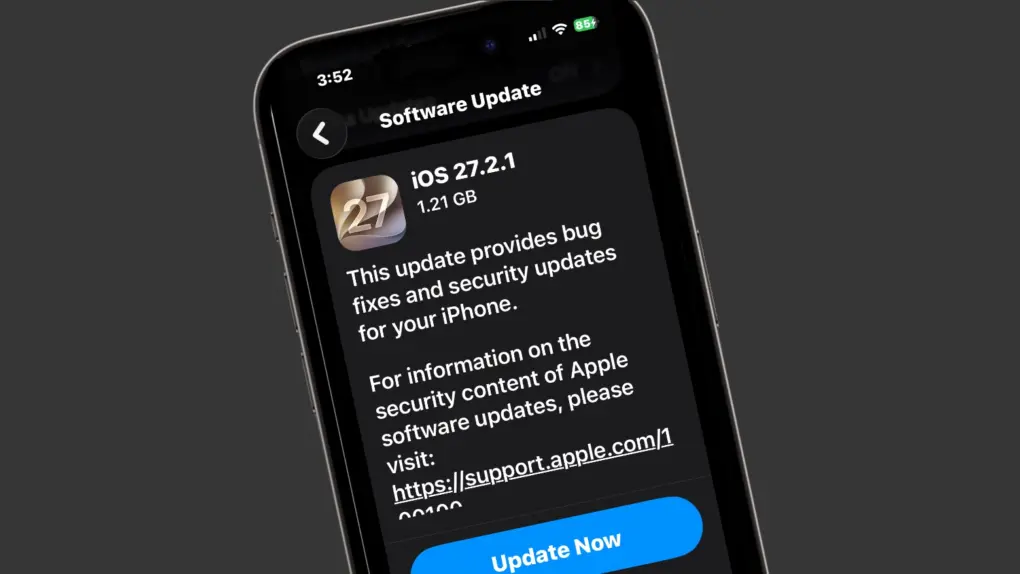
Apple on Monday rolled out iOS 27.2.1, iPadOS 27.2.1 and macOS Golden Gate 27.2.1, giving iPhone, iPad and Mac users a fresh batch of bug fixes and security improvements. The updates protect users from security flaws that affect the Messages app as well as AirPlay and Bluetooth vulnerabilities.
Don’t expect any exciting new features in these releases. Those will come when iOS 27.3 arrives in December. Instead, Apple focused on fixing problems and addressing security vulnerabilities with today’s updates.
iPhone, Mac updates focus on bug fixes and security
When they debuted in late October, iOS 27.2, iPadOS 27.2 and macOS 27.2 ushered in new features. Most notably, they brought expanded Siri AI capabilities, including the ability to recall previous conversations and draw on more personal information to answer questions.
The latest versions are better described as patches than genuine upgrades. Apple’s release note for iOS 27.2.1 says simply, “This update provides bug fixes and security updates for your iPhone.” The macOS Golden Gate 27.2.1 update also includes only bug fixes and security patches.
Fixing vulnerabilities in Messages, AirPlay and Bluetooth
Hours after releasing the updates, Apple posted information about the software’s security-focused content. All three platforms addressed issues with Messages, AirPlay and Bluetooth.
In the Messages app on iPhone, iPad and Mac, Apple fixed a problem that could allow a remote attacker to join an iMessage group chat and receive its messages. The updates also squashed a bug in which “a user added to an iMessage group may be able to access messages sent before they joined.” Both those bugs were found by an anonymous researcher(s), according to Apple.
Apple itself discovered the vulnerabilities affecting AirPlay (“an attacker in Bluetooth range may be able to bypass the rate limit on pairing code attempts”) and Bluetooth (“an attacker in Bluetooth range may be able to corrupt process memory”) on all three devices. The updates also address security flaws that could let a nearby Bluetooth device pair without user interaction.
Apple did not say whether the vulnerabilities it just patched had been exploited. However, addressing the flaws publicly increases the likelihood that a malicious actor will try to take advantage of them. Every iPhone, iPad and Mac user should update their devices as soon as possible to protect themselves.
The updates also fix problems in brotli, a lossless data-compression algorithm, and rapportd, an Apple system daemon that supports Continuity features like Handoff.
You can read Apple’s security notices for the iOS 27.2.1 and iPadOS 27.2.1 updates and the macOS 27.2.1 update for more information.
How to install iOS 27.2.1, macOS 27.2.1 and iPadOS 27.2.1
iPhone and iPad owners can install iOS 27.2.1 or iPadOS 27.2.1 by opening Settings > General > Software Update.
Mac users can find macOS Golden Gate 27.2.1 under System Settings > General > Software Update.
Apple also released updates for older devices that can’t run its latest operating systems, including iOS 26.7.3, iPadOS 26.7.3, iOS 18.7.12 and iPadOS 18.7.12.
We originally published this post on the iOS 27.2.1, macOS 27.2.1 and iPadOS 27.2.1 security updates at 11:30 a.m. on November 9, 2026. We updated it with additional information about the security content of Apple’s software updates.

Ed Hardy has been writing full-time about tech for 26 years, and using it for much longer than that. His intro to Apple was a Macintosh SE/30 (which he still has), but now he uses a 13-inch iPad Pro as his primary computer.
That’s because he’s a “tablet first” type of guy. Rather than use a Macbook, he connects a keyboard case to the iPad. And instead of a desktop Mac, he connects his tablet to a 27-inch display and full-size keyboard. (So don’t try to tell him that everyone has to use a Mac to be productive.)
Before coming to Cult of Mac, Ed wrote for NotebookReview, TabletPCReview and Brighthand, as well as other sites.