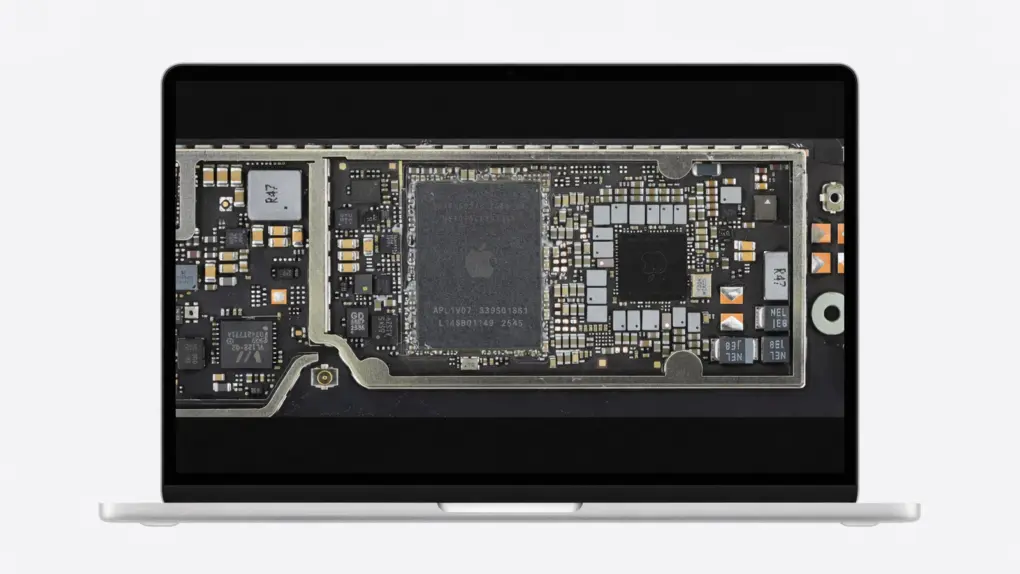
The $599 MacBook Neo arrived with a hard limit: 8GB of RAM. Some of you probably don’t understand the hoopla… more RAM can simply be added, right? Nope. The design of Apple’s processor makes it fast and efficient, at the cost of RAM upgrades.
Here’s what’s going on.
This post contains affiliate links. Cult of Mac may earn a commission when you use our links to buy items.
Apple silicon in MacBook Neo prevents a RAM upgrade
The MacBook Neo memory ceiling stems from the design of Apple’s processors. Unlike traditional computers, where RAM sits separately from the processor, Apple physically integrated the RAM into the processor package.
The result is huge gains in speed and efficiency — the processor and memory communicate far faster than when the RAM is separate. It’s one of the reasons why the MacBook Neo performs so well on 8GB of RAM.
But the design locks in the memory configuration at the factory. There’s no separate “RAM module” to swap.
And don’t think someone sufficiently skilled could pull this off anyway. The Neo’s LPDDR memory chips are stacked on top of the CPU, and are extremely sensitive to heat and alignment. The risk of damaging the SoC or breaking critical connections is extreme.
Just don’t mistake the design for a dirty trick on buyers of entry-level Macs. M-series processors in other Macs also closely integrate RAM with the CPU. It’s why the chips run so fast and efficiently, but it’s also the reason Apple had to discontinue the Mac Pro: this premium desktop was supposed to be modular, but Apple silicon prevented users from ever upgrading the RAM.
A18 Pro processor plays a role, too
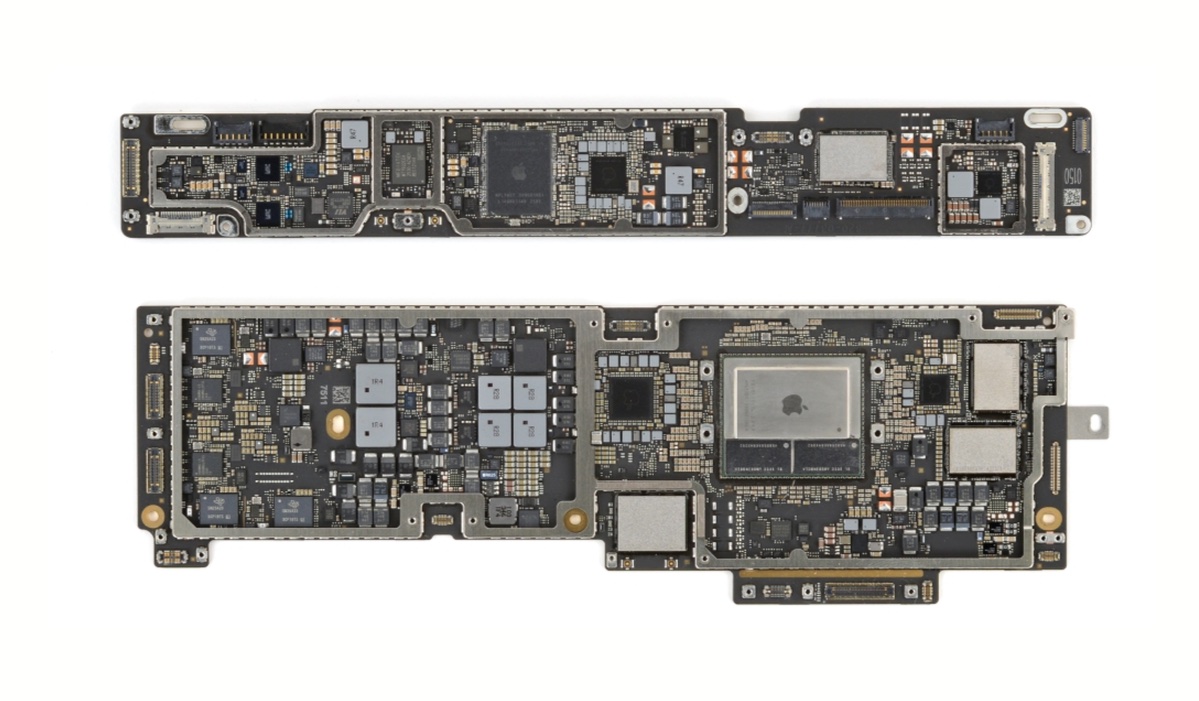
Photo: iFixit
Now some people are likely wondering why Apple doesn’t give customers the option to pre-configure the MacBook Neo with 16GB of RAM. It couldn’t, even though the company might have sold more of the notebook computer with additional memory.
The limitation comes down to the decision to build the Neo around an A18 Pro processor, which was originally made for the iPhone 16. This helps keep the notebook affordable, but it strictly limits the amount of RAM. Forgive me if the explanation gets a bit technical — that’s unavoidable.
Unlike Apple’s M-series chips where the RAM sits side-by-side with the processor on a shared substrate, the A-series chips for iPhone use a “Package on Package” design. This means the memory modules are physically stacked directly on top of the SoC die.
These are assembled by Apple’s chip maker TSMC as a single, self-contained unit. And every A18 Pro is designed and manufactured with 8GB LPDDR5X modules.
And not for an arbitrary reason. There’s physically not room in the design to double the amount of RAM because the A18 Pro was created to go inside an iPhone, where space is extremely tight.
MacBook Neo RAM upgrade: Not possible
What all this means is, don’t buy a MacBook Neo with the expectation that you’ll someday be able to upgrade it to 16GB of RAM. It’s not going to happen.
But the good news is, it doesn’t matter. Even with 8GB, the computer offers speedy performance. As the Cult of Mac review says, “The MacBook Neo utterly shatters the argument that if you want to do real work, you need to get a MacBook Air or MacBook Pro.”
That’s Apple silicon at work — closely integrating the CPU and RAM (and the GPU as well) brings sizable speed and efficiency gains. It’s unfortunate but unavoidable that the design prevents RAM upgrades, too.
The MacBook Neo is Apple’s entry-level laptop. It boasts Apple’s signature all-day battery life and ease of use. It can swim through web browsing, document editing and other basic tasks. But if you want higher specs than its 8GB memory or the maximum 512GB storage, the MacBook Air is a better choice.
- 16-hour battery life
- Bright, fun colors
- Thin and light design
- No MagSafe charging
- USB 3 and USB 2 ports
- No support for high-resolution displays


Ed Hardy has been writing full-time about tech for 25 years, and using it for much longer than that. His intro to Apple was a Macintosh SE/30 (which he still has), but now he uses a 13-inch iPad Pro as his primary computer.
That’s because he’s a “tablet first” type of guy. Rather than use a Macbook, he connects a keyboard case to the iPad. And instead of a desktop Mac, he connects his tablet to a 27-inch display and full-size keyboard. (So don’t try to tell him that everyone has to use a Mac to be productive.)
Before coming to Cult of Mac, Ed wrote for NotebookReview, TabletPCReview and Brighthand, as well as other sites.

