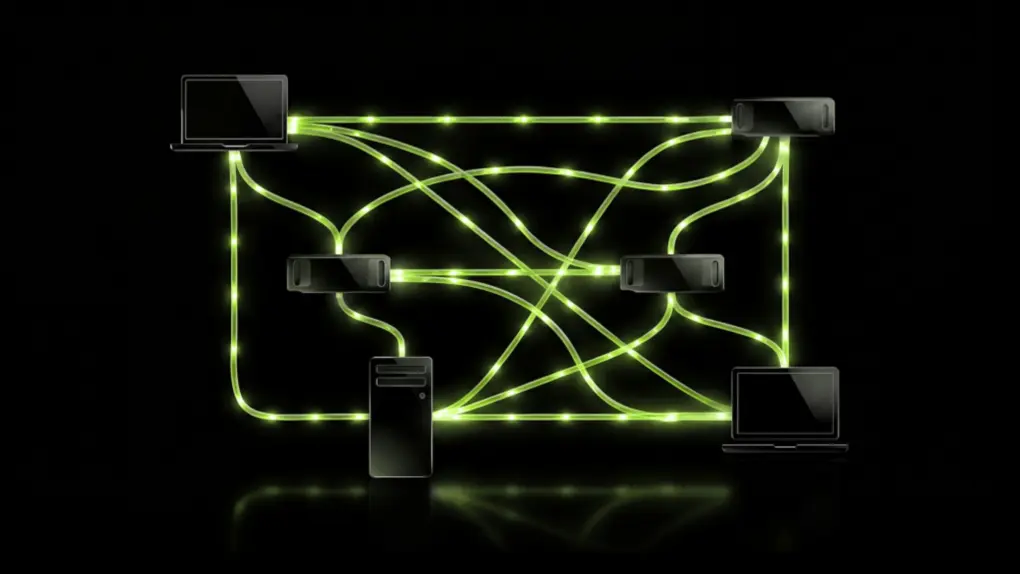
Got an M4 or newer Mac and a gaming PC? Nvidia’s new PAIR just gave them a reason to talk. The free, open-source tool pairs Apple Silicon Macs with RTX-equipped PCs into a private AI cluster.
It’s a quick fix for a problem Mac users relying on local AI are starting to hit. AI agents currently split a task into smaller ones, but all of them compete for the same GPU. Nvidia PAIR fixes that by spreading those requests across paired machines instead of your Mac choking on the pileup.
How Nvidia PAIR works with your Mac
The big advantage of Nvidia PAIR is parallel processing. When an AI agent breaks a complicated job into multiple smaller tasks, those tasks normally have to compete for the same computer’s processing power. PAIR can send those independent requests to different machines on the network, letting them run at the same time. That can significantly reduce the time needed to complete a multi-step AI task while also leaving your Mac’s processor and memory available for everything else you’re doing.
Nvidia calls PAIR a router, not an inference engine. What it means is Ollama or LM Studio will still do the actual work of running the model on your Mac or PC.
PAIR will simply decide which paired machine handles each request, so your Mac isn’t stuck waiting in line.
Macs find nearby machines using mDNS, a local discovery method similar to what AirDrop relies on. Every connection between paired machines is locked down by MTLS encryption. That happens once you approve the pairing request, so your prompts stay inside your walls.
What Nvidia PAIR does, and does not do
PAIR earns its keep when a Mac is juggling several AI requests at once. Think multiple agents, or a few local tools firing off tasks in parallel.
It can hand over those jobs to all the machines available on the network, reducing the processing time. Doing so also frees your Mac to do other tasks.
What it can’t do is magically make your Mac’s GPU bigger. Pairing your Mac with a PC doesn’t combine their memory into a single pool. Nvidia PAIR also never splits a single model across two machines. This means whichever computer it picks up a request runs it from start to finish, alone.
Putting Nvidia PAIR to the test
Nvidia’s own demo split a household-planning task across five subagents. It used Hermes Desktop and Ollama, running the Qwen 3.6 35B A3B model. On the RTX Spark laptop, that took around 18 minutes.
A three-device cluster running PAIR — RTX Spark, DGX Spark and an RTX 5090 — finished in 8 minutes 48 seconds.
Nvidia notes that it was an unofficial, configuration-specific demo — not a general benchmark. Neither is it a promise that every setup will scale the same way.
Just be aware of a caveat for Mac owners: no Mac was part of that test. There’s no real number yet for how much an M4 machine actually gains.
Which Macs qualify
Before pairing all devices in your house, be sure to check the fine print. Nvidia’s requirements call for macOS Tahoe 26 running on an M4 or newer chip. On the PC side, it needs GeForce RTX 20-series GPUs or later.
RTX PRO workstation cards built on Turing architecture also qualify, and so do DGX Spark systems. And every machine requires at least 8GB of RAM.
That M4 cutoff may sting M3 Ultra owners. Apple sold the M3 Ultra Mac Studio with up to 512GB of unified memory, and it specifically leaned on running large AI models locally.
Nvidia hasn’t explained why the line sits at M4, and it’s unclear whether an M3 Mac would work if someone tried it.
How to set up Nvidia PAIR
PAIR is a free download for Windows, macOS and Linux users. The project is also open source on GitHub, so anyone can see what’s under the hood.
Setup is pretty straightforward. Install PAIR on each machine and connect them over the same network. Then enable Ollama or LM Studio and load the models each one needs.
Your Mac and PC don’t need identical models loaded. PAIR just routes each request to whichever paired machine already has what it needs. Once everything’s set up, an internet connection is only required to update or get new models.

Anurag Chawake is a tech-focused writer specializing in smartphones, apps and consumer technology. His interest in computers began during the Windows 98 era, eventually leading him to explore everything from operating systems to mobile devices and PC hardware. Anurag previously contributed to The Indian Express, covering Apple, Android, gaming and the broader technology landscape.

