Cable management is the invisible infrastructure of every beautiful desk setup. Do it well and your workspace looks effortlessly minimal, almost wireless. Do it badly and a tangle of cords swallows every other design decision you’ve made. Cult of Mac’s Setups section chronicled the most impressive Apple-centric workstations on the internet for years, and cable management — how to hide it, route it, tame it and sometimes eliminate it entirely — is a recurring obsession among Mac owners. Behold the best cable management in setups, below.
This post contains affiliate links. Cult of Mac may earn a commission when you use our links to buy items.
Top 8: Best cable management in setups
What follows is a selection of eight standout Setups articles from 2021 through 2025, chosen specifically because cable management is either the central subject or a defining feature of the workstation on display. They range from a 3D-printed under-desk engineering marvel to a single zip tie and a cable raceway, proving that the best solutions are sometimes the simplest ones. Whatever your desk situation, there is something genuinely useful and inspiring in each of these.
8. Sometimes the best cable organizer is your desk mat

Photo: Fernando Silva
This entry earns its place on the list for sheer ingenuity. Fernando Silva’s iPad Pro setup — centered on a 12.9-inch iPad Pro with Smart Keyboard Folio — caught attention thanks to a desk mat most people hadn’t seen before: the Orbitkey Desk Mat. It features a magnetic strip along the top edge with small metal clip-pieces that snap to it and act as cable organizers. No drilling, no adhesives, no tray installation — just a mat with a magnetic spine that guides and holds cables exactly where you want them. Our full article explores several similar products including the Function101 Desk Mat Pro, which adds a full magnetic cable management system to the concept. For anyone who wants a clean desk without any permanent modifications, this is perhaps the most elegant solution of all entries in this list.
Read the full Setups article: : Sometimes the best cable organizer is your desk mat
Made from premium began leather and tecycled PET felt, this slick desk mat includes document hideaway and a magnetic cable holder.

Made with durable and corrosion-resistant zinc alloy, this gadget keeps your cable in place along the toolbar of the Orbitkey Desk Mat.

7. And the 2021 award for most fastidious cable management goes to …

Photo: [email protected]
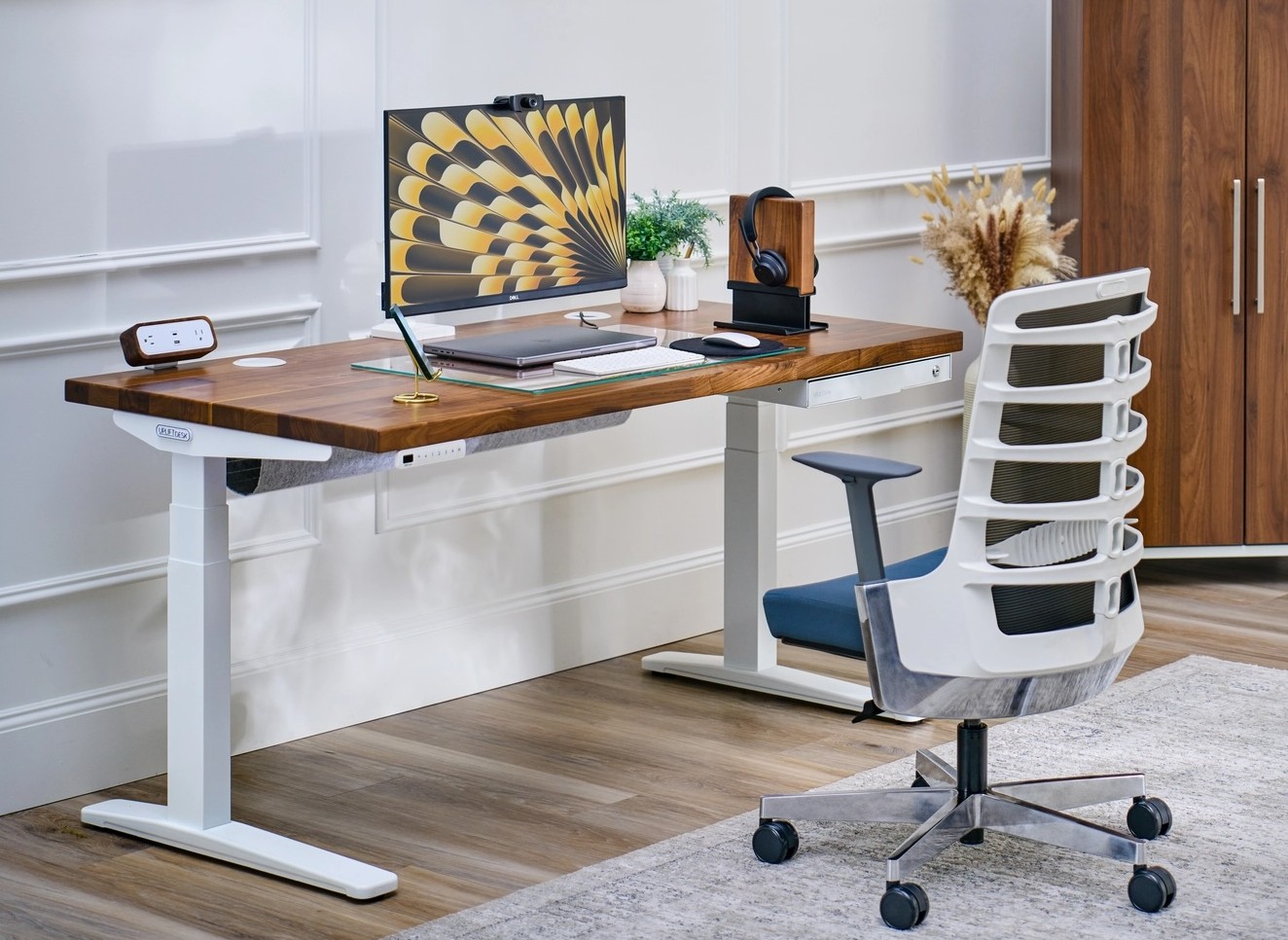
The headline may be tongue-in-cheek, but the cable discipline on display in this 13-inch MacBook Pro setup is entirely real. The user credits his Uplift standing desk and its bundled cable-management accessories as the foundation. The bamboo-topped desk came with adjustable fasteners that let him secure every wire individually rather than bundling cables together — preserving the ability to swap or remove accessories without disrupting the whole system. The setup pairs the MacBook Pro with a 32-inch LG 4K display on an Ergotron LX arm, alongside an 11-inch iPad Pro and Apple’s wireless keyboard and trackpad. The critical insight: a single Thunderbolt 3 cable connects everything, meaning there is very little to manage in the first place. Reducing cable count before managing cable clutter is this setup’s most replicable lesson.
Read more: And the 2021 award for most fastidious cable management goes to …
Uplift's market-leading sit-stand desk gets a number of improvements with its third edition, making a great option even better.
- Outstanding build quality
- Smooth, fast and quiet desktop movement
- Many customization options
- With heavy components, not necessarily a one-person assembly job
- On the pricey side, but worth it
This driverless TS3 USB-C cable supports 40Gbps data transfer and 100W (20V, 5A) charging, 2.6ft / 80cm.

6. Cable management doesn’t have to be a horrible chore
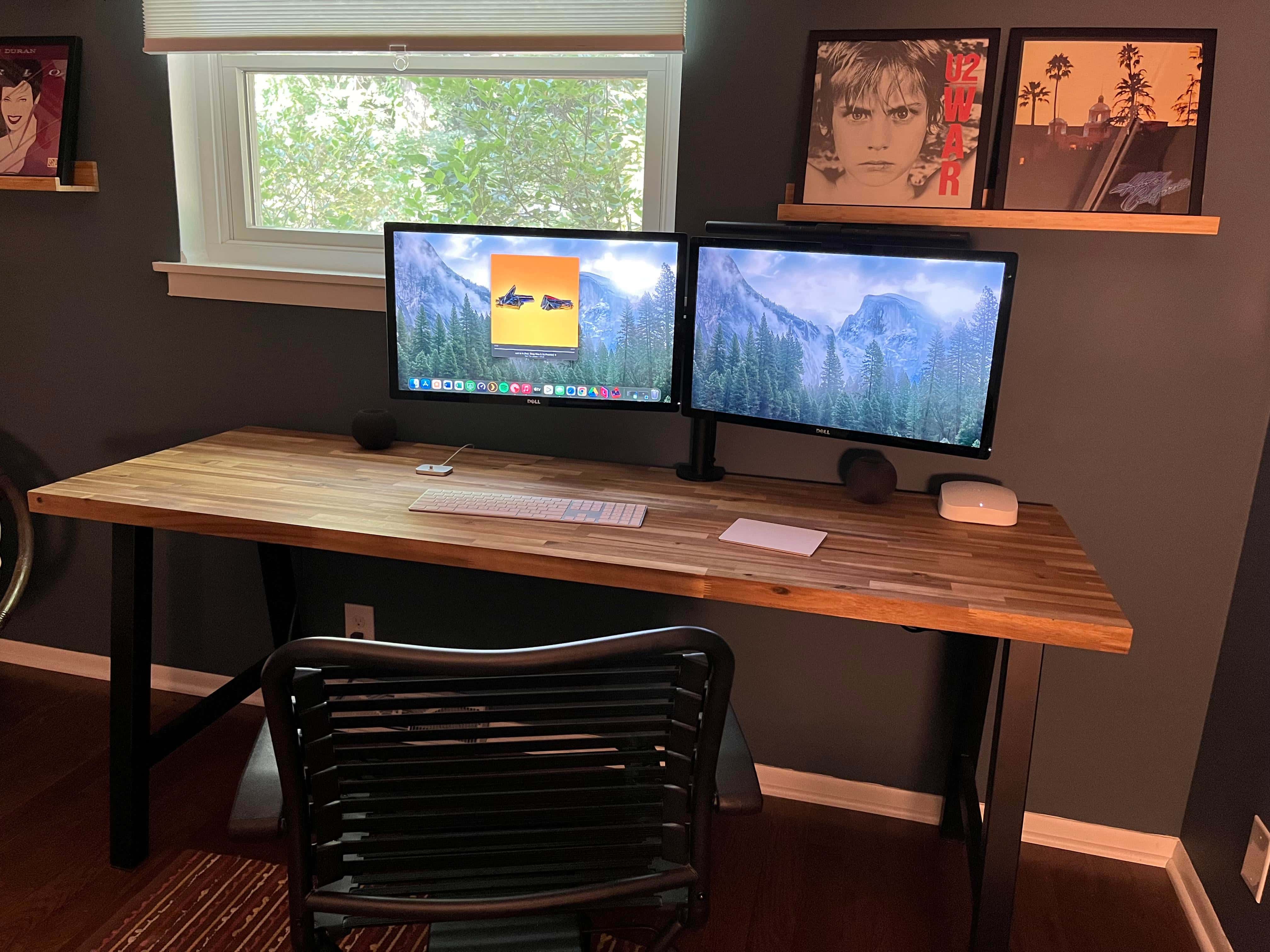
Photo: [email protected]
This user titled his post simply “Cable management… how’d I do,” and the community’s assessment came back: flawlessly. His dual-monitor Mac mini setup — featuring twin 24-inch Dell displays, a HomePod mini and wireless Magic Keyboard and Trackpad — looks like it might be a render. The solution is refreshingly accessible: two Ikea Signum cable-management trays and a Belkin surge protector mounted under the desk. All cables from the hidden Mac mini, monitors and dock drop straight behind the desk into those trays. A single cable then snakes down from the Belkin unit to the wall. The wireless input devices do the rest. “I could only dream of cable management this clean,” wrote one envious commenter — proof that inexpensive, widely available products can produce spectacular results.
Read more: Cable management doesn’t have to be a horrible chore

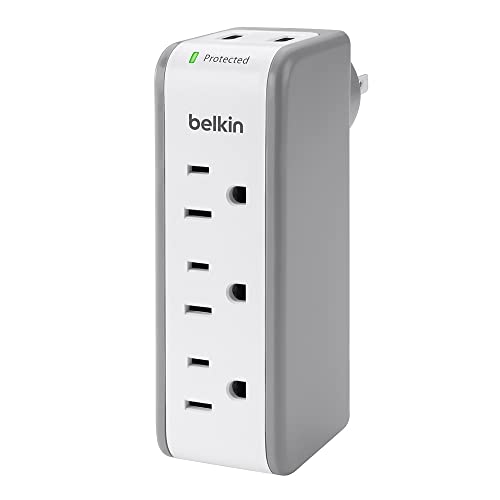
This surge protector includes three AC multi outlets and two USB ports plus a flat rotating plug splitter.
5. Learn to tame cable clutter with Basic Apple Guy

Photo: Basic Apple Guy
Mac designer and wallpaper creator Basic Apple Guy openly describes his aversion to visible cabling as practically genetic — and his Mac Studio setup proves the point. The challenge here was significant: a floating desk with no backing, just 1.5 inches of wood frame to work with, and roughly 30 feet of cabling to hide. His solution evolved in stages: 3M Command Outdoor light clips to guide cables down the desk’s left back leg, a parallel clip channel added when cable volume grew, and finally a full metal C-shaped cable tray after a Philips Hue light strip required a rethink. “Now [I] have a setup that, from nearly any angle inside the office, conceals all the wiring,” he wrote. And he provided a genuinely useful step-by-step account of the iterative process behind a truly invisible cable infrastructure.
Read more: Learn to tame cable clutter with Basic Apple Guy
You can use the trays to as power strip holders, cord organizers, wire tamers for office and home. In black, 2-pack (DESK-AC06-2C).

4. Pristine design workstation’s keys to clean cable management
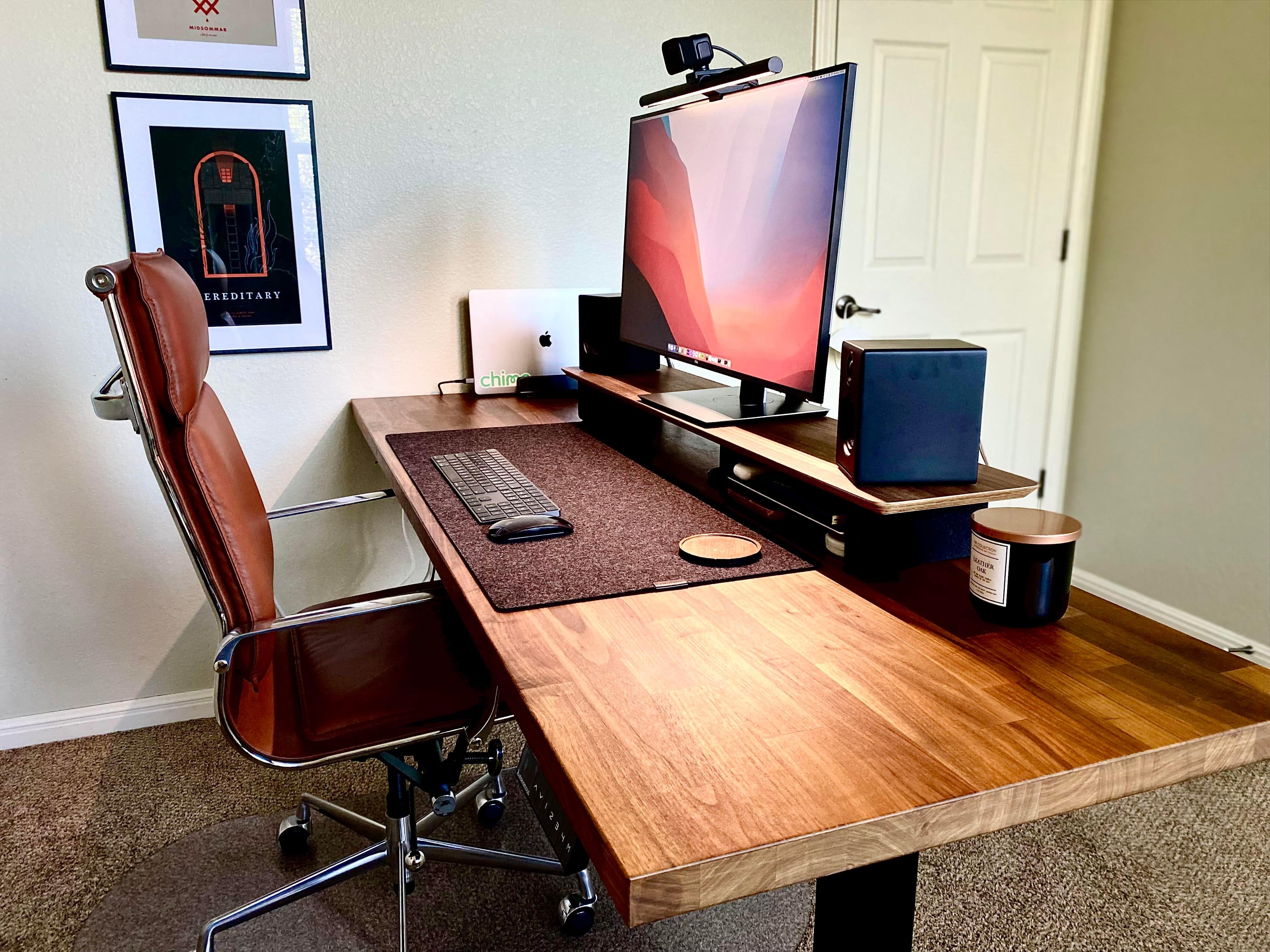
Photo: [email protected]
“Cable management gets a 10 out of 10,” declared one commenter on this product designer’s walnut-wood-accented workstation, built around a 16-inch MacBook Pro and a 32-inch Dell UltraSharp monitor. The user shared their entire methodology in impressive detail. They ran Stageek cable raceways the full width of the desk at the rear, zip-tied all slack to the desk’s cross bars, screwed a surge protector into the underside and stuck power bricks under the surface using 3M hanging strips. Speaker cables are simply zip-tied. The monitor acts as a hub, meaning just one Thunderbolt cable runs to the laptop. A nylon sleeve bundles the cluster of cables feeding the monitor. The Hue light strips circling the desk perimeter add a warm, cohesive glow to a setup that looks more like a magazine shoot than a working desk.
Read more: Pristine design workstation’s keys to clean cable management.

Use this to conceal your cables. Measurements: 1-1/8"(29mm) W x 1"(25mm) H - 20"(0.5m) Length, Nylon 66 Network Cable/Power Cord Hider Kit, Wall Wire Duct System.

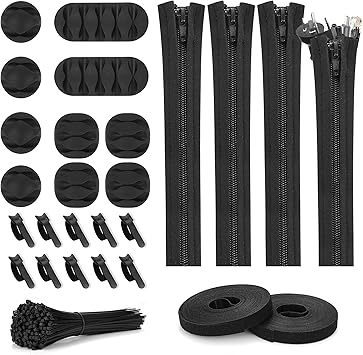
Topbooc's kit includes a whopping 126 pieces. It includes four cable sleeve with zipper,10 self-adhesive cable clip holders, two roll self-adhesive ties and 100 fastening cable ties.
3. Triple-display MacBook Air rig wows the crowd
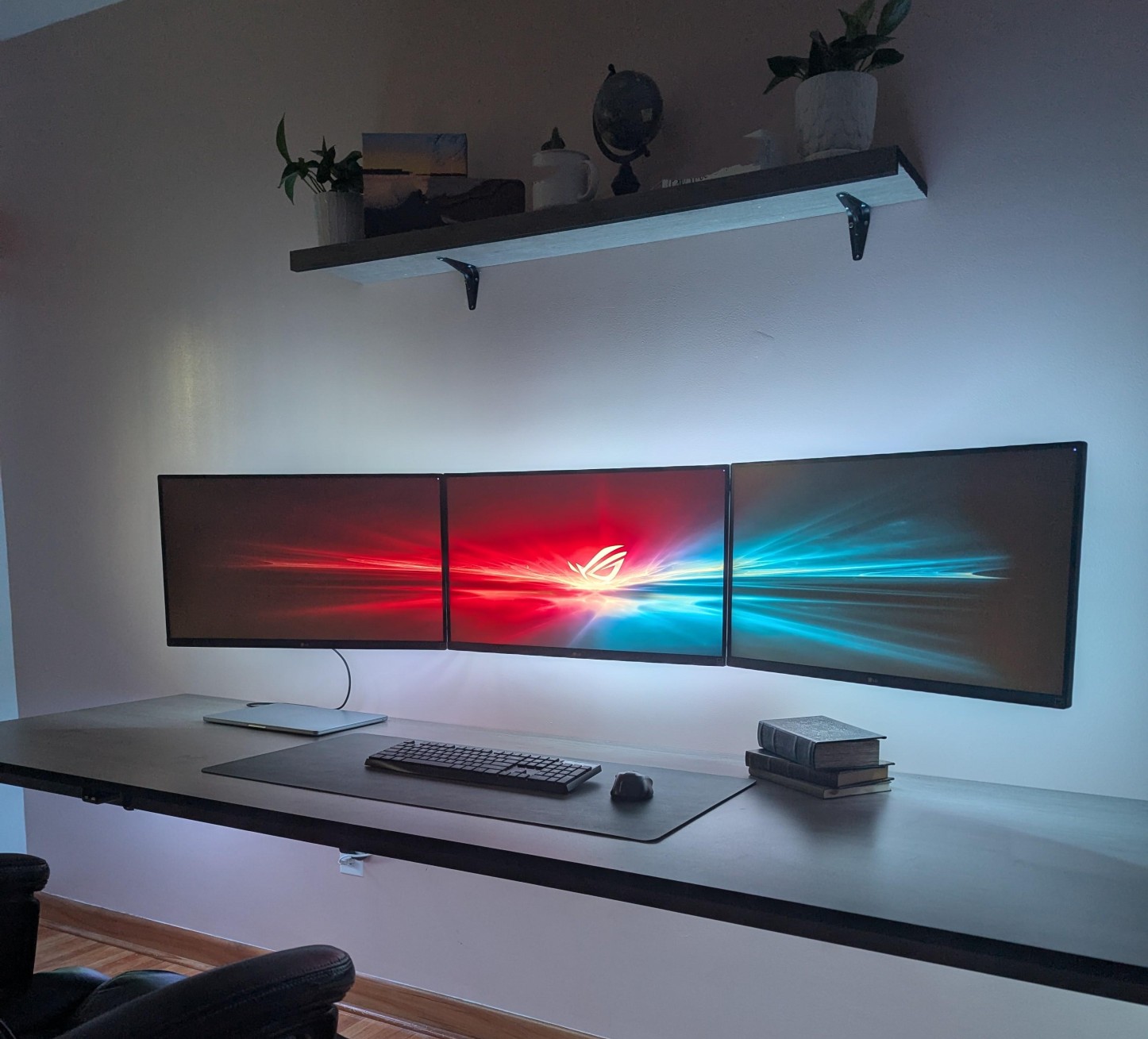
Photo: [email protected]
Three wall-mounted 27-inch LG 4K monitors, all lit from behind, hovering over a handmade desk — and not a cable tangle in sight. The user achieved this with a single Thunderbolt dock feeding the laptop one cable, using DisplayPort for the first monitor and a dual-HDMI DisplayLink adapter for the other two. The monitors run at 4K 60Hz across the board. When commenters fixated on the lone visible wire connecting his MacBook Air to the dock, the user revealed his supplementary cable-hiding trick: hollowed-out decorative books on a nearby shelf, repurposed as stylish cable-and-charger storage. “It’s how I keep stuff close without clutter,” he explained. This setup earns its place on this list both for its striking visual impact and for the creative, multi-layered approach to hiding all evidence of the wiring underneath.
Read more: Triple-display MacBook Air rig wows the crowd
With full motion, 15-inch extension arms with tilt and swivel, these mounts fit most 13- to 32-inch flat-panel TVs and monitors.
- Fully articulating arm allows plenty of motion
- Fits variety of TVs and monitors
- Assembly required

2. Gorgeous MacBook Pro rig reveals key cable-management tip

Photo: [email protected]
This user’s standing-desk setup centers on a MacBook Pro running in clamshell mode on a vertical stand, paired with an Apple Studio Display and bathed in Govee RGB lighting color-matched to a stunning Basic Apple Guy wallpaper. At a glance it looks entirely wireless. The secret? A single six-foot Thunderbolt cable that runs from the display under the desk frame — zip-tied to keep it flat — and then through a wall-colored cable raceway directly to the laptop’s port. That’s it. One cable, invisible from any normal viewing angle. It’s a beautifully simple trick, and one we highlight as proof that even the most daunting cable-management challenge often has a low-effort, high-impact solution. The moody LED backlighting doesn’t hurt either.
Read more: Gorgeous MacBook Pro rig reveals key cable-management tip
Dual-slot wooden laptop holder for MacBook Pro and other laptops. It sits in vertical orientation to save desk space. Width adjustable.
- Stores two laptops vertically
- Visually appealing
- Reduces clutter
- Very slim laptops may not fit well
- No charging

Use this to conceal your cables. Measurements: 1-1/8"(29mm) W x 1"(25mm) H - 20"(0.5m) Length, Nylon 66 Network Cable/Power Cord Hider Kit, Wall Wire Duct System.
1. Mac mini rig elevates cable management to art form
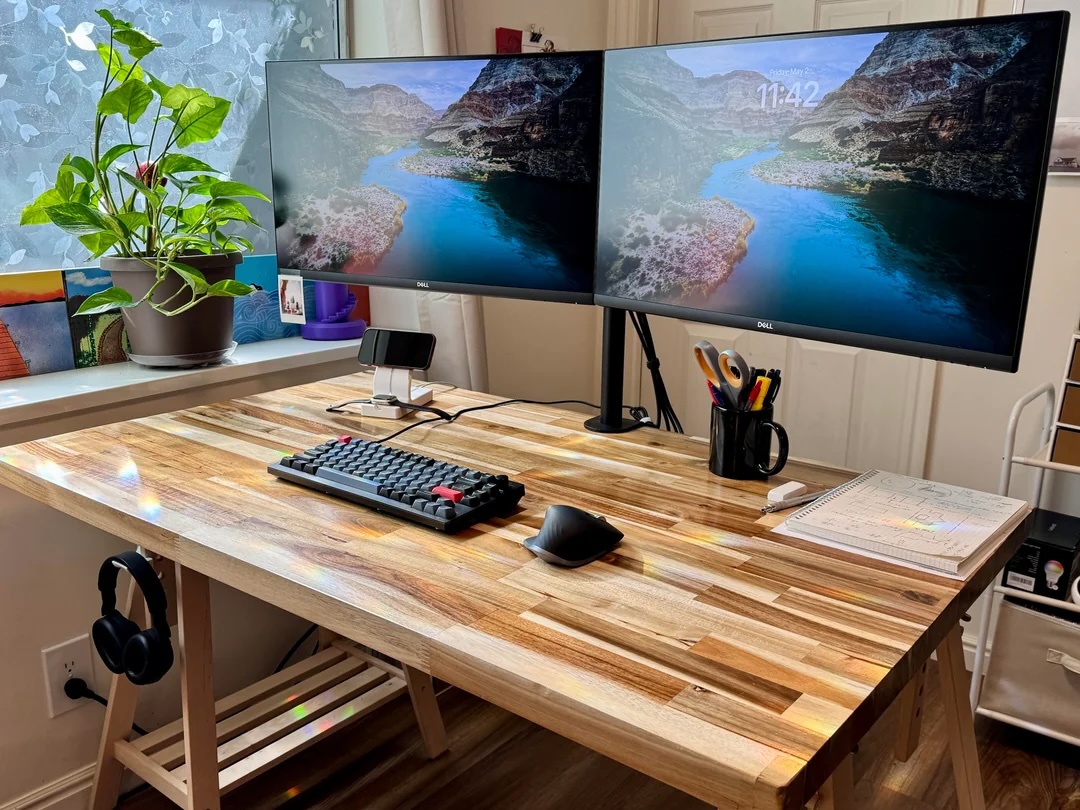
Photo: [email protected]
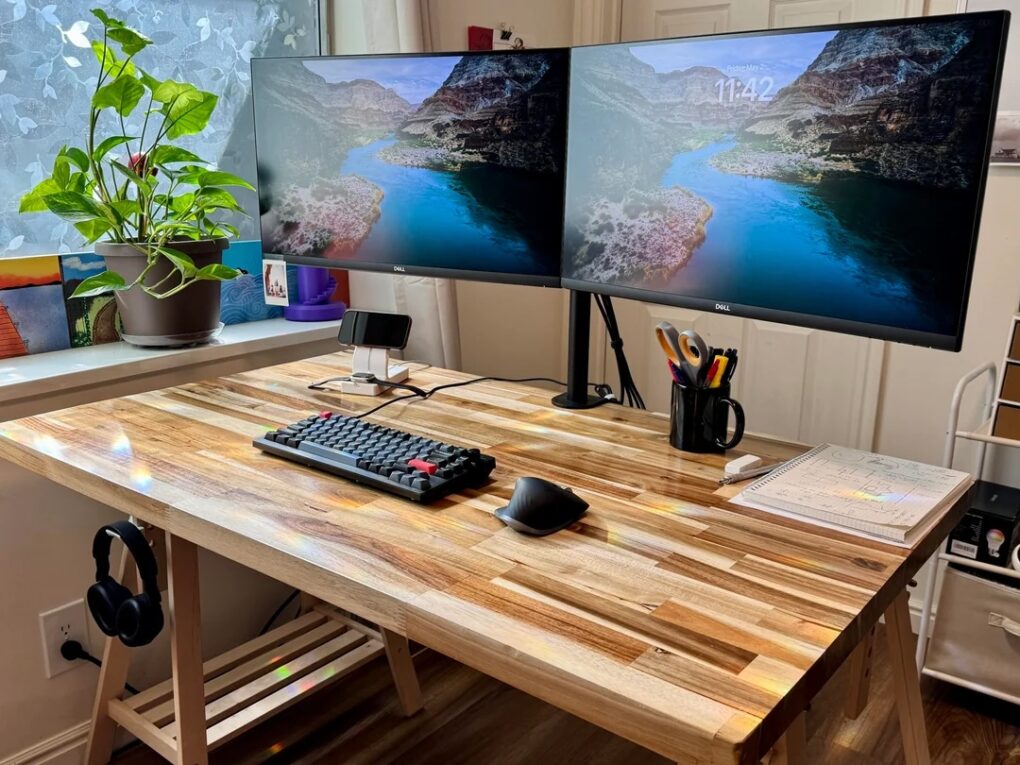
This jaw-dropping M4 Mac mini setup is the one that made commenters type “Cable-management ASMR” (the “brain tingles” of Autonomous Sensory Meridian Response). The user arranged a strikingly spare acacia countertop on Ikea sawhorse legs, leaving the desktop almost completely bare. The magic is entirely beneath the surface: the Mac mini itself, a backup hard drive, all power supplies and every single cable are mounted to the underside via a custom bracket-and-clip system the user designed and 3D-printed from scratch. Dual Dell 4K displays rise cleanly above the wood, connected by cabling that simply vanishes. One appreciative commenter called it “art,” and it’s hard to argue. For those without a 3D printer, the article helpfully suggests off-the-shelf under-desk trays, cable organizers and mesh baskets that can approximate the same invisible-tech effect.
Read more: Mac mini rig elevates cable management to art form
This mount allows you to save space by keeping a Mac mini under a desk or on a wall. Comes in black.

This power strip fastens to the underside of a desk, helping hide gear and cables. Includes switch, 12 outlets and 4 USB ports, plus surge protection and 6-foot extension cord.

Use this iron storage rack to mount a Thunderbolt 4 or TB 3 dock under your desk, along with a power cable. Installation hardware included.

With no drilling, you can use clamp this metal mesh tray under your desk to hold devices and cables.

It's easy to install this self-adhesive cable organizer, which keeps cables straight and going where you want them. It also helps child- and pet-proof your setup.

Print out objects from source files with this affordable 3D printer. It's fully open source and includes resume-printing function (even during power outage). Printing size is 8.66in x 8.66in x 9.84in.
- Great beginner model with fast assembly
- Advanced Extruder Technology
- Lacks some features of high-end models


David Snow, an expert on Apple hardware and software, writes on a variety of technological and cultural topics for Cult of Mac. They include Apple news, technology buying guides, and features about computer setups and Apple TV shows and movies.
With 30 years of experience covering technology and other subjects, he has written and edited for numerous print and online publications, including CMP Media, TechTV.com, CNET, Wired News, Red Herring magazine, Law.com, The National Law Journal and Law Technology News magazine. Among other roles, he served as executive editor of the Law.com network of websites and editorial director, technology, for ALM Media.
Snow graduated with a B.A. from Syracuse University with majors in magazine journalism and psychology. While there, he worked as a reporter for The Daily Orange newspaper and associate editor of Equal Time magazine.
Founder of the blog At the Waterline, he can be reached on X (formerly Twitter) via @atthewaterline and on Mastodon via @dsnow.

