Docking stations and USB/Thunderbolt hubs are the unsung heroes of modern Mac workstations. While flashy displays and mechanical keyboards get a lot of glory in computer setup photos, it’s often a hub or dock quietly humming away that makes the whole thing possible — connecting multiple monitors, peripheral devices, external storage and audio gear through a single cable to the host computer. Here’s a roundup of the best-connected — and most impressive — Mac workstations from Cult of Mac‘s Setups section.
This post contains affiliate links. Cult of Mac may earn a commission when you use our links to buy items.
Top 10: Best use of docks and hubs in Mac setups
Whether resting beneath a Mac mini like an aluminum throne, tucked under a desk with more than a dozen ports at the ready or connecting a MacBook to a wall of 4K displays, docks and hubs transform modestly ported machines into full-featured command centers. Cult of Mac’s Setups section has chronicled hundreds of impressive workstations over the years, and the examples below represent some of the finest — and most intricately connected — of the bunch.
All of them make great use of a docking station or hub. Some of the setups are straightforward and elegant. Others are gloriously over the top. All of them are worth a look.
And note that USB-C and Thunderbolt connections look alike but aren’t. A Thunderbolt dock for Mac transforms a single port into a comprehensive, high-speed workstation. It allows simultaneous connection of high-resolution displays (up to 8K), high-speed storage and Gigabit Ethernet via a single cable. Notably, it offers maximum bandwidth (40–120 Gbps) for pro-level peripherals and superior charging (up to 140W+) compared to regular USB-C hubs.
10. Ho-hum MacBook Air rig packs surprises and gets great advice
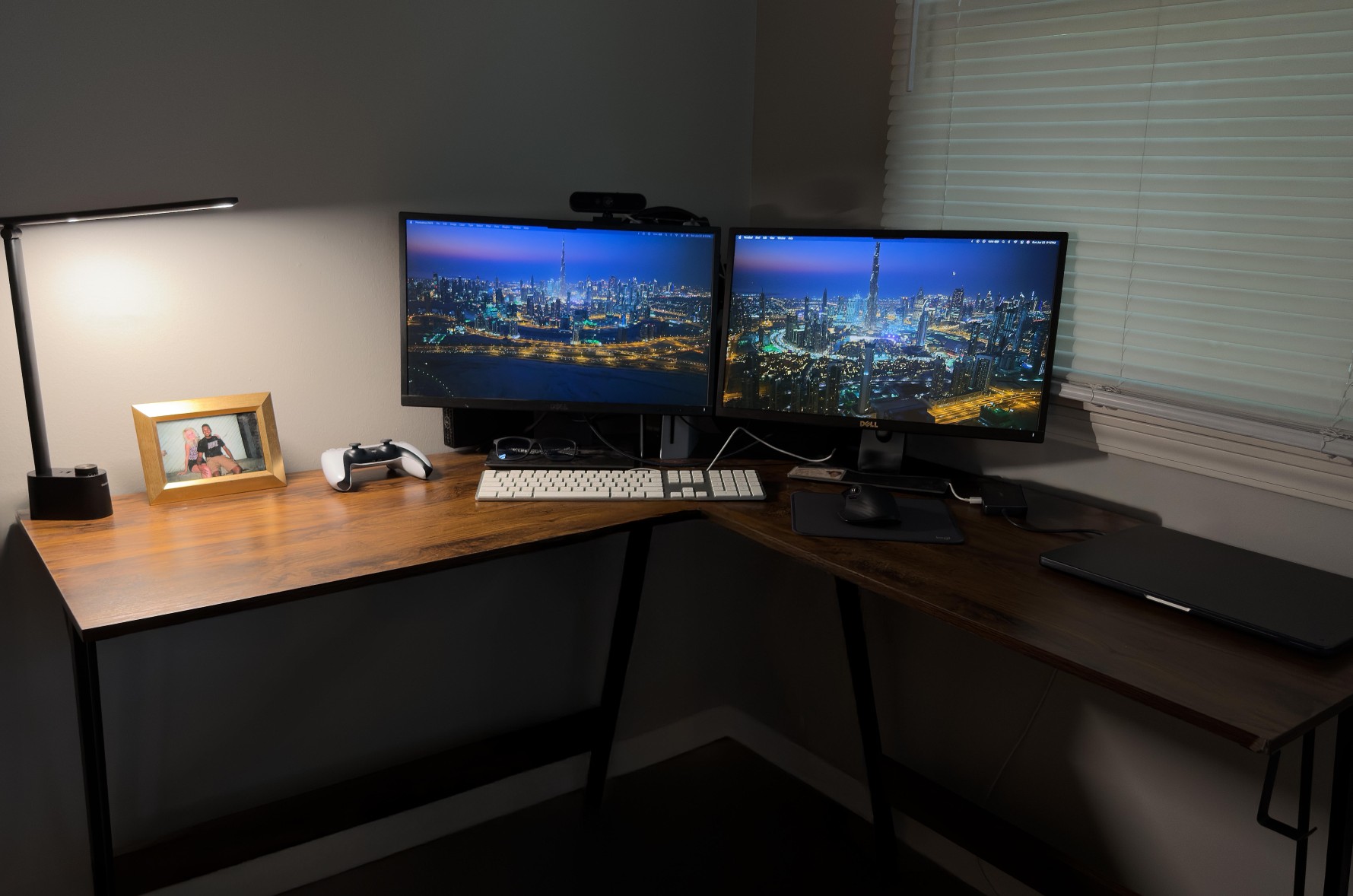
Photo: MikeBuckets171@Reddit .com
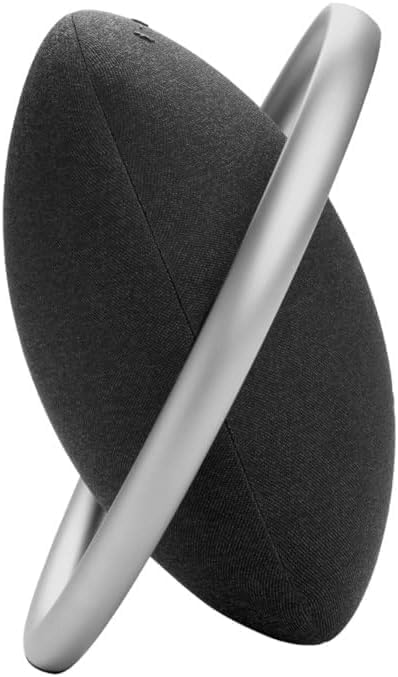
This user runs an M3 MacBook Air (24GB memory, 512GB SSD) in clamshell mode driving a pair of 22-inch Dell 1080p displays through an Anker PowerExpand 8-in-1 USB-C Hub. PlayStation 5, Logitech MX Master 3S mouse, Apple A1243 wired keyboard and a rarely seen Harman Kardon Onyx Studio 8 Bluetooth speaker round out the setup. The user posted somewhat apologetically, calling the rig basic compared to other setups he’d seen, and drew waves of reassurance from the community. The setup illustrates a key truth about USB-C hubs: they don’t have to be Thunderbolt powerhouses to be transformative. An eight-in-one Anker hub gives a MacBook Air with limited native ports enough connectivity to run dual displays and peripherals. That turns a portable laptop into a credible desktop workstation at modest cost.
Read the full Setups article: Ho-hum MacBook Air rig packs surprises and gets great advice
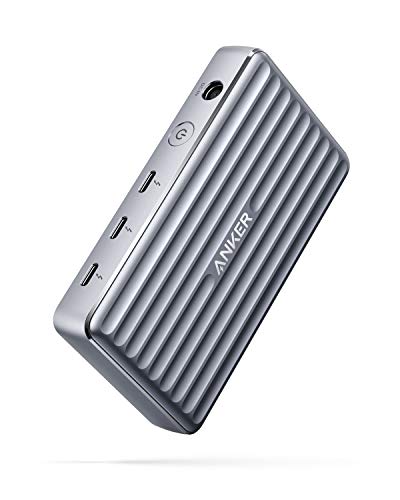
This compact dock features up to 85-watt charging for a laptop, 15W charging for other connected devices, single 8K@30Hz or dual 4K@60Hz display support, USB 3.1 Gen 2 port. Works with MacBook Pro/Air and more.
Built for Apple Intelligence, this super-lightweight laptop packs power. It features a 15.3-inch Liquid Retina Display, 24GB Unified Memory, 512GB SSD Storage, backlit keyboard, Touch ID;. Midnight color.
- Slim and lightweight
- Large and brilliant screen
- Plenty of memory and storage
- May lack some features compared to MacBook Pro

The stylish Harman Kardon Onyx Studio 8 Bluetooth speaker self tunes to give optimal audio in any environment. Includes dual mics for calls.
- Built-in aluminum handle doubles as stand
- Self-tunes to environment around it
- Bluetooth connectivity
- Bluetooth only, no wired connectivity
9. Can you use a big OLED TV as a MacBook monitor? Heck yes!
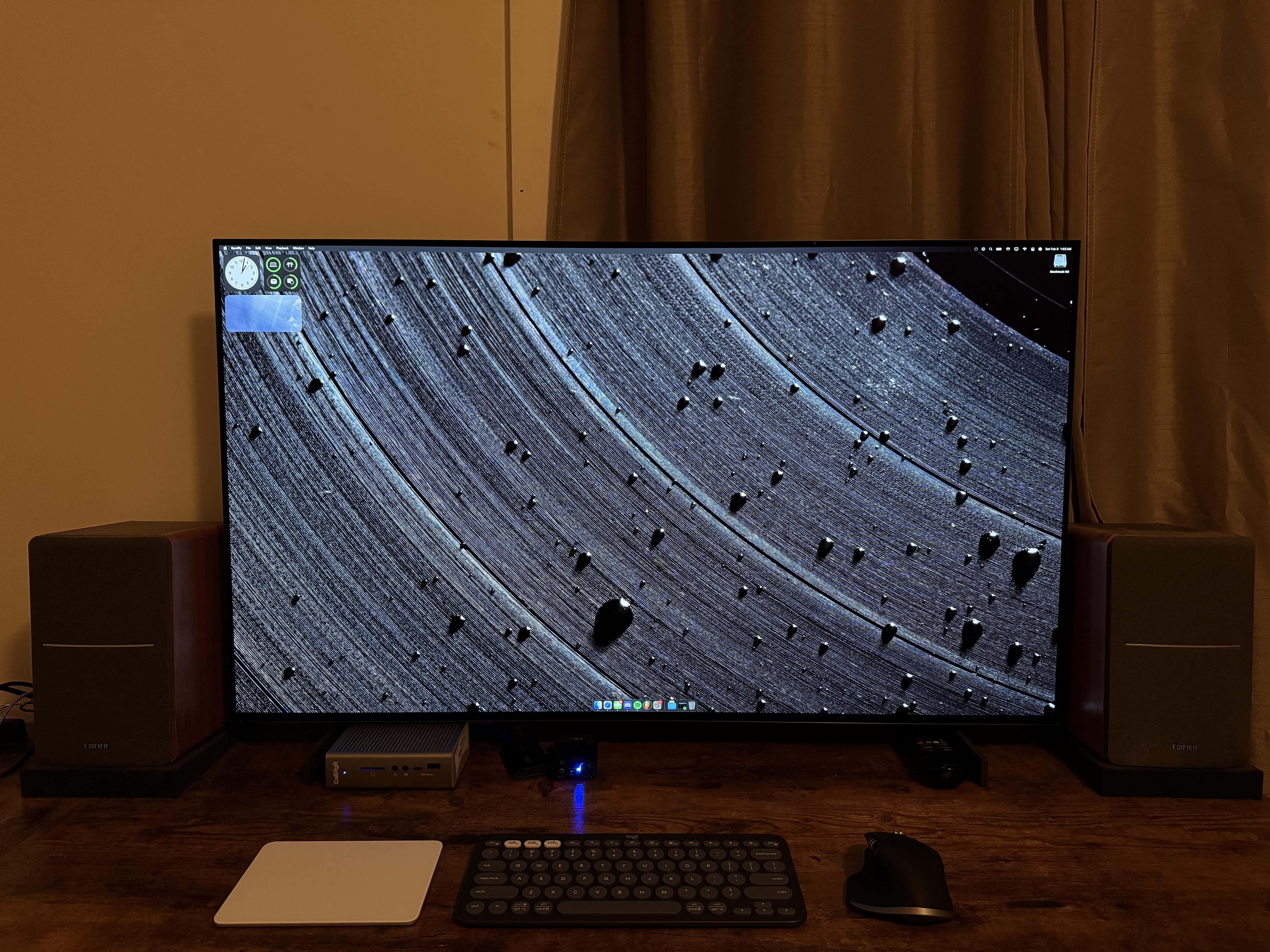
Photo: [email protected]
Here a MacBook Pro drives a large LG C2 OLED smart TV as a primary display through a CalDigit Thunderbolt dock. It’s a minimal, trim setup with a breathtaking display that showcases the deep blacks and ultra-high contrast OLED is known for. OLED TVs are showing up in Mac setups with increasing frequency as display alternatives. The CalDigit Thunderbolt dock makes the MacBook-to-TV connection work cleanly, delivering video, data and power over a single cable. The setup proves that a great Thunderbolt dock doesn’t just add ports — it can make an entirely unconventional display pairing possible.
Read more: Can you use a big OLED TV as a MacBook monitor? Heck yes!
The versatile dock features 18 ports and 98W charging. Ports: 3x Thunderbolt 4 40Gb/s, 5 x USB-A, 3 x USB-C (10Gb/s), 2.5GbE, single 8K or dual 6K 60Hz displays. Compatible with Mac, PC, Chrome via 0.8m cable.
- 18 ports
- 98W charging
- 8x USB ports
- No 10Gb Ethernet port

This 13-inch laptop features an M2 chip, 13-inch Retina Display, 8GB RAM, 512GB SSD storage, a backlit keyboard with Touch Bar, a FaceTime HD Camera and more.

OLED displays like LG's 42-inch AI-Powered 4K TV are capable of accurate color and very high contrast (OLED42C2PUA, 2022).
- High contrast and deep blacks
- Dolby Vision and Dolby Atmos
- Gaming optimization
- 2022 model (not the latest)

8. Get a load of what replaces this 2017 iMac
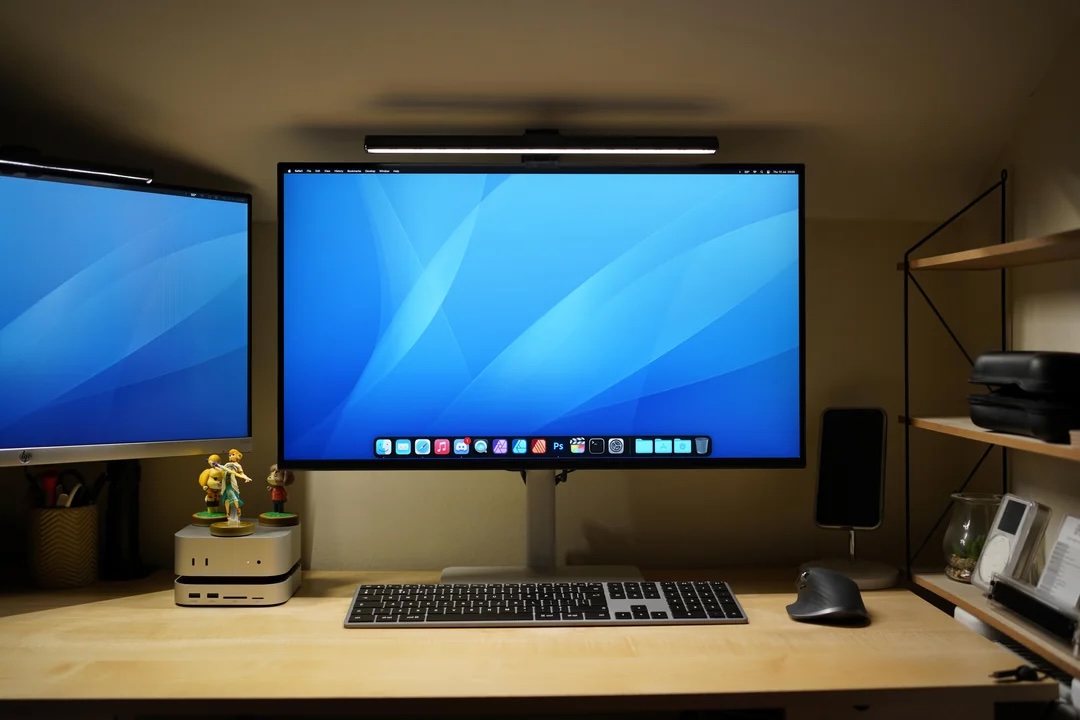
Photo: [email protected]
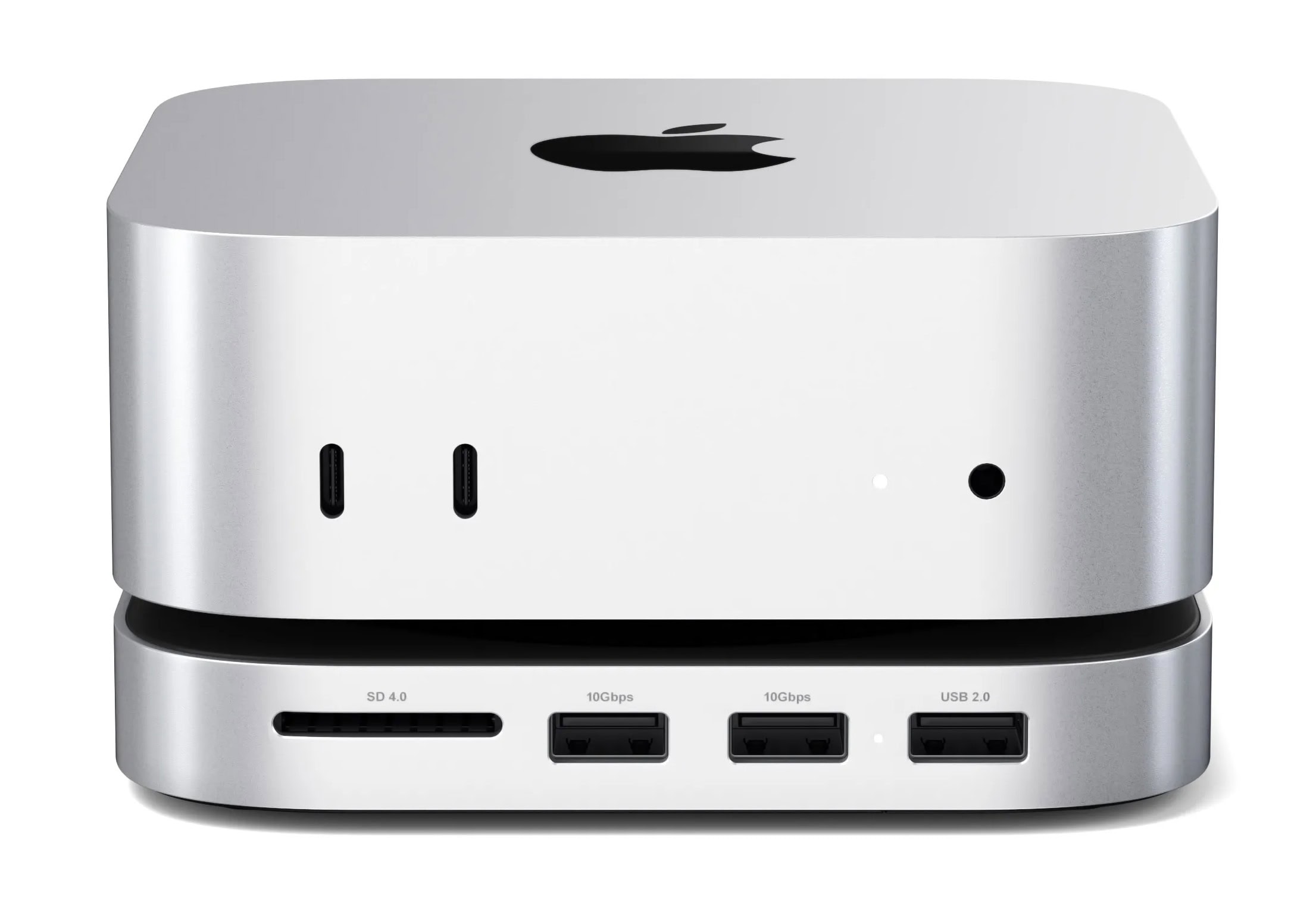
This user replaced an eight-year-old 2017 iMac with an M4 Mac mini sitting on a Satechi Mac mini M4 Hub and Stand. The hub expands the mini’s connectivity with front-facing USB-A ports, an SD card reader and an M.2 NVMe SSD enclosure for up to 4TB of internal storage at speeds up to 10Gbps. With the iMac’s display gone, the new rig drives a 27-inch Dell S2725QC 4K monitor at 120Hz alongside a secondary 24-inch HP 1080p display. The Satechi hub’s clever design sits flush beneath the Mac mini’s identical aluminum footprint, making the combination feel like a purpose-built single unit and tidily solving the mini’s historically limited front-facing port situation.
Read more: Get a load of what replaces this 2017 iMac
Designed for the 2024 Mac mini with M4 chip, the Satechi Stand & Hub expands the machine's functionality with front USB ports, an SD card slot and an SSD enclosure.
- M.2 NVMe SSD enclosure offers speeds up to 10Gbps
- Two USB-A 3.2 Gen 2 ports (up to 10Gbps) and one USB-A 2.0 (up to 480Mbps)
- Limited to 10Gbps speeds
- Does not lock Mac mini in position
This mini desktop computer's M4 chip packs a 10-core CPU and 10-core GPU for plenty of processing power. Multiple ports for connectivity include Gigabit Ethernet. Works with iPhone/iPad.
- Powerful M4 chip
- Starts at 16GB unified memory
- Several SSD storage size options
- Headphone jack on front
- BYODKM (bring your own display, keyboard and mouse)

The affordable Dell S2725QC is a 27-inch, 4K (3840 x 2160p) monitor with 120Hz refresh rate,16:9 aspect ratio, AMD FreeSync Premium, sRGB 99% color gamut, integrated speakers,1500:1 contrast ratio and ComfortView Plus.
- Clear 4K resolution
- Speedy 120Hz refresh rate
- 1500: 1 contrast ratio
- Higher-resolution displays (5K) are becoming widely available

7. Gamer loves easily switching from MacBook Pro to PC
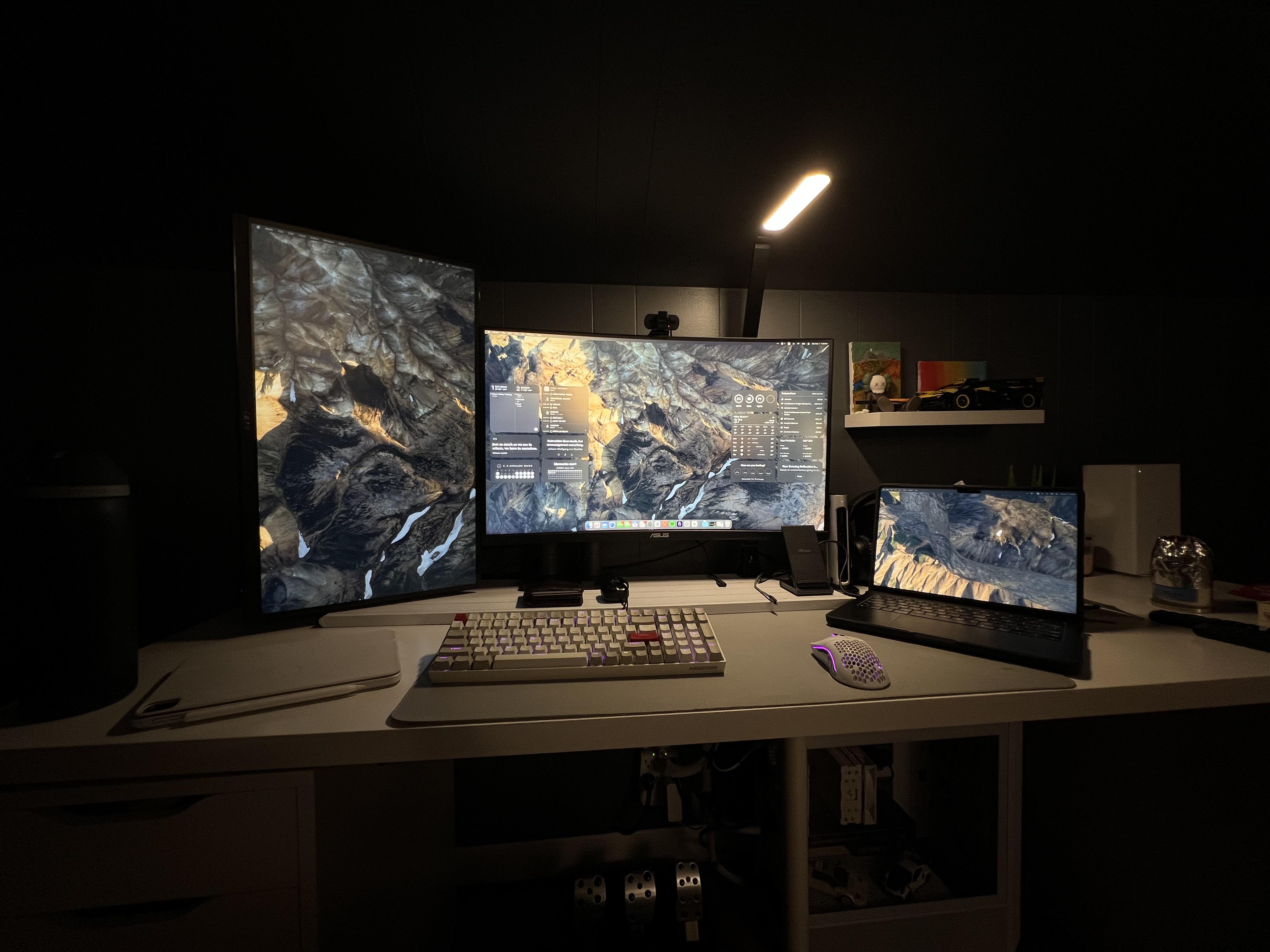
Photo: [email protected]
This MacBook Pro rig shows how to choose and configure a KVM switch and Thunderbolt 3 dock in a dual-computer workstation, specifically for a gamer who regularly alternates between a Mac and a Windows PC. A KVM (keyboard, video, mouse) switch handles peripheral sharing, while the Thunderbolt 3 dock brings 100W charging, dual 4K display support, 40Gbps data transfer and 2.5GbE Ethernet into a single-cable solution. The combination of a quality dock and a KVM is a practical lesson in using hardware rather than software workarounds to stay nimble between platforms. Sharing a display, keyboard and mouse across Mac and PC without unplugging a single cable makes for a seamless gaming and work environment.
Read more: Gamer loves easily switching from MacBook Pro to PC
This MacBook Pro-compatible and Intel-certified Thunderbolt 4 dock features 40Gbps data transfer speed, dual 4K 60Hz DisplayPort or HDMI support, 100W charging and Gigabit Ethernet.
- Fast data transfer speeds
- 4K@60Hz dual display support
- 100W charging for laptops
- Some docks feature higher-spec display support
- Thunderbolt 4 will lose ground to TB5

This KVM switch lets computers share peripherals like keyboards, video monitors and mice. It supports 4K@120Hz and 8K@60Hz video via HDMI or DisplayPort for dual monitors and dual computers. Includes USB 3.0 cables and extended controller.
- Makes switching between Mac and PC easy
- Support for 2 computers and 2 displays
- 4K@120Hz and 8K@60Hz video support
- USB 3.0 isn't newest or fastest connectivity

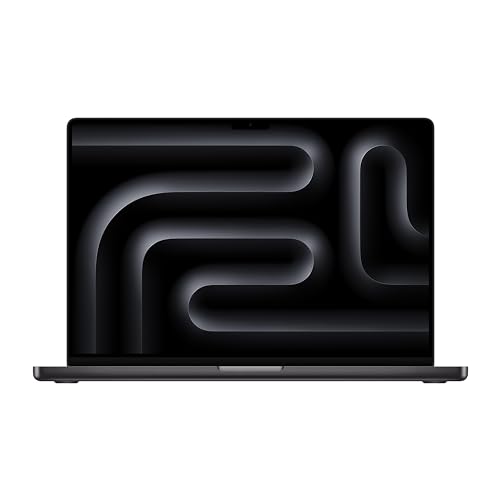
The renewed 16-inch Apple laptop features an M3 Pro chip, 36GB RAM and 512GB SSD storage. Space black color.
- Powerful M3 Pro chip
- Ample unified memory
- Not the latest model
6. Keep it all connected with this speedy Thunderbolt 4 hub

Photo: [email protected]
This user built their dream graphic design and photography setup around an M4 Pro Mac mini, a pair of 4K displays and a CalDigit Element Thunderbolt 4 hub. It keeps all the setup’s peripherals connected at fast speeds — including an 11-inch iPad Pro used as a third display and portable Samsung and LaCie drives for backups. The setup’s eye-catching elements are Creative Pebble Pro desktop speakers — round, tilted, RGB-lit orbs chosen over the Mac mini’s improved built-in speaker. The CalDigit hub is the connective tissue that makes all three displays and peripheral devices hang together elegantly.
Read more: Keep it all connected with this speedy Thunderbolt 4 hub
With 4X USB4 Ports and USB 3.2 Gen2 10Gb/s speeds, this capable hub works with a a single 8K or dual 4K displays and offers 60 watts of charging to connected devices.
- 4 Thunderbolt 4 ports
- Fast data transfer
- Works with high-resolution displays
- New in 2021, no longer the latest
- Not the most ports (but can add other Element hubs)

The new Mac mini is smaller, lighter and 50× more adorable. It's super-powerful and by far the best deal in computing right now.
- Powerful M4 Pro chip
- 512GB storage
- 24GB unified memory
- Compact desktop design
- Headphone jack on front
- BYODKM (bring your own display, keyboard and mouse)

5. Not all multiport Thunderbolt 4 docks cost a fortune

Photo: [email protected]
Here a loaded M4 Pro MacBook Pro (48GB memory, 1TB SSD storage) drives a 27-inch 5K Studio Display alongside a 27-inch LG 4K gaming display in portrait mode. A WavLink Thunderbolt 4 Docking Station connects it all. It’s a 13-port hub that, at around $170 on sale, comes in well below competing docks from CalDigit, Plugable and Anker. The WavLink dock offers four Thunderbolt 4 ports, support for single 8K or dual 4K@60Hz displays, 98W power delivery, 40Gbps data transfer, 2.5Gbps Ethernet, an SD card slot, and a 3.5mm audio jack. The user described the whole rig as “not necessarily my prettiest, but my most productive setup.” And the WavLink dock makes a compelling case that serious Thunderbolt 4 connectivity doesn’t require a premium price tag.
Read more: Not all multiport Thunderbolt 4 docks cost a fortune
This 13-port dock offers four Thunderbolt 4 ports, 98W power delivery to connected devices, single 8K or dual 4K display use and wide compatibility.
- Great connectivity with 13 ports
- 4 fast Thunderbolt 4 ports
- 98-watt power delivery to devices
- Thunderbolt 5 will be new standard soon
- Lesser-known brand

This Apple laptop features an M4 Pro chip with a 12-core CPU, a 16-core GPU and the same lightweight design we all know and love. Available in space black or silver.
- 14.2-inch Liquid Retina XDR display
- 24GB unified memory (configurable from 16GB to 36GB)
- 512GB SSD storage (configurable to 1TB)
- Same design as previous models

4. Triple-display MacBook Air rig wows the crowd
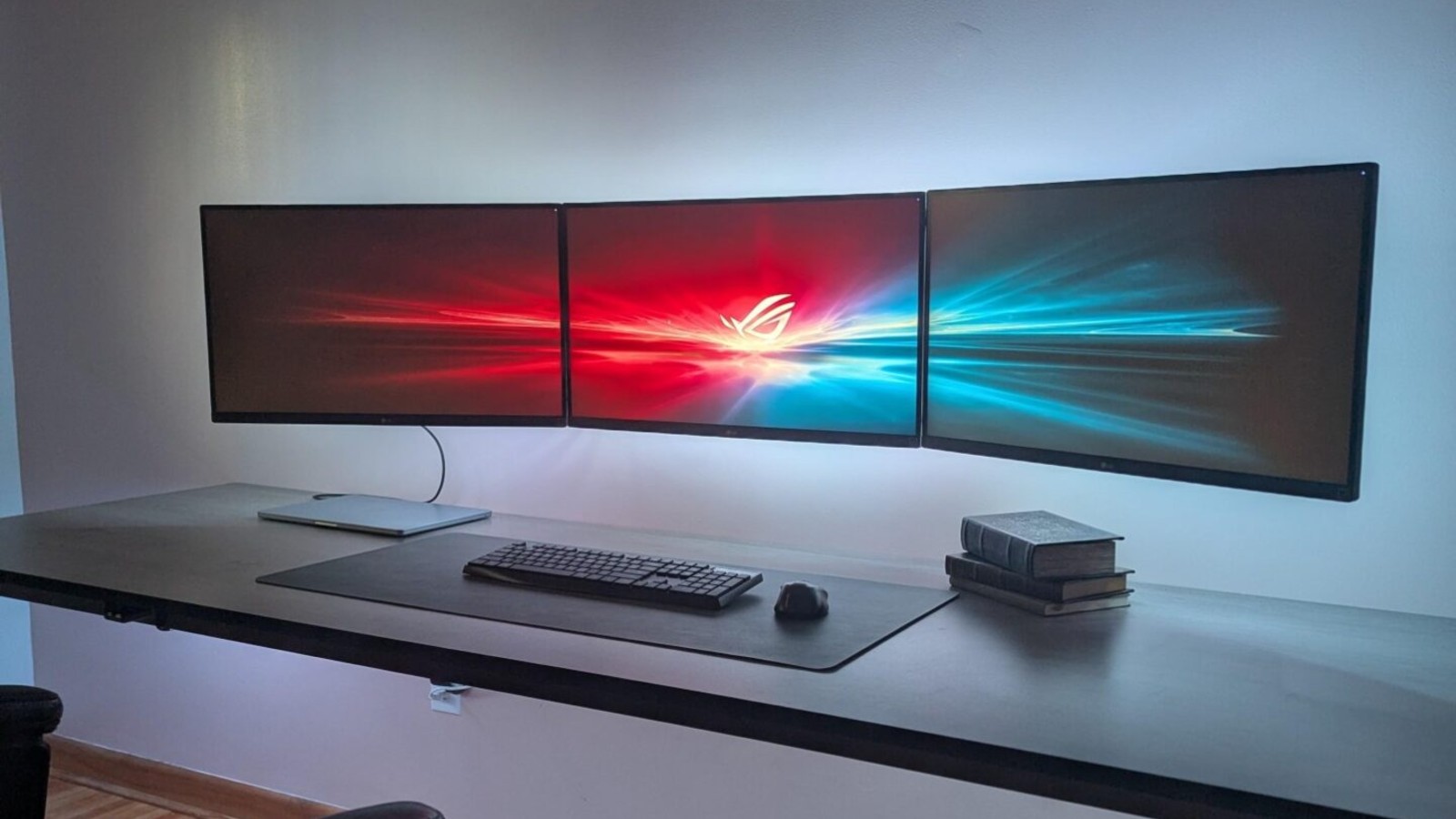
Photo: [email protected]
This user runs three wall-mounted 27-inch LG 4K monitors from a MacBook Air using a Thunderbolt dock as the single cable to the laptop. One monitor connects via DisplayPort and the other two connect through a USB to dual HDMI DisplayLink adapter — all running at 4K 60Hz. The monitors ride on articulating arms with LED light strips glowing from their backs, giving the setup a clean, floating appearance. Commenters were fascinated by how an M-series MacBook Air — officially limited to one external display in clamshell mode — managed to drive three monitors simultaneously. The user confirmed that as long as you install the DisplayLink drivers, everything works great with the lid open or closed.
Read more: Triple-display MacBook Air rig wows the crowd
The versatile dock features 18 ports and 98W charging. Ports: 3x Thunderbolt 4 40Gb/s, 5 x USB-A, 3 x USB-C (10Gb/s), 2.5GbE, single 8K or dual 6K 60Hz displays. Compatible with Mac, PC, Chrome via 0.8m cable.
- 18 ports
- 98W charging
- 8x USB ports
- No 10Gb Ethernet port
MacBook Air with the M4 chip lets you blaze through work and play. With Apple Intelligence, up to 18 hours of battery life, and an incredibly portable design, you can take on anything, anywhere.
- Slim and light
- Gorgeous 15-inch high-res screen
- Powerful M4 processor
- Minimal ports
- Older model

This UHD, or 4K resolution (3840x2160p) IPS computer monitor features AMD FreeSync, VESA mounting options, HDR 400, Reader Mode, Flicker Safe functionality, and HDMI and DisplayPort connectivity.
- Affordable 4K display
- AMD FreeSync
- VESA mounting options
- Larger, higher-resolution monitors commonly available

3. Wildly expansive USB-C hub jacks up new Mac Studio
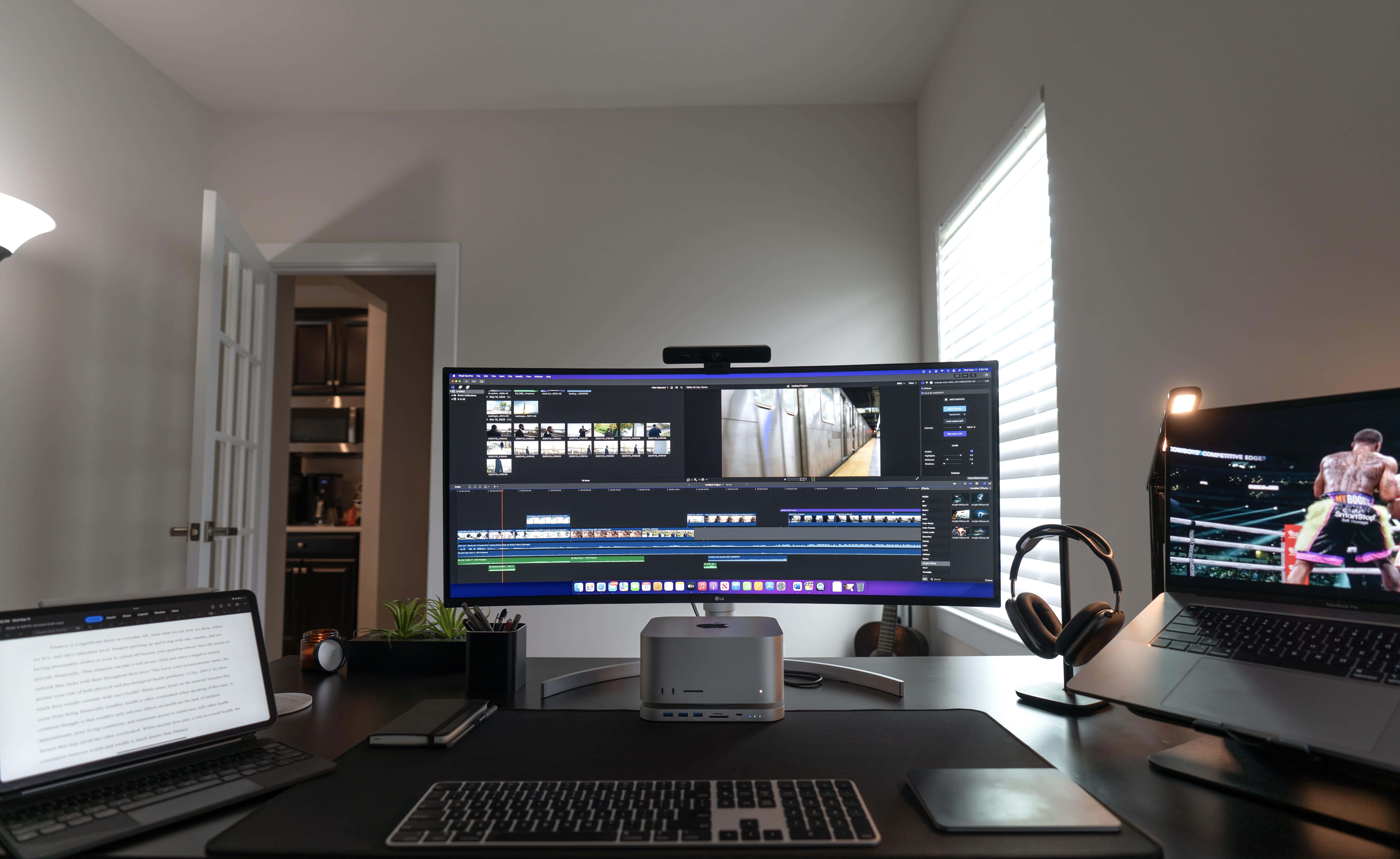
Photo: [email protected]
This 2022 setup was ahead of its time in demonstrating how a purpose-built platform hub can transform a compact Apple desktop into something truly comprehensive. The user perched a Mac Studio on a Qwiizlab Aluminum USB-C Hub with SSD Enclosure — a platform-style hub originally designed for the Mac mini that fits the Studio’s identical footprint. The hub connects the whole rig to a spectacular 38-inch LG 38WN95C-W UltraWide curved QHD+ IPS display with 3840 × 1600 resolution, 144Hz refresh rate and Nvidia G-Sync. The hub adds front-accessible USB-C and USB-A ports, an SD card reader, and an SSD enclosure, keeping the desktop tidy while expanding the Studio’s already-generous connectivity. A MacBook Pro and an iPad Pro also feature in the workstation for video and photo editing.
Read more: Wildly expansive USB-C hub jacks up new Mac Studio
This docking station for Mac mini M4/M4 Pro includes 2 USB-A 10Gbps, TF/SD 4.0 card readers 312MB/s, USB-A 2.0, Fits M.2 NVMe and up to 8TB SSD storage.

This 2023 machines features an M2 Ultra chip with 24-core CPU and 60-core GPU, 64GB integrated memory and 1TB SSD.
- Tons of computing power
- Plenty of storage space
- Relatively small footprint
- Want smaller? Try Mac mini

2. 5-computer workstation boasts gargantuan 57-inch display
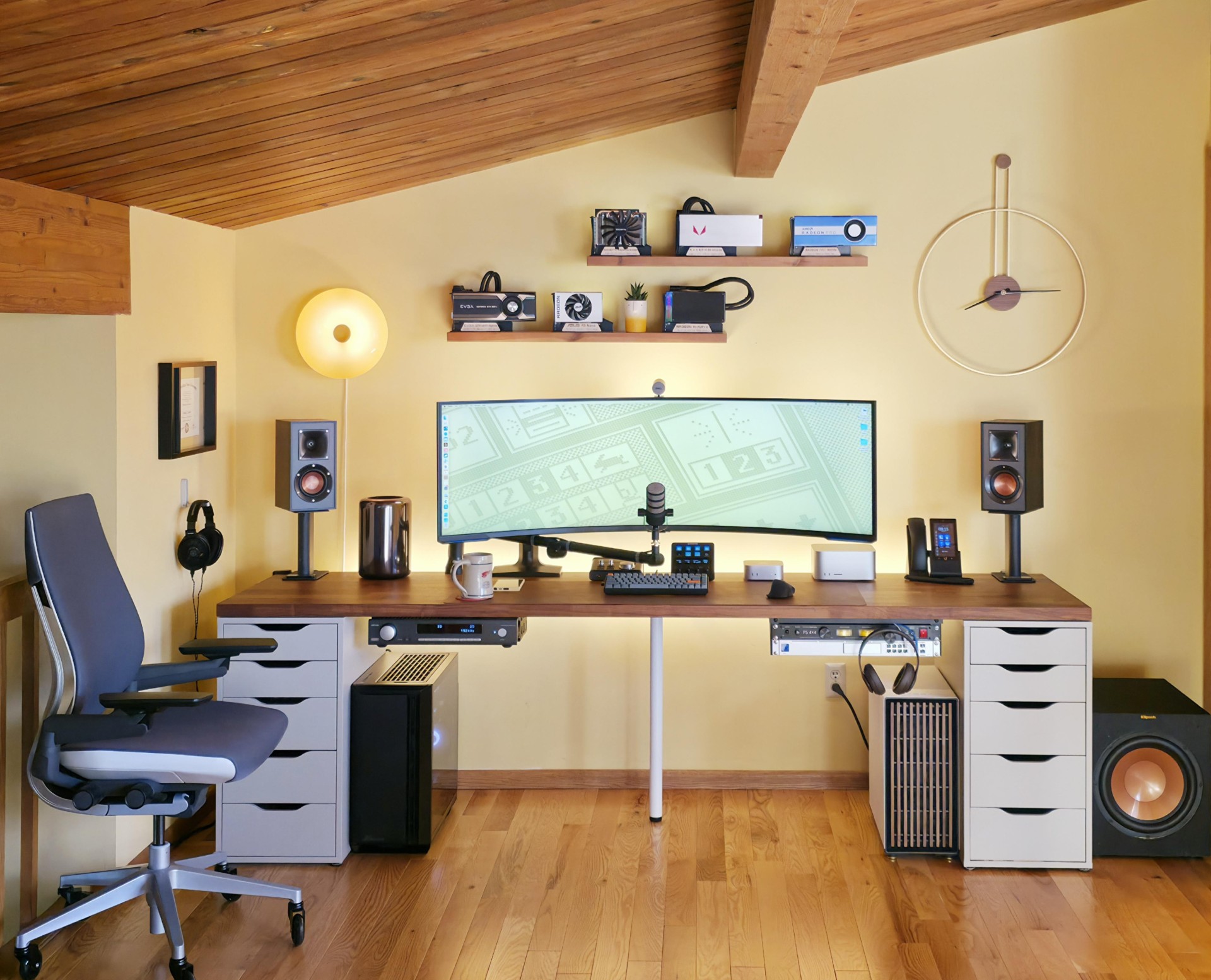
Photo: [email protected]
A digital marketer runs a jaw-dropping five-computer setup with an M4 Pro Mac mini, an M1 Ultra Mac Studio, a Mac Pro, and two PC towers. At the center is a 57-inch Samsung ultra-wide curved display equivalent to dual 4K monitors. A Cable Matters USB-4 switch shares a USB-4 dock between the Mac mini and Mac Studio. A second Cable Matters USB-4 switch connects the Mac Pro to an RX 6800 eGPU. The Mac mini serves as the daily driver, while the Mac Studio and PC towers handle local LLM work and the Mac Pro plays music via a Toslink optical cable to an Arcam SA20 integrated amplifier driving Klipsch bookshelf speakers — all on a 98-inch Ikea Karlby tabletop. It’s the an ambitious use of docking and switching hardware.
Read more: 5-computer workstation boasts gargantuan 57-inch display
This switch enables USB sharing for up to four computers and USB-A peripherals. It includes a button for wireless remote control switching and a USB-C adapter for Thunderbolt 4.

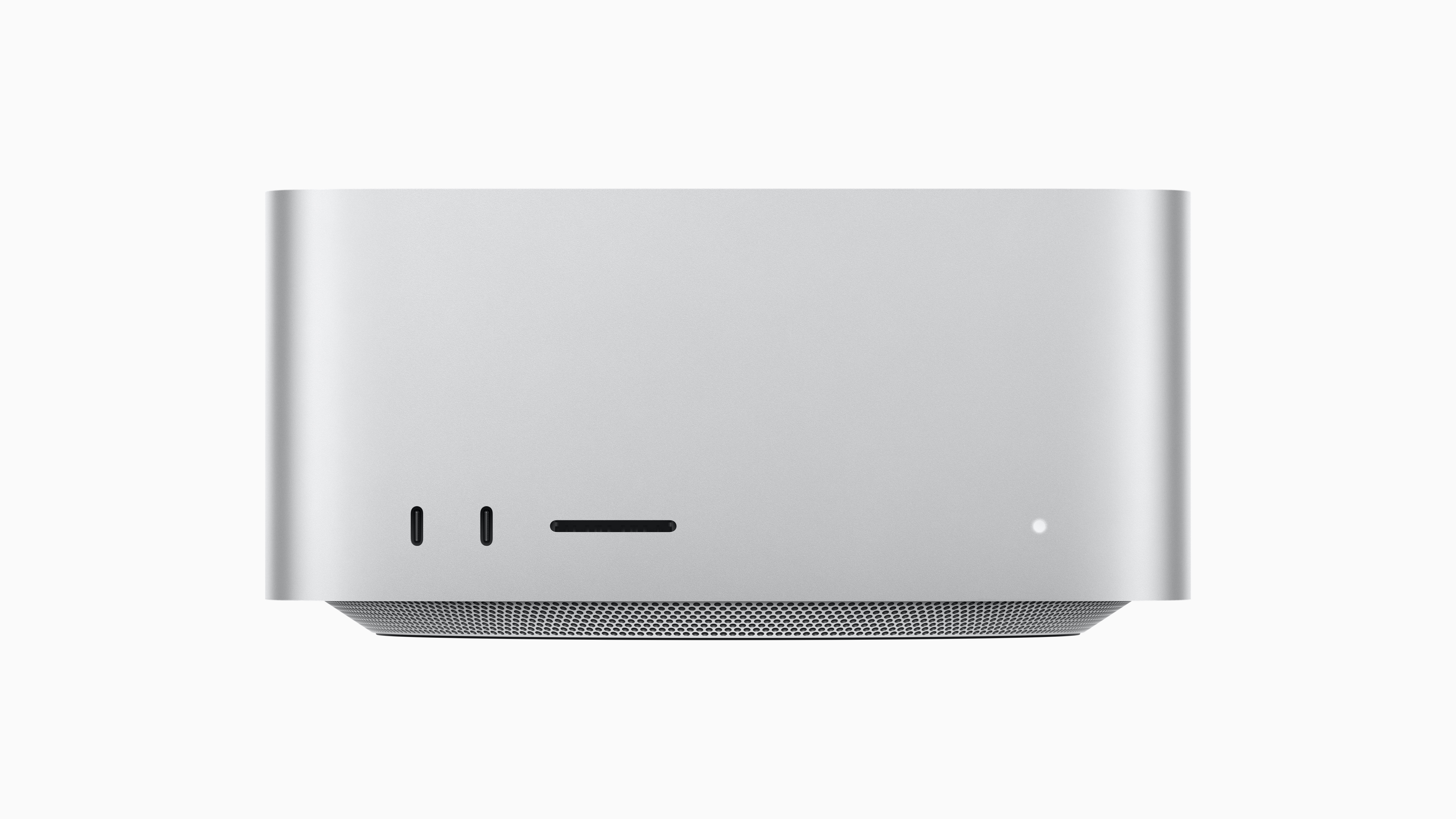
The M3 Ultra chip inside this Mac Studio delivers astonishing performance.
- Gorgeous Apple design
- M3 Ultra chip for extreme performance
- Lots of I/O capabilities
- High-performance computing comes at a high price
1. Mac mini and potent 20-in-1 dock power killer workstation
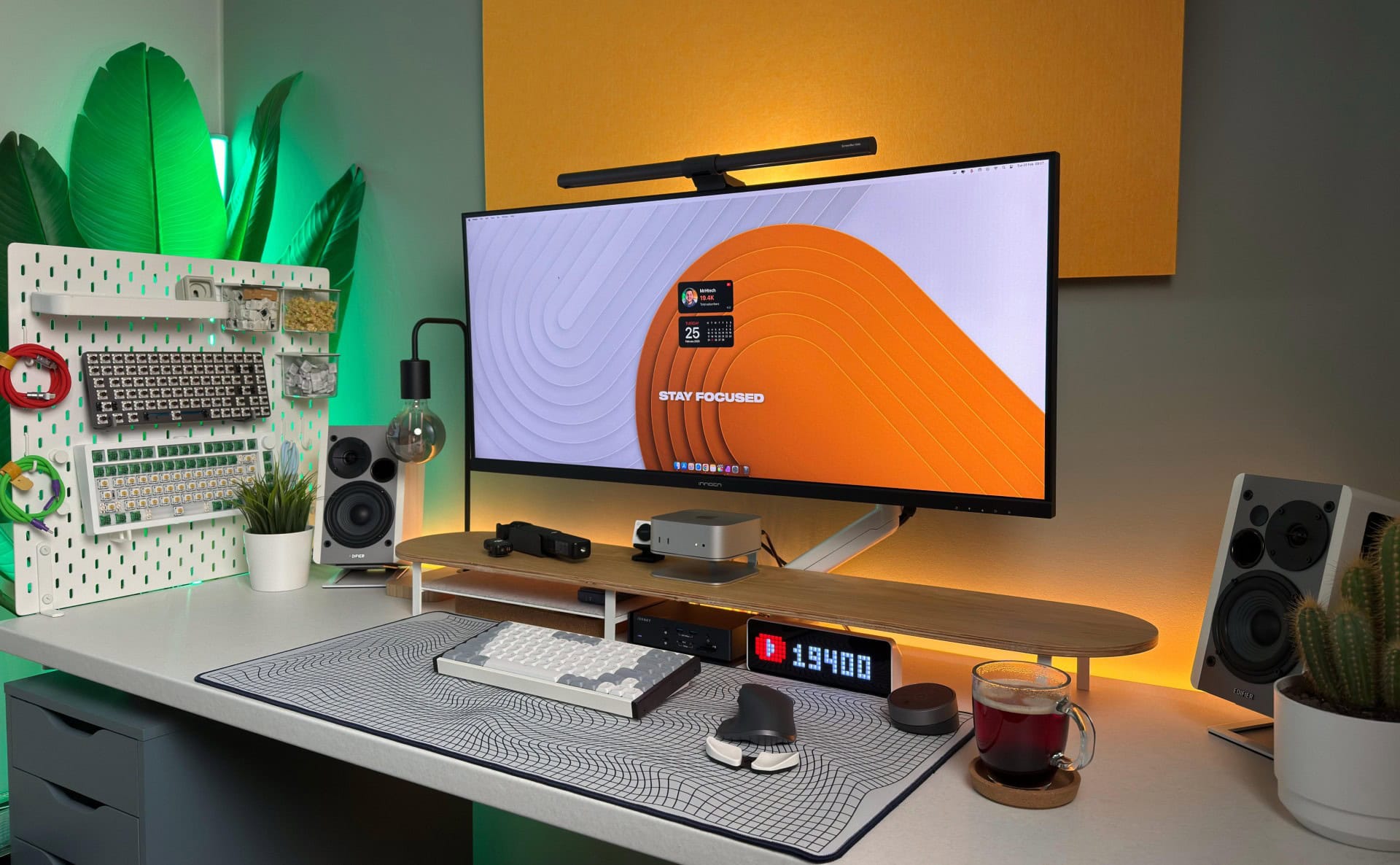
Photo: [email protected]
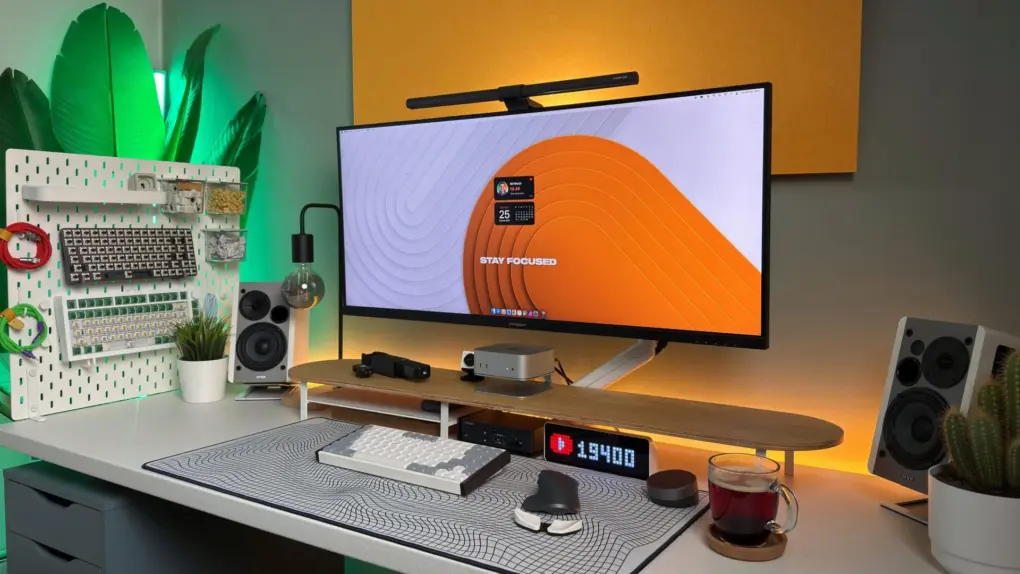
A Finland-based YouTuber built a powerful and neatly compartmentalized workstation anchored by an M4 Pro Mac mini and the iVanky FusionDock Max 1. It’s a Thunderbolt 4 dock with a whopping 20 connection options originally designed for MacBooks but pressed into impressive service here. The dock features dual Thunderbolt 4 chips, quad 6K@60Hz monitor docking capability, 40Gbps data transfer speeds, 96W power delivery and a 2.5GbE Ethernet port. Rounding out the setup are a spacious 40-inch Innocn ultra-wide display, a 22-inch UPerfect portable monitor, a wooden monitor stand, Edifier bookshelf speakers, a BenQ monitor light, a DJI Osmo Pocket 3 vlogging camera, an industrial-style Edison desk lamp and pegboard wall storage. It’s a complex, handsome setup that shows just how far a compact Mac mini can be stretched with the right dock.
Read more: Mac mini and potent 20-in-1 dock power killer workstation
This powerful docking station features dual Thunderbolt 4 chips, 20-in-1 functionality with Quad 6K@60Hz monitor docking, 40Gbps data transfer speeds and various ports: 2HDMI 2.0, 96W PD, 10Gbps USB, 2.5 GbE, SD/TF 4.0.
- Fast Thunderbolt 4 connectivity
- Versatile with 20 ports
- 40Gbps data transfer speeds
- Display output may be limited (depending on which Mac or MacBook is connected)

The new Mac mini is smaller, lighter and 50× more adorable. It's super-powerful and by far the best deal in computing right now.
- Powerful M4 Pro chip
- 512GB storage
- 24GB unified memory
- Compact desktop design
- Headphone jack on front
- BYODKM (bring your own display, keyboard and mouse)

David Snow, an expert on Apple hardware and software, writes on a variety of technological and cultural topics for Cult of Mac. They include Apple news, technology buying guides, and features about computer setups and Apple TV shows and movies.
With 30 years of experience covering technology and other subjects, he has written and edited for numerous print and online publications, including CMP Media, TechTV.com, CNET, Wired News, Red Herring magazine, Law.com, The National Law Journal and Law Technology News magazine. Among other roles, he served as executive editor of the Law.com network of websites and editorial director, technology, for ALM Media.
Snow graduated with a B.A. from Syracuse University with majors in magazine journalism and psychology. While there, he worked as a reporter for The Daily Orange newspaper and associate editor of Equal Time magazine.
Founder of the blog At the Waterline, he can be reached on X (formerly Twitter) via @atthewaterline and on Mastodon via @dsnow.

