I’ve always noticed a certain breed of Apple enthusiast for whom less is definitively not more. While minimalist setups have their ascetic charm, the rigs below operate on an entirely different philosophy: more computers, more screens, more audio gear — more of everything. These are the top 10 maximalist setups.
They’re the ones that made commenters ask if the owner works at “the money factory making commerce,” for example, or declare, “OP has done it: they’ve finally hit the limit of too much screen space.”
This post contains affiliate links. Cult of Mac may earn a commission when you use our links to buy items.
Top 10 maximalist Mac setups
I selected these mighty workstations from years of articles in Cult of Mac‘s Setups archive. Each workstation earns its place by sheer density of hardware, ambition of configuration or jaw-dropping scale. Some go maximalist with computing muscle — stacked Mac Pros, multi-Mac arrays, server infrastructure. Others pile on the displays. Many do both, adding audiophile-grade sound systems and elaborate storage arrays for good measure.
If minimalism is about restraint, as covered in a recent list of gorgeously restrained setups, these are its glorious, unapologetic opposite.
10. Mac mini rig enjoys maximum display space
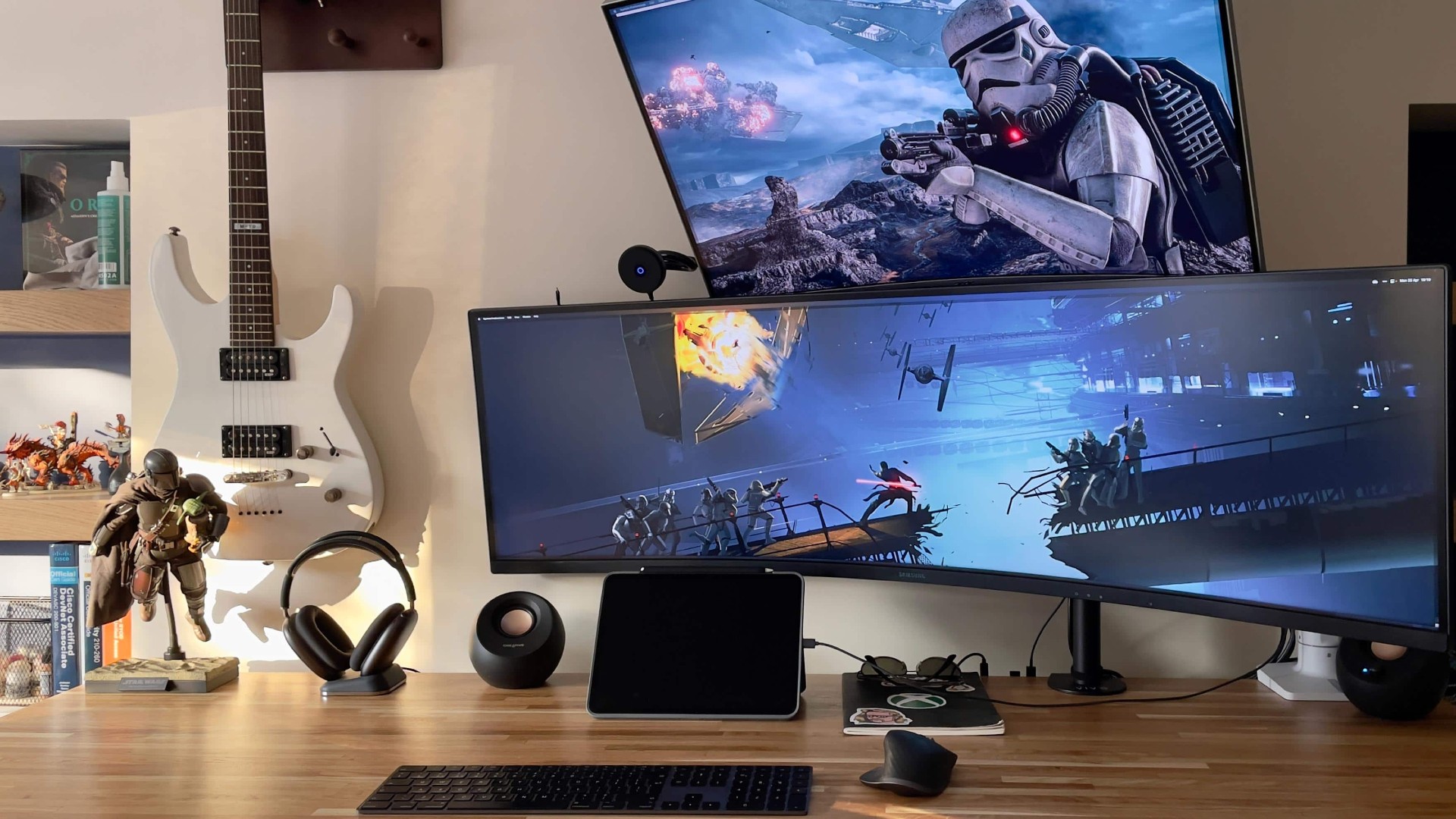
Photo: [email protected]
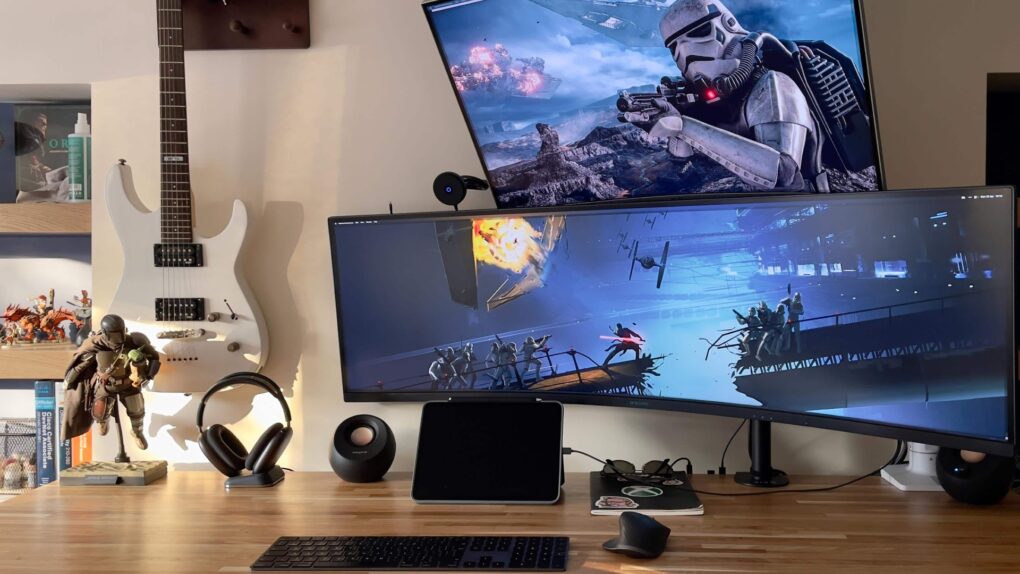
An M1 Mac mini driving two stacked displays — a 49-inch Samsung Odyssey G9 curved super-ultra-wide on the bottom and a 32-inch Acer WQHD monitor mounted above it — creates a wall of glass that delivers remarkable screen real estate for a machine that fits in the palm of your hand. The upper display rides a Vivo monitor arm. The Samsung below uses an Ergotron desk mount. An 11-inch iPad Pro sits nearby for note-taking and smart-home control. One charming bonus detail: the user’s AirPods Max rest on a rare dedicated charging stand that almost nobody owns. In the context of this list, the setup is relatively modest — but two stacked screens of that scale, driven by a pocket-sized desktop, earns it a spot.
Read the Setups article: Mac mini rig enjoys maximum display space plus The Max Stand
Apple's tiny new desktop features an M4 chip with 10‑core CPU and 10‑core GPU "built for Apple Intelligence," plus 16GB of unified memory, a 256GB SSD storage and a Gigabit Ethernet port.
- Apple M4 chip is powerful
- Compact desktop design
- Headphone jack on front
- BYODKM (bring your own display, keyboard and mouse)

This curved ultra-wide computer displays features 1ms(GtG) response time, VESA DisplayHDR 1000, 240Hz refresh rate, AMD FreeSync Premium Pro and a height-adjustable stand (2024 model).
- Massive screen real estate
- Great for gaming
- Some prefer multiple screens

Powered by the H2 chip, AirPods Max 2 delivers improved high-fidelity audio with deep bass, expansive mids and crisp highs for an unparalleled listening experience.
Up to 1.5x more active noise cancellation than the previous generation, fully immersing you in every sound.
- Excellent audio quality and ANC
- Same exquisite design as before
- Advanced software features like Adaptive Audio and Live Translation
- Same horrible Smart Case as before
- Don't fold up for travel

9. Big-time gamer’s rig doubles as dream shopping list
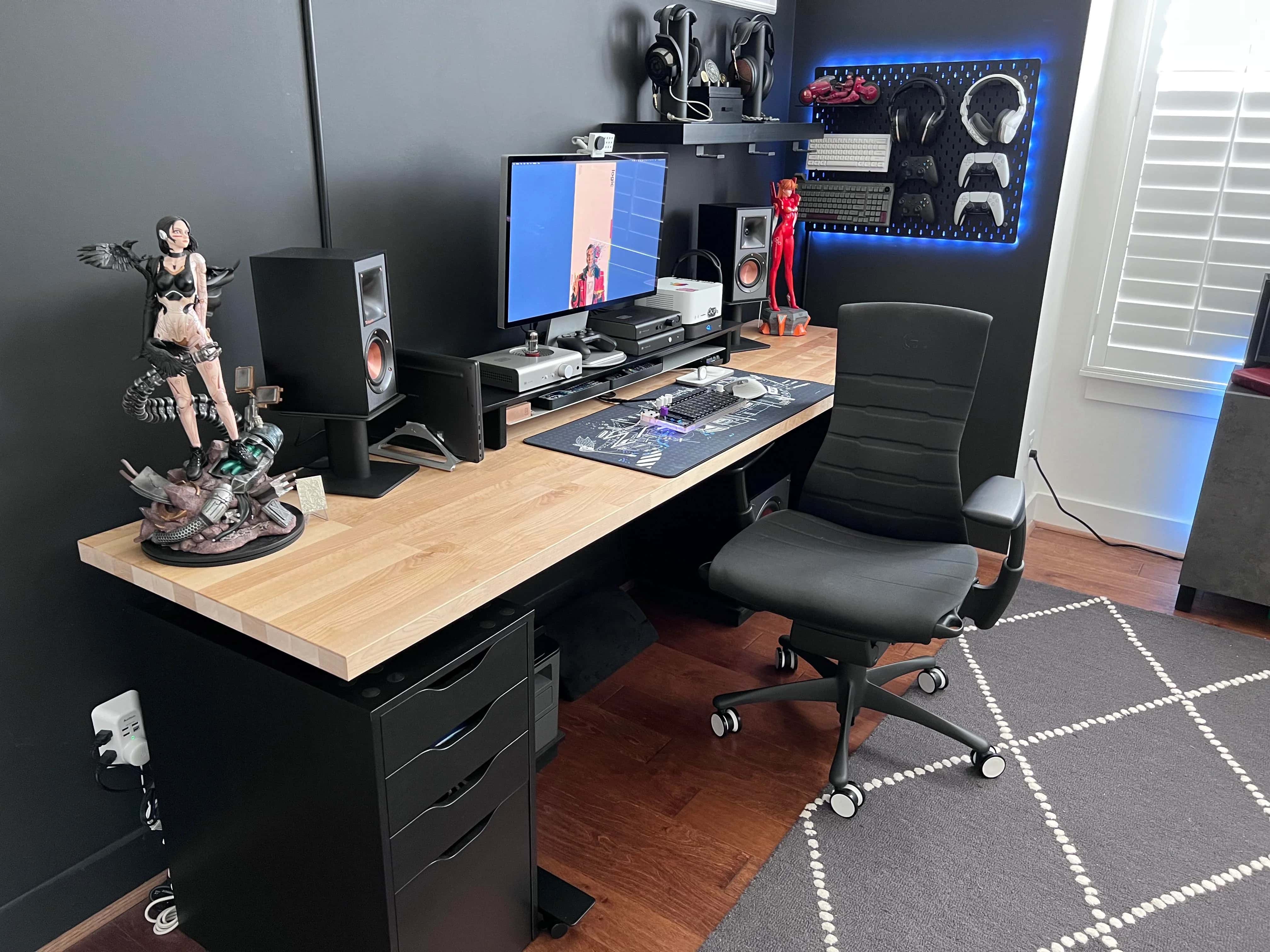
Photo: [email protected]
If you’re an avid gamer or you’re shopping for one, you could do worse than to check out this Mac Studio and Studio Display setup. The user gets seriously greedy with a peripherals lineup that others might want to emulate, including six gaming systems, four keyboards, four mice and a stellar sound system. They use a Mac Studio in a matte wrap to drive a Studio Display on a Jarvis standing desk with an Ikea top. A rarely seen white Opal C1 4K Webcam — exclusive to Mac — sits on the monitor. But it’s the peripherals that catch the eye, in part because there are so many of them. He’s got four mice, four keyboards and a custom number pad, at least three sets of outstanding headphones, a killer Klipsch audio system with Schiit audio components and six gaming systems.
Read more: Big-time gamer’s rig doubles as dream shopping list
Apple's pro tablet upgrade for 2025 features the M5 processor for maximum performance.
- Apple's biggest, most powerful tablet
- 13-inch Ultra Retina XDR display with 120Hz ProMotion and antireflective coating
- 4x peak GPU compute compared to M4 iPad Pro
- Pricey
- Nano-texture glass only available on 1TB and 2TB models
PS5 unleashes new gaming possibilities. You get fast loading with an ultra-high speed SSD, deeper immersion with support for haptic feedback, adaptive triggers and 3D Audio, and a new generation of games (CFI-1102A).

This Xbox Series X console with true 4K resolution gaming comes with an Xbox Wireless Controller. Features: up to 120 frames per second,16GB RAM, 1TB SSD and Xbox Velocity Architecture.

8. Mac Studio makes most of new super-ultra-wide display
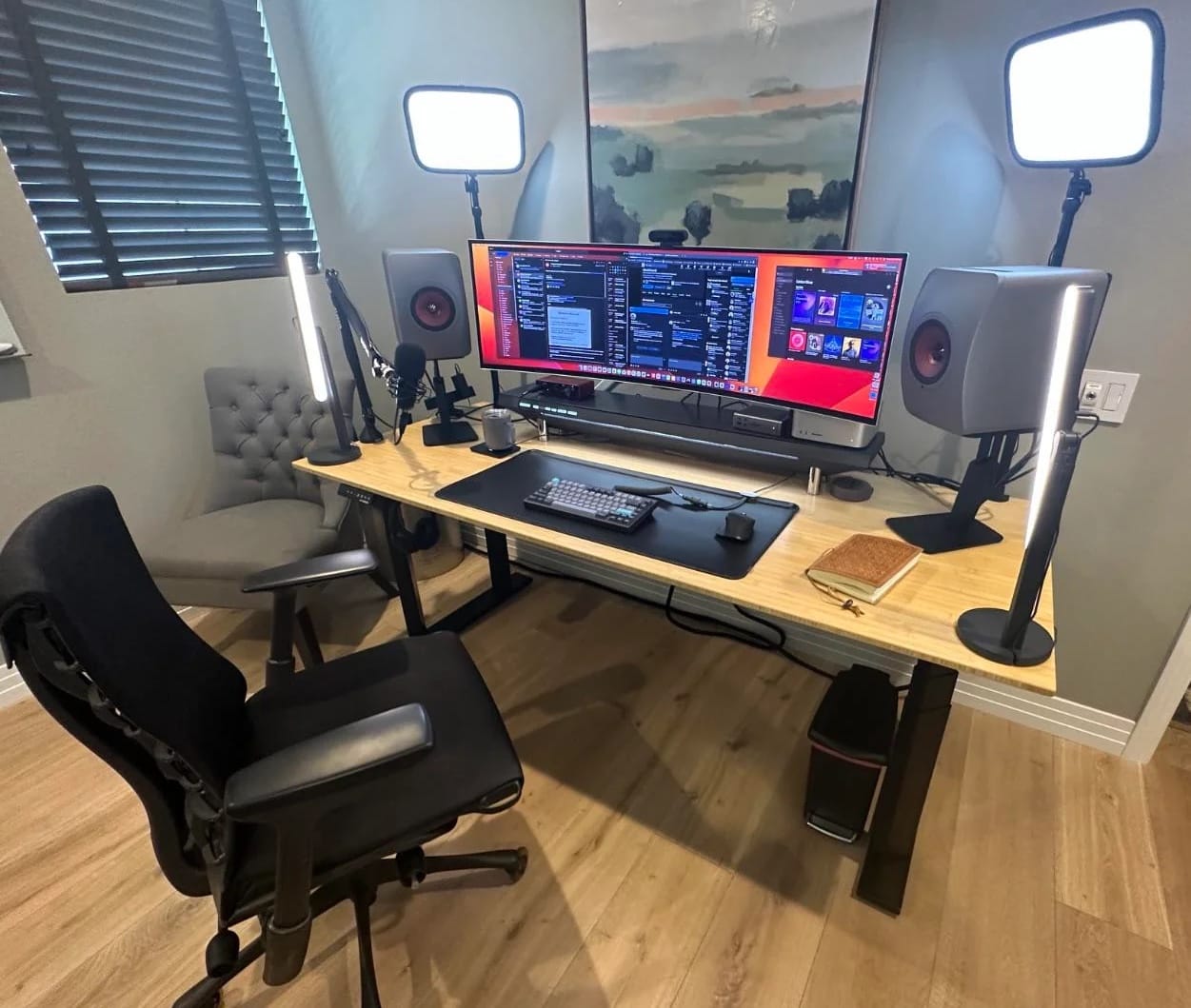
Photo: [email protected]
This M2 Ultra Mac Studio — configured with a remarkable 128GB of integrated memory — earns its place less through screen count than through sheer quality across every category. A 49-inch Samsung Odyssey OLED G9 curved monitor is the sole display, but the surrounding gear is extraordinary: a Herman Miller Embody chair, professional key lights, a top-tier webcam and microphone, and — most strikingly — a pair of KEF LS50 Wireless II speakers. Each packs a 280-watt amplifier. “The speakers are $3,000 with tax and way overkill for Zoom calls,” the user admitted, “but mainly for music in between calls.” This is maximalism applied vertically, in price and quality across every category, rather than horizontally in sheer screen count.
Read more: Mac Studio makes most of new super-ultra-wide display
✅ Top-of-the-line M2 Ultra chip
✅ Loads of memory and storage
✅ Bring your own display, keyboard and mouse
✅ Top-spec GPU for faster graphics
With DQHD resolution (5120p x 1440p) this ultra-wide display features a 144Hz refresh rate, a 32:9 screen, DisplayHDR 600, AMD FreeSync Premium Pro and an ergonomic stand (LS49FG910ENXZA, 2025).
- Huge curved screen
- Great for gaming
- Too wide for some preferences
- Comes with stand but not arm

KEF's powerful LS50 Wireless II sound system packs 280 watts in the midrange and 100 watts in the tweeter of each speaker. And they work with AirPlay 2.

7. See a triple-display workstation’s 11-year evolution
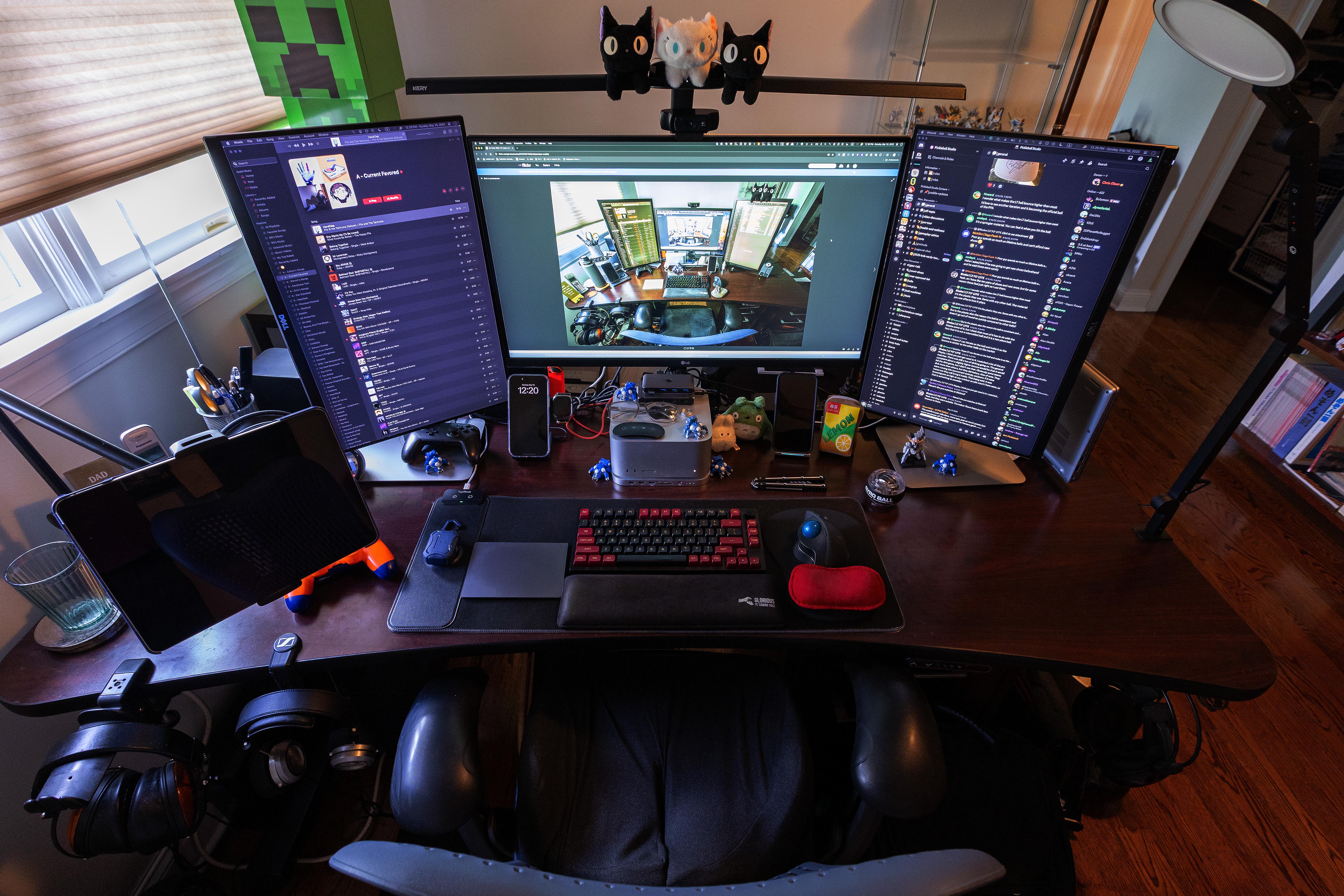
Photo: [email protected]
Maximalism isn’t always about the biggest budget. Sometimes it’s about unwavering, long-term commitment to a configuration. This user maintained the same three-display “TIE fighter” layout since 2014, through multiple monitor upgrades, machine changes and home moves. The current iteration centers on a 32-inch LG UltraFine 4K in landscape flanked by two 24-inch Dell monitors in portrait orientation, all on arms, with an M1 Mac Studio at the helm. A mechanical keyboard with custom keycaps and an architectural desk lamp arching over all three screens complete the picture. Eleven years of unyielding commitment to triple-screen maximalism — upgrading monitors each time but never once reconsidering the screen count — has a certain obsessive grandeur.
Read more: See a triple-display workstation’s 11-year evolution
This 4K resolution IPS display features HDR 10 compatibility and AMD FreeSync.
- Spacious screen
- 4K resolution
- HDR 10
- 5K displays becoming more common

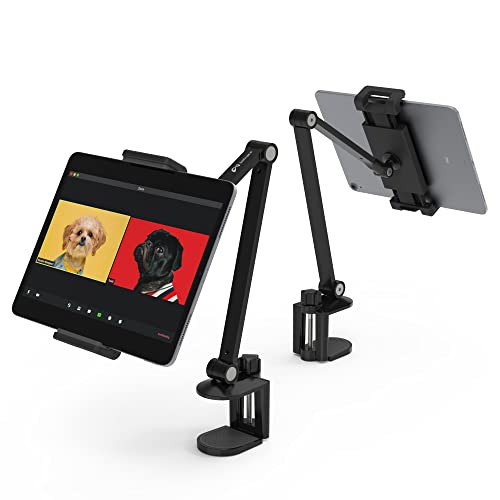
This multi-angle adjustable tablet stand holds iPads and other devices with 4.7-inch to 13-inch screens.
- Makes tablet an adjustable computer setup screen
- Fits iPads up to 13 inches
- Easily clamps to desk
- Some people prefer stands
6. I want everything in this Mac Studio workstation

Photo: [email protected]
An M1 Max Mac Studio tucked out of sight in a drawer drives a coveted 32-inch 6K Pro Display XDR as the centerpiece, with an M4 MacBook Pro and an iPad Pro adding further computing layers. Audioengine A5+ bookshelf speakers deliver 150 watts of desktop audio. But the real revelation is a pair of Nanoleaf illuminated desktop pegboard docks flanking the display — glowing, customizable stands spotted in the Setups archive for the very first time, that stopped the writer cold on sight. One cradles a PlayStation 5 controller; the other displays Sony WH-1000XM5 headphones. The article’s enthusiastic headline — “I want everything in this setup” — tells you everything you need to know.
Read more: I want everything in this Mac Studio workstation
There's no better monitor for your Mac than Apple's 32-inch Pro Display XDR. Apple even sells a variant with a nano-texture glass that helps cut down on unwanted glare.
- Incredible 6K resolution
- Generous screen space
- Nano-texture glass option
- Expensive, and options add more cost

This Nanoleaf "smarter kit" includes a pegboard stand that lights up, in addition to Wi-Fi connected RGBW LED dimmable light panels and a shelf.
- Pegboards included
- Features 9 light panels and 1 shelf
- 16-million-color LED dimmable lighting
- Expansion gets pricey

Sony's flagship over-ear Bluetooth headphones feature class-leading noise cancellation and the comfort of soft synthetic leather earcups. They include the powerful Processor V1, four beamforming microphones and up to 30-hour battery life. Choice of four colors.
- Class-leading noise cancellation
- High-quality audio with LDAC
- Excellent comfort
- Fairly expensive at full price
- Not ideal for Apple integration

5. Triple Mac Pro rig could serve as camera network command center
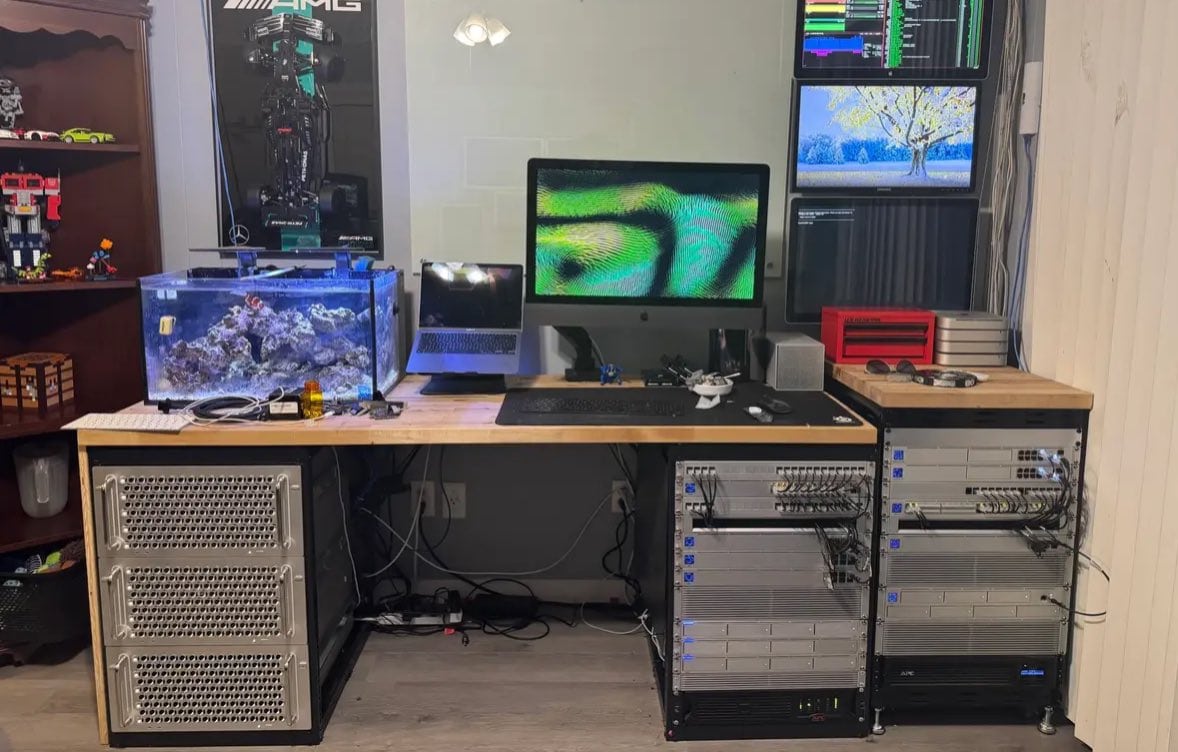
Photo: [email protected]
This setup prioritizes raw infrastructure over aesthetics, and is more impressive for it. Three 2019 “cheesegrater” Mac Pro towers — each loaded with Xeon processors, 64–96GB of RAM and NVMe storage arrays — anchor a workstation that doubles as a full-scale server environment and security camera network. Stacked Ubiquiti UniFi Network Video Recorders handle footage from dozens of cameras simultaneously. Two UniFi Dream Machine routers run in failover configuration, and a 48-port Gigabit switch handles all device connections. The full gear list stretches to more than a dozen line items. No exotic audio, no flashy lighting — just purposeful computing infrastructure at a scale that would humble many small businesses, all from a home office.
Read more: Triple Mac Pro rig could serve as camera network command center
This 15-channel UNVR with 4GB storage capacity works with UniFi Protect security and up to 60 video cameras.
- 15 channels
- Works with up to 60 video cameras
- 4GB local storage and HDD/SDD support
- Suited more to enterprise than home use

4. In our dreams: Studio Displays flank Pro Display XDR in M2 Ultra Mac Pro rig
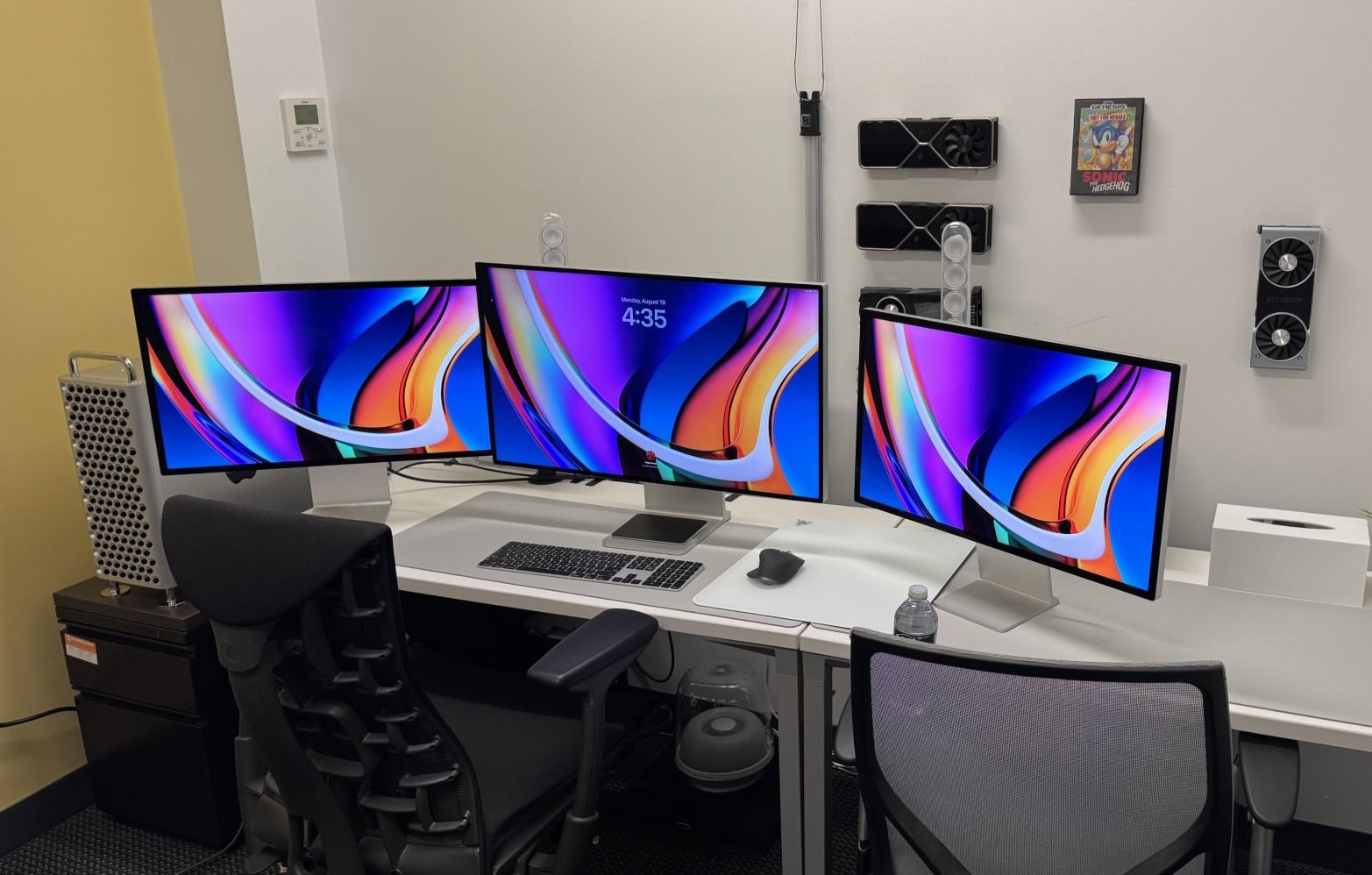
Photo: [email protected]
A commenter summed this one up in a single word: “Sheesh.” The user runs a high-end M2 Ultra Mac Pro — Apple’s recently discontinued top desktop, starting at $7,000 — alongside a backup M1 Mac Studio, and drives a 32-inch 6K Pro Display XDR flanked by two 27-inch 5K Studio Displays. The total hardware outlay was estimated north of $20,000. The Mac Pro’s PCIe slots carry NVMe storage cards, which proved the clinching argument for choosing it over the Studio. When commenters asked what this person does for a living, the user declined to answer. One wag suggested the highest purpose for such a rig was to play Wordle. The mystery adds its own kind of appeal.
Read more: In our dreams: Studio Displays flank Pro Display XDR in M2 Ultra Mac Pro rig
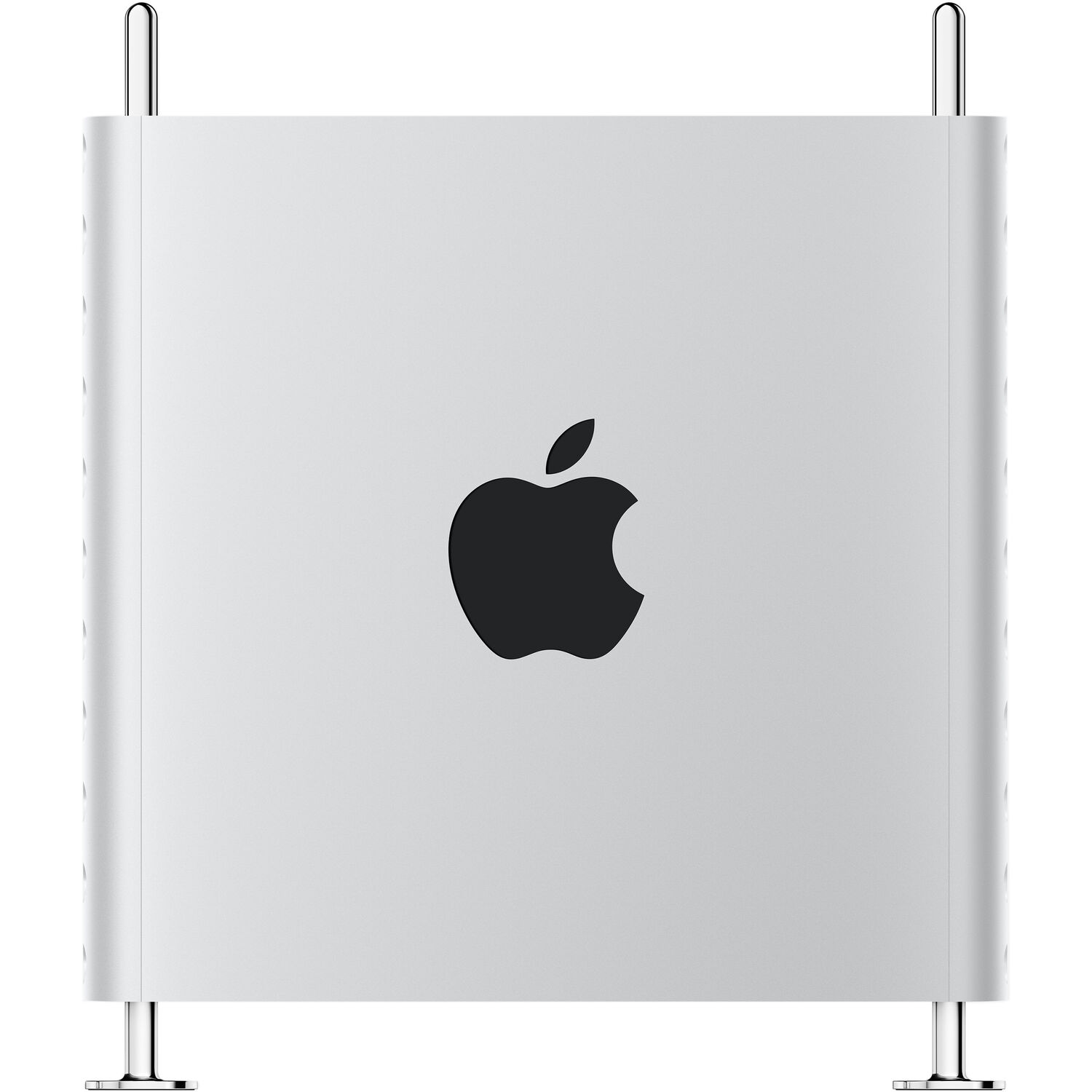
Get supercharged Apple silicon with the Apple Mac Pro. Featuring the M2 Ultra 24-Core CPU, Mac Pro allows creative professionals to tackle the most demanding workflows with speed and efficiency.
- Apple M2 Ultra 24-Core CPU
- 60-Core GPU, 32-Core Neural Engine
- 8 x Thunderbolt 4 Ports
- Choice of memory and storage capacity
- Expensive
There's no better monitor for your Mac than Apple's 32-inch Pro Display XDR. Apple even sells a variant with a nano-texture glass that helps cut down on unwanted glare.
- Incredible 6K resolution
- Generous screen space
- Nano-texture glass option
- Expensive, and options add more cost
3. How much is too much screen space? This, maybe.
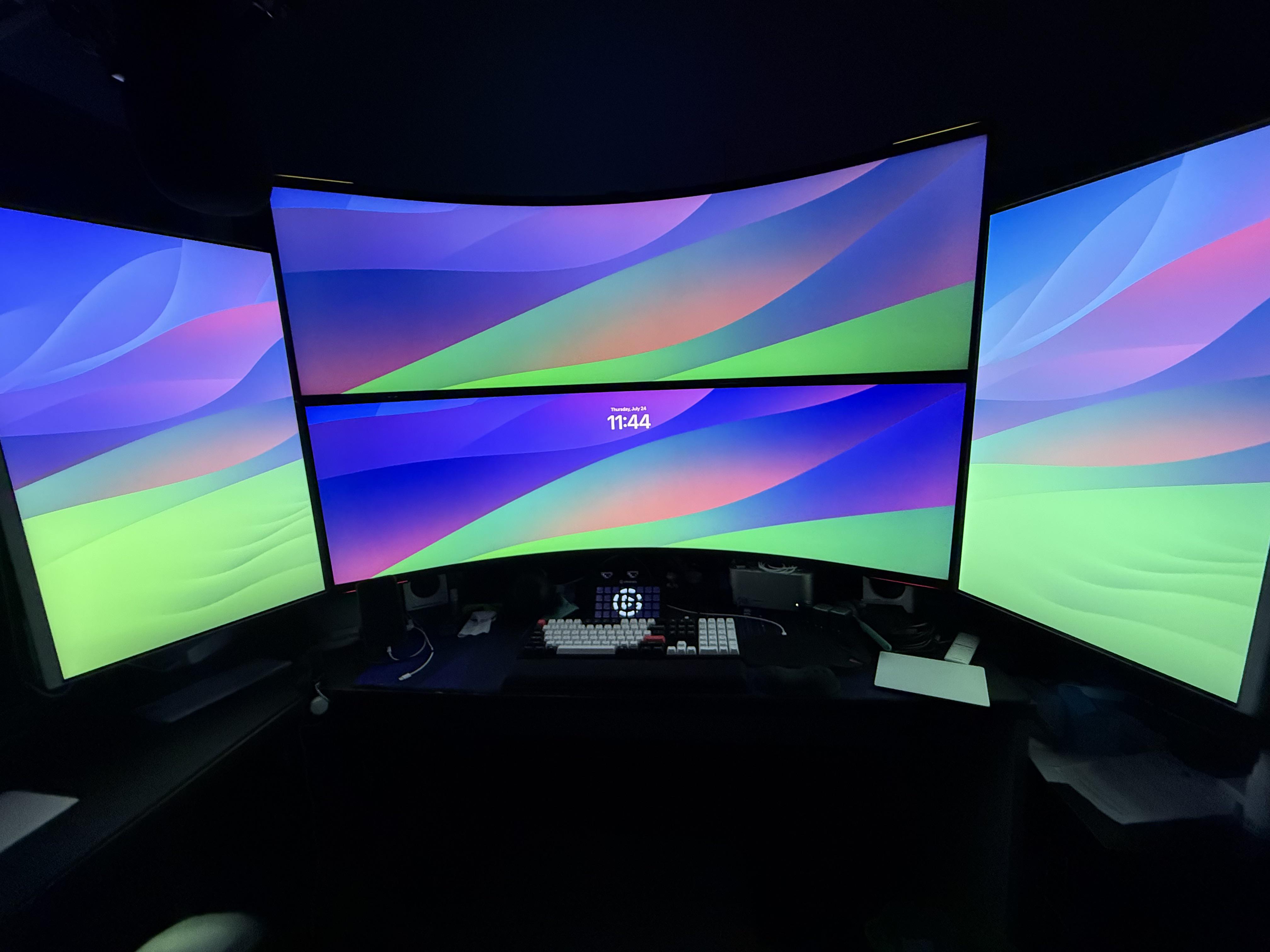
Photo: [email protected]
A Mac Studio drives four displays in an arrangement that commenters compared to a NASA mission control room. At center, two 57-inch Samsung Odyssey G9 curved ultra-wide panels are stacked vertically. Their combined height is staggering to look at. Two 32-inch Samsung monitors in portrait orientation flank them on either side. The developer behind it explains the setup with characteristic practicality: he juggles multiple VS Code instances, Xcode environments and iOS/tvOS simulators, switching to a second Mac Studio while waiting on 30-to-40-minute build cycles on the first. An Aeron chair set to maximum tilt prevents the neck strain you’d otherwise expect. “OP has done it: they’ve finally hit the limit of too much screen space,” declared one commenter. “Loving it,” the user replied.
Read more: How much is too much screen space? This, maybe.
This big display is equivalent to dual 27-inch 4K UHD monitors. The 1000R curved gaming monitor features a 240Hz refresh rate, 1ms response time, DisplayPort 2.1 support, Quantum Mini-LED, DisplayHDR 1000 and AMD FreeSync Premium Pro (LS57CG952NNXZA, 2023).
- Massive screen real estate
- Great for gaming
- Fast refresh rate and response time
- Pretty pricey

This monitor and smart TV features mobile connectivity, 4K UHD, remote access, Office 365 and more (LS32AM702UNXZA).

2. 5-computer workstation boasts gargantuan 57-inch display
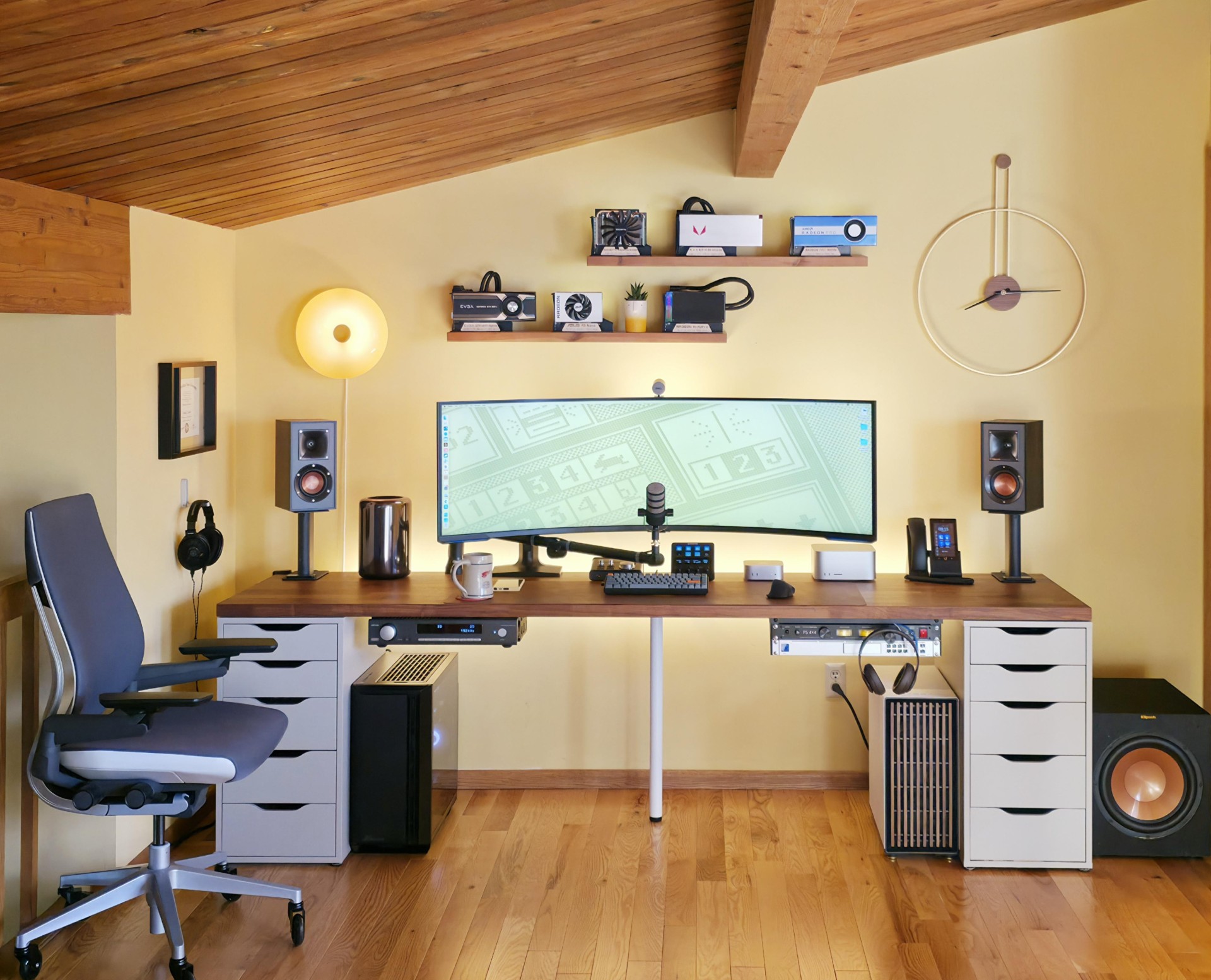
Photo: [email protected]
Five computers — an M1 Ultra Mac Studio, an M4 Pro Mac mini, a vintage trash-can Mac Pro boosted by an RX 6800 eGPU, and two Windows PC towers — share a single 57-inch Samsung G95NC curved ultra-wide display with 7680×2160 resolution, equal to two 27-inch 4K monitors placed side by side with no bezel between them. A pair of Cable Matters USB-4 switches handle KVM-style hot-swapping between all five machines. The 98-inch Ikea Karlby countertop holds Klipsch bookshelf speakers on stands, a 12-inch subwoofer, a Rode PodMic and Sennheiser open-back headphones. Each computer has an assigned role: the mini is the daily driver, the Mac Studio crunches local large language models, and the old Mac Pro plays music via Toslink to an Arcam integrated amplifier. It reads less like a workstation and more like a mission control center.
Read more: 5-computer workstation boasts gargantuan 57-inch display
The new Mac mini is smaller, lighter and 50× more adorable. It's super-powerful and by far the best deal in computing right now.
- Powerful M4 Pro chip
- 512GB storage
- 24GB unified memory
- Compact desktop design
- Headphone jack on front
- BYODKM (bring your own display, keyboard and mouse)
This pair of compact but powerful bookshelf speakers achieves peak power of 200 watts. Each speakers features a 4-inch spun-copper IMG woofer and a 1-inch LTS tweeter mated to a Tractrix Horn.
- 50W continuous power, 200W peak
- Pair with subwoofer for more bass
- Amazon marks them "frequently returned" despite good reviews and 4.7 rating

1. ‘Mac setup in a box’ is a dual-Mac Studio powerhouse
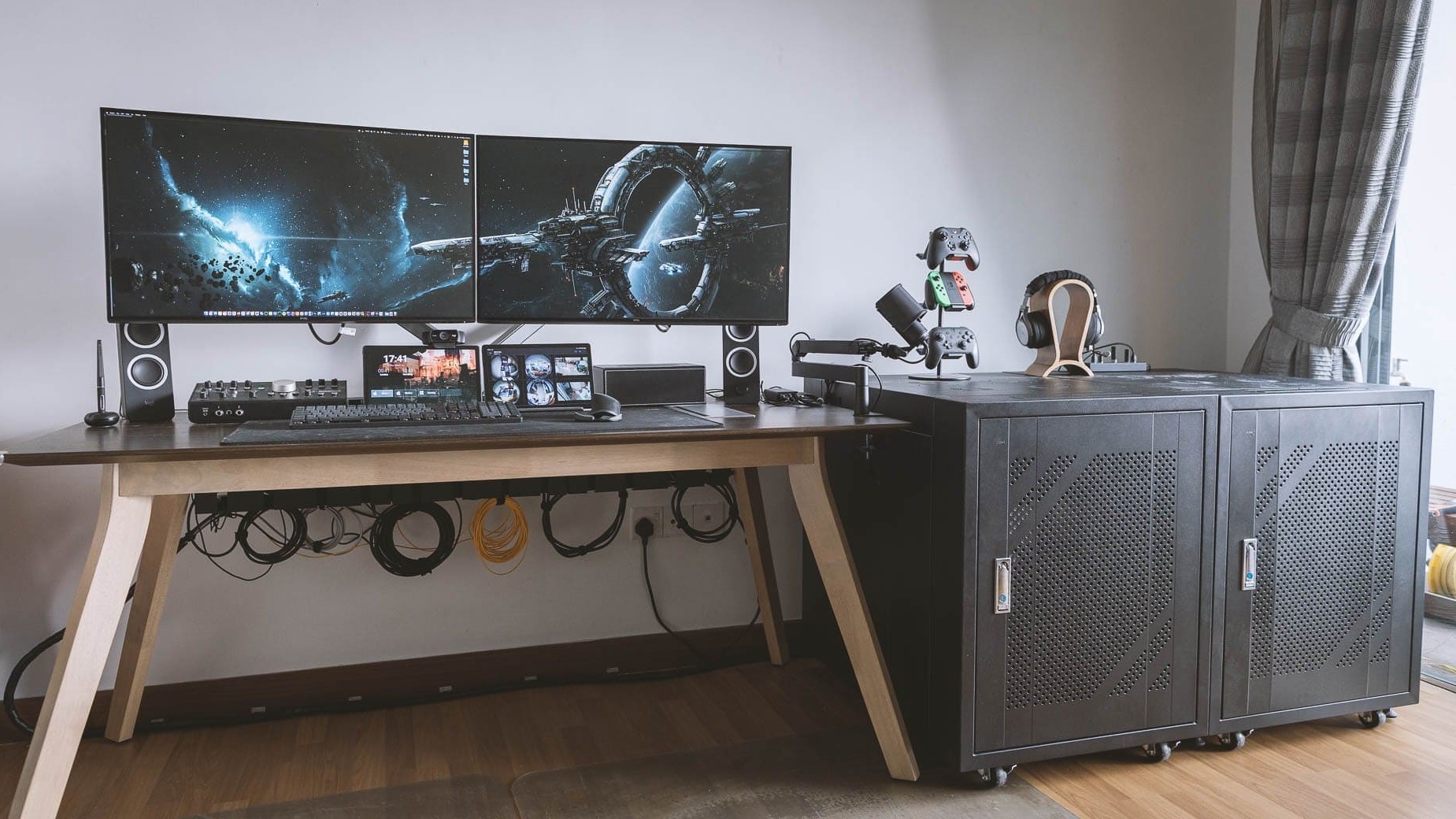
Photo: [email protected]
This software engineer and photographer — a self-described nerd whose setup fully vindicates the label — runs two Mac Studios (M1 Ultra and M1 Max) for separate client work, a gaming PC for recreation, and a surviving “trash can” Mac Pro repurposed as a server, all housed in modified server cabinet racks beside the desk. A four-port Aten KVM switch connects the machines to a pair of external displays out front. Even the sprawling audio gear was too complex to fully document in the article’s gear list. The setup is the product of years of documented evolution. The user began with two trash-can Mac Pros, as covered in a 2021 article — growing ever denser with each revision. We called it “mega-maximalist.”
Read more: ‘Mac setup in a box’ is a dual-Mac Studio powerhouse
This 2023 machines features an M2 Ultra chip with 24-core CPU and 60-core GPU, 64GB integrated memory and 1TB SSD.
- Tons of computing power
- Plenty of storage space
- Relatively small footprint
- Want smaller? Try Mac mini

Get supercharged Apple silicon with the Apple Mac Pro. Featuring the M2 Ultra 24-Core CPU, Mac Pro allows creative professionals to tackle the most demanding workflows with speed and efficiency.
- Apple M2 Ultra 24-Core CPU
- 60-Core GPU, 32-Core Neural Engine
- 8 x Thunderbolt 4 Ports
- Choice of memory and storage capacity
- Expensive
This full HD 1080p/30fps webcam is for video calling with clear stereo sound and HD light correction. Works with FaceTime, Skype, Zoom, Hangouts, Macs, iPads and PCs.
- Clear video
- Crisp audio
- Works with FaceTime and other apps
- Not the highest possible resolution


David Snow, an expert on Apple hardware and software, writes on a variety of technological and cultural topics for Cult of Mac. They include Apple news, technology buying guides, and features about computer setups and Apple TV shows and movies.
With 30 years of experience covering technology and other subjects, he has written and edited for numerous print and online publications, including CMP Media, TechTV.com, CNET, Wired News, Red Herring magazine, Law.com, The National Law Journal and Law Technology News magazine. Among other roles, he served as executive editor of the Law.com network of websites and editorial director, technology, for ALM Media.
Snow graduated with a B.A. from Syracuse University with majors in magazine journalism and psychology. While there, he worked as a reporter for The Daily Orange newspaper and associate editor of Equal Time magazine.
Founder of the blog At the Waterline, he can be reached on X (formerly Twitter) via @atthewaterline and on Mastodon via @dsnow.

