
The iMac has always occupied a special place in Apple’s lineup — a beautifully integrated all-in-one desktop computer that bundles a 4.5K Retina display, camera, speakers and microphone into a single elegant slab of aluminium with color-matched accessories.
Yet despite the machine’s considerable visual appeal, iMac setups are a surprisingly rare sight in Cult of Mac‘s long-running Setups section. I noted in March 2025 that, out of 616 Setups articles written over more than four years at that time, only 11 featured an iMac as the centrepiece. That’s partly due to the fact that Apple desktop sales. They made up just 14% of Mac sales in 2024, while MacBooks accounted for a whopping 86%.
This post contains affiliate links. Cult of Mac may earn a commission when you use our links to buy items.
Top 7 iMac setups
iMac setups’ relative rarity makes the machine all the more worth celebrating. From a cozy pink-toned home-office nook to a streamlined podcasting rig equipped with pro audio gear, these workstations show why the all-in-one remains a compelling choice. It’s for users who prize elegance, simplicity and a single cable running to the wall. Below are seven of the best iMac-focused articles from Cult of Mac‘s Setups archive, representing machines from the original M1 generation through to the current M4.
7. Here come the new M1 iMacs
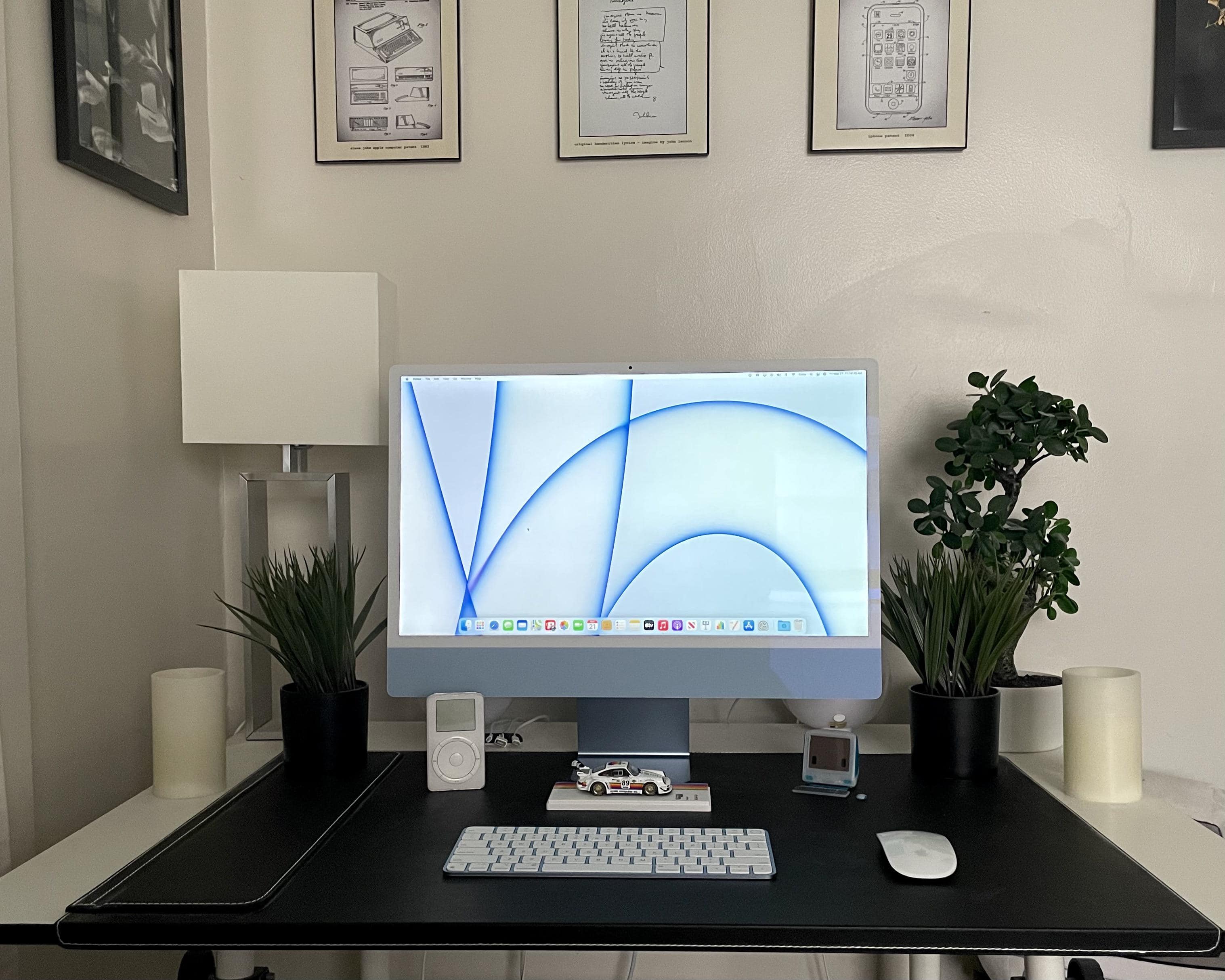
Photo: 17parkc@Reddit
Apple’s colorful redesigned — frankly, reinvented — M1 iMac launched in spring 2021 to widespread excitement. This user was among the first to show off the blue model on social media — complete with a video. Their spare but charming setup pairs the iMac with a Magic Keyboard, a Magic Mouse 2 and a much-coveted vintage iPod, plus a miniature Porsche 911 model and a tiny toy iMac G3 that sent commenters into nostalgic raptures. The article doubles as a community snapshot of initial M1 iMac reactions: near-universal love for the colors and white bezels, plus the inevitable calls for more ports and a larger screen size.
Read the full Setups article: Here come the new M1 iMacs
Pairing automatically with your Mac, Magic Keyboard delivers a remarkably comfortable and precise typing experience. It’s also wireless and rechargeable, with a long-lasting internal battery.
- Pairs automatically with Mac
- Comfortable and precise typing experience
- Wireless and rechargeable
- Long-lasting internal battery
- No RGB backlighting
- No multidevice pairing

Magic Mouse is wireless and rechargeable, with an optimized foot design that lets it glide smoothly across your desk. The Multi-Touch surface allows you to perform simple gestures such as swiping between web pages and scrolling through documents. The rechargeable battery will power your Magic Mouse for about a month or more between charges.
- Multitouch gestures
- USB-C connector
- Slim design

6. All blues: Sweet iMac finds itself in a cool-toned Satechi situation
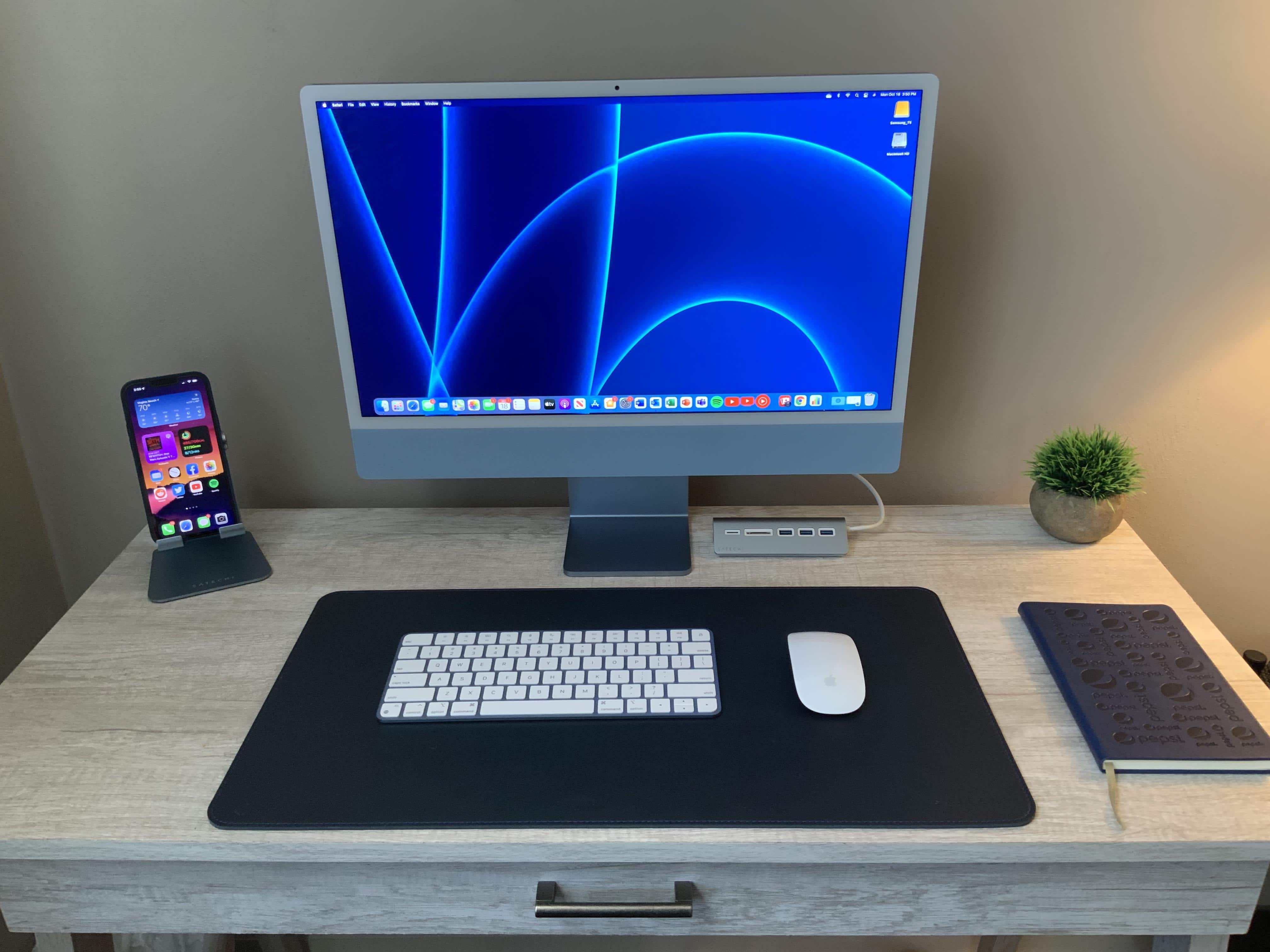
Photo: [email protected]
This user started with Apple’s blue 24-inch M1 iMac — complete with its colour-matched Magic Keyboard and Magic Mouse — and apparently couldn’t stop there. He then added a blue Satechi USB-C combo hub, a blue Satechi folding iPhone stand and a blue leather Satechi desk mat, resulting in a completely color-coordinated living-room setup. The Satechi hub expands the iMac’s limited port selection with USB 3.0 data ports and SD card readers. The setup is a delightful demonstration of what is possible when you lean all the way into the decorative logic of the M1 iMac’s seven-color palette. And it shows how third-party accessories can fill the gaps Apple leaves in connectivity.
Read more: All blues: Sweet iMac finds itself in a cool-toned Satechi situation
This aluminum USB-C adapter includes three USB 3.0 ports and a Micro/SD Card reader.

This useful aluminum stand is compatible with iPad Pro, iPad Air M1, iPad Mini and Phone 12 and newer.

5. Affordable iMac rig sees no need for Apple silicon

Photo: [email protected]
This setup leans on a six-year-old iMac alongside a MacBook Air almost twice as old. Yet it manages to handle everyday computing tasks without complaint. It’s a useful counterweight to the relentless upgrade cycle promoted elsewhere online, making the case that well-maintained older Apple hardware can remain perfectly capable for general productivity, web browsing and light creative work. It should resonate with budget-conscious users and long-term Mac owners who bristle at the assumption that anything short of the latest chip renders a machine useless — proof that an iMac’s longevity is one of its most underrated selling points.
Read more: Affordable iMac rig sees no need for Apple silicon
Colorful and capable, Apple's refreshed all-in-one desktop computer is fun and functional.
- M4 chip for great performance
- Seven color options, with color-matched accessories
- 24-inch 4.5K display looks great
- Limited number of ports

The Bose QuietComfort stands out for its amazing ANC and sound quality. The long battery life and comfortable design act as a cherry on top, making them a great pair of headphones to own.
- Excellent ANC
- Great sound quality
- Long battery life
- Missing support for LDAC and higher bitrate codecs

4. Bring new life to an old Intel-based iMac or Mac mini
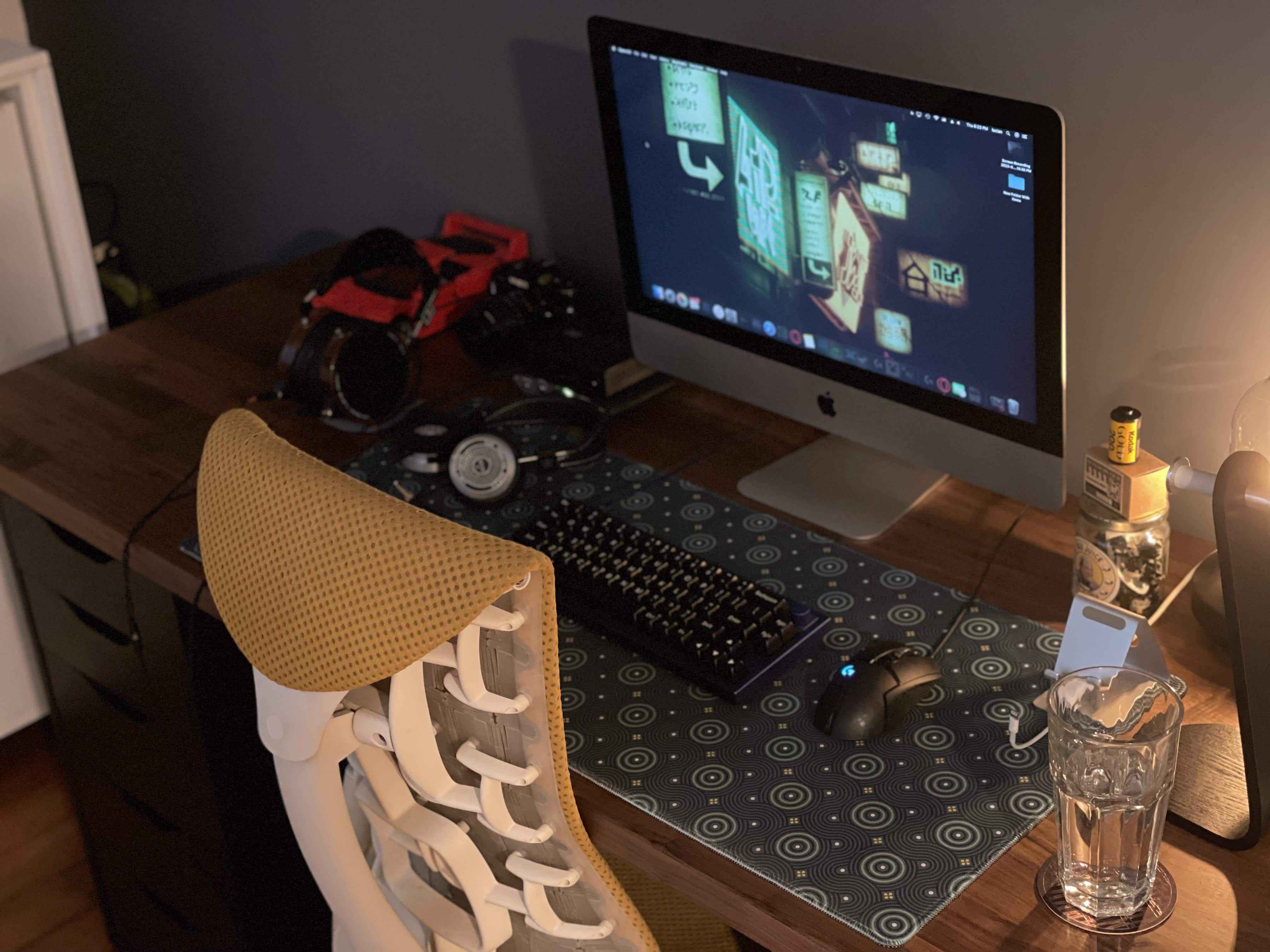
Photo: [email protected]
This user’s setup surrounds a 2012 Intel Core i5 iMac they describe as “slow as all hell, but I still love it to death.” Despite the machine’s age, the workstation is far from austere. A customized Keychron Q2 mechanical keyboard with Gateron Oil King switches provides a premium typing experience. And an audiophile-grade stack — Audeze and Grady over-ear headphones, a Schiit Magni headphone amplifier and an iFi Zen DAC — makes the sound exceptional. The article’s practical core is a step-by-step guide to assigning an external SSD as the iMac’s startup disk. That’s a cost-effective trick that can dramatically revive sluggish Intel hardware without buying a new machine.
Read more: Bring new life to an old Intel-based iMac or Mac mini
The Q2 is a customizable mechanical keyboard with a compact 65% layout. It features a solid full aluminum frame and QMK and VIA support for key mapping and customization.

These great sounding closed-back headphones with a large planar magnetic driver -- based on Audeze's original LCD-2 model -- offer a wide soundstage and good sound isolation.

3. User ponders M3 iMac vs. M4 MacBook Pro
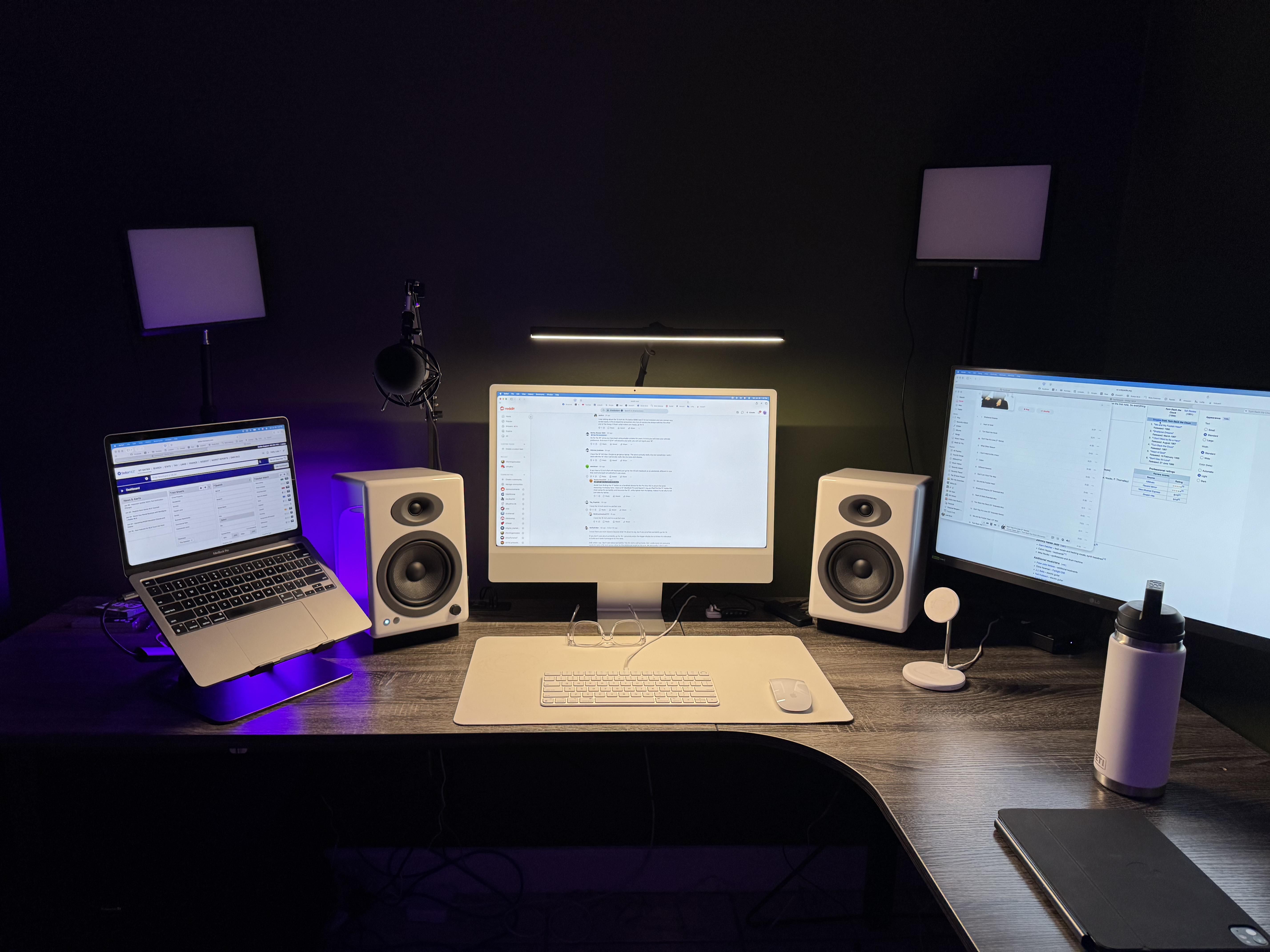
A WFH real estate agent poses a question many iMac owners will recognize. Should he replace both an aging M1 MacBook Pro and his M3 iMac (16GB RAM, 512GB SSD) with a single M4 Pro MacBook Pro? His setup pairs the iMac with a 27-inch LG display and uses an open MacBook Pro for Universal Control. Commenters counseled that the M3 iMac was far from obsolete for RAM-intensive real-estate workflows. They recommended keeping two separate devices for parallel computing. And they suggested the LG 4K UltraFine as a cost-effective third-display option. That’s all practical wisdom for anyone trying to future-proof an iMac-centered workstation.
Read more: User ponders M3 iMac vs. M4 MacBook Pro
Apple's all-in-one desktop machine features a 24-inch built-in display and color-matched keyboard and mouse -- plus all the basic specs needed for casual uses.
- Simple all-in-one design
- Beautiful 24-inch display
- Color matched keyboard and mouse
- Not the most powerful Mac

This Apple laptop features an M4 Pro chip with a 12-core CPU, a 16-core GPU and the same lightweight design we all know and love. Available in space black or silver.
- 14.2-inch Liquid Retina XDR display
- 24GB unified memory (configurable from 16GB to 36GB)
- 512GB SSD storage (configurable to 1TB)
- Same design as previous models

This crisp and clear 4K display features an Ergo stand, UHD 4K resolution, IPS technology, HDR 10 compatibility and USB-C connectivity.

2. Cozy iMac nook makes picture-perfect workspace

Photo: [email protected]
The user titled their post “Imac homeoffice 2024,” and commenters immediately declared it “peak coziness” — a verdict hard to argue with. The centerpiece is a pink 2023 M3 24-inch iMac paired with its color-matched Magic Keyboard, a Logitech MX Master 3S wireless mouse and a Magic Trackpad. The iMac’s 4.5K Retina display supports a billion colors at 500 nits of brightness. And the built-in six-speaker system with Spatial Audio means the workspace sounds as good as it looks. Two Philips Hue Go smart LED table lamps add warm, color-adjustable ambient lighting. And a HomePod 2 sits on the window sill.
Read more: Cozy iMac nook makes picture-perfect workspace
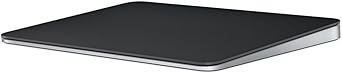
Apple's popular multi-touch input device is great for gestures. It features Bluetooth connectivity and a rechargeable battery.
Logitech's flagship MX Master mouse stands out for its precision, features and ergonomic design. The 8K Darkfield sensor ensures the mouse can track on any surface, with the Quiet Click technology helping provide near-silent clicks. Take advantage of the customization buttons and electromagnetic scroll wheel to further boost your productivity.
- 8K DPI sensor
- Exhaustive set of features
- Customizable buttons
- Prone to connection dropping issues on Macs

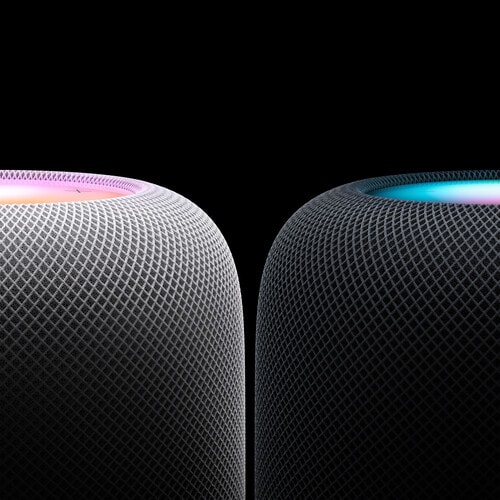
The powerhouse smart speaker features Apple‑engineered audio technology and advanced software to project high‑fidelity sound throughout the room. It adapts to what it's playing, and where it's placed, to surround you with immersive audio.
- Excellent audio, especially in stereo pairs
- Great with Apple ecosystem
- More expensive than the competition
1. M4 iMac makes surprisingly rare appearance
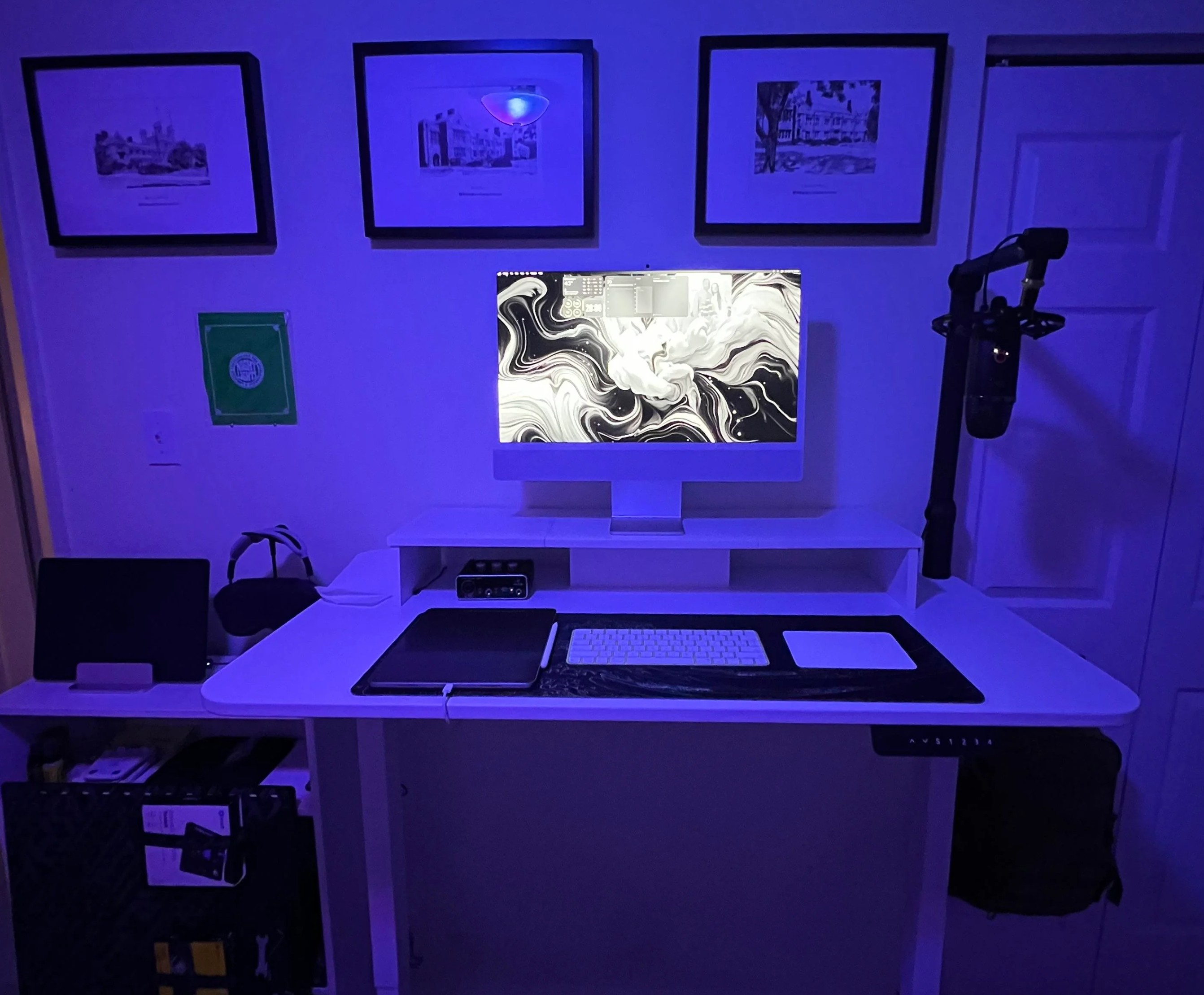
Photo: [email protected]
This user posted a photo of their M4 iMac under the modest title “Simple setup,” and the workstation turned out to be anything but bare-bones. Alongside the M4 iMac itself sit an M2 iPad Pro, an M2 MacBook Air, AirPods Max, a Logitech Blue Yeti microphone on a boom arm and a Behringer U-Phoria UM2 audio interface. The user said they almost went with a Mac mini M4 and a large external display instead, but chose the iMac for its integrated display, built-in camera and the clean, single-cord elegance that an all-in-one provides. A separate post — Add great audio to your workstation the easy way — focuses on the setup’s great audio gear.
Read more: M4 iMac makes surprisingly rare appearance
Apple's all-in-one desktop computer comes color-matched keyboard and mouse.

Apple's AirPods Max are among the best-sounding consumer headphones you can buy. They offer pro-level active noise cancellation and advanced features like Adaptive EQ and Personalized Spatial Audio. Treat your ears!
- Superb sound
- Pro-level Active Noise Cancellation
- Long battery life (and now USB-C)
- Much-hated Smart Case
- On the heavy side

Logitech's Blue Yeti USB condenser microphone is for recording, streaming, gaming, podcasting and more on Mac or PC. Includes Blue VO!CE Effects and adjustable stand. Also available in bundle with boom arm.
- Great for many uses with Mac or PC
- Choose from 4 pickup patterns
- Comes with effects software
- More money buys higher audio quality

Behringer's affordable audio interface helps you record with quality via Mac or PC. It brings top-notch connectivity for your microphone, headphones and a musical instrument.
- 2-channel USB audio interface with 1 XENYX microphone preamp
- Instrument input
- Phantom power
- 48kHz audio resolution
- Limited inputs for mics and instruments


David Snow, an expert on Apple hardware and software, writes on a variety of technological and cultural topics for Cult of Mac. They include Apple news, technology buying guides, and features about computer setups and Apple TV shows and movies.
With 30 years of experience covering technology and other subjects, he has written and edited for numerous print and online publications, including CMP Media, TechTV.com, CNET, Wired News, Red Herring magazine, Law.com, The National Law Journal and Law Technology News magazine. Among other roles, he served as executive editor of the Law.com network of websites and editorial director, technology, for ALM Media.
Snow graduated with a B.A. from Syracuse University with majors in magazine journalism and psychology. While there, he worked as a reporter for The Daily Orange newspaper and associate editor of Equal Time magazine.
Founder of the blog At the Waterline, he can be reached on X (formerly Twitter) via @atthewaterline and on Mastodon via @dsnow.

