
To make the new MacBook Neo — Apple’s most affordable laptop yet at just $599 — the company obviously needed to make some compromises. To keep costs down, Apple removed or scaled back several features that come standard on the MacBook Air and MacBook Pro.
Every wise shopper should consider the limitations of the MacBook Neo before jumping on Apple’s fun-looking new laptop.
MacBook Neo limitations
At first glance, the MacBook Neo looks like a fantastic deal. You get a familiar MacBook design, Apple silicon performance (thanks to its A18 Pro chip), and the full macOS experience for hundreds of dollars less than the MacBook Air.
For many students, first-time Mac buyers or people who mainly browse the web and work with documents, it could easily seem like the perfect affordable entry point into Apple’s ecosystem.
However, that cheaper price tag — which drops to just $499 with an educational discount — also comes with some compromises. (See also: How to save big bucks with Apple’s educational discount.)
To achieve that lower price, though, Apple had to cut some corners. A less-powerful processor, fewer USB-C ports and a less-impressive display are a given. But the MacBook Neo also comes with several other limitations that might surprise you — especially if you are upgrading from another Apple device.
1. No backlit keyboard
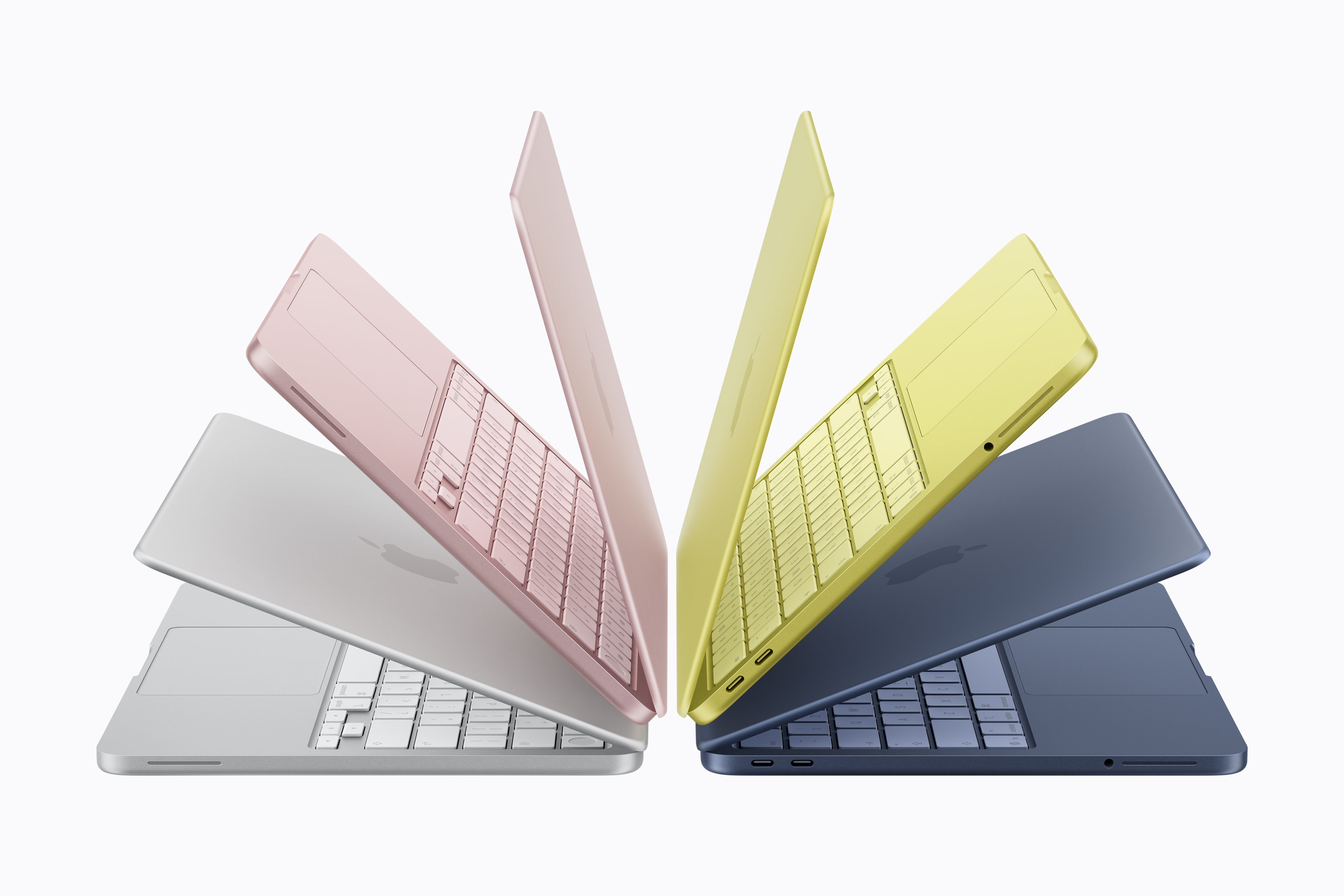
Image: Apple
The MacBook Neo is the first Apple laptop in more than 15 years to not feature a backlit keyboard. The Magic Keyboard on both the 256GB and 512GB variants of the low-cost laptop lacks any kind of lighting.
This will make the keys harder to see in low-light conditions, making typing difficult (especially if you are not used to touch-typing). On the bright side, Apple matched the key colors to the four available MacBook Neo colors: silver, blush, citrus and indigo.
2. No Force Touch trackpad
The trackpad experience on the MacBook Neo will differ noticeably from that of the regular MacBook Air and MacBook Pro. That’s because it features a standard multi-touch trackpad that lacks Apple’s Force Touch technology.
As a result, pressing harder on the trackpad won’t trigger additional contextual options or deliver the subtle haptic feedback that Apple’s premium MacBooks are known for.
This means features like Force Click for Quick Look previews, dictionary lookups or link previews in Safari will not be available on the Neo. You’ll also miss out on the simulated click from the Taptic Engine. The Neo’s trackpad keeps the click feel consistent, irrespective of where you press on it.
If you switch from a MacBook Pro or Air, you’ll immediately notice the lack of the more polished Force Touch experience.
3. No ambient light sensor or True Tone
Just like backlit keys, the MacBook Neo lacks an ambient light sensor. This means it cannot adjust its display brightness automatically.
It also misses out on True Tone, a feature that has become common across all Apple products, including the iPhone, iPad and MacBooks.
4. No Thunderbolt port
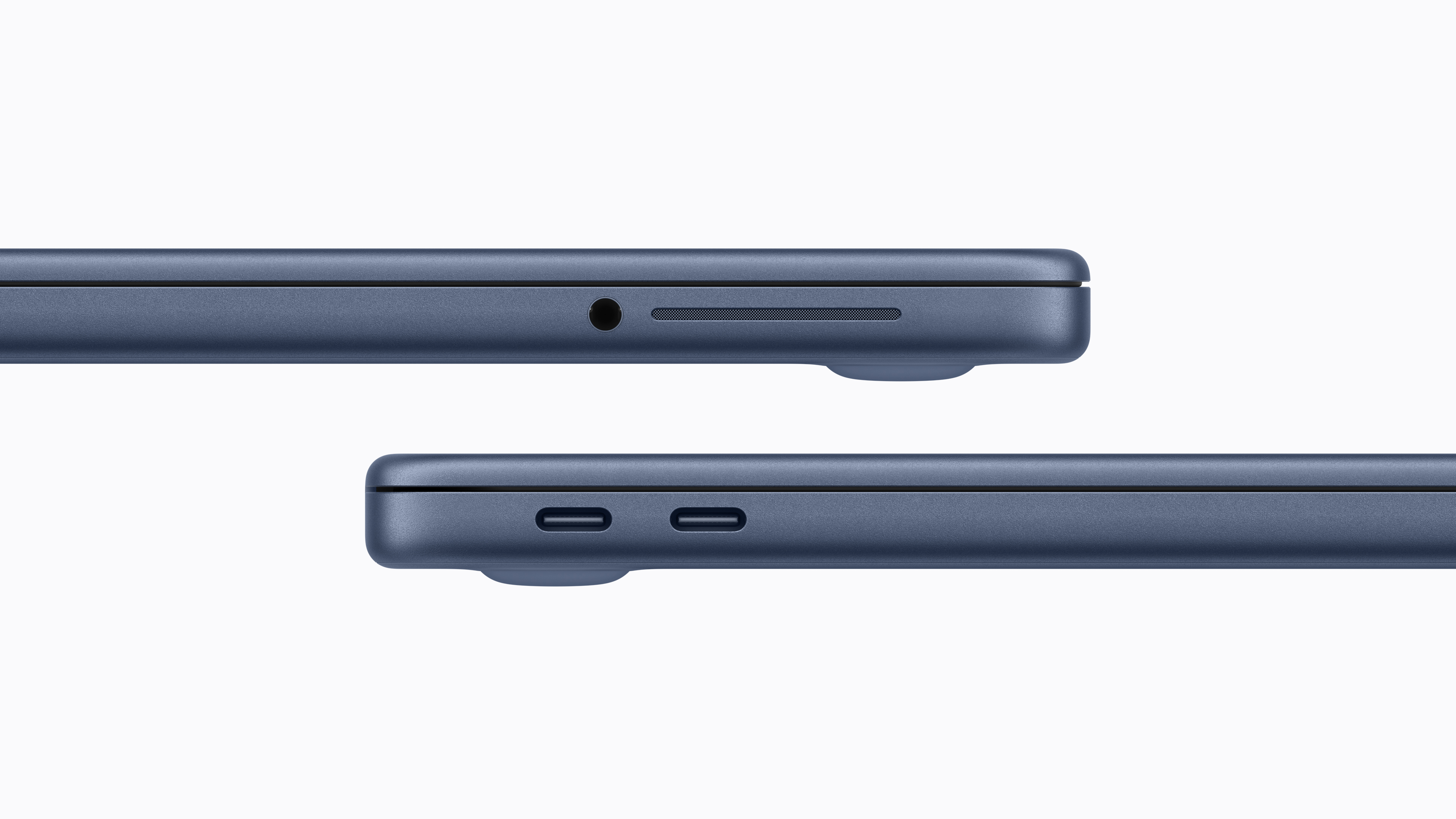
Image: Apple
The MacBook Neo sports two USB-C ports on the left side of its chassis. But these two ports are not the same as the ones on the MacBook Air or MacBook Pro. They are regular USB-C ports, not Thunderbolt.
Worse, only one of them supports USB 3, meaning it can reach speeds of up to 10Gb/s. The second one tops out at USB 2 speeds of 480Mb/s. So, you cannot connect high-bandwidth external storage or other Thunderbolt accessories to the MacBook Neo.
In practice, you’ll end up plugging most peripherals into the USB 3 port, as the slower port simply doesn’t offer enough bandwidth for anything beyond basic accessories like a keyboard, mouse or USB drive.
This is also why the Neo cannot drive Apple’s new Studio Display or Studio Display XDR at the monitors’ native 5K resolution. The budget laptop’s weaker GPU and the USB-C ports simply aren’t up to the task.
Unlike the MacBook Air and Pro, there’s no MagSafe 3 port, either. So, you must use one of the two USB-C ports to charge the MacBook Neo.
5. No fast charging (or bundled power brick in some locations)
In the United States, the Neo will come with a 20W USB-C power brick. And unlike every other Apple product, the Neo lacks fast charging support. So, you cannot juice up its battery to 50% in 30 minutes or less. With a claimed battery life of 16 hours, though, this should not be an issue in most cases.
Apple will not include a power brick with the MacBook Neo in the European Union and the United Kingdom. This change aligns with Apple’s other MacBooks, which no longer ship with a charger in the box in those regions. The move follows a new EU regulation aimed at reducing electronic waste and standardizing charging accessories.
6. No notch or Center Stage camera

Image: Apple
The screen cutout known as “the notch” has become a standard display feature across Apple’s laptop lineup. But the MacBook Neo trades the notch for chunky bezels.
That’s not it, though. The laptop’s 13-inch screen lacks support for Display P3 color gamut, meaning it cannot show colors as vibrant as its more expensive siblings.
More annoyingly, the MacBook Neo does not include a smart Center Stage camera to keep subjects in the frame during FaceTime calls and other video meeting apps. Instead, it packs a standard 1080p camera. So, while it will be good enough for video calls, it won’t automatically reframe the scene to keep you in the center.
A 1080p camera is not bad, but if you are coming from any other Apple device, this will certainly feel like a big usability downgrade.
7. Side-firing speakers
Apple devices are known for their excellent sound quality. The iPad Pro delivers impressive audio despite its slim profile. Similarly, the MacBook Air and MacBook Pro produce rich, room-filling sound that’s far better than many larger laptops.
You should not expect the MacBook Neo to deliver the same audio experience. While Apple’s budget laptop features stereo speakers, they are side-firing instead of the downward-facing setup found on the MacBook Air and Pro. The Neo packs two fewer speakers than the Air, too, so it likely won’t sound as loud or as full.
Besides sound quality, the speaker placement also means they can get blocked when you use the MacBook Neo on your lap.
MacBook Neo or MacBook Air?
Make no mistake. The MacBook Neo is no MacBook Air killer. Yet, for all its compromises, it lowers the barrier to entry into the Mac (and Apple) ecosystems. It is squarely aimed at college students and longtime Windows users looking to try a Mac for the first time.
At just $599 for the standard model (with 256GB of storage and 8GB of unified memory) and $699 for the upgraded model (512GB storage, 8GB unified memory and Touch ID on the keyboard), the MacBook Neo is still a great buy. It should cause panic in the boardrooms of companies that make cheap Windows laptops and Chromebooks.
Just be aware of the MacBook Neo’s limitations before buying one.
The MacBook Neo is Apple’s entry-level laptop. It has Apple’s signature all-day battery life and ease of use. It can swim through web browsing, document editing and other basic work tasks.
But if you want higher specs than its 8 GB memory or the maximum 512 GB storage, the MacBook Air may be a better choice.
- 16-hour battery life
- Bright, fun colors
- Thin and light design
- No MagSafe
- USB 3 and USB 2 ports
- No support for high-resolution displays


Rajesh has been writing about consumer technology for over a decade, with a strong focus on iPhones, Macs and Apple’s ecosystem. He enjoys digging into Apple software updates, hardware changes, and discovering new Mac apps that make work faster and more enjoyable.


One response to “$599 MacBook Neo has these 7 surprising limitations”
They pulled just the right things out to make it less expensive without compromising build quality.